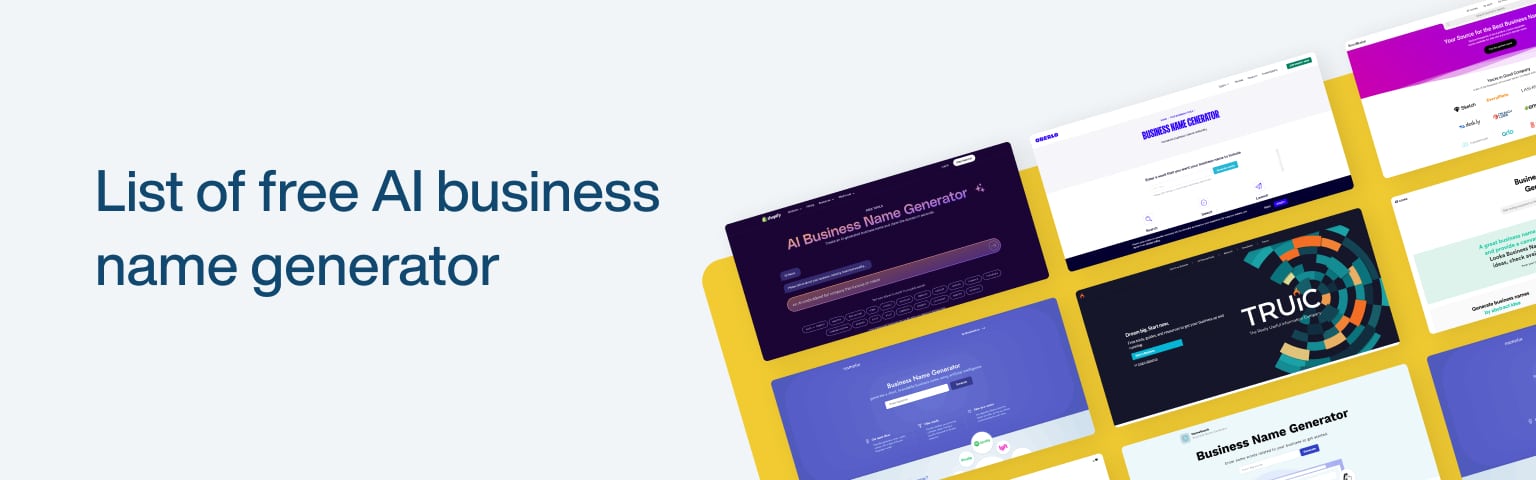
List of Free AI Business Name Generators

Introduction

Choosing the right name for your business is a big deal. A good name helps people remember you and makes a solid first impression. It can tell a story about your brand, show what you do, and attract the right customers. But finding that perfect name can be challenging. This is where AI business name generators come in handy. These tools use smart technology to suggest names based on your keywords and preferences. Instead of spending hours brainstorming, you can get a list of creative names in just a few clicks. This saves time and helps spark new ideas you might have yet to think of.

Shopify Business Name Generator

The Shopify Business Name Generator is a free tool for creating business name ideas. It’s ideal for new entrepreneurs in need of a unique name. The tool is easy to use and provides a range of options based on your input.

How It Works

Using the Shopify Business Name Generator is simple. Follow these steps:

  1. Go to the Shopify Business Name Generator: Open the website on your browser.
  2. Enter a Keyword: Type in a word that relates to your business. For example, if you’re starting a coffee shop, you might enter “coffee.”
  3. Click “Generate Names.”: The tool will then show you a list of name ideas.
  4. Browse the Suggestions: Look through the names and find one you like.
  5. Check Domain Availability: Each suggested name will show if the domain is available, so you can choose a name with an online presence in mind.

Benefits

The Shopify Business Name Generator has several benefits:

  • Domain Availability Check: It tells you immediately if the domain for a suggested name is available, making it easier to set up your website.
  • Simplicity: The tool is user-friendly and doesn’t require any special skills to use.
  • Integration with Shopify: If you start your online store with Shopify, the name you select can be seamlessly integrated into their platform, making the setup process smoother.

Using the Shopify Business Name Generator can save you time and effort, helping you quickly find a great name for your business.

URL:https://www.shopify.com/in/tools/business-name-generator

Namelix

Namelix is an AI-powered business name generator that helps you create unique and catchy names. It stands out because it uses advanced technology to provide names that are both creative and brandable. Whether starting a new business or rebranding, Namelix can give you plenty of great options.

How It Works

Namelix makes the naming process easy and fun. Here’s how it works:

  1. Visit the Namelix Website: Open Namelix in your browser.
  2. Enter Keywords: Type in words that relate to your business. For example, if you’re opening a bakery, you might use “bread” or “sweets.”
  3. Set Preferences: Choose the style of names you like (e.g., short, medium, or long) and the type of name (e.g., brandable, keyword-based).
  4. Generate Names: Click the button to see a list of name suggestions.
  5. Review and Customize: Look through the names and pick the ones you like. You can also customize them further to better fit your brand.

Benefits

Namelix offers several key benefits:

  • Brandable Names: The names generated are designed to be unique and easy to brand.
  • Style Options: To match your brand’s personality, you can choose from different styles, such as modern, classic, or playful.
  • Length Options: Select short, medium, or long names based on your preference.

Using Namelix helps you find a name that sounds good and fits your brand’s image. It’s a quick and efficient way to brainstorm and finalize your business name.

URL: https://namelix.com/

Business Name Generator by Looka

Looka’s Business Name Generator is a powerful tool that helps you create business names and offers logo design options. This makes it an excellent choice for entrepreneurs looking to establish a complete brand identity quickly and easily.

How It Works

Using Looka’s Business Name Generator is straightforward. Here’s how you can generate names and logos:

  1. Visit the Looka Website: Open Looka in your browser.
  2. Enter Keywords: Type in words that relate to your business. For instance, if you’re starting a fitness studio, you might use “fitness” or “health.”
  3. Generate Names: Click the button for a list of business name ideas.
  4. Browse and Select: Look through the suggested names and choose the ones you like.
  5. Create a Logo: After selecting a name, you can use Looka’s logo design tool to create a logo that matches your new business name. Customize the design by choosing colors, fonts, and icons.

Benefits

Looka offers several advantages:

  • Combination of Name Generation and Logo Design: This method consolidates a business name and logo in one place, streamlining the branding process.
  • Customization Options: Personalize your logo to ensure it aligns with your brand’s image.
  • Ease of Use: The tool is user-friendly, making it easy for anyone to create a professional-looking brand.

Looka’s Business Name Generator is an excellent tool for anyone starting a new business. It helps you create a cohesive brand by providing a unique name and a matching logo.

URL: https://looka.com/business-name-generator/

Oberlo Business Name Generator

Oberlo’s Business Name Generator is a handy tool for finding the perfect name for your business. Its simple, user-friendly interface makes the process quick and easy, even for beginners.

How It Works

Generating business names with Oberlo is straightforward. Here are the steps:

  1. Visit the Oberlo Business Name Generator: Open the website in your browser.
  2. Enter a Keyword: Type in a word related to your business. For example, if you’re opening a pet store, you might use “pets” or “animals.”
  3. Click “Generate Names.”: The tool will create a list of business name ideas based on your keyword.
  4. Browse the Suggestions: Look through the names and choose the ones that stand out.
  5. Check Domain Availability: Each suggested name contains information about whether the domain is available, helping you secure an online presence.

Benefits

Oberlo’s Business Name Generator offers several key benefits:

  • Keyword-Based Generation: By entering a keyword, you get relevant names for your business.
  • Domain Availability Check: Quickly see if the domain for a suggested name is available, making it easier to set up your website.
  • User-Friendly Interface: The tool is easy to use, so you can generate names without hassle.

Using Oberlo’s Business Name Generator can save you time and effort. It helps you find a great name for your business with just a few clicks.

URL: https://www.oberlo.com/tools/business-name-generator

TRUiC Business Name Generator

The TRUiC Business Name Generator is a specialized tool to help you find the perfect name for your business. Its industry-specific approach sets it apart, ensuring that the names it suggests are relevant and tailored to your business field.

How It Works

Using the TRUiC Business Name Generator is easy. Here’s a detailed guide:

  1. Visit the TRUiC Business Name Generator Website: Open the website in your browser.
  2. Select Your Industry: Choose the industry that best matches your business, such as technology, food, or retail.
  3. Enter Keywords: Type in a few words related to your business. For instance, if you’re starting a tech company, you might enter “innovation” or “software.”
  4. Click “Generate.”: The tool will create a list of business names based on your industry and keywords.
  5. Review the Suggestions: Browse through the list and find your favorite names.
  6. Check Domain Availability: Each name will show if the domain is available, making it easy to secure a web address.

Benefits

The TRUiC Business Name Generator offers several key benefits:

  • Industry-Specific Names: The tool provides more relevant and fitting names for your business by focusing on your industry.
  • Domain Availability Check: Quickly see if the domain for a suggested name is available, helping you establish an online presence.
  • User-Friendly Process: The step-by-step guide makes it simple for anyone to use.

Using the TRUiC Business Name Generator helps you find a unique name tailored to your specific industry, saving you time and ensuring a better fit for your business.

URL: https://truic.com/

NameSnack

NameSnack is a powerful business name generator that uses advanced AI and various techniques to create various name options. It’s known for its comprehensive approach, making it a great tool for entrepreneurs who want many choices.

How It Works

NameSnack uses a mix of AI and different methods to generate business names. Here’s how you can use it:

  1. Visit the NameSnack Website: Open NameSnack in your browser.
  2. Enter Keywords: Type in words that describe your business. For example, if you’re opening a bookstore, you might enter “books” or “reading.”
  3. Provide Additional Details: You can add more information about your business, such as the type of business and any specific themes or styles you prefer.
  4. Generate Names: Click the button to see a list of suggested names.
  5. Browse and Select: Look through the extensive list of names and pick the ones you like.
  6. Check Domain Availability: Each name suggestion includes information about domain availability, so you can find a name with an available web address.

Benefits

NameSnack offers several benefits:

  • Extensive List of Names: The tool provides a wide variety of name options, giving you more to choose from.
  • Domain Availability Check: Quickly see if the domain for a suggested name is available, making it easy to set up your online presence.
  • Comprehensive Approach: Using AI and multiple techniques, NameSnack generates creative and diverse name ideas.

NameSnack’s wide range of suggestions and easy-to-use interface can help you find the perfect name for your business. It’s a great tool for anyone considering many options before deciding.

URL:https://www.namesnack.com/

Brandroot

Brandroot is a business name generator specializing in creating unique and brandable names. It offers various features to help you find a name that stands out and can be easily marketed. One of its key advantages is that it includes domain availability and logo design options.

How It Works

Finding and securing a business name with Brandroot is straightforward. Here’s how you can use it:

  1. Visit the Brandroot Website: Open Brandroot in your browser.
  2. Browse Names: You can browse through a list of pre-made business names or use the search feature to find names based on keywords related to your business.
  3. Select a Name: Select a name from the list. Each name comes with a logo design and information about the domain’s availability.
  4. Purchase the Name: Once you find the perfect name, you can purchase it directly through the website. This includes securing the domain and obtaining the logo design.

Benefits

  • Unique and Brandable Names: Each name is carefully crafted to be unique and easy to brand.
  • Available Domains: The tool ensures that the names come with available domains, so you can set up your online presence quickly.
  • Logo Designs: Each name includes a professionally designed logo, helping you establish a strong visual identity right from the start.

Using Brandroot can help you find a unique business name that is ready for branding and online use. Its combination of name generation, domain availability, and logo design makes it a comprehensive tool for new businesses.

URL:https://www.brandroot.com/

BrandBucket

BrandBucket is a business name generator that offers a curated list of unique and brandable names. It’s a great tool for entrepreneurs looking for a professional and ready-to-use business name. Each name in BrandBucket’s inventory is carefully selected to ensure it meets high branding standards.

How It Works

BrandBucket’s process for selecting and generating names is meticulous. Here’s how you can use it:

  1. Visit the BrandBucket Website: Open BrandBucket in your browser.
  2. Browse or Search: You can browse through the curated list of names or use the search function to find names based on keywords related to your business.
  3. View Details: Each name includes detailed information, including a professional logo design and domain availability.
  4. Select and Purchase: Once you find a name that fits your business, you can purchase it directly through the website. This includes securing the domain and obtaining the logo design.

Benefits

BrandBucket offers several key benefits:

  • Brandable Names: Each name is selected for its potential to be a strong, memorable brand.
  • Domain Availability: The names come with available domains, making it easy to establish your online presence.
  • Logo Designs: Each name includes a professionally designed logo, helping you start with a complete brand identity.

Using BrandBucket can help you find a business name that stands out and is ready for immediate use. Its combination of carefully curated names, domain availability, and professional logo designs makes it a valuable resource for new business owners.
URL: https://www.brandbucket.com/

WordPress Pros and Cons

Choosing the Right CMS for Your Business

Selecting the right Content Management System (CMS) is crucial when building a website for your business. Digital content can be created, managed, and published using CMS software. Your online presence depends on it, which can make or break your business. This section will explore the importance of choosing a suitable CMS and look closely at WordPress as a CMS option.

The Importance of Choosing the Right CMS

Selecting the suitable CMS for your business is essential for several reasons. First and foremost, it determines the foundation upon which your website will be built. A well-suited CMS can provide the tools and features to create a professional, user-friendly website that meets your business goals. On the other hand, choosing the wrong CMS can lead to difficulties in managing and updating your website, hindering your ability to deliver a seamless user experience.

Additionally, a CMS affects your website’s scalability and flexibility. As your business grows, you may need to add new features or expand your website’s functionality. The suitable CMS should offer the flexibility to adapt to your changing needs without requiring significant redevelopment or migration efforts.

Furthermore, a CMS is crucial in search engine optimization (SEO). It should provide the necessary tools and features to optimize your website’s structure, content, and metadata, helping it rank higher in search engine results. WordPress, for instance, offers a wide range of SEO-friendly features, making it a popular choice for businesses aiming to improve their online visibility.

Exploring WordPress as a CMS Option

WordPress is one of today’s most popular and widely used CMS options. Developed initially as a blogging platform, it has evolved into a powerful content management system. WordPress is renowned for its user-friendly interface, extensive theme and plugin library, and strong community support.

WordPress’s ease of use and customization are two of its primary benefits. Even individuals with limited technical expertise can navigate the platform and create a professional-looking website. You can customize your website’s design and functionality with thousands of themes and plugins. For more information on WordPress themes, visit our article on WordPress themes.

Another advantage of WordPress is its active and supportive community. The vast WordPress community provides many resources, tutorials, and forums where users can seek assistance and share knowledge. This robust support system ensures you can find help and guidance whenever you encounter any challenges or have questions regarding your website development.

However, like any CMS, WordPress has its drawbacks. For optimal performance and security, it must be regularly updated and maintained. You must pay attention to updates to ensure your website is secure from security breaches. Keep your WordPress website up-to-date and use security plugins to keep it protected. Read more about WordPress security in our article on WordPress security.

Furthermore, while WordPress offers a high level of customization, it may have limitations when it comes to complex websites with unique requirements. Building and maintaining highly customized websites may require more technical expertise and development efforts. It’s important to carefully assess your business needs and consider whether WordPress can adequately meet them. For more information on WordPress website development, visit our article on WordPress website development.

In the next section, we will compare WordPress with other CMS options, such as Joomla, Drupal, and Shopify, to help you decide on the most suitable CMS for your business.

Pros of Using WordPress for Your Business

WordPress is a popular content management system (CMS) for small businesses and individuals due to its many advantages. Let’s explore some of the pros of using WordPress for your business:

Easy to Use and Customize

The user-friendly interface of WordPress makes it accessible to users of all technical skill levels. Whether you are a beginner or an experienced user, WordPress provides a straightforward and intuitive platform for managing your website content. The user-friendly dashboard allows you to create, edit easily, and English your content needed for extensive technical knowledge.

Themes and templates provided by WordPress can also be customized to fit your business’s branding and design requirements. Whether you’re looking for a professional, sleek look or a vibrant and creative design, numerous options are available. 

Wide Range of Themes and Plugins

Themes and plugins that extend your website’s functionality and appearance are available for WordPress. Themes allow you to change your site’s overall look and layout, while plugins provide additional features and capabilities. With thousands of options, you can find themes and plugins catering to your business needs.

Themes and plugins can enhance various aspects of your website, such as adding e-commerce functionality, improving search engine optimization (SEO), integrating social media, and optimizing website performance. The extensive selection of themes and plugins allows you to create a customized, feature-rich website tailored to your business requirements. Learn more about WordPress plugins in our article on WordPress plugins.

Strong Community Support

WordPress boasts a vibrant and active community of developers, designers, and users, contributing to its continuous growth and improvement. The community offers tutorials, forums, and documentation to help you navigate and optimize your WordPress website. This support network is invaluable, particularly for small business owners needing more extensive technical expertise.

Additionally, the community regularly releases updates and security patches to keep WordPress secure and up-to-date. These updates help protect your website from potential vulnerabilities and ensure you utilize the latest features and improvements. For more information on WordPress security, check out our article on WordPress security.

SEO-Friendly Features

WordPress is inherently SEO-friendly, designed to help your website rank higher in search engine results. The platform provides various built-in features and functionalities that optimize your website for search engines. These include customizable permalinks, meta tags, and easy integration with popular SEO plugins.

With WordPress, you can create keyword-rich URLs, optimize your content with meta descriptions and title tags, and generate XML sitemaps to improve your website’s visibility in search results. This SEO-friendly nature of WordPress can significantly contribute to attracting organic traffic to your website and improving your online presence.

WordPress offers many other benefits and features that make it a popular choice for businesses of all sizes. However, it’s essential to consider both the pros and cons of using WordPress for your specific business needs.

Cons of Using WordPress for Your Business

While WordPress offers numerous advantages as a content management system (CMS), it’s essential to consider the potential drawbacks before deciding on your business. Here are some of the cons associated with using WordPress:

Requires Regular Updates and Maintenance

One of the downsides of using WordPress is the need for regular updates and maintenance. WordPress constantly releases updates as an open-source platform to boost security, fix bugs, and introduce new features. However, these updates require manual installation and can be time-consuming. The lack of updates can leave your website vulnerable to security breaches and affect its functionality. A smooth and secure WordPress experience requires regular maintenance.

Potential Security Vulnerabilities

While WordPress is a popular CMS, its widespread use makes it a target for hackers. The platform’s popularity and the availability of third-party themes and plugins can pose security risks if not managed properly. Maintaining an up-to-date WordPress installation, themes, and plugins will mitigate potential vulnerabilities. Additionally, implementing security measures such as using strong passwords, installing plugins, and regularly backing up your website can help protect your business from potential security threats. 

Limited Control and Customization for Complex Websites

While WordPress offers a high degree of flexibility and customization, it may have limitations when building complex websites with unique functionality. Customizing certain aspects of your website, such as advanced e-commerce features or intricate design elements, may require coding knowledge or the assistance of a developer. While numerous themes and plugins can extend WordPress’s functionality, some complex requirements may necessitate custom development or alternative CMS options.

Learning Curve for Advanced Functionality

While WordPress is known for its user-friendly interface, mastering advanced functionality may require some learning. Customizing themes, creating custom page templates, or implementing complex plugins may require familiarity with coding languages such as HTML, CSS, and PHP. While resources like tutorials and community forums are available, acquiring these technical skills may be time-consuming. It may require the assistance of a developer for more intricate tasks.

Understanding the potential drawbacks of using WordPress is essential for making an informed decision for your business. While these cons exist, they can be managed effectively with regular updates, proper security measures, and assistance from experienced developers when needed. Your business needs can be determined by carefully weighing the pros and cons of WordPress.

Comparing WordPress with Other CMS Options

The best way to choose a content management system (CMS) for your business is to explore all the available options and compare their features and capabilities. This section will compare WordPress with popular CMS choices: Joomla, Drupal, and Shopify.

WordPress vs. Joomla

WordPress and Joomla are both widely used CMS platforms, each with strengths and weaknesses. Its user-friendly interface, extensive collection of themes, and wide range of plugins make WordPress easy to customize and expand. On the other hand, Joomla offers more advanced features and flexibility, making it a suitable choice for complex websites and online communities.

CMS FeaturesWordPressJoomla
Ease of UseYesNo
Extensibility with PluginsYesNo
Advanced FeaturesNoYes
Community SupportYesYes

To learn more about the differences between these two CMS options, check out our detailed comparison article on WordPress vs. Joomla.

WordPress vs. Drupal

WordPress and Drupal are popular CMS platforms that cater to different user needs. Small and medium-sized businesses can benefit from WordPress’ user-friendly interface. On the other hand, Drupal offers more advanced customization options and scalability, making it a preferred choice for large and complex websites.

CMS FeaturesWordPressDrupal
Ease of UseYesNo
Advanced CustomizationNoYes
ScalabilityNoYes
Community SupportYesYes

For a more in-depth analysis of the differences between WordPress and Drupal, refer to our comprehensive article on WordPress vs. Drupal.

WordPress vs. Shopify

While WordPress is primarily a CMS, Shopify is a specialized platform designed specifically for e-commerce. Plugins and themes for WordPress can make it into a powerful e-commerce platform. For businesses focusing on online sales, Shopify offers a more holistic approach with built-in e-commerce functionality.

CMS FeaturesWordPressShopify
E-Commerce FunctionalityNoYes
Customization OptionsYesNo
ScalabilityYesYes
Payment ProcessingNoYes

To further explore the differences between WordPress and Shopify, head over to our detailed comparison article on WordPress vs. Shopify.

By comparing WordPress with other CMS options like Joomla, Drupal, and Shopify, you can make an informed decision based on your business’s unique requirements and goals. Consider factors like ease of use, customization options, scalability, and community support to determine the best CMS for your business. Selecting a suitable CMS is crucial for establishing a robust online presence and effectively managing your website’s content.

Factors to Consider When Choosing a CMS

When selecting a content management system (CMS) for your business, you must consider several factors that align with your specific needs and goals. When choosing a CMS, keep these factors in mind:

Business Goals and Requirements

Before making a decision, assessing your business goals and requirements is crucial. Consider the type of website you need, the level of customization required, and the scalability of the CMS. WordPress offers various themes and plugins that cater to multiple industries and website types. Evaluate how well WordPress aligns with your business objectives and if it provides the necessary features to meet your requirements.

Budget and Cost Considerations

Budget plays a significant role in the selection process. Assess the initial setup costs, ongoing maintenance expenses, and any additional costs associated with the chosen CMS. WordPress is free and open-source, making it an attractive option for businesses with limited budgets. However, consider that there may be costs associated with premium themes, plugins, hosting, and professional support if needed. Consider your budget constraints and evaluate your business’s overall cost of ownership.

Technical Expertise and Support

Consider the level of technical expertise required to manage and maintain the CMS. WordPress is known for its user-friendly interface, making it accessible to users with varying technical skills. The vast WordPress community also provides vital support through forums, tutorials, and documentation. Assess your team’s technical capabilities and determine if additional training or external assistance is necessary. If you need professional support, numerous WordPress development companies are available to help you with your website needs.

When choosing a CMS for your business, you should carefully evaluate these factors. Keep in mind that other CMS options are available, such as Joomla and Drupal. To compare WordPress with other CMS options, refer to our articles on WordPress vs. Joomla and WordPress vs. Drupal. By considering your business goals, budget, technical expertise, and support requirements, you can determine if WordPress is the suitable CMS for your business needs.

Unlocking Your Websites Potential: Essential WordPress Plugins for Success

Maximizing Your WordPress Website

To unlock the full benefits of your WordPress website, it’s essential to understand the power of plugins. Plugins are important tools that extend the functionality of your WordPress site, allowing you to add new features and customize your website according to your specific needs.

Understanding the Power of Plugins

Plugins are like virtual assistants for your website, enabling you to enhance its performance, security, SEO, and more. These small software programs work in the background, seamlessly integrating with your WordPress installation to provide additional functionality.

Whether you’re looking to enhance your website for search engines, protect it from security threats, improve its performance, or add contact forms and analytics tracking, a plugin is available to meet your needs. With thousands of plugins in the official WordPress Plugin Directory, you can find solutions for almost any requirement.

Essential WordPress Plugins for Success

While the specific plugins you choose will depend on your website’s unique requirements, some essential plugins can benefit almost every WordPress website. Here are a few categories of essential plugins:

  1. SEO Plugins: These plugins help optimize your website for search engines and guarantee that it can be easily discovered by your target audience. They provide tools for keyword optimization, XML sitemap generation, meta tag management, and more.
  2. Security Plugins: It’s crucial to protect your website from potential threats and vulnerabilities. Security plugins help strengthen your website’s defenses by providing features such as firewall protection, malware scanning, login protection, and more. Check out our article on wordpress security to learn more about protecting your website.
  3. Performance Optimization Plugins: Slow-loading websites can negatively impact user experience and search engine rankings. Performance optimization plugins help improve website speed by caching content, optimizing images, minifying CSS and JavaScript files, and implementing other performance-enhancing techniques. Explore our recommended performance optimization plugins to learn more.
  4. Contact Form Plugins: Contact forms are essential for effective communication with your website visitors. Contact form plugins make it easy to create and manage forms, allowing visitors to reach out to you with inquiries, feedback, or requests. Discover popular contact form plugins for WordPress by visiting our article on wordpress contact forms.
  5. Analytics Plugins: Monitoring and analyzing website data is crucial for understanding your audience, tracking website performance, and making data-driven decisions. Analytics plugins integrate with popular analytics tools, such as Google Analytics, and provide valuable insights into your website’s traffic, user behavior, and more. Explore our recommended analytics plugins to learn more.

By incorporating these essential plugins into your WordPress website, you can enhance its functionality, security, performance, and user experience. Remember to regularly update your plugins to ensure compatibility with the updated WordPress version and to benefit from any bug fixes or new features. With the right plugins in place, you can take your WordPress website to new heights of success.

SEO Plugins

To discover the full potential of your custom WordPress website design, SEO (Search Engine Optimization) plugins play a crucial role. These plugins help improve your website’s appearance in search engine results, drive huge organic traffic, and boost your online presence. Understanding the significance of SEO for your website and utilizing the right SEO plugins is essential for success.

Importance of SEO for Your Website

SEO is the practice of optimizing your website to rank higher in search engine results pages (SERPs). Implementing effective SEO strategies can increase your website’s visibility and attract more organic traffic. A higher search ranking in search engines can lead to increased brand exposure, more website visitors, and potentially higher conversion rates.

Implementing SEO techniques manually can be time-consuming and complex. This is where SEO plugins for WordPress come into play. These plugins provide a user-friendly interface and automate many SEO tasks, making optimizing their content and improving search engine rankings easier for website owners.

Some key benefits of using SEO plugins include:

  1. Keyword Optimization: SEO plugins help you identify relevant keywords for your content and optimize your website accordingly. You can attract more organic traffic from users searching for those terms by targeting the right keywords.
  2. Meta Tags and Descriptions: SEO plugins allow you to easily optimize your meta tags and meta descriptions, which are essential for search engine indexing and click-through rates.
  3. XML Sitemaps: SEO plugins generate XML sitemaps that assist search engines crawl and index your website more efficiently, ensuring your content is discoverable.
  4. Page Analysis: Many SEO plugins provide page analysis tools that evaluate the SEO-friendliness of your content, offering suggestions for improvement.

Top SEO Plugins for WordPress

There are several powerful SEO plugins available for WordPress that can enhance your website’s visibility and performance. Here are some popular options:

Plugin NameKey Features
Yoast SEOOffers comprehensive on-page SEO optimization, including content analysis, XML sitemaps, meta tags, and readability analysis.
All in One SEO PackProvides similar features to Yoast SEO, including XML sitemaps, meta tags, and social media integration.
Rank MathOffers advanced SEO features, including a user-friendly interface, rich snippets, keyword optimization, and XML sitemaps.
SEOPressProvides a wide range of SEO features, such as XML sitemaps, meta tags, social media integration, and content analysis.
The SEO FrameworkOffers lightweight and fast SEO optimization with features like meta tags, XML sitemaps, and social media integration.

These are just a few examples of the many SEO plugins available for WordPress. Each plugin has particular features and benefits, so choosing one that aligns with your specific SEO goals and requirements is important.

Remember, while SEO plugins can significantly improve your website’s visibility, they are just one component of a comprehensive WordPress SEO strategy. It’s crucial to regularly update your content, build quality backlinks, and focus on providing a great user experience to achieve optimal results.

By utilizing the power of SEO plugins and implementing effective SEO strategies, you can maximize your WordPress website’s potential and increase its online visibility, ultimately driving more traffic and achieving your business goals.

Security Plugins

When it comes to handling a WordPress website, protecting your website from threats is of utmost importance. The internet is filled with potential security risks, such as hacking attempts, malware, and data breaches. Fortunately, various security plugins can help safeguard your website and ensure its smooth operation.

Protecting Your Website from Threats

Securing your website is essential to maintain the integrity and trust of your online presence. Without adequate security measures, you risk exposing sensitive information, compromising user data, and damaging your reputation. Security plugins play a essentrole in protecting your website from potential vulnerabilities and malicious attacks.

By implementing a security plugin, you can:

  • Detect and prevent malware: Security plugins scan your website regularly, identifying any signs of malware or suspicious activity. They help to isolate and remove any infected files, protecting your website and visitors from potential harm.
  • Strengthen user authentication: Security plugins offer features such as two-factor authentication (2FA) and login lockdowns to enhance user authentication. These measures make it more difficult for unauthorized individuals to gain access to your website’s admin area.
  • Protect against brute force attacks: It involve repeated login attempts using various username and password combinations. Security plugins can monitor and block such attacks, preventing unauthorized access to your website.
  • Implement firewall protection: Many security plugins include a firewall feature that acts as a barrier between your website and potential threats. This firewall analyzes incoming traffic, filters out malicious requests, and helps to mitigate common security risks.

Must-Have Security Plugins for WordPress

There are several security plugins available for WordPress, each offering unique features and functionalities. Here are some must-have security plugins that can help fortify your website’s defenses:

Plugin NameDescription
Wordfence SecurityOffers a complete security features, including malware scanning, firewall protection, and login security enhancements.
Sucuri SecurityProvides website monitoring, malware scanning, and incident response services. It also offers a website firewall to block malicious 
iThemes SecurityOffers a various security features, including file integrity checks, brute force protection, and 2FA. It also includes a security dashboard for monitoring your website’s security status.
All In One WP Security & FirewallProvides a user-friendly interface with various security features, such as file system security, user account security, and firewall protection.
BulletProof SecurityProvides protection against various types of attacks, including SQL injection, XSS, and RFI. It includes a firewall, login security, and database backup features.

Remember, while security plugins can enhance your website’s security, they are not a substitute for good security practices. It’s essential to keep your WordPress installation, themes, and plugins updated, use strong and unique passwords, and regularly backup your website. For more information on WordPress security, check out our article on wordpress security.

By investing in the right security plugins and following best industry practices, you can significantly reduce the risk of security breaches and ensure a safe online environment for your website and its visitors.

Performance Optimization Plugins

Performance optimization plugins are essential to ensure that your WordPress website operates at its best. These plugins help enhance website speed and performance, ensuring a smooth and systematic user experience for your visitors. Here, we will explore the importance of performance optimization and recommend some top plugins to achieve optimal results.

Enhancing Website Speed and Performance

In today’s fast-paced digital world, website speed plays a critical part in user satisfaction and search engine rankings. Slow-loading websites can lead to higher bounce rates, negatively impacting user engagement and conversions. Optimizing your website’s performance is crucial for retaining visitors and improving overall user experience.

Performance optimization encompasses various aspects, including caching, image optimization, code minification, and more. By implementing these optimization techniques, you can reduce page load times and deliver content to your audience quickly and efficiently.

Recommended Performance Optimization Plugins

Several plugins are available for WordPress websites to help streamline the performance optimization process. These plugins offer a huge range of features to improve website speed and performance. Here are some recommended performance optimization plugins:

Plugin NameDescription
wp rocketWP Rocket offers comprehensive powerful features designed to optimize your website’s speed immediately. WP Rocket actively contributes to higher visitor engagement by enhancing your page loading times. Since site speed significantly impacts search rankings, using WP Rocket not only pleases your site visitors but also satisfies Google, resulting in improved search engine rankings.
AutoptimizeStreamline the optimization of your site effortlessly with Autoptimize. This tool excels at combining, condensing, and caching scripts and styles. By default, it adds CSS to the page head. Still, it’s also capable of inserting essential CSS directly and postponing the loading of the complete aggregated CSS. Additionally, Autoptimize relocates and delays the scripts to the footer while reducing the size of HTML, resulting in a more efficient website performance.
w3 total cacheEnhance your site’s SEO, Core Web Vitals, and overall user experience with W3 Total Cache (W3TC). This tool elevates website performance and diminishes loading durations by utilizing advancements like seamless content delivery network (CDN) integration and the most up-to-date optimization techniques.

These performance optimization plugins are just a few examples of the many options available. Each plugin has its own bunch of features and benefits, so it’s important to select the one that best suits your specific requirements.

When selecting a performance optimization plugin, consider factors such as compatibility with your WordPress version, user reviews, and the reputation of the plugin developer. It’s also a good practice to regularly monitor and assess the performance of your website to ensure that the chosen plugin continues to deliver the desired results.

Incorporating performance optimization plugins into your WordPress website can significantly improve its speed and overall performance. Remember to regularly update the plugins and monitor their effectiveness to ensure your website runs smoothly. For more information on WordPress plugins and other aspects of WordPress optimization, check out our articles on WordPress plugins.

Contact Form Plugins

When building a successful website, contact forms are crucial in facilitating communication between website owners and their visitors. Contact forms provide a convenient and secure way for users to reach out, ask questions, make inquiries, or provide feedback. This section’ll explore the importance of contact forms and highlight some popular contact form plugins available for WordPress.

Importance of Contact Forms

Contact forms are essential for any website, regardless of its purpose or industry. They serve as a bridge between website visitors and owners, allowing for direct and private communication. Here are a few reasons why contact forms are important:

  1. Privacy: Contact forms ensure the privacy of both the website owner and the visitor. Personal contact information is not exposed to potential spammers or harvested by bots.
  2. User Experience: Contact forms provide a user-friendly way for visitors to get in touch without leaving the website or resorting to email. They offer a seamless and intuitive way to initiate communication.
  3. Organization: Contact forms help streamline communication by providing a standardized format for collecting information. This makes it easier for website owners to manage and respond to inquiries effectively.
  4. Spam Prevention: Contact forms often include built-in spam filters and CAPTCHA features to prevent automated spam submissions, ensuring website owners receive genuine and relevant messages.

Popular Contact Form Plugins for WordPress

WordPress offers a wide range of contact form plugins that can be simply installed into your website. Here are some popular options:

Plugin NameDescription
Contact Form 7Contact Form 7 is a widely used, free plugin that allows users to create multiple contact forms with customizable fields and settings. It is highly flexible and can be extended with additional functionality through various add-ons.
WPFormsWPForms is a beginner-friendly contact form plugin that offers a drag-and-drop form builder, making it easy to create professional-looking forms. It also includes pre-built templates and advanced features like conditional logic and file uploads.
Gravity FormsGravity Forms is a powerful premium plugin with advanced features such as multi-page forms, conditional logic, and integration with third-party services. It offers a high level of customization and is suitable for more complex form requirements.
Ninja FormsNinja Forms is a user-friendly form builder that allows for easy creation of contact forms with a drag-and-drop interface. It offers a variety of add-ons for enhanced functionality and integrates well with popular email marketing services.
Formidable FormsFormidable Forms is a versatile form builder plugin that provides advanced features like calculations, conditional logic, and front-end editing. It offers a range of templates and integrates with popular third-party services.

These contact form plugins offer different features and functionalities, allowing you to choose the one that best suits your needs. Whether you prioritize simplicity, customization, or advanced features, there is a contact form plugin available to enhance your website’s communication capabilities.

By incorporating contact forms into your WordPress website using these popular plugins, you can ensure visitors have a convenient and secure way to reach out to you, fostering better engagement and communication.

Analytics Plugins

When managing and optimizing your WordPress website, analytics are crucial in understanding your audience and making informed decisions. Analytics plugins provide valuable insights into your website’s performance, user behavior, and more. This section will explore the importance of tracking and analyzing website data and recommend some popular analytics plugins for WordPress.

Tracking and Analyzing Website Data

Understanding how visitors respind with your website is essential for driving growth and improving user experience. Analytics plugins enable you to track various metrics, such as website traffic, page views, bounce rates, conversion rates, and more. By observing this data, you can gain valuable insights into your audience’s preferences and behavior, identify areas for advancement, and make data-driven decisions to optimize your website.

With the help of analytics plugins, you can monitor user engagement, track the effectiveness of your marketing campaigns, and identify popular content on your website. This data allows you to tailor your content strategy, improve your website’s navigation, and optimize your conversion funnel. By leveraging analytics, you can continuously refine your website to meet the need of your audience and achieve your business goals.

Recommended Analytics Plugins for WordPress

Several analytics plugins for WordPress can help you track and analyze your website’s performance. Here are a few popular options:

PluginFeatures
Google Analytics Dashboard for WPIntegrates Google Analytics directly into your WordPress dashboard, providing real-time statistics, audience demographics, and more.
MonsterInsightsAllows seamless integration with Google Analytics, providing comprehensive insights into your website’s traffic, popular pages, referral sources, and more.
JetpackOffers a suite of tools, including site stats and analytics, to help you monitor your website’s performance and gain insights into your audience.
Matomo AnalyticsProvides a privacy-focused analytics solution that allows you to track and analyze your website’s data while maintaining full control over your data.
WP StatisticsOffers a simple and lightweight analytics solution that tracks essential metrics, such as page views, visitor statistics, and popular pages, directly within your WordPress admin panel.

These plugins offer multiple features and functionalities to suit different needs. It’s vital to carefully evaluate your requirements and choose the plugin that best aligns with your goals and preferences. Remember to install only the necessary plugins to ensure optimal website performance.

By utilizing analytics plugins for WordPress, you can unlock valuable insights about your website’s performance and user behavior. Armed with this information, you can make informed decisions to optimize your website, improve user experience, and drive the success of your online presence.

Expert Tips on Small Business Website Development

In today’s digital age, a well-developed website is an indispensable asset for small businesses looking to make their mark online. With the proliferation of e-commerce and the growing reliance on the Internet for information and shopping, entrepreneurs must establish a strong online presence.

A professionally designed website serves as the virtual storefront, representing the brand and showcasing its products or services. It acts as a 24/7 salesperson, reaching a global audience and attracting potential customers. Moreover, it allows small businesses to compete on a level playing field with larger corporations, enabling them to connect with the broader customer base and expand their market share.

A well-developed website enhances a small business’s credibility and fosters brand recognition and customer trust. It serves as a platform for businesses to establish their unique identity and effectively communicate their mission, values, and offerings. Small businesses can leave a lasting impression on visitors and build lasting relationships by creating a visually appealing and user-friendly website.

Furthermore, an optimized website can significantly improve a small business’s visibility in search engine results. By incorporating SEO (Search Engine Optimization) techniques, such as relevant keywords, meta tags, and backlinks, a website can rank higher in search engine rankings, driving huge organic traffic and increasing the chances of conversion.

While the benefits of a well-developed website are undeniable, small business owners often face challenges regarding website development. The process can be overwhelming, from choosing the right platform to designing a user-friendly interface and creating compelling content. Small businesses can unlock their online potential with guidance from a reliable website development company.

In the coming sections, we will delve into the intricacies of website development for small businesses. We will explore the various elements contributing to a successful website, from planning and design to content creation and security. By the end of this article, you will be equipped with the knowledge and tools necessary to embark on your journey of ecommerce website development and establish a strong online presence for your small business. So, let’s dive in and discover the secrets to crafting a captivating and impactful website!

Planning Your Website Development

Before diving into the exciting world of website development, it is crucial for ecommerce store owners to carefully plan their strategy. This involves defining clear goals and objectives, identifying the target audience, and researching competitors’ websites. By taking these initial steps, you are laying a solid foundation for a successful online presence.

Define Your Goals and Objectives

Setting certain goals and objectives is the first step towards creating a website that aligns with your business vision. Ask yourself, what do you aim to achieve through your online presence? Are you looking to extend brand awareness, drive sales, or establish yourself as an industry authority?

Clearly defining your goals can tailor your website development strategy accordingly. For instance, if your primary goal is to drive sales, you might focus on incorporating a compelling call to action and optimizing your website for conversions. On the other hand, if your goal is to establish yourself as an industry authority, you might prioritize creating valuable content and integrating social media platforms to engage with your audience.

Identify Your Target Audience

Design a user-centric website by researching and analyzing your target audience’s demographics, preferences, and behaviors.

Consider age, gender, location, and interests when defining your target audience. By gaining insight into their motivations and pain points, you can tailor your website’s design, content, and functionality to effectively engage and convert visitors into loyal customers.

Research Competitor’s Websites

It is essential to stay informed about what your competitors are doing to stay competitive in the digital landscape. Researching their websites can provide valuable insights into industry trends, best practices, and areas where you can differentiate yourself.

Analyzing your competitors’ websites allows you to identify their strengths and weaknesses. By studying their design, content, navigation, and user experience, you can gain inspiration for your website while finding opportunities to outshine them. Remember, it’s not about copying their strategies but leveraging their successes and improving their shortcomings.

As you embark on your website development journey, remember that planning is the key element of success. By defining clear goals and objectives, understanding your target audience, and researching your competitors, you are equipping yourself with the knowledge and insights necessary to create an exceptional online presence.

Stay connected for the next section, where we will explore the various platforms available for website development, including content management systems (CMS), e-commerce platforms, and custom development.

Choosing the Right Platform

When it comes to small business website development, choosing the best suitable platform is a crucial decision. Different platforms offer unique features and functionalities that cater to specific business needs. In this section, we will explore three popular options for small businesses: Content Management Systems (CMS), E-commerce Platforms, and Custom Development.

Content Management Systems (CMS) provide a user-friendly interface allowing website owners to easily manage and update their website content without needing technical expertise. Popular CMS platforms such as WordPress, Joomla, and Drupal offer a wide range of templates and plugins, making creating and customizing a website effortless. These platforms are ideal for small businesses that require a flexible and scalable solution, allowing them to include new features and functionalities as their business grows.

WordPress is now a popular CMS that is liked worldwide, affordable and easy to access. A small business owner can easily access its easy-to-use features and feature their business online in front of the users. You can hire a custom wordpress website development service to design your custom website if you want to add more custom functionality to your business website.

On the other hand, E-commerce Platforms are specifically designed for businesses looking to establish an online store. These platforms, such as Shopify, WooCommerce, and Magento, offer a complete set of features to manage product listings, inventory, payments, and shipping. They provide built-in shopping cart functionality and are optimized for secure online transactions. E-commerce platforms are an excellent choice for small businesses primarily selling products online.

Custom bespoke web development may be the best option for businesses with unique requirements or specific design preferences. Custom development provides the freedom to build a website from scratch, tailored to the business’s specific needs and branding. This option allows for complete control over the website’s features, design, and functionality. While it may require more time and investment, custom development offers the advantage of unlimited customization and the ability to produce a truly unique online presence.

When deciding on the right platform, it is essential to consider some key factors such as budget, technical expertise, and long-term scalability. Small business owners should evaluate their specific requirements and goals before deciding. Consulting with a professional website development company can provide valuable insights and advice in selecting the most suitable platform for their business.

PlatformProsCons
Content Management Systems (CMS)– User-friendly interface
– Wide range of templates and plugins
– Scalability
– Limited customization compared to custom development
– May require regular updates
E-commerce Platforms– Built-in shopping cart functionality
– Optimized for secure online transactions
– Can be costly, especially for advanced features
– Limited design flexibility
Custom Development– Unlimited customization
– Complete control over features and design
– Requires more time and investment
– Technical expertise may be necessary

By carefully choosing the options and weighing the pros and cons, ecommerce store owners can decide on the platform that best suits their business needs. The next section will delve into the crucial aspects of website design and user experience that contribute to the success of a small business website.

Design and User Experience

Regarding design and user experience, small business owners must understand its crucial role in attracting and retaining customers on their websites. A clean and professional design is the foundation of a successful online presence.

Aesthetics matter, and a visually appealing website can differentiate between a potential customer staying and exploring further or quickly clicking away. A clean design ensures that the website is uncluttered, making it easy for visitors to focus on the content and products offered. With a professional design, small businesses can establish credibility and build trust with their audience.

In today’s mobile-driven world, having a mobile-friendly and responsive design is not just a luxury but a necessity. Mobile devices are now the primary medium to access the internet. A website that is not optimized for mobile can result in a poor user experience and missed opportunities. It is essential to ensure that the website adapts seamlessly to different screen sizes, providing users a consistent and enjoyable browsing experience across all devices.

Intuitive navigation is another critical aspect of a well-designed website. Visitors should be able to find what they are looking for effortlessly without searching through a maze of menus and pages. Clear and concise navigation menus, strategically placed search bars, and well-organized content can enhance user experience and encourage visitors to explore more of what the website offers.

In today’s fast-paced digital world, fast loading speed is paramount. Visitors have limited patience for slow-loading websites, and various studies have shown that even a one-second delay in page load time can lead to a significant drop in conversions. Small businesses must invest in reliable hosting services and optimize their website’s performance to ensure fast loading speed. Compressing images, minimizing code, and utilizing caching techniques are just ways to improve loading times.

By focusing on design and user experience, small businesses can design a website that captures the attention of their target audience and provides a seamless and enjoyable browsing experience. A well-designed website reflects professionalism and credibility, setting the stage for success in the competitive online landscape.

To learn more about website design and development and how a website development company can help you create a visually remarkable and user-friendly website, visit Chetaru. They offer comprehensive website development services and can assist you in understanding the website development cost associated with your specific requirements.

Content Creation and Optimization

When it comes to content creation and optimization, small business owners must understand the vital role it plays in attracting and engaging their target audience. In the fiercely competitive online marketplace, compelling, reliable, and trustworthy content can make a difference in converting visitors into loyal customers.

High-quality and relevant content is crucial for website success. It attracts and engages readers, educates about products/services, and establishes brands as industry experts. Well-crafted blog posts, product descriptions, and landing page copy communicate unique value propositions and persuade potential customers to choose businesses over others. SEO optimization ensures content reaches the intended audience. Strategically incorporating high-ranking keywords into website content helps search engines understand page relevance and improves visibility in search results. Optimizing product descriptions with relevant keywords can significantly increase the chances of getting organic traffic and boosting sales for ecommerce stores.

In addition to keywords, incorporating call-to-action prompts throughout your website is an effective way to engage visitors. These prompts encourage specific actions, such as purchasing, subscribing to a newsletter, or contacting your business. Strategically guiding visitors to take desired actions can maximize your chances of generating leads and sales.

Integrating social media into your website can expand your online presence, drive traffic, and boost engagement. Social media sharing buttons enable easy content sharing on platforms like Facebook, Twitter, and Instagram.Remember, in today’s digital age, social media is pivotal in building brand awareness and fostering customer loyalty.

By producing compelling and relevant content, implementing SEO optimization, incorporating calls to action, and integrating social media, you can create a captivating website that attracts, engages, and converts your target audience. Remember, if you need professional assistance with your website development, consider contacting a reputable website development company that offers top-notch website development services. They can provide expert guidance tailored to your specific business needs and help you achieve your online goals.

Security and Maintenance

When it comes to small business website development, ensuring the security and maintenance of your website is crucial. As an ecommerce store owner, you must protect your customers’ sensitive information and maintain the smooth operation of your online business. This section will explore some essential security measures and maintenance practices to keep your website running smoothly.

Secure Hosting

Choosing a secure hosting provider is the foundation of a well-protected website. A reliable hosting provider will offer robust security features such as SSL certificates to encrypt data transfer between your website and users, safeguarding sensitive information like credit card details. Additionally, they will have advanced firewalls and intrusion detection systems to prevent unauthorized access and cyber-attacks.

Regular Backups

No matter how secure your website is, unexpected events can occur. It is essential to have regular backups of your website’s data and files. Backups act as a safety net, permitting you to restore your website to a previous state in case of data loss, server failure, or malicious attacks. By implementing automated backup systems, you can ensure your precious data is protected and easily recoverable.

Software Updates

It is essential to keep your website’s software up to date for security and maintenance purposes. Content Management Systems (CMS) and plugins frequently release updates that fix security vulnerabilities and enhance overall performance. Regularly inspecting for and installing these updates can lower the risk of security breaches and ensure your website functions optimally.

Monitoring and Analytics

Maintaining your website’s performance and user behavior is crucial to ensure effective security and maintenance. Utilizing monitoring and analytics tools can help you identify potential issues, track website traffic, and gain data on how users interact with your site. By understanding these patterns, you can make suitable decisions to optimize your website’s performance, enhance user experience, and address any security issues that may arise.

Incorporating these security and maintenance practices into your small business website development strategy will help protect your customers’ data, maintain the integrity of your online store, and provide a secure environment for your users to engage with your brand.

Continue reading to explore the final tips and best practices to ensure your website is always optimized and up to date.

Final Tips and Best Practices

As you near the completion of your small business website development, there are a few final tips and best practices that can take your online presence to the next level. By following these steps, you can ensure that your website gets visitors, keeps them engaged, and converts them into loyal customers.

Test and Optimize Your Website

Once your website is up and running, testing and optimizing it for maximum performance is essential. Regular testing and analysis help identify potential issues or bottlenecks that could hinder user experience. Consider performing A/B testing to compare different website versions and determine which elements resonate best with your target audience. Improve your website’s visibility and traffic by optimizing it for search engines. Conduct keyword research to identify phrases and terms potential customers use and incorporate them into your site’s content, headings, meta tags, and image alt text. Remember to use long-tail keywords for highly targeted traffic.

Regularly Update and Refresh Content

To keep your audience engaged and encourage them to return to your website, it’s important to regularly update and refresh your content. Stagnant websites with outdated information can be off-putting to visitors and may give the impression that your business is not actively operating. By consistently adding fresh and relevant content, such as blog posts, articles, or product updates, you demonstrate your expertise and loyalty to providing value to your customers.

In addition to textual content, consider incorporating other media types, such as videos or infographics, to diversify your content and make it more engaging. Visual elements can help convey information more effectively and capture your audience’s attention.

Utilize Analytics to Track Performance

It’s crucial to utilize analytics to understand how your website is functioning and make data-driven decisions. Implement a robust analytics tool, such as Google Analytics, to track website traffic, bounce rate, conversion rate, and more metrics. These insights will help you find the strengths and weaknesses of your website, allowing you to make informed improvements.

By analyzing user behavior, you can gain valuable insights into how visitors interact with your website. For example, you can identify which pages have the highest exit rate and optimize them to keep visitors engaged. You can also track specific call-to-action buttons’ performance to ensure they effectively drive conversions.

For professional assistance with your website development needs, consider partnering with a reputable website development company. They can provide expert guidance and tailor-made solutions to elevate your online presence. Additionally, if you’re specifically interested in ecommerce website development, you can explore the services offered by Chetaru. They specialize in creating user-friendly and visually appealing online stores that drive conversions. Remember to check their website for a detailed breakdown of website development costs and other related services, such as website design and development and website development services.

Conclusion

In today’s fast-paced digital landscape, having a well-developed website is vital for the success of small businesses. It is an online storefront, a platform to engage with customers, and a powerful marketing tool. By following the expert tips outlined in this article, ecommerce store owners can create a website that captivates their target audience, drives conversions, and boosts their bottom line.

It is important to define clear goals and objectives throughout the website development process. This will provide a roadmap for your design and content decisions, ensuring that every element of your website serves a purpose. Additionally, researching your competitors’ websites can provide valuable insights and help you identify areas where you can stand out.

Choosing the best suitable platform is another critical factor in website development. Content Management Systems (CMS) like WordPress, Shopify, or Magento offer user-friendly interfaces and customizable templates. E-commerce platforms like WooCommerce and BigCommerce provide specialized features for online stores. Custom development may be the best option for those with unique requirements, offering complete flexibility and tailored solutions.

Design and user experience play a significant role in attracting and retaining visitors. A clean and professional design instills trust and credibility in your brand. A mobile-friendly and responsive design ensures your website looks and functions seamlessly across all devices. Intuitive navigation and fast loading speed enhance user experience, reducing bounce rates and increasing engagement.

Compelling and relevant content is the lifeblood of any successful website. Investing in high-quality copywriting and visual assets can create a persuasive narrative that resonates with your target audience. Incorporating Search Engine Optimization (SEO) techniques will optimize your website for search engines, increasing visibility and organic traffic. Integrating call-to-actions and social media buttons encourages user interaction and drives conversions.

Security and maintenance are crucial aspects of website development that should not be overlooked. Secure hosting protects your website from cyber threats and ensures data integrity. Regular backups safeguard your website’s content and functionality. Keeping software up to date guarantees optimal performance and minimizes vulnerabilities. Monitoring and analytics tools provide valuable insights into user behavior, allowing you to make data-driven decisions and continuously improve your website’s performance.

In conclusion, creating a well-developed website for your ecommerce store is a strategic investment that can yield significant returns. By considering the tips and best practices outlined in this article, you can build a website that not only meets the needs of your target audience but also positions your business for long-term success. Regularly test, update, and optimize your website to stay ahead of the competition and provide the best user experience possible.

*[CMS]: Content Management Systems

*[SEO]: Search Engine Optimization

A Comprehensive Guide to Ecommerce Website Development

In today’s fast-paced digital landscape, ecommerce website development has become crucial for any ecommerce store owner looking to establish a successful online presence. With the ever-growing popularity of online shopping, having an effective and well-designed ecommerce website is essential to attract customers, drive sales, and stay ahead of the competition.

An ecommerce website is the foot of your online business, acting as a virtual storefront where customers can browse and buy products or services. It offers a convenient platform for small business owners and entrepreneurs to showcase their offerings to a globe, breaking down geographical barriers and expanding their reach.

The significance of ecommerce website development goes beyond merely having a functional online store. It is about creating an immersive and engaging user experience that captivates visitors, encourages them to explore your products, and ultimately converts them into paying customers. A well-designed website can instill trust and credibility in potential buyers, setting your brand apart from others.

Moreover, website design and development is vital in optimizing your site for search engines. By incorporating SEO strategies during the development process, you can boost your website’s visibility in search engine rankings, making it easier for probable customers to find you. This increased visibility translates to more organic traffic and higher chances of conversions.

Investing in ecommerce website development is not just about creating a visually appealing online store. It involves careful planning, strategic decision-making, and utilizing the current technologies to ensure your website is user-friendly, secure, and scalable. You can leverage their expertise and experience to create a customized solution to your business needs by choosing the right website development company.

This comprehensive guide will delve into the various aspects of ecommerce website development, covering everything from planning and design to development and maintenance. By the end of this article, you will have a solid understanding of the essential features and best practices that will assist you build a successful ecommerce website. So, let’s dive in and explore the exciting world of ecommerce website development together!

Planning Your Ecommerce Website

Ecommerce store owners must lay a solid foundation through careful planning before starting the ecommerce website development. This stage sets the trajectory for the entire process, ensuring that your online business thrives and reaches its full potential. So, let’s dive into the key aspects of planning your ecommerce website.

Defining Your Goals and Target Audience

Before diving headfirst into the development process, defining your goals and understanding your target audience is essential. Take a moment to envision what you hope to achieve with your ecommerce venture. Is it to increase sales, enlarge your customer base, or establish a strong online presence? Knowing your goals will help shape the direction of your website and guide your decision-making throughout the development process.

Additionally, gaining a deep understanding of your target audience is paramount. Understanding who your customers are, what they desire, and how they behave online will allow you to tailor your website to their needs and preferences. By analyzing their pain points and desires, you can create a user experience that resonates with them, leading to higher conversions and customer satisfaction.

Choosing the Right Ecommerce Platform

With many ecommerce platforms available in the market, selecting the right one for your business is a critical decision. Consider factors such as scalability, ease of use, customization options, and integration capabilities when weighing your options. Each platform has its strengths and weaknesses, so choosing the one that aligns with your business requirements and long-term vision is imperative.

Whether you opt for a popular platform like Shopify or Magento for the Shopify website development or Magento website development, ensure that the platform provides the necessary features to support your ecommerce goals. From robust inventory management to seamless payment gateways, the right platform will be the backbone of your ecommerce website, enabling smooth operations and enhanced user experiences.

Creating a Budget and Timeline

Developing a realistic budget and timeline is crucial to ensure the smooth execution of your ecommerce website development project. Consider the elements involved: design, development, content creation, and marketing. Allocating adequate resources to each aspect will help you avoid unexpected delays and setbacks.

When creating your budget, be mindful of the costs associated with website development. It’s advisable to consult with a website development company to understand the expenses involved. While costs vary depending on the complexity of your website, features required, and level of customization, it’s essential to maintain a balance between investing in quality and staying within your financial means.

Furthermore, setting a realistic timeline is essential to manage expectations and ensure timely delivery. Collaborate closely with your development team to establish milestones and track progress throughout the project. This will allow you to keep on track and launch your ecommerce website within the desired timeframe.

In the next section, we will explore the essential features that your ecommerce website should possess to provide customers with a seamless and enjoyable shopping experience. Stay tuned!

Essential Features of an Ecommerce Website

When it comes to designing a successful ecommerce website, there are various essential features that every ecommerce store owner should consider. These features not only enhance the user experience but also contribute to the overall success of your online business. So, let’s dive in and explore the key factors that will make your ecommerce website stand out from the competition.

User-friendly navigation

One of the most crucial aspects of an ecommerce website is user-friendly navigation. Your visitors should be able to navigate through your online store effortlessly, finding the desired products without any hassle. A well-structured menu, intuitive search bar, and clear product categories are key components of an effective navigation system. By organizing your website’s content logically, you can guide potential customers to their desired products swiftly, increasing the possibilities of conversions and customer satisfaction.

Mobile responsiveness

In today’s digital era, where mobile devices have become an integral part of our lives, it is imperative to have a mobile-responsive website. A responsive design verifies that your website adapts seamlessly to different screen sizes, providing an optimal browsing experience for all users. This not only enhances accessibility but also improves your website’s ranking on search engines, as search engines like Google prioritize mobile-friendly websites.

Secure payment gateways

Implementing secure payment gateways is crucial to gain the trust of your customers and protect their sensitive information. Integrating reliable and trusted payment gateways like PayPal or Stripe ensures your customers’ financial transactions are encrypted and secure. Displaying trust seals and SSL certificates on your website adds more credibility, reassuring your customers that their personal information is safe.

Product catalog and inventory management

An ecommerce website is nothing without its products. Product catalog and inventory management are vital in showcasing your offerings and effectively managing your stock. A visually appealing and well-organized product catalog allows customers to browse your products effortlessly, with detailed descriptions, high-quality images, and clear pricing. Additionally, implementing inventory management systems helps you keep track of your stock levels, preventing overselling or running out of popular items. This feature ensures a smooth shopping experience while reducing customer dissatisfaction caused by out-of-stock products.

Customer reviews and ratings

In the digital age, customer reviews and ratings significantly influence purchase decisions. Integrating a customer reviews and rating feature on your ecommerce website empowers your customers to share their experiences and opinions, providing valuable insights to potential buyers. Reviews and ratings increase customer trust and serve as social proof, enhancing your brand’s reputation and credibility. By cheering customers to leave reviews, you can foster community and engagement around your products, driving more sales.

Search functionality

In a vast sea of products, robust search functionality helps customers find exactly what they are looking for quickly and efficiently. A well-implemented search feature allows users to enter specific keywords or use filters to narrow their search results. You can provide a personalized and dynamic search experience by integrating advanced search algorithms and predictive suggestions. This feature improves customer satisfaction and increases the likelihood of conversion, as customers can easily find the desired products.

Now that we have explored the essential features of an ecommerce website, it’s time to bring your vision to life. Whether you decide to hire a website development company or embark on the eCommerce website design and development journey yourself, remember that these features are the foundation of a successful online business. Invest time and effort into crafting a remarkable ecommerce website that captivates your audience, drives conversions, and sets you apart from the competition.

Designing Your Ecommerce Website

When designing your ecommerce website, aesthetics play a crucial role in capturing the attention of your target audience. Choosing a visually appealing theme sets the stage for a captivating online shopping experience. 

It’s crucial to choose a theme that aligns with your brand identity, resonates with customers, and creates a consistent brand image. Your website should mirror your brand’s personality, values, and unique selling proposition by consistently using fonts, colors, and imagery to build trust and foster loyalty. Maintaining a cohesive visual identity establishes a strong brand presence with which customers can easily recognize and connect.

Optimizing product images and descriptions is another crucial aspect of ecommerce website design. High-quality, well-optimized images can significantly enhance the overall user experience. Providing multiple views, zoom capabilities, and detailed descriptions gives customers a clear understanding of your products. Remember, a picture is worth a thousand words, so make sure your images effectively showcase the features and benefits of your offerings.

Incorporating user-generated content is a powerful way to enhance your ecommerce website. Positive customer reviews, ratings, and testimonials build trust and serve as social proof. Encourage potential customers to purchase by prominently showcasing positive feedback from your satisfied customers on your site.

One of the most critical sides of ecommerce website design is streamlining the checkout process. A complex or confusing checkout process can lead to cart abandonment and lost sales. Implementing a seamless and user-friendly checkout flow is paramount. Simplify the steps, minimize form fields, and provide clear instructions to guide customers through the process smoothly. Additionally, offering various payment options and ensuring a secure checkout experience is vital for instilling customer confidence.

By focusing on these key factors when designing your ecommerce website, you can create a visually appealing and user-friendly online store that drives conversions and keeps customers coming back for more.

Learn more about website design and development at Chetaru, a reputable website development company that offers top-notch website development services at affordable prices.

Developing Your Ecommerce Website

Once you have planned the blueprint for your ecommerce website, it’s time to bring it to life. This crucial phase involves hiring a professional web developer with the technical expertise to turn your vision into a functional and visually appealing online store.

Hiring a professional web developer is essential to ensure that your ecommerce website is built precisely and adheres to industry standards. They will have the expertise to implement the necessary coding and programming languages to create a robust and secure platform for your business. A skilled developer will also be able to customize the website based on your particular needs, ensuring that it aligns perfectly with your brand identity and caters to your target audience.

During the development process, thorough testing for functionality and usability is crucial. Your web developer should conduct rigorous testing to identify and resolve any bugs, glitches, or compatibility issues. This ensures that your website operates smoothly across different devices and browsers, providing an optimal user experience for your customers.

Additionally, integrating analytics and tracking tools is vital to gain valuable insights into your ecommerce website’s performance. You can track user behavior, monitor traffic, and analyze conversion rates using tools like Google Analytics. These analytics provide valuable data that helps you make proper decisions to optimize your website and improve overall business performance.

It is important to give preference to search engine optimization (SEO) when developing an ecommerce website. By implementing SEO strategies such as optimizing website loading speed, relevant keywords, and creating high-quality content, you can improve your website’s visibility on search engine result pages, driving organic traffic to your online store. Regular updates and security patches are necessary to ensure the safety and up-to-date status of your ecommerce website. It is important to stay on top of the latest technological advancements and promptly address any potential vulnerabilities. Monitoring website performance is equally important as it allows you to analyze and rectify any issues that may impact user experience or conversion rates.

Ecommerce Website Maintenance and Optimization

Once your ecommerce website is up and running, it’s crucial to prioritize its maintenance and ongoing optimization for long-term success. This section will explore the essential tasks that ecommerce store owners should focus on to ensure their website remains secure, performs well, and attracts more customers.

Regular Updates and Security Patches

Technology is constantly evolving, and so are the potential security threats that your ecommerce website may face. Therefore, keeping your website’s software, plugins, and themes up to date is essential. Regular updates introduce new features and address any security vulnerabilities that may have been discovered. By staying on top of updates, you can safeguard your customers’ sensitive information and maintain their trust in your brand.

To ensure maximum security, it’s important to partner with a reliable website development company that offers ongoing support and maintenance services. They will assist you in applying security patches promptly and efficiently, minimizing the risk of data breaches or other security incidents.

Monitoring Website Performance

In the competitive world of ecommerce, a slow-loading website can be detrimental to your success. Website development cost aside, a slow website can lead to a high bounce rate and a loss of potential customers. That’s why regularly monitoring your website’s performance is crucial.

You can gain valuable data into your website’s speed, responsiveness, and overall user experience by utilizing various performance monitoring tools. These tools can help recognize areas that require optimization, such as compressing images, minifying code, or leveraging browser caching. By making these improvements, you will enhance the user experience and your website’s search engine rankings.

Implementing SEO Strategies

Search Engine Optimization (SEO) is vital in driving huge organic traffic to your ecommerce website. By optimizing your website for the focus keywords and amplify its visibility in search engine results, you can get more customers and boost your chances of making sales.

To implement effective SEO strategies, conduct thorough keyword research to relate the terms and phrases your target audience is searching for. Then, optimize your website’s content, meta tags, and product descriptions accordingly. Additionally, focus on building high-quality backlinks from reputable websites to enhance your website’s authority and credibility in the eyes of search engines.

Collecting and Analyzing Customer Data

Understanding your customers’ behavior and preferences is key to improving your ecommerce website’s performance. Gathering and analyzing customer data allows you to gain valuable insights into their purchasing patterns, preferences, and pain points. This information can help you make data-driven decisions to enhance the user experience and tailor your marketing efforts effectively.

Leverage analytics tools to track important metrics such as conversion rates, avg order value, and customer retention rates. By analyzing this valuable data, you can identify areas for development and implement targeted strategies to optimize your website’s performance.

Optimizing Website Loading Speed

In today’s fast-paced digital world, every second counts. A slow-loading website can lead to frustrated customers and missed opportunities. Therefore, optimizing your website’s loading speed is crucial to provide a seamless and enjoyable user experience.

To optimize the website loading speed, consider compressing images, reducing server response time, and minifying code. Additionally, leverage caching techniques to store frequently accessed data, reducing the time it takes to load each page. By prioritizing these optimizations, you can ensure that your website loads quickly, keeping visitors engaged and increasing the likelihood of conversions.

In conclusion, ecommerce website maintenance and optimization are ongoing processes that require dedication and attention to detail. By regularly updating your website, monitoring its performance, implementing effective SEO strategies, collecting and analyzing customer data, and optimizing its loading speed, you can stay ahead of the competition and create a seamless online shopping experience for your customers. Partnering with a professional website development services provider can greatly simplify these tasks and ensure your ecommerce website remains at the forefront of innovation and security.


The world of ecommerce is thriving, and having a well-developed and optimized website is crucial for any ecommerce store owner. By following the comprehensive guide we have provided, you can ensure that your ecommerce website stands out from the competition and attracts a loyal customer base.

First and foremost, it is important to recognize the significance of ecommerce website development. In today’s digital landscape, having an online presence is essential for reaching a wider audience and driving sales. By investing in website development, you are investing in the future success of your business.

During the planning phase, it is crucial to define your goals and target audience. Understanding who your customers are and what they want will allow you to tailor your website to their needs. Additionally, choosing the right ecommerce platform is vital. Whether you opt for a hosted platform like Shopify or a self-hosted solution like Magento, selecting a platform that aligns with your business requirements is key.

Creating a budget and timeline is also important to ensure that your ecommerce website development stays on track. By establishing a clear budget, you can allocate resources efficiently and avoid any unexpected surprises along the way. A realistic timeline will help you manage expectations and ensure that your website is launched in a timely manner.

Once your website is up and running, there are several essential features that you should incorporate. User-friendly navigation is paramount to providing a seamless browsing experience for your customers. Mobile responsiveness is also crucial in today’s mobile-first world, as more and more people are shopping on their smartphones and tablets.

Secure payment gateways are a must-have to instill trust and confidence in your customers. A comprehensive product catalog and inventory management system will allow you to showcase your offerings and keep track of stock levels. Customer reviews and ratings can greatly influence purchasing decisions, so providing a platform for customers to share their experiences is highly beneficial. Lastly, implementing a search functionality will enable customers to easily find the products they are looking for.

Designing your ecommerce website is where you can truly showcase your brand identity. Choose a visually appealing theme that aligns with your brand aesthetic and values. Consistency is key, so ensure that your brand identity is reflected across all aspects of your website, from the color scheme to the typography.

Optimizing product images and descriptions is essential for enticing customers and providing them with all the information they need to make a purchase. Incorporating user-generated content, such as customer photos and testimonials, adds authenticity and credibility to your website. Streamlining the checkout process is crucial in reducing cart abandonment rates and ensuring a smooth purchasing experience for your customers.

When it comes to developing your ecommerce website, it is advisable to hire a professional web developer who has experience in ecommerce website development. They will have the expertise to customize your website based on your specific needs and requirements. Testing for functionality and usability is essential to ensure that your website is user-friendly and performs optimally.

Integrating analytics and tracking tools will provide you with valuable insights into your website’s performance and user behavior. This data can help you make informed decisions to further optimize your website and drive more sales.

Maintenance and optimization are ongoing processes that should not be neglected. Regular updates and security patches are crucial to protect your website from potential vulnerabilities. Monitoring website performance will allow you to identify and address any issues promptly. Implementing SEO strategies will help your website rank higher in search engine results, driving more organic traffic. Collecting and analyzing customer data will provide valuable insights into your target audience’s preferences and behavior. Lastly, optimizing website loading speed is crucial for providing a seamless browsing experience and reducing bounce rates.

Ecommerce website development is an integral part of running a successful online store. By following the steps outlined in this comprehensive guide, you can ensure that your ecommerce website is user-friendly, visually appealing, and optimized for success. Remember, investing in your website is investing in the growth and longevity of your business.

For professional assistance with website development, consider reaching out to a reputable website development company. They can provide you with tailored solutions to meet your specific needs and help you achieve your ecommerce goals. Additionally, if you are curious about the website development cost or want to learn more about website design and development for small businesses, Chetaru is here to assist you. Their comprehensive website development services will ensure that your ecommerce website is built to perfection.

Understanding Ecommerce Website Development Costs for Store Owners

In today’s digital age, ecommerce has become an integral part of the retail industry. As more and more customers prefer the convenience of online shopping, ecommerce store owners must establish a strong online presence. One of the key components of a successful online store is a well-designed and functional website.

Understanding the costs associated with website development is paramount for ecommerce store owners. It allows them to make informed decisions and allocate their resources wisely. By gaining a complete understanding of the factors that influence the cost of website development, store owners can plan their budgets effectively and avoid any unexpected financial burdens.

In this article, we will delve into the factors that affect website development costs for ecommerce store owners. We will explore various aspects such as the complexity of the website, design and customization, functionality and features, the ecommerce platform, integration with payment gateways, content management system (CMS), mobile responsiveness, and SEO optimization. By examining these factors, store owners will gain insights into the different elements contributing to website development’s overall cost.

So, let’s dive in and explore the world of ecommerce website development costs to empower store owners with the mastery they need to make informed decisions and create successful online ventures.

Factors Affecting Website Development Costs

When it comes to ecommerce website development, several factors can significantly impact the costs involved. As an ecommerce shop owner, it is crucial to understand these factors to plan your budget effectively and make informed decisions. Let’s explore the key factors that can influence website development costs.

Complexity of the Website

The complexity of your website plays a vital role in determining the overall development costs. A website with a straightforward structure will generally require less time and effort to develop compared to a more complex one. Factors that contribute to complexity include the number of pages, product variations, user roles, and integrations with third-party systems.

Design and Customization

The design and customization of your website are important aspects that can impact the development costs. If you want a unique and visually appealing website, it may require custom design work, which can be more time-consuming and therefore more expensive. On the other hand, using pre-designed templates or themes can be a cost-effective option, as it eliminates the need for extensive design work.

Functionality and Features

The functionality and features you want to incorporate into your ecommerce website will also affect the development costs. Whether it’s advanced search capabilities, product filtering, customer reviews, or social media integration, each additional feature adds complexity to the development process. It’s important to prioritize the essential features for your business while keeping in mind the associated costs.

Ecommerce Platform

Choosing the perfect ecommerce platform is crucial for the success of your online store. Different platforms have varying costs, both in terms of initial setup and ongoing maintenance. Some popular ecommerce platforms include Shopify, WooCommerce, Magento, and BigCommerce. Each platform has its own set of features, scalability, and pricing structure. Researching and comparing platforms can assist you make an informed decision that aligns with your budget and business requirements.

Integration with Payment Gateways

Integrating your ecommerce website with payment gateways is essential for processing online transactions securely. However, different payment gateways have different pricing models and transaction fees. Some ecommerce platforms offer built-in payment gateway integrations, while others may require custom development or third-party plugins. It’s important to consider the costs associated with payment gateway integration when planning your budget.

Content Management System (CMS)

A strong and user-friendly content management system (CMS) is crucial for managing your ecommerce website effectively. While some ecommerce platforms come with built-in CMS functionality, others may require additional customization or integration with popular CMS platforms like WordPress or Drupal. The complexity of the CMS setup and any required customizations can influence the development costs.

Mobile Responsiveness

With the rising number of users accessing the internet through mobile devices, having a mobile-responsive website is essential. Mobile responsiveness make sure that your website adapts seamlessly to different screen sizes, providing an optimal user experience. Developing a mobile-responsive website may require additional design and development work, which can impact the overall costs.

SEO Optimization

Search Engine Optimization (SEO) plays a vital role in driving huge organic traffic to your ecommerce website. Optimizing your website for search engines requires careful consideration of factors such as keyword research, on-page optimization, site speed, and mobile-friendliness. While some ecommerce platforms offer built-in SEO features, additional SEO customization or ongoing optimization efforts may be required. It’s important to factor in the costs associated with SEO when planning your website development budget.

Understanding these factors that affect website development costs will assist you make informed decisions and set realistic expectations for your ecommerce store. In the next section, we will break down the costs involved in ecommerce website development, allowing you to plan your budget more effectively.

Cost Breakdown

When it comes to ecommerce website development, understanding the breakdown of costs is crucial for store owners looking to establish a successful online presence. By knowing where your money is going, you can make informed decisions and allocate your budget effectively. Let’s dive into the various components that contribute to the overall website development costs.

Domain and Hosting

Every website needs a domain and hosting to be accessible on the internet. A domain is your website’s unique address, while hosting involves storing your website’s files on a server. The cost of a domain can change depending on factors such as the domain extension (.com, .net, .org) and its popularity. Similarly, hosting costs can vary based on factors like server resources, bandwidth, and security features. It’s crucial to choose a reliable hosting provider that offers good performance and customer support.

Web Design and Development

The web design and development phase is where your website takes shape. This includes creating the visual layout, user interface, and overall functionality of your ecommerce store. The complexity of your desired design, customizations, and the number of pages required can impact the cost. Hiring a website development company can ensure professional results, but it may come at a higher cost. However, investing in quality design and development can lead to a more user-friendly and visually appealing website, ultimately benefiting your business in the long run.

Ecommerce Platform and Plugins

Choosing the suitable ecommerce platform is crucial for your online store’s success. Popular options like Shopify, WooCommerce, or Magento offer different features and pricing structures. While some are free, some make you pay monthly or take some of your sales money. Also, when you’re working with Shopify website development or Magento website development, you often use extra tools called plugins or extensions. These plugins add special things to your online shop, like helping you manage how much stuff you have or connecting with email marketing. Some of these tools are free, but some you have to pay for, and the cost changes depending on what exactly you need.

Payment Gateway Integration

Enabling smooth and secure transactions on your ecommerce website requires payment gateway integration. Payment gateways are services that facilitate online payments, such as PayPal or Stripe. While some platforms provide built-in payment gateways, others may require additional integration steps. Each payment gateway has its own fee structure, usually involving a percentage of each transaction or a fixed fee. Researching and comparing different payment gateways is important to find the one that best suits your business needs.

SSL Certificate

 It’s essential to have an SSL certificate to ensure the security of your customer’s personal and financial information. This certificate encrypts data transmitted between your website and visitors’ browsers, providing a secure connection. SSL certificates are offered by various providers and can range in price based on the level of security and the type of validation required. Investing in an SSL certificate protects your customers and enhances your website’s credibility.

Maintenance and Updates

Once your ecommerce website is up and running ongoing maintenance and updates are required to keep it functioning smoothly and securely. This includes regular software updates, bug fixes, security patches, and backups. While some website development services may include maintenance as part of their package, others may charge an additional fee. It’s important to factor in these costs as they contribute to your online store’s long-term sustainability and performance.

Marketing and SEO

Building a successful ecommerce business goes beyond the development phase. Marketing and SEO are crucial components for driving traffic and increasing sales. Allocating a portion of your budget to marketing strategies like social media advertising, content creation, and search engine optimization is essential for reaching your target audience. Whether you choose to handle marketing in-house or hire professionals, it’s important to consider these ongoing costs to ensure the growth and visibility of your ecommerce store.

Understanding the cost breakdown of ecommerce website development allows you to make right decisions about where to allocate your budget. You can optimize your expenses by prioritizing your needs, considering open-source solutions, and comparing service providers while still achieving a high-quality online presence. Remember, planning your budget and setting realistic expectations are key to successfully launching and maintaining your ecommerce store.

Ways to Reduce Website Development Costs

As an ecommerce site owner, it is crucial to find ways to optimize your website development costs without compromising on quality. By implementing smart strategies, you can reduce expenses while still achieving a professional and visually appealing online presence. Here are some effective ways to cut down on website development costs:

Prioritize Your Needs

Before diving into the website development process, take the time to identify and prioritize your needs. Determine the essential features and functionalities that are crucial for your ecommerce store. By focusing on the must-haves, you can avoid unnecessary expenses associated with extravagant design elements or complex customizations. Remember, simplicity can be just as effective as complexity in ecommerce websites.

Use Templates or Themes

Utilizing pre-designed templates or themes can be a game-changer in cost savings. These ready-to-use designs offer a wide range of visually appealing options that can be easily customized to align with your brand identity. This approach reduces the time and effort required for website development and minimizes the expenses associated with hiring web designers. Many ecommerce platforms and content management systems (CMS) offer templates or themes suitable for various industries and niches.

Consider Open-Source Solutions

Open-source solutions can be a fantastic resource for cost-conscious ecommerce store owners. By leveraging open-source platforms like WordPress, Magento, or WooCommerce, you gain access to a plethora of free or affordable plugins, themes, and extensions. These resources are created and maintained by a vibrant community of developers worldwide, ensuring continuous updates and improvements. Open-source solutions provide a cost-effective way to build a robust and scalable ecommerce website.

DIY vs. Hiring Professionals

Deciding whether to develop your ecommerce website yourself or hire professionals requires careful consideration. While opting for a do-it-yourself (DIY) approach may seem appealing to save costs, evaluating your technical expertise and the complexity of your project is essential. Developing a website from scratch involves multiple aspects, such as coding, design, and optimization, which might require professional expertise. Hiring the best eCommerce website development company with experience in ecommerce website development can ensure a smooth and seamless process, saving you time, effort, and potential pitfalls in the long run.

Research and Compare Service Providers

Regarding website development services, it’s crucial to research and compare different service providers to find the best fit for your needs and budget. Take the time to explore various options, read customer reviews, and evaluate their portfolio. By comparing prices, services, and customer feedback, you can make an informed decision and potentially find cost-effective website development services that align with your requirements.

These cost-saving strategies can help you optimize your budget while creating a professional and user-friendly ecommerce website. Remember, it’s important to balance functionality, aesthetics, and affordability. You can achieve a successful online presence without breaking the bank with the right approach.

Planning Your Budget

Once you clearly understand the factors that affect website development costs for your ecommerce store, it’s time to plan your budget accordingly. This crucial step will help you set realistic expectations and allocate funds effectively to different aspects of your website development project.

Setting Realistic Expectations

When planning your budget, it’s essential to set realistic expectations. Understand that building a high-quality ecommerce website requires significant time, effort, and resources. Remember that cutting corners or opting for the cheapest options may not yield the desired results.

Consider the long-term benefits of investing in a well-designed and fully functional website. Remember that your online store will be the face of your business in the digital world. It should reflect your brand identity, engage your target audience, and drive conversions. Setting realistic expectations ensures you have a clear vision of what you want to achieve and are prepared to invest accordingly.

Allocating Funds for Different Aspects

To effectively allocate funds for your website development project, you must understand the different aspects that require financial consideration. Here are some key areas where you should allocate your budget:

  1. Domain and Hosting: Securing a domain name and reliable hosting services is the foundation of your online presence.
  2. Web Design and Development: Investing in professional website design and development ensures an aesthetically pleasing and user-friendly interface.
  3. Ecommerce Platform and Plugins: Choosing the right ecommerce platform and necessary plugins is crucial for seamless online transactions and inventory management.
  4. Payment Gateway Integration: Allocating funds for secure payment gateway integration is essential to ensure smooth and safe online transactions for your customers.
  5. SSL Certificate: Investing in an SSL certificate guarantees data encryption and builds customer trust.
  6. Maintenance and Updates: Ongoing maintenance and updates are necessary to keep your website secure, functional, and up to date.
  7. Marketing and SEO: Allocating funds for marketing and SEO efforts will help drive traffic, increase visibility, and grow your online business.

It’s important to note that the allocation of funds may vary depending on the specific needs and priorities of your ecommerce store. Conduct thorough research, consult with experts, and evaluate each aspect’s potential return on investment before making decisions.

Anticipating Future Costs

When planning your budget, it’s crucial to anticipate future costs that may arise after the initial website development phase. These costs may include:

  • Upgrades and Enhancements: As your business grows, you may need to invest in additional features, functionality, or design enhancements to meet evolving customer needs.
  • Scaling and Hosting: If your website experiences increased traffic or expand to new markets, you may need to upgrade your hosting plan to accommodate the growth.
  • Security Measures: As cyber threats evolve, you may require to invest in additional security measures to protect your website and customer data.
  • Content Updates: Regularly updating fresh content on your your website is essential for interacting your audience and improving search engine rankings. Anticipate the need for ongoing content creation or outsourcing.

By anticipating these future costs, you can plan your budget more effectively and ensure that you have the necessary resources to support the growth and success of your ecommerce store.

In conclusion, planning your budget for website development is a critical step for ecommerce store owners. By setting realistic expectations, allocating funds strategically, and anticipating future costs, you can confidently navigate the process and ensure your online business’s successful launch and growth.

If you need assistance with website development services, consider reaching out to a reliable website development company. They can provide professional guidance and expertise tailored to your specific needs.

Understanding the costs associated with ecommerce website development is crucial for store owners who want to establish a successful online presence. By comprehending the various factors that impact website development costs, such as complexity, design, functionality, and platform selection, store owners can make informed decisions that align with their budget and business goals.

To break down the costs, it is essential to consider different aspects of the website development process. This includes domain and hosting, web design and development, ecommerce platforms and plugins, payment gateway integration, SSL certificate, maintenance, updates, and marketing and SEO efforts. By understanding these cost components, store owners can allocate their budget effectively and avoid unexpected expenses.

There are several strategies that ecommerce store owners can employ to reduce website development costs. Prioritizing needs, utilizing templates or themes, considering open-source solutions, and carefully deciding between DIY and hiring professionals are all viable options. Additionally, conducting thorough research and comparing service providers can help store owners find cost-effective website development services that meet their requirements.

Planning a realistic budget is crucial to ensure the success of an ecommerce website. Store owners should set realistic expectations and allocate funds for different aspects of website development, such as design, functionality, security, and marketing. It is also important to anticipate future costs, such as ongoing maintenance and updates and potential expansion requirements.

By understanding the costs and planning their budget accordingly, ecommerce store owners can confidently embark on their website development journey. With a well-designed and functional website, they can attract more customers, increase sales, and establish a strong online presence. Remember, the right website development company can be a valuable partner in this process, providing expertise and guidance to help store owners achieve their goals.

So, whether you are a small business owner venturing into ecommerce or an established store owner looking to enhance your online presence, investing in professional website development services is a crucial step towards success in the digital world. Start your ecommerce website development journey today and unlock the potential for growth and profitability.

Choosing the Best Ecommerce Website Development Company: A Guide

Importance of selecting the right ecommerce website development company

In today’s digital age, having a strong online presence is crucial for any business, especially for ecommerce store owners. With the increasing popularity of online shopping, it is essential to have a well-designed and functional website that can attract customers and drive sales. Choosing the best ecommerce website development company is a decision that should not be taken lightly. It can make all the difference between a successful online venture and a mediocre one.

A reputable website development company possesses the skills and expertise to create a website tailored to your specific business needs. They understand the unique challenges faced by ecommerce businesses and can provide solutions that help you stand out from the competition. From user-friendly interfaces to secure payment gateways, a professional website development company can bring your vision to life.

One of the key reasons why choosing the best ecommerce website development company is so important is because it directly impacts the success and growth of your online business. A well-designed website not only enhances the user experience but also builds trust and credibility among your target audience. A poorly designed website, on the other hand, can drive potential customers away and leave a negative impression.

Moreover, an experienced ecommerce website development company can help you stay ahead of the curve by keeping up with the latest trends and technologies. They are well-versed in responsive design, mobile optimization, and search engine optimization (SEO), ensuring that your website is not only visually appealing but also easily accessible and discoverable by search engines.

Another aspect to consider is customization and scalability. As your business grows, your website should be able to accommodate new features and functionalities. By choosing the right website development company, you can ensure that your website is flexible and scalable, allowing for future expansion and adaptation to changing market dynamics.

Furthermore, budget plays a significant role in the decision-making process. While it is important to find a website development company that fits within your budget, it is equally important to consider the long-term benefits and return on investment. A low-cost web development service may seem appealing initially, but it may lack the expertise and resources required to deliver a high-quality website that drives results. Investing in a professional website development company ensures that you receive a website that not only meets your requirements but also delivers tangible business outcomes.

Choosing the right ecommerce website development company is a critical step in establishing a successful online presence. It can make or break your online business, impacting your brand reputation, customer experience, and ultimately, your bottom line. By partnering with a knowledgeable and experienced website development company, you can create a website that not only meets your current needs but also sets the foundation for future growth and success.

Factors to Consider When Choosing a Website Development Company

When building your online presence and establishing a successful ecommerce store, choosing the right website development company is crucial. The expertise and skill of the development team can make all the difference in ensuring a smooth and practical online shopping experience for your customers. To help you make an informed decision, let’s explore key factors to consider when finalizing a website development company.

Experience and Expertise

One of the first factors to consider is the experience and expertise of the company. Look for a team with a verified track record in ecommerce website development and a deep understanding of the industry. An experienced company will have an ocean of knowledge and insights that can be invaluable in creating a successful online store.

Portfolio and Previous Work

Another essential aspect to consider is the company’s portfolio and previous work. Take the time to review their past projects and see if their design aesthetic aligns with your vision. Please pay close attention to the functionality and user experience of the websites they have developed. This will give you a good idea of their capabilities and whether they can deliver the desired quality.

Customization and Scalability

A website development company should also offer customization and scalability options to meet your unique business needs. Your ecommerce store should be able to adapt and grow as your business expands. Look for a company that can easily accommodate future enhancements and updates and build a flexible website.

Technology and Platform

The technology and platform used by the development company is another crucial consideration. Ensure they are proficient in the latest ecommerce technologies and have experience working with your preferred platform. Whether you choose Shopify, Magento, or another platform, a skilled development team can leverage the features and functionalities to enhance your online store.

Budget and Pricing

While it’s essential to find a website development company that meets your budget, it’s equally important to consider the value of your investment. Avoid making a decision solely based on the lowest price. Instead, focus on the quality of their work, the level of support they provide, and the overall value they can bring to your ecommerce business. Consider the long-term advantages and potential return on investment when evaluating the pricing structure.

Support and Maintenance

Last but not least, consider the support and maintenance services offered by the website development company. Building an ecommerce store is challenging; it requires ongoing support and regular updates. Ensure that the company provides reliable support and maintenance services to address any technical issues that may arise. Knowing that your online store is in good hands will give you peace of mind.

By carefully considering these factors, it will help you find a website development company that will perfectly fit your ecommerce business. Remember to define your requirements, research and shortlist potential companies, evaluate portfolios, request proposals, conduct interviews, and consider the budget and timeline before making your final decision.

With the right website development company by your side, you can create a visually stunning, user-friendly, and highly functional ecommerce store that will attract and retain customers, ultimately driving the success of your online business.  

Click here to learn more about ecommerce website development.

Click here to learn about website development costs.

Click here to learn more about website design and development.

Click here to learn about website development for small businesses.

Click here to explore our website development services.

Choosing The Popular CMS for Your eCommerce Website Development

Choosing the ideal Content Management System (CMS) is pivotal to your online success when developing an eCommerce website. Two prominent options that stand out are Shopify and Magento.

Shopify offers an intuitive interface, an array of customizable templates, and a user-friendly experience. With Shopify Experts, you can harness their expertise to create a visually stunning and functional online store that caters to your business needs.

On the other hand, Magento provides a robust and versatile platform for eCommerce ventures. Magento provides unparalleled flexibility and scalability, making it suitable for businesses of all sizes. Hiring Magento development services allows you to create intricate and tailored online stores that handle large product catalogues and complex functionalities.

Beyond these, there are other popular eCommerce CMS options available:

  • WooCommerce
  • BigCommerce
  • Wix eCommerce
  • Squarespace Commerce
  • OpenCart
  • Weebly eCommerce

Consider your requirements and objectives when choosing the right CMS for your eCommerce venture.

Questions to Ask Potential Website Development Companies

When choosing a website development company for your ecommerce store, it’s essential to ask the right questions to ensure they fit your business. Here are some critical questions to ask potential website development companies:

How long have you been in business?

Knowing the company’s experience is crucial in evaluating its credibility and expertise. Inquire about their years in the industry, as this can give you a sense of their stability and track record. While a newly-established company might bring fresh ideas and innovative approaches, a more seasoned company may have a deeper understanding of the nuances of ecommerce website development.

Can you provide samples of ecommerce websites you have developed?

Seeing real-life examples of the company’s work is an excellent way to assess its capabilities. Request a portfolio of ecommerce websites they have developed in the past. This will give you a glimpse into their design aesthetics, functionality, and user experience. Please pay attention to the overall look and feel of the websites, as well as their responsiveness and ease of navigation.

What platforms and technologies do you specialize in?

Different ecommerce platforms and technologies offer varying features and functionalities. Ensuring that the website development company you choose specializes in the forum that aligns with your business goals is crucial. Ask about their expertise in media such as Shopify, WooCommerce, Magento, or any other platform you consider. Additionally, inquire about their website development technologies, such as HTML5, CSS, JavaScript, and responsive design.

How do you handle customization and scalability?

Every ecommerce business has unique requirements and aspirations. Understanding how the website development company approaches customization and scalability is essential. Inquire about their process for tailoring websites to meet specific business needs. Ask if they have experience in implementing custom features and functionalities. Additionally, discuss how they ensure the website can scale as your business grows, accommodating increased traffic and product offerings.

What is your pricing structure?

Understanding the pricing structure is essential to avoid surprises and ensure it fits within your budget. Ask for a breakdown of their pricing, including the initial development cost, ongoing maintenance, and additional features or services. Inquire about any hidden fees or additional charges that may arise during development. This will help you make a well-informed decision based on the quality of their work and your financial considerations.

What kind of support and maintenance do you offer?

A well-functioning ecommerce website requires ongoing support and maintenance to fix bugs, perform updates, and ensure security. Ask about the company’s support and maintenance services. Inquire about their response time for resolving issues and how they handle emergencies. Additionally, discuss the availability of regular backups, performance monitoring, and security measures to protect your customers’ data.

These questions give you valuable insights into potential website development companies’ capabilities, expertise, and compatibility. Remember, choosing the right partner for your ecommerce website development is crucial for the success of your online store.

To learn more about ecommerce website development, check out our comprehensive guide on ecommerce website development. If you’re curious about the cost of website development, we have a detailed article on website development costs.

Steps to Choose the Right Website Development Company

When choosing the right website development company for your ecommerce store, there are several crucial steps to follow. This section will guide you through the process, ensuring you make an informed decision that is suitable for your business goals and requirements.

Define Your Requirements

Before you begin your search for a website development company, it is essential to have a clear understanding of your requirements. Take some time to outline your vision for your ecommerce website. Consider design, functionality, user experience, and target audience. By defining your requirements upfront, you can effectively communicate your expectations to potential development companies.

Research and Shortlist

Once you have a clear idea of your requirements, it’s time to start researching and shortlisting potential website development companies. Conduct a thorough online search, exploring companies specializing in ecommerce website development. Look for companies with a strong reputation and a verified record of delivering successful projects. Read reviews, check their online presence, and seek recommendations from trusted sources within your industry.

Evaluate Portfolios and Case Studies

As you narrow down your list of potential website development companies, evaluating their portfolios and case studies is crucial. Take the time to review their previous work and assess the quality, creativity, and functionality of the ecommerce websites they have developed. This step will give you valuable insights into their capabilities and whether their design and development style aligns with your vision.

Request Proposals and Quotes

Once you have a shortlist of website development companies that meet your criteria, it’s time to request proposals and quotes. Reach out to each company and give them a detailed overview of your project requirements. Ask for a comprehensive proposal that outlines the scope of work, timelines, and pricing structure. This step will help you compare and evaluate each company’s offerings and determine which best fits your budget and timeline.

Conduct Interviews and Ask Questions

Conducting interviews and asking pertinent questions is essential to gain a deeper understanding of each website development company’s expertise and approach. Schedule meetings or phone calls with the shortlisted companies and inquire about their experience, technology specialization, and how they handle customization and scalability. Ask for references and examples of their ecommerce website development projects. This step will allow you to assess their communication skills, professionalism, and ability to meet your needs.

Consider Budget and Timeline

As you weigh your options, it’s crucial to consider your budget and timeline. While choosing the most affordable option is tempting, remember that quality and expertise often come at a price. Website development cost should not be the sole determining factor. Instead, focus on finding a company that balances affordability and the ability to deliver a high-quality ecommerce website within your desired timeframe.

Make an Informed Decision

After completing all the previous steps, it’s time to make an informed decision. Consider all your gathered information, including portfolios, proposals, interviews, and budget considerations. Choose the website development company that best aligns with your requirements, vision, and budget. Remember that this decision will significantly impact the success of your ecommerce store, so take the time to make the right choice.

By following these steps, you will be well on your way to finding the right website development company to bring your ecommerce vision to life. Remember, thorough research, careful evaluation, and clear communication are the keys to making an informed decision that will set your online business up for success.

Final Thoughts

In the fast-paced world of ecommerce, choosing the right website development company is vital for the success of your online store. It can make all the difference in creating a seamless user experience, driving sales, and staying ahead of the competition. As an ecommerce store owner, you need a partner who understands your vision, possesses the technical expertise, and can bring your ideas to life.

In conclusion, choosing the right website development company is vital in establishing a strong online presence for your ecommerce store. It’s an expenditure that can yield significant returns if done wisely. Take the time to define your requirements, research and shortlist potential companies, evaluate their portfolios, ask relevant questions, consider budget and timeline, and make an informed decision. With the right website development partner, you can create a powerful online platform that attracts customers, drives sales, and propels your business to new heights.

For more information on ecommerce website development, website development cost, website design and development, website development for small businesses, and website development services, please visit Chetaru.

Optimizing Tags: Best Practices for Improved Search Engine Visibility

Search engine optimization (SEO) is crucial to growing your business online in today’s digital landscape. One important task is implementing effective tactics to enhance your website’s visibility in search engine results and draw in natural traffic. Among the critical elements of effective SEO are meta tags.

In this comprehensive blog post, we will delve deeper into the impact of meta and title tags on search engine rankings and discuss how they contribute to your online visibility and business growth.

Understanding Meta Tags

Meta tags are small pieces of HTML code that give relevant information about a webpage to search engines. They serve as signals to search engine algorithms, helping them understand the content and purpose of your webpage. While there are different types of meta tags, some of the most common ones include meta descriptions, keywords, robot directives, and viewport tags for responsive design.

Title Tag 

The title tag is a crucial HTML element that indicates the title of a webpage. It plays a critical role in on-page SEO by helping search engines comprehend the page’s topic and significance. The title tag appears in the browser’s title bar, which is the topmost section of the browser window, and it also serves as the clickable headline in search engine results pages (SERPs). Having unique and descriptive title tags for every page is crucial to enhance your website’s visibility in search engine rankings. These tags should accurately reflect the page’s content and include relevant keywords.

Impact of Meta Title Tag on Search Engine Ranking

Having a well-crafted title tag can significantly impact your search engine ranking. Improving your website’s visibility and search engine ranking can be achieved by helping search engines understand your web page’s topic and relevance. One way to do this is by including relevant keywords and creating descriptive titles. This can increase the chances of ranking higher on search engine results pages (SERPs), leading to more user clicks.

Effective Writing of title tags

  • Be concise: Keep the title tag within recommended character limits (around 60-70 characters) to ensure it is fully displayed in search engine results.
  • Include relevant keywords: Incorporate targeted keywords that accurately represent the page content and match user search queries.
  • Make it compelling: Craft a compelling title that captures attention, piques curiosity, and entices users to click on your search result.

Avoid common mistakes using Title tags.

  1. Duplicate titles: Each page on your website should have a unique title tag. Please avoid using the same title tag for multiple pages as it can confuse search engines and users. Each page should have a distinct title that accurately reflects its content.
  2. Keyword stuffing: Avoid stuffing your title tag with excessive keywords. While it’s important to include relevant keywords, overloading the title tag with too many keywords can make it look spammy and harm your search engine rankings. Focus on creating a concise, descriptive title that effectively represents the page’s content.
  3. Irrelevant titles: Ensure the title tag accurately reflects the page’s content. Misleading or unrelated titles can confuse users and negatively impact their experience on your website. The title should clearly indicate what the page is about, helping users understand its relevance to their search query.
  4. Ignoring character limits: Stick to the recommended character limits for title tags, typically around 60-70 characters. Search engines may truncate titles that exceed these limits, cutting off important information and diminishing the impact of your title tag. Keep your titles concise and engaging within the allowed space.
  5. Overlooking branding opportunities: Title tags allow incorporating your brand name. Including your brand in the title tag can help improve brand recognition and reinforce your website’s identity. However, avoid placing the brand name at the beginning of every title tag, as it may diminish the visibility of important keywords.
  6. Lack of user relevance: Consider the user’s perspective when crafting title tags. The title should not only be optimized for search engines but also be compelling and relevant to users. It should accurately represent the page’s content and entice users to click on your search result.
  7. Poor grammar and spelling: Ensure your title tags are free of grammatical and spelling errors. Mistakes in the title tag can create a negative impression, affecting both user experience and search engine rankings. Proofread and double-check your title tags before publishing them.

Meta Description Tag

The meta description tag is an HTML element that briefly summarizes the webpage’s content. Although it doesn’t directly impact search engine rankings, it significantly influences click-through rates from the SERPs. A well-crafted meta description can entice users to click on your search result by providing a concise and compelling overview of what the page offers. It should accurately represent the content and purpose of the page while incorporating relevant keywords to further attract users’ attention. Keeping the meta description under a recommended character limit (usually around 150-160 characters) ensures the entire description is visible in the search results.

Impact of Meta Description Tag on Search Engine Ranking

While the meta description tag doesn’t directly impact search engine ranking, it can influence click-through rates. A well-written and compelling meta description can entice users to click on your search result, indirectly impacting your website’s visibility and traffic. Higher click-through rates may send positive signals to search engines, indicating that your page is relevant and valuable to users, potentially leading to improved search engine ranking.

Effective Writing of Meta Description tags

  • Be concise and informative: Write a concise summary (around 150-160 characters) that accurately describes the page’s content and entices users to learn more.
  • Include relevant keywords: Incorporate targeted keywords naturally in the description to align with user search queries.
  • Highlight unique selling points: Showcase the page’s content’s unique aspects, benefits, or value proposition to differentiate it from other search results.
  • Call to action: Consider including a clear call to action (CTA) that encourages users to click and visit your webpage.

Avoid common mistakes using Meta description tags.

  1. Missing or empty meta descriptions: One of the most common mistakes is not including a meta description or leaving it empty. A well-crafted meta description helps users understand the content of the page. It encourages them to click on your search result. Make sure to provide a concise and informative meta-description for each page.
  2. Keyword stuffing: Avoid stuffing your meta description with excessive keywords. While it’s important to include relevant keywords, overloading the meta description with too many keywords can make it look spammy and harm your search engine rankings. Focus on creating a natural and compelling description that accurately represents the page’s content.
  3. Irrelevant or misleading descriptions: Ensure the meta description accurately reflects the page’s content. Misleading or unrelated descriptions can mislead users and negatively impact their experience on your website. The meta description should provide a clear and concise summary of what the page offers.
  4. Ignoring character limits: Stick to the recommended character limits for meta descriptions, typically around 150-160 characters. Search engines may truncate descriptions that exceed these limits, cutting off important information and reducing the impact of your meta description. Keep your descriptions concise, informative, and engaging within the allowed space.
  5. Lack of uniqueness: Each meta description should be unique to its specific page. Avoid duplicating meta descriptions across multiple pages, as it can confuse search engines and users. Craft unique and relevant descriptions that accurately reflect the content and purpose of each page.
  6. Not including a call to action: A well-written meta description can include a call to action (CTA) that encourages users to click on your search result. Adding phrases like “Learn more,” “Discover,” or “Get started” can help generate interest and increase click-through rates.
  7. Neglecting to review and update: Regularly review and update your meta descriptions to ensure they align with the current content of your pages. Outdated or inaccurate meta descriptions can create a poor user experience and affect search engine rankings. Keep your meta descriptions updated and reflective of the page’s content.

Meta Keywords Tag

The meta keywords tag is an HTML element that used to be popular for indicating relevant keywords for a webpage. In the past, search engines relied heavily on this tag to understand the content and topic of a page. However, due to abuse and keyword stuffing, search engines have evolved to rely more on the contextual analysis of the page’s content. As a result, the significance of the meta keywords tag has significantly diminished. Most major search engines now give little to no importance to this tag when determining search rankings. Instead of relying only on meta keywords, it is recommended to concentrate on creating high-quality and relevant content.

Impact of Meta Keyword Tag on Search Engine Ranking

The meta keywords tag used to play a role in search engine ranking, but its significance has diminished over time. Major search engines now rely more on the contextual analysis of page content rather than the meta keywords tag. As a result, the impact of the meta keywords tag on search engine ranking is minimal or negligible. Focusing on creating high-quality, relevant content and optimizing other on-page factors for improved ranking is generally more effective.

Effective Use Of Meta Keyword Tag

Meta keywords tag is less important for search engine ranking, you can still include relevant keywords that reflect the page’s content. However, prioritize creating high-quality content and optimizing other on-page factors for better search engine visibility.

Avoid common mistakes using Meta Keywords Tag.

  1. Keyword stuffing: One common mistake is overloading the meta keywords tag with excessive keywords. This practice can make your website appear spammy and negatively impact your search engine rankings. Instead, focus on using relevant and targeted keywords that accurately reflect the content of your page.
  2. Irrelevant or unrelated keywords: It’s important to ensure that the keywords you use in the meta keywords tag are relevant to your page’s content to avoid confusion for search engines and users. Adding unrelated or irrelevant keywords can help your rankings and create a better user experience.
  3. Neglecting other SEO factors: While the meta keywords tag was once considered important for SEO, search engines now rely more on contextual analysis of your page content to determine its relevance to user queries. As a result, placing too much emphasis on the meta keywords tag and neglecting other crucial SEO factors, such as high-quality content and proper optimization, can hinder your overall search engine visibility.
  4. Not focusing on user intent: When selecting keywords for the meta keywords tag, it’s important to consider the intent of your target audience. Choose keywords that align with the search queries users are likely to enter when looking for content similar to yours. By understanding user intent, you can optimize your website to match their needs and improve your chances of attracting relevant organic traffic.

Meta Robots Tag

The meta robots tag is an HTML element instructing search engine crawlers to handle a webpage. It provides directives that tell search engines whether the page should be indexed, followed, or ignored. The commonly used directives include:

  • “index”: This directive allows search engines to include the page in their index, making it eligible to appear in search results.
  • “follow”: This directive allows search engine bots to follow links on the page and crawl other linked pages.
  • “noindex”: This directive tells search engines not to include the page in their index, preventing it from appearing in search results.
  • “nofollow”: This directive instructs search engines not to follow links on the page, preventing bots from crawling the linked pages.

These directives can be used individually or in combination to suit specific requirements. For example, if you have a page that you want to hide from search results, you can use the “noindex” directive. Conversely, you can use the “nofollow” directive if you have a page you don’t want to be crawled.

Impact of Meta Robot Tag on Search Engine Ranking

The meta robots tag can indirectly impact search engine ranking by controlling how search engine crawlers interact with your webpage. By properly using directives like “index,” “follow,” “noindex,” or “nofollow,” you can influence whether search engines include your page in their index or follow the links on your page. These directives help ensure that search engines correctly understand and evaluate your page’s content, which can affect your ranking position in the search results.

Effective Use of Meta Robot Tag

  • Use appropriate directives: Ensure the meta robots tag instructs search engines correctly, indicating whether the page should be indexed, followed, or ignored.
  • Optimize crawl budget: For pages with low importance or duplicate content, consider using directives like “noindex” or “nofollow” to conserve the crawl budget for more important pages.

Avoid common mistakes using Meta Robots Tag.

  1. Incorrect usage of directives: The meta robots tag uses directives to instruct search engine crawlers on how to handle a webpage. Common mistakes include misusing or incorrectly implementing these directives. Ensure that you understand the purpose and correct syntax of each directive (such as “index,” “follow,” “noindex,” and “nofollow”) before using them.
  2. Forgetting to set a default behavior: If you don’t specify any directives in the meta robots tag, search engines will generally default to indexing and following the page. However, in some cases, you should explicitly set the desired behavior to avoid any ambiguity. Include appropriate directives to define how search engines should handle your page.
  3. Using conflicting or contradictory directives: Avoid using conflicting directives within the same meta robots tag or across different pages. Conflicting directives can confuse search engines and result in unintended consequences. Ensure consistency in directive usage across your website to provide clear instructions to search engine crawlers.
  4. Neglecting to include a meta robots tag: While search engines typically default to indexing and following pages, including a meta robots tag can provide explicit instructions. Neglecting to include a meta robots tag can lead to search engines indexing pages or following links that you may want to avoid being indexed or followed.
  5. Overusing “noindex” or “nofollow” directives: While the “noindex” directive instructs search engines not to index a page, and the “nofollow” directive tells them not to follow links on a page, overusing these directives can negatively impact your website’s visibility. Use these directives sparingly and only when necessary to prevent indexing or following specific pages or links.
  6. Failing to review and update directives: Regularly review and update your meta robots directives to ensure they align with your pages’ current content and purpose. Over time, your website’s structure or content may change, and certain pages may need to be indexed or excluded. Stay proactive in managing your meta robots directives to optimize your website’s search engine visibility.

Canonical Tag

The canonical tag is an HTML element used to specify the preferred version of a webpage when multiple versions of the same content exist. Duplicate content can negatively impact search engine rankings, as search engines may need help determining which version to display in the search results. The canonical tag helps solve this issue by indicating to search engines which version of the page should be considered the authoritative or primary version. When multiple URLs have similar or identical content, the canonical tag is placed on the preferred version, pointing search engines to the URL that should be prioritized for indexing and ranking purposes. This consolidation of ranking signals helps search engines understand the most relevant page to display in the search results, improving overall SEO effectiveness.

Impact of Canonical Tag on Search Engine Ranking

The canonical tag is crucial for managing duplicate content issues, which can negatively impact search engine ranking. By specifying the preferred version of a webpage with the canonical tag, you consolidate the ranking signals to a single URL. This helps search engines understand which version of the content should be considered authoritative and displayed in the search results. By avoiding duplicate content penalties and ensuring the proper indexing of your preferred page, the canonical tag indirectly contributes to better search engine ranking.

Effective Use of Meta Robot Tag

Specify the preferred version: Use the canonical tag to indicate the preferred URL when multiple versions of the same content exist. This helps search engines understand which version to prioritize for indexing and ranking.

Avoid common mistakes using Canonical Tag.

  1. Missing or incorrect canonical tag: One of the most common mistakes is not including a canonical tag or using it incorrectly. The canonical tag is used to specify the preferred version of a webpage when multiple versions of the same content exist. Ensure that you include a canonical tag on each page and that the specified canonical URL is accurate and points to the preferred version of the content.
  2. Self-referencing canonical tag: Avoid using the canonical tag to reference the same page it appears on. This mistake can create a loop and confuse search engines, potentially resulting in indexing and ranking issues. The canonical tag should indicate the preferred version of a page, so make sure it references a different URL if multiple versions of the content exist.
  3. Ignoring different content: The canonical tag should address cases where you have similar or duplicate content on different URLs. If the content is substantially different on two or more pages, it’s important not to use the canonical tag. Each page should have a unique and accurate representation of its content.
  4. Failing to update canonical tags: If you change your website’s structure or content, ensure that you review and update the canonical tags accordingly. Outdated or incorrect canonical tags can misrepresent the preferred version of the content and confuse search engines. Regularly check and update the canonical tags as needed to maintain their accuracy.
  5. Not using canonical tags across domains: If you have similar or duplicate content on different domains, it’s important to use the canonical tag to indicate the preferred version. Cross-domain canonical tags help consolidate ranking signals and avoid duplicate content issues. Ensure that you correctly implement canonical tags across domains when necessary.
  6. Overusing canonical tags: The canonical tag should be used judiciously and only when multiple versions of similar or duplicate content exist. Using canonical tags on every page, even when unnecessary, can dilute the effectiveness of the tag and confuse search engines. Use the canonical tag selectively and strategically to address specific content duplication issues.

Open Graph Tags

Open Graph tags are HTML meta tags used to optimize how a webpage is displayed when shared on social media platforms such as Facebook, Twitter, LinkedIn, and others. When a URL is shared, these tags control the title, description, image, and other elements that appear in social media posts. By customizing the Open Graph tags, website owners can influence how their content appears on social media, making it visually appealing, accurate, and compelling to users. This can significantly improve the click-through rates and engagement when shared on social platforms and provide consistent branding and messaging across different social media channels.

Impact of Open Graph Tags on Search Engine Ranking

Open Graph tags primarily impact the appearance of your webpage when shared on social media platforms. While they may not directly affect search engine ranking, they can indirectly influence it. When your content is visually appealing, accurate, and compelling on social media, it can increase engagement, click-throughs, and shares. These social signals may indirectly impact your website’s visibility and traffic, potentially influencing search engine ranking.

Effective Use of Open Graph Tags

Customize Open Graph tags to control how your webpage appears when shared on social media platforms. Craft compelling titles, descriptions, and images to attract users’ attention and encourage engagement.

Avoid common mistakes using Open Graph Tags.

  1. Missing or incomplete tags: One of the most common mistakes is not including the necessary Open Graph tags or providing incomplete information. Open Graph tags help optimize how a webpage is displayed when shared on social media platforms. Ensure that you include essential tags such as “og:title,” “og:description,” “og:image,” and “og:url” to provide a comprehensive and accurate representation of your webpage.
  2. Inaccurate or irrelevant information: Make sure the information provided in the Open Graph tags accurately reflects the content of your webpage. Only accurate or relevant tags can mislead users and diminish the impact of your social media shares. Take the time to ensure that the tags align with the specific content being shared.
  3. Ignoring image dimensions and quality: When specifying the “og:image” tag, ensure that you provide an image with appropriate dimensions and quality. Neglecting image dimensions can lead to distorted or cropped images when shared on social media platforms. Additionally, using low-quality images can negatively impact your shared content’s visual appeal and engagement.
  4. Lack of customization: Open Graph tags allow you to customize how your webpage appears when shared. Avoid using generic or default tags and instead tailor them to enhance the representation of your content. Customize tags like “og:title” and “og:description” to make them more compelling, engaging, and relevant to the shared content.
  5. Not updating tags when content changes: If you make updates or changes to your web page’s content, remember to review and update the corresponding Open Graph tags. Outdated or incorrect tags can misrepresent your shared content, leading to clarity and improved user engagement. Keep the Open Graph tags up to date to accurately reflect the current state of your webpage.
  6. Neglecting to test the tags: Before launching your webpage or sharing it on social media, test the Open Graph tags to ensure they work correctly. Use social media debugging tools or preview features to check how your webpage will appear when shared. Testing allows you to identify and fix any issues with the tags, ensuring a seamless sharing experience for users.

Other Custom Meta Tags

Various other custom meta tags can provide specific information to search engines. Some examples include:

  • Authorship Attribution: This meta tag lets you specify the web page’s author or article. It can be useful for establishing credibility and showcasing authorship in search results.
  • Viewport Settings: These meta tags define how the webpage should be displayed on different devices, particularly mobile devices. They allow you to set parameters such as the width, scale, and initial zoom of the page, ensuring optimal viewing experiences for users on various devices.
  • Language Specification: This meta tag is used to specify the primary language of the webpage’s content. It helps search engines understand the language the page is written, aiding in accurate language-specific search result display.
  • Content Classification: These meta tags categorize the web page’s content according to specific classifications or taxonomies. They can provide search engines additional information about the content’s nature, helping improve its relevance in search results.

Custom meta tags provide opportunities to provide specific information and instructions to search engines, enhancing the understanding and presentation of the webpage. By utilizing these tags effectively, website owners can optimize their content for better visibility, user experience, and search engine rankings.

Avoiding Common Mistakes

  1. Ignoring Meta Descriptions: Neglecting to write unique and compelling meta descriptions can eliminate opportunities to entice users and improve click-through rates.
  2. Keyword Stuffing: Overloading your meta tags with excessive keywords in an unnatural manner can harm your website’s rankings. Focus on relevance and readability instead.
  3. Using Duplicate Meta Tags: Each webpage should have a unique meta description and title tag. Avoid using the same tags across multiple pages, confusing search engines and hindering optimization efforts.
  4. Neglecting Title Tag Optimization: Title tags are crucial in SEO and user experience. Failing to optimize them with relevant keywords and concise descriptions can impact click-through rates and search engine rankings.
  5. Using Non-Descriptive Titles: Vague or generic title tags provide little information to users and search engines. Be specific and descriptive to accurately represent the content of your webpage.
  6. Overlooking Length Guidelines: Title tags should ideally be under 70 characters to ensure they are fully displayed in search results. Similarly, meta descriptions should be around 150-160 characters to prevent truncation.
  7. Not Researching Relevant Keywords: Conduct thorough keyword research to identify the terms and phrases that align with your content and target audience. Incorporate these keywords naturally into your meta and title tags.
  8. Disregarding Different Search Engines: While Google is dominant, optimizing for other search engines is also important. Consider specific guidelines and preferences of platforms like Bing, Yahoo, and DuckDuckGo.
  9. Failing to Monitor Performance: Regularly review data and analytics to assess the impact of your meta and title tags. Keep track of click-through rates, rankings, and user engagement to identify areas for improvement.
  10. Not Staying Updated: SEO practices and search engine algorithms evolve over time. Stay informed about the latest trends and guidelines to ensure your meta and title tag optimization remains effective.

By avoiding these common mistakes, you can optimize your meta and title tags more effectively, enhance your website’s visibility, and improve search engine rankings.

Conclusion

In conclusion, meta and title tags are crucial components of search engine optimization that significantly impact your website’s visibility, click-through rates, and rankings. By understanding their role and implementing best practices, you can enhance your website’s chances of being discovered by search engines and attract relevant organic traffic.

Investing time and effort in optimizing your meta and title tags is essential for business growth in the digital era. Craft compelling meta descriptions and title tags, incorporating relevant keywords naturally and keeping them within recommended lengths. Consider variations in tag requirements across different search engines to broaden your reach.

Effective meta and title tags improve your website’s visibility and contribute to a positive user experience. By providing accurate and enticing information, you increase the likelihood of user engagement, conversions, and, ultimately, business success. Stay informed about the latest SEO trends and leverage tools and resources available to continuously optimize your meta and title tags for sustained growth in the competitive online landscape.

Seller Rating

What are Seller Ratings?

Seller Ratings are an automated extension in Google Ads that showcase businesses that have high ratings. These ratings, which appear in the form of stars and a score, are aggregated from various sources that collect business reviews. They provide a quick and visual representation of the experiences other customers have had with a business.

Seller Ratings are displayed on Google Ads and Google Shopping, and they can range from 1 to 5, with 5 being the best. A rating is displayed when a business has 100 or more unique reviews with a composite rating of 3.5 or higher.

Why are Seller Ratings Important for E-commerce Businesses?

Seller Ratings play a crucial role in the success of e-commerce businesses for several reasons:

  1. Building Trust: Seller Ratings provide social proof, which can help build trust with potential customers. Seeing that other customers have had positive experiences can make new customers feel more confident about making a purchase.
  2. Increasing Click-Through Rates: Ads with Seller Ratings often have higher click-through rates. According to Google, ads with Seller Ratings can see up to a 10% higher click-through rate.
  3. Improving Ad Visibility: Seller Ratings make your ads more eye-catching, which can help them stand out in a crowded marketplace. This increased visibility can lead to more clicks and conversions.
  4. Enhancing Shopping Experience: Seller Ratings provide valuable information that can help customers make informed purchasing decisions. This can lead to a better shopping experience and increased customer satisfaction.

Seller Ratings are a powerful tool that can help e-commerce businesses build trust, attract more customers, and ultimately increase sales. Therefore, it’s important for businesses to understand what Seller Ratings are and how they can benefit from them.

Understanding Seller Ratings

Seller Ratings are a comprehensive system that Google uses to evaluate and display the quality of businesses that advertise through Google Ads. They are calculated based on customer reviews and ratings collected from various sources, including Google Customer Reviews, StellaService, Google consumer surveys, and a range of independent review websites.

The rating system operates on a 1-5 scale, with 5 being the best. These ratings are then displayed as stars in your Google Ads, providing a quick visual reference for potential customers. To have a Seller Rating displayed, a business needs to have at least 100 unique reviews and a composite rating of 3.5 or higher.

Benefits of Seller Ratings

Seller Ratings offer a multitude of benefits for e-commerce businesses:

  1. Increased Visibility: Seller Ratings make your ads more noticeable. The star ratings stand out in search results, drawing more attention to your ads.
  2. Enhanced Credibility: A high Seller Rating can significantly enhance your business’s credibility. Seeing positive ratings from other customers can reassure potential customers about the quality of your products or services.
  3. Higher Click-Through Rates: According to Google, ads with Seller Ratings can have up to a 10% higher click-through rate than those without. This means that more people are likely to click on your ad, increasing the chances of conversions.
  4. Improved Conversion Rates: As Seller Ratings can increase trust and confidence in your business, they can also lead to higher conversion rates. Customers who see that others have had positive experiences with your business are more likely to make a purchase.

Eligibility for Seller Ratings

To be eligible for Seller Ratings, there are certain criteria that your business needs to meet:

  1. Review Count: Your business must have at least 100 unique reviews in the past 12 months. These reviews can be collected from various sources, including Google Customer Reviews, StellaService, Google consumer surveys, and a range of independent review websites.
  2. Composite Rating: Your business must have a composite rating of 3.5 stars or higher. The composite rating is calculated by averaging the ratings of all the reviews your business has received.
  3. Country Availability: Seller Ratings are available in certain countries only. As of my knowledge cutoff in September 2021, Seller Ratings are available in 23 countries. Please check the latest Google Ads help documentation for the most current list.

Types of Reviews That Count Towards Seller Ratings

The reviews that count towards Seller Ratings can come from a variety of sources:

  1. Google Customer Reviews: This is a free program that collects post-purchase reviews on behalf of advertisers. These reviews are then used for Seller Ratings.
  2. Google Consumer Surveys: Google may also conduct surveys of people who’ve made purchases from your site. These survey responses can contribute to your Seller Rating.
  3. Third-Party Review Sites: Google aggregates reviews from a number of independent review websites. These can include sites like Trustpilot, ResellerRatings, and others.
  4. Google Shopping Ratings: If you sell products on Google Shopping, the reviews of those products can also contribute to your Seller Rating.
  5. StellaService: StellaService is an independent company that conducts customer service evaluations. If your business has been evaluated by StellaService, this can also contribute to your Seller Rating.

To be eligible for Seller Ratings, your business needs to have a sufficient number of high-quality reviews from a variety of sources. It’s important to encourage your customers to leave reviews after making a purchase to increase your chances of achieving a high Seller Rating.

How to Check Your Seller Rating Status

Checking your Seller Rating status is a straightforward process. Here’s a step-by-step guide on how to do it:

  1. Visit the Google Seller Ratings Page: First, navigate to the Google Seller Ratings page by clicking on the following link: Google Seller Ratings
  2. Enter Your Website URL: Replace “{your_website}” in the link above with your actual website URL. For example, if your website is www.example.com, the link would be: Google Seller Ratings for Example
  3. Review Your Seller Rating: Once you’ve navigated to the page with your website URL, you’ll be able to see your Seller Rating, if available. This page will display your overall rating and the number of reviews your business has received.

Please note that if you don’t see a rating, it could be because your business doesn’t have enough reviews or the composite rating is below 3.5. It could also be because your reviews are not in the countries where Seller Ratings are available.

By regularly checking your Seller Rating status, you can keep track of your business’s performance and take steps to improve your rating if necessary.

How to Improve Your Seller Ratings

Improving your Seller Ratings requires a proactive approach and a commitment to providing excellent customer service. Here are some strategies to help you boost your ratings:

  1. Provide Excellent Customer Service: The quality of your customer service can significantly impact your Seller Ratings. Ensure that you’re responsive to customer inquiries, provide accurate product descriptions, and deliver orders in a timely manner.
  2. Encourage Reviews: Actively encourage your customers to leave reviews. This could be through follow-up emails after a purchase, or by providing incentives for leaving a review. Remember, the more positive reviews you have, the higher your Seller Rating will be.
  3. Address Negative Reviews: Don’t ignore negative reviews. Instead, view them as an opportunity to improve. Respond to these reviews promptly and professionally, and take steps to resolve any issues. This not only can turn a dissatisfied customer into a satisfied one, but also shows potential customers that you care about their experience.
  4. Monitor Your Ratings: Regularly check your Seller Ratings and read through your reviews. This can help you identify any recurring issues that need to be addressed.
  5. Use a Review Platform: Consider using a review platform that integrates with Google Seller Ratings. These platforms can make it easier to collect and manage reviews.

Potential Impact of Improved Seller Ratings on Business Performance

Improving your Seller Ratings can have a significant impact on your business performance. High Seller Ratings can increase your visibility on Google, leading to higher click-through rates for your ads. They can also enhance your credibility, making potential customers more likely to choose your business over competitors.

Furthermore, high Seller Ratings can improve your conversion rates. Customers who see that others have had positive experiences with your business are more likely to make a purchase. In the long run, this can lead to increased sales and revenue for your business.

In conclusion, while improving your Seller Ratings requires effort, the potential benefits make it a worthwhile investment. By focusing on providing excellent customer service and actively managing your reviews, you can boost your Seller Ratings and enhance your business performance.

Applying for Seller Ratings

It’s important to note that you don’t directly apply for Seller Ratings. Instead, they are automatically generated by Google based on the review data it collects from various sources. However, there are steps you can take to ensure that your business is eligible for Seller Ratings:

  1. Collect Reviews: As mentioned earlier, you need at least 100 unique reviews in the past 12 months for your Seller Rating to be displayed. Encourage your customers to leave reviews after making a purchase.
  2. Maintain a High Average Rating: Your composite rating must be at least 3.5 out of 5 for your Seller Rating to be displayed. Strive to provide excellent customer service to ensure positive reviews.
  3. Use Google Customer Reviews: Consider using Google Customer Reviews, a free program that collects post-purchase reviews on your behalf. These reviews are used for Seller Ratings.
  4. Consider a Review Partner: You might also consider using a review aggregation platform that is a Google-approved review partner. These platforms can help you collect and manage reviews, which can then contribute to your Seller Rating.

What to Expect After Applying

Once you’ve taken steps to meet the eligibility criteria, Google will automatically generate your Seller Rating based on the review data it has collected. This rating will then be displayed in your Google Ads and Google Shopping listings.

Remember, Seller Ratings are updated regularly, so it may take some time for new reviews to be reflected in your rating. Also, because Seller Ratings are based on recent reviews, it’s important to consistently provide excellent customer service and encourage your customers to leave reviews.

In conclusion, while you don’t directly apply for Seller Ratings, taking steps to meet the eligibility criteria can help ensure that your business receives a Seller Rating. This can enhance your visibility on Google, increase your click-through rates, and ultimately boost your sales.

Corporate Branding

In today’s fiercely competitive business landscape, where companies are vying for customer attention and loyalty, corporate branding has emerged as a crucial strategy for long-term success. Building a strong corporate brand goes beyond creating a recognizable logo or tagline—it encompasses the essence of what a company represents, its values, and how it connects with its audience. In this blog post, we will explore the concept of corporate branding, its significance in the modern business environment, and why it should be a top priority for companies of all sizes.

Definition of Corporate Branding

Corporate branding can be defined as the process of crafting and promoting a unique identity for a company or organization. It involves developing a distinct image, personality, and reputation that resonates with the target audience. Corporate branding encompasses every touchpoint where the company interacts with its stakeholders, including customers, employees, investors, and the wider community.

At its core, corporate branding is about more than just products or services; it’s about the emotional connection that consumers and stakeholders forge with the company. It represents the company’s values, promises, and the overall experience it delivers. Effective corporate branding communicates what sets the company apart from its competitors, builds trust, and cultivates lasting relationships.

Importance of Corporate Branding in Today’s Business Landscape

In today’s hyperconnected and globalized marketplace, corporate branding has become increasingly essential for several reasons.

  1. Differentiation and Competitive Edge: With a saturated market and numerous options available to consumers, companies need to differentiate themselves from the competition. A strong corporate brand helps create a unique position in the minds of customers, allowing the company to stand out and be memorable. It enables businesses to establish a competitive edge by communicating their unique value proposition and creating a lasting impression that helps drive customer preference.
  2. Building Trust and Credibility: Trust is a vital currency in business. A robust corporate brand helps build trust and credibility with customers, investors, and other stakeholders. When a brand consistently delivers on its promises, meets customer expectations, and maintains transparency and authenticity, it fosters trust, leading to increased customer loyalty and advocacy.
  3. Attracting and Retaining Talent: In addition to attracting customers, a strong corporate brand also attracts top talent. The reputation and image projected by a company can significantly influence potential employees’ decision to join the organization. A well-defined corporate brand that aligns with the values and aspirations of job seekers can attract skilled professionals who are passionate about contributing to a company with a strong identity and purpose.
  4. Enhancing Brand Equity: Brand equity refers to the intangible value associated with a brand, including its reputation, customer perception, and market position. A solid corporate brand can enhance brand equity by creating positive associations, fostering emotional connections, and commanding higher customer loyalty and willingness to pay a premium. Strong brand equity provides a competitive advantage, making it easier for a company to introduce new products or expand into new markets.
Corporate branding strategy

In today’s interconnected digital landscape, where information travels rapidly, corporate branding has become even more critical. It allows companies to shape their narrative, control their messaging, and actively engage with their target audience. By investing in strategic corporate branding, companies can establish a strong foundation for long-term success, differentiate themselves in a crowded marketplace, and build enduring relationships with their stakeholders.

In the following sections, we will delve deeper into the key elements of corporate branding, explore the benefits it offers, and outline steps to build a robust corporate brand that resonates with the target audience.

Key Elements of Corporate Branding

A. Mission and Vision

At the core of corporate branding lies a company’s mission and vision. These elements provide the guiding principles and long-term goals that shape the organization’s purpose and direction. Defining a clear and compelling mission and vision is crucial for establishing a strong corporate brand identity and ensuring consistency across all brand messaging and interactions.

  1. Defining the company’s purpose and long-term goals: A mission statement articulates the fundamental reason for a company’s existence. It answers the question, “Why do we do what we do?” It represents the company’s core values, its unique position in the market, and the problems it aims to solve. A well-crafted mission statement should be concise, inspiring, and aligned with the organization’s values.Similarly, a vision statement outlines the company’s aspirations and long-term goals. It provides a compelling picture of the future the organization envisions, serving as a source of inspiration for employees and stakeholders. A vision statement should be ambitious, yet realistic, and paint a vivid image of the company’s desired impact on its industry, customers, and society as a whole.
  2. Aligning brand messaging with the mission and vision: Once the mission and vision have been established, it is crucial to align all brand messaging with these guiding principles. Brand messaging includes every form of communication, from marketing materials and advertisements to social media content and customer interactions. Consistency in messaging helps reinforce the company’s purpose, values, and aspirations, creating a unified brand image.Aligning brand messaging with the mission and vision requires a deep understanding of these foundational elements. It involves crafting messages that not only convey the company’s unique value proposition but also resonate with the target audience and reflect the organization’s purpose. Every touchpoint should reinforce the mission and vision, ensuring a cohesive and authentic brand experience.

By clearly defining the mission and vision, companies can establish a strong foundation for their corporate brand. These guiding principles provide a sense of purpose and direction, shaping the company’s identity and influencing the perceptions and behaviors of its stakeholders. Aligning brand messaging with the mission and vision ensures consistency and authenticity in all interactions, allowing the company to effectively communicate its values and goals to the target audience.

In the next subtopic, we will explore another essential element of corporate branding—Unique Value Proposition (UVP). We will discuss the importance of identifying what sets the company apart from competitors and how to develop a compelling UVP that resonates with the target audience.

B. Unique Value Proposition (UVP)

A strong corporate brand should clearly communicate what sets the company apart from its competitors and why customers should choose its products or services. This is where the Unique Value Proposition (UVP) comes into play. The UVP is a concise statement that articulates the unique benefits and value that a company offers to its target audience. It captures the essence of what makes the company special and why customers should prefer its offerings over alternatives.

regularly communicate with team to build the strong brand
  1. Identifying and communicating what sets the company apart from competitors: To develop a compelling UVP, it is crucial to identify the key differentiators that set the company apart from competitors. This involves conducting a thorough analysis of the competitive landscape, understanding customer needs and pain points, and pinpointing the unique strengths and capabilities of the company.Effective differentiation can stem from various factors, such as innovative technology, superior quality, exceptional customer service, competitive pricing, or a niche market focus. It’s important to identify the specific attributes, features, or benefits that provide a competitive edge and resonate with the target audience.Once the differentiating factors have been identified, they should be effectively communicated in the UVP to create a clear and compelling message. The UVP should highlight the unique value that the company brings to customers and succinctly explain why they should choose the company over competitors.
  2. Developing a compelling UVP that resonates with the target audience: A compelling UVP not only differentiates the company but also resonates with the target audience. To achieve this, it’s essential to understand the needs, desires, and pain points of the target customers. Conducting market research, analyzing customer feedback, and studying consumer trends can provide valuable insights into what matters most to the target audience.The UVP should address a specific customer problem or need and clearly communicate the benefits or solutions that the company offers. It should be customer-centric, emphasizing how the company can make the lives of its customers better, easier, or more enjoyable. The UVP should be concise, memorable, and easily understood by the target audience.To enhance the effectiveness of the UVP, it can be supported by compelling storytelling, visuals, or evidence of the company’s capabilities or achievements. The aim is to create an emotional connection with the audience, foster trust, and motivate them to choose the company’s offerings.

By developing a strong and compelling UVP, companies can effectively communicate their unique value and differentiate themselves from competitors. The UVP acts as a powerful tool to capture the attention and interest of the target audience, ultimately driving customer preference and loyalty. It should be consistently integrated into all brand communications, ensuring a cohesive and impactful brand message.

In the upcoming sections, we will explore other key elements of corporate branding, such as brand identity and brand personality, which further contribute to establishing a strong and distinctive corporate brand.

C. Brand Identity

Brand identity refers to the visual representation of a company’s brand through its logos, colors, typography, and other visual elements. It is the visual embodiment of the brand and plays a crucial role in creating a recognizable and memorable brand image. Consistency in branding across all touchpoints is essential to establish a strong and cohesive brand identity.

  1. Logos, colors, and visual elements that represent the brand: The logo is a key component of a company’s brand identity. It serves as a visual symbol that instantly connects people to the brand. A well-designed logo should be distinctive, memorable, and reflective of the company’s values and personality.

In addition to the logo, the choice of colors and visual elements also contributes to brand identity. Colors evoke emotions and can help convey the brand’s message or personality. Visual elements, such as illustrations, patterns, or photography styles, can add depth and visual interest to the brand identity. It is crucial to select these elements carefully, ensuring they align with the brand’s essence and resonate with the target audience.

  1. Consistency in branding across all touchpoints: Consistency is key when it comes to brand identity. Every interaction that customers have with the company should reflect a unified brand image. Whether it’s the company’s website, social media presence, product packaging, or physical locations, consistency in branding ensures that customers have a consistent and cohesive experience with the brand.

Consistency extends beyond visual elements and includes messaging, tone of voice, and overall brand experience. The brand’s values, mission, and unique selling points should be consistently communicated across various touchpoints. By maintaining a consistent brand identity, companies establish a sense of trust, familiarity, and professionalism, which strengthens the overall brand perception.

It is important to establish brand guidelines that define how the brand identity should be applied consistently across different channels and platforms. Brand guidelines provide instructions on logo usage, color palettes, typography, imagery style, and other visual and verbal elements. These guidelines serve as a reference for employees, designers, and external partners, ensuring that the brand is represented consistently and accurately.

By focusing on brand identity and maintaining consistency in branding across all touchpoints, companies can establish a strong and recognizable visual presence. A consistent brand identity fosters brand recognition, reinforces brand values, and helps build trust and loyalty with customers. It creates a cohesive and unified brand image that resonates with the target audience and sets the foundation for a successful corporate brand.

In the upcoming section, we will explore another important element of corporate branding: brand personality. We will discuss how defining and expressing the brand’s character and voice contribute to building a strong and relatable corporate brand.

D. Brand Personality

Brand personality refers to the human characteristics, traits, and values that are attributed to a brand. It defines the brand’s character, voice, and overall persona. Establishing a distinct brand personality is crucial for creating an emotional connection with the target audience and differentiating the brand in the marketplace.

  1. Describing the brand’s character and voice: Defining the brand’s character involves determining the traits and qualities that best represent the brand. Is the brand youthful and energetic, sophisticated and elegant, or friendly and approachable? These characteristics shape how the brand interacts with its audience and the emotions it evokes.

The brand’s voice, on the other hand, refers to the style and tone of communication. Is the brand’s voice formal and professional, casual and conversational, or authoritative and knowledgeable? The brand’s voice should be consistent across all communication channels and should align with the desired perception and values of the target audience.

  1. Establishing a brand personality that connects with the target audience: To establish a brand personality that resonates with the target audience, it is crucial to understand their preferences, values, and aspirations. Conducting market research, analyzing customer insights, and creating buyer personas can provide valuable insights into the target audience’s demographics, psychographics, and behaviors.

The brand personality should align with the target audience’s desires and expectations. It should evoke emotions and create a sense of relatability and connection. By establishing a brand personality that aligns with the target audience, companies can foster stronger brand loyalty and create brand advocates who identify with the brand’s values and personality.

Consistency in expressing the brand personality across all touchpoints, including marketing campaigns, social media presence, customer service interactions, and product experiences, is crucial. Every interaction should reflect the brand’s character and voice, creating a cohesive and authentic brand experience for the audience.

Building a strong brand personality requires continuous effort and reinforcement. It involves incorporating the brand personality into all aspects of the company’s operations, from internal culture and employee behavior to external communication and customer experiences. The brand personality should be seen as a living and evolving entity that adapts to the changing needs and preferences of the target audience.

By establishing a compelling and relatable brand personality, companies can differentiate themselves in the market, create emotional connections with customers, and foster brand loyalty. The brand personality becomes a key driver in shaping the overall perception and preference for the corporate brand.

In the next section, we will delve into the benefits of effective corporate branding, exploring how it can positively impact recognition, customer loyalty, competitive advantage, attracting top talent, and overall company reputation.

Benefits of Effective Corporate Branding

A. Increased Recognition and Recall

Effective corporate branding can significantly increase brand recognition and recall. When a company establishes a strong and consistent brand identity, including logos, colors, and messaging, it becomes more easily recognizable to the target audience. Consistency across all touchpoints reinforces the brand image in the minds of customers, making it easier for them to recall and choose the brand when making purchasing decisions. Increased recognition and recall lead to higher brand visibility and a greater likelihood of capturing customer attention.

B. Enhanced Customer Loyalty

A strong corporate brand fosters customer loyalty. When customers develop an emotional connection with a brand, feel aligned with its values, and have positive experiences, they are more likely to become loyal advocates. Effective branding creates a sense of trust, reliability, and authenticity, which encourages repeat purchases and long-term customer loyalty. Loyal customers not only provide a stable revenue stream but also serve as brand ambassadors, spreading positive word-of-mouth and attracting new customers.

C. Competitive Advantage

Corporate branding provides a significant competitive advantage in the marketplace. A well-defined and differentiated brand sets a company apart from its competitors. By clearly communicating the unique value proposition and creating a distinctive brand identity, a company can stand out in a crowded market. A strong corporate brand gives customers a reason to choose the company over alternatives, helping to capture market share, attract new customers, and retain existing ones.

D. Attracting Top Talent

Effective corporate branding plays a vital role in attracting top talent to an organization. A strong brand reputation and identity make the company more appealing to job seekers who align with its values and mission. Companies with a positive and well-known brand are seen as desirable employers, attracting talented individuals who want to be part of a successful and reputable organization. A compelling brand story, combined with a strong employer brand, can help attract and retain top talent in a competitive job market.

hire talented team that grows your business as a brand

E. Positive Company Reputation

Corporate branding contributes to building a positive company reputation. A well-managed brand that consistently delivers on its promises, engages in ethical business practices, and supports social and environmental causes gains the trust and respect of customers, stakeholders, and the wider community. A positive company reputation enhances credibility, fosters goodwill, and mitigates reputational risks in times of crisis. It positions the company as a respected and responsible player in the industry, which can lead to increased support and preference from customers and stakeholders.

The benefits of effective corporate branding extend beyond immediate financial gains. It creates a strong foundation for long-term success, helping companies differentiate themselves, build customer loyalty, attract top talent, and foster a positive reputation in the market. By investing in corporate branding, companies can establish a competitive edge and drive sustainable growth in an increasingly competitive business landscape.

In the next section, we will explore strategies and best practices for successful corporate branding, providing actionable insights on how companies can effectively build and manage their corporate brands.

Building a Strong Corporate Brand

A. Research and Analysis

  1. Understanding the target audience and market trends: The first step in building a strong corporate brand is conducting thorough research and analysis. It is essential to have a deep understanding of the target audience, their needs, preferences, and behaviors. Market research techniques such as surveys, focus groups, and data analysis can provide valuable insights into customer demographics, psychographics, and buying patterns. This knowledge helps in crafting targeted brand messaging and designing experiences that resonate with the target audience.Additionally, staying updated with digital market trends is crucial for keeping the brand relevant and competitive. Understanding industry trends, emerging technologies, and consumer expectations allows companies to adapt their branding strategies and stay ahead of the curve. By incorporating market trends into the brand positioning and communication, companies can position themselves as innovative and responsive to the changing needs of their target audience.
  2. Conducting competitor analysis: Competitor analysis is an integral part of building a strong corporate brand. It involves evaluating the strengths and weaknesses of direct and indirect competitors, understanding their brand positioning, and identifying opportunities for differentiation. Analyzing competitors’ brand strategies, messaging, target audience, and market share can provide valuable insights for shaping the company’s own branding approach.The goal of competitor analysis is not to copy or imitate competitors but to identify gaps in the market that the company can leverage. By understanding what sets the company apart from competitors and how it can deliver unique value to customers, the brand can establish a compelling and differentiated position in the marketplace. Competitor analysis also helps in identifying potential threats and challenges, allowing the brand to proactively address them and stay competitive.

Research and analysis form the foundation of a strong corporate brand. By understanding the target audience, market trends, and competitors, companies can develop informed strategies and make data-driven decisions. This knowledge empowers the brand to create compelling brand messaging, unique value propositions, and effective brand experiences that resonate with the target audience and position the company for success.

In the next subtopic, we will explore the importance of defining a clear brand strategy and brand positioning for building a strong corporate brand. We will discuss how companies can articulate their brand’s essence and create a roadmap for brand development and growth.

Brand Strategy Development

  1. Defining brand positioning and messaging: Brand positioning is the unique space that a company occupies in the minds of its target audience. It involves defining the brand’s value proposition, key differentiators, and the desired perception in the marketplace. To develop an effective brand positioning, companies should consider their strengths, the needs of their target audience, and the competitive landscape.Brand messaging is the way in which the brand communicates its value proposition to the target audience. It encompasses the brand’s tone of voice, key messages, and the emotional connection it seeks to establish. The messaging should be crafted to resonate with the target audience and convey the brand’s unique benefits and personality. It should be consistent across all communication channels to reinforce the brand identity and build brand recognition.
  2. Establishing brand guidelines and standards: Brand guidelines are a set of rules and standards that govern how the brand should be visually and verbally represented. They provide instructions on logo usage, color palettes, typography, imagery style, and tone of voice. Brand guidelines ensure consistency and coherence in brand communication across different touchpoints, both online and offline.Brand guidelines serve as a reference for internal teams, external partners, and agencies working on brand-related initiatives. They help maintain a unified brand image and prevent inconsistencies that could dilute the brand identity. By adhering to brand guidelines, companies can ensure that their brand is recognizable, memorable, and effectively communicates the desired brand attributes to the target audience.

Establishing a strong brand strategy is crucial for building a cohesive and impactful corporate brand. Defining brand positioning and messaging helps companies differentiate themselves in the marketplace and establish a clear value proposition. By establishing brand guidelines and standards, companies ensure consistency and maintain a strong and recognizable brand identity.

In the following subtopics, we will explore additional components of building a strong corporate brand, including brand communication and engagement strategies. We will discuss how companies can effectively communicate their brand message to the target audience and foster meaningful connections with customers.

Consistent Branding Execution

  1. Ensuring brand consistency across all marketing channels: Consistency is key when it comes to branding execution. It is essential to maintain a consistent brand image and messaging across all marketing channels, including digital platforms, traditional advertising, social media, and offline touchpoints. Consistent branding helps reinforce brand recognition and strengthens the overall brand identity.Whether it’s website design, social media posts, email marketing, or advertising campaigns, all marketing efforts should align with the brand’s visual identity, tone of voice, and messaging guidelines. Consistent use of logos, colors, typography, and imagery creates a cohesive and unified brand experience for the audience. It ensures that customers can easily identify and connect with the brand, regardless of the marketing channel or platform.
  2. Training employees on brand guidelines: Employees play a vital role in upholding brand consistency and executing the brand strategy. It is essential to train employees on brand guidelines, ensuring they understand the brand’s visual and verbal identity and how to represent it in their roles. This includes educating employees on the proper use of logos, colors, and other visual elements, as well as providing guidelines on tone of voice and brand messaging.By training employees, companies ensure that everyone is aligned with the brand’s values, positioning, and desired customer experience. Employees should be aware of how their roles contribute to the overall brand image and how their interactions with customers reflect the brand’s personality and values. Regular training sessions, workshops, and internal communication channels can help reinforce the importance of brand consistency and provide employees with the necessary tools to effectively execute the brand strategy.
train your employees to grow your brand

Consistent branding execution is crucial for building a strong and recognizable corporate brand. By ensuring brand consistency across all marketing channels and training employees on brand guidelines, companies can maintain a cohesive and unified brand identity. This consistency helps build trust and familiarity with customers and enhances the overall brand experience.

In the next subtopic, we will explore the significance of brand communication and engagement strategies in building a strong corporate brand. We will discuss how companies can effectively communicate their brand message and create meaningful connections with their target audience.

Engaging Brand Storytelling

  1. Crafting compelling narratives that resonate with the audience: Brand storytelling is a powerful tool for engaging the target audience and creating an emotional connection. It involves crafting narratives that go beyond product features and benefits, and instead focus on the brand’s values, mission, and impact. Compelling brand stories tap into the aspirations, desires, and emotions of the audience, resonating with their experiences and values.To craft effective brand narratives, companies should understand their target audience’s motivations, challenges, and aspirations. The stories should be authentic, relatable, and relevant to the audience’s lives. They should highlight how the brand solves problems, adds value, and makes a positive difference in the lives of customers. By connecting with the audience on a deeper level through storytelling, companies can forge stronger emotional bonds and foster brand loyalty.
  2. Leveraging storytelling techniques to humanize the brand: Storytelling techniques can be leveraged to humanize the brand and create a more relatable and personable image. Instead of presenting the brand as a faceless entity, storytelling allows companies to showcase the people behind the brand—the founders, employees, and customers. By sharing personal stories, anecdotes, and testimonials, companies can add a human touch to their brand identity.Storytelling can also be used to showcase the brand’s values and social impact. By highlighting initiatives, partnerships, or community involvement, companies can demonstrate their commitment to social responsibility and create a positive brand image. Sharing stories of how the brand positively impacts the lives of customers, employees, or the community can evoke emotions and strengthen the connection with the audience.

Engaging brand storytelling creates a deeper and more meaningful connection with the target audience. By crafting compelling narratives and leveraging storytelling techniques, companies can humanize their brand, evoke emotions, and demonstrate their val

ue beyond products and services. Effective brand storytelling builds brand loyalty, enhances brand reputation, and sets the foundation for long-term customer relationships.

In the next section, we will explore the role of brand monitoring and evaluation in building a strong corporate brand. We will discuss how companies can assess and measure the impact of their branding efforts, ensuring continuous improvement and effectiveness.

Conclusion

Recap of key points discussed: In this article, we have explored the key elements of corporate branding and discussed the benefits of effective branding in today’s business landscape. We delved into the importance of defining a clear brand strategy, including brand positioning, messaging, and guidelines. We also highlighted the significance of consistent branding execution across all marketing channels and the importance of engaging brand storytelling to create meaningful connections with the audience.

B. Emphasis on the importance of corporate branding for long-term success: Corporate branding is not just a superficial exercise in aesthetics; it is a strategic investment that drives long-term success. A strong corporate brand sets a company apart from competitors, builds customer loyalty, attracts top talent, and enhances the company’s reputation. In an increasingly competitive marketplace, corporate branding is essential for establishing a unique identity, fostering customer trust, and driving sustainable growth.

C. Encouragement to invest in strategic brand building efforts: Building a strong corporate brand requires dedication, resources, and continuous effort. It is a journey that involves research, analysis, strategy development, consistent execution, and engaging storytelling. While the process may be complex, the benefits are invaluable. Therefore, it is crucial for companies to invest in strategic brand building efforts and commit to building a cohesive and impactful corporate brand.

By investing in corporate branding, companies position themselves for long-term success, increased recognition, customer loyalty, and a competitive advantage. It is a journey that requires ongoing evaluation, adaptation, and evolution. As businesses evolve and markets change, strategic brand building efforts ensure that the brand remains relevant, resonates with the target audience, and consistently delivers on its promises.

Remember, corporate branding is not just about logos and colors; it is about creating a powerful and authentic brand identity that connects with customers and stakeholders. It is about shaping perceptions, building trust, and fostering meaningful relationships. By investing in your corporate brand, you are investing in the foundation of your business’s long-term success.

So, take the time to understand your target audience, define your brand strategy, execute consistently, and engage with compelling storytelling. Embrace the power of corporate branding and position your company for a future of growth, loyalty, and success.

Thank you for reading, and best of luck on your corporate branding journey!

How to Duplicate a Page in WordPress

Introduction

As a website owner or content creator, you might often find yourself in situations where you must create multiple pages with a similar layout or content structure or set a homepage in wordpress. Duplicating a page can save you time and effort by allowing you to use an existing page as a template rather than starting from scratch every time.

In this blog post, we will explore the need for duplicating pages in WordPress and walk you through a step-by-step process to achieve this. Whether you are a seasoned WordPress expert or just starting, this guide will assist you to understand how to clone pages efficiently and streamline your content creation process. Let’s dive in and learn the ins and outs of duplicating pages in WordPress!

Duplicate a Page in a WordPress With Plugin

A plugin is one of the most convenient and user-friendly ways to duplicate a page in WordPress. Several plugins are available to help you with this task, but one of the most popular and reliable options is the Duplicate Post plugin. With over 3 million active installations, WordPress users highly recommend this plugin for its ease of use and versatility.

Duplicate Post: Clone Posts, Pages, Or Custom Post Types

duplicate post for page duplication in wordpress

The Duplicate Post plugin allows you to clone pages, posts, and custom post types with just a single click. 

Here’s a step-by-step guide on how to use the Duplicate Post plugin to duplicate a page in WordPress:

Step 1: Install and Activate the Plugin

  • Log in to your WordPress dashboard.
  • Navigate to ‘Plugins’ > ‘Add New’.
  • Search for ‘Duplicate Post’ in the search bar.
  • Locate the plugin in the search results, and click the ‘Install Now’ button.
  • Once the installation is complete, click the ‘Activate’ button to enable the plugin.

Step 2: Duplicate a Page

  • Go to ‘Pages’ > ‘All Pages’ in your WordPress dashboard.
  • Locate the page you want to duplicate, and hover your mouse over its title.
  • You will see a new option called ‘Clone’ under the page title. Click on this option.
  • The plugin will duplicate the selected page, and you will be redirected to the ‘Edit Page’ screen of the duplicated page.
  • Customize the duplicated page as needed, and click ‘Publish’ or ‘Update’ to save your changes.

Step 3: Configure the Plugin Settings (Optional)

  • Go to ‘Settings’ > ‘Duplicate Post’ in your WordPress dashboard.
  • In the ‘Duplicate Post Settings’ page, you can configure various options for duplicating pages, such as which elements to copy (tags, categories, featured images, custom fields, etc.), and user roles allowed to duplicate pages.
  • If you want to bulk duplicate multiple pages, you can enable this option under the ‘Bulk actions’ tab in the settings page.
  • Once you have made the desired changes, click the ‘Save Changes’ button to apply the new settings.

That’s it! You can now easily duplicate pages in WordPress using the Duplicate Post plugin. Review and update the duplicated pages to ensure your content is unique and relevant.

Yoast Duplicate Post: a Compatible Solution for Yoast SEO users

yoast duplicate post plugin to duplicate your page

Another excellent option for duplicating pages in WordPress is the Yoast Duplicate Post plugin. Developed by the renowned Yoast team, this plugin provides similar functionality as the Duplicate Post plugin but with added compatibility with Yoast SEO. This makes it an ideal choice for those using Yoast SEO to optimize their website’s search engine performance.

Key features of the Yoast Duplicate Post plugin include:

  • Cloning of posts, pages, and custom post types
  • Selective copying of elements, such as tags, categories, featured images, custom fields, and taxonomies
  • Bulk duplication of multiple pages or posts at once
  • Compatibility with Yoast SEO for seamless integration

Here’s a step-by-step guide on how to use the Yoast Duplicate Post plugin to duplicate a page in WordPress:

Step 1: Install and Activate the Plugin

  • Log in to your WordPress dashboard.
  • Navigate to ‘Plugins’ > ‘Add New’.
  • Search for ‘Yoast Duplicate Post’ in the search bar.
  • Locate the plugin in the search results, and click on the ‘Install Now’ button.
  • Once the installation is complete, click on the ‘Activate’ button to enable the plugin.

Step 2: Duplicate a Page

  • Go to ‘Pages’ > ‘All Pages’ in your WordPress dashboard.
  • Locate the page you want to duplicate, and hover your mouse over its title.
  • You will see a new option called ‘Clone’ under the page title. Click on this option.
  • The plugin will create a duplicate of the selected page, and you will be redirected to the ‘Edit Page’ screen of the duplicated page.
  • Customize the duplicated page as needed, and click ‘Publish’ or ‘Update’ to save your changes.

Step 3: Configure the Plugin Settings (Optional)

  • Go to ‘Settings’ > ‘Duplicate Post’ in your WordPress dashboard.
  • In the ‘Duplicate Post Settings’ page, you can configure various options for duplicating pages, such as which elements to copy (tags, categories, featured images, custom fields, etc.), and user roles allowed to duplicate pages.
  • If you want to bulk duplicate multiple pages, you can enable this option under the ‘Bulk actions’ tab in the settings page.
  • Once you have made the desired changes, click the ‘Save Changes’ button to apply the new settings.

And that’s it! You can now easily duplicate pages in WordPress using the Yoast Duplicate Post plugin while maintaining compatibility with your Yoast SEO settings. Review and update the duplicated pages to ensure your content is unique and relevant.

Post Duplicator: a Lightweight Alternative for Page Duplication

post duplicator in wordpress for page duplication

Post Duplicator is a great choice if you’re looking for a simple and lightweight solution to duplicate your WordPress pages. This plugin allows you to easily clone posts, pages, or custom post types without complex settings or configurations.

Key features of the Post Duplicator plugin include:

  • Duplicating posts, pages, and custom post types with just a few clicks
  • Option to maintain the original date, status, and other attributes of the duplicated content
  • A user-friendly interface, making it suitable for WordPress users of all skill levels
  • Minimal impact on your website’s performance due to its lightweight design

Here’s a step-by-step guide on how to use the Post Duplicator plugin to duplicate a page in WordPress:

Step 1: Install and Activate the Plugin

  • Log in to your WordPress dashboard.
  • Navigate to ‘Plugins’ > ‘Add New’.
  • Search for ‘Post Duplicator’ in the search bar.
  • Locate the plugin in the search results, and click on the ‘Install Now’ button.
  • Once the installation is complete, click on the ‘Activate’ button to enable the plugin.

Step 2: Duplicate a Page

Go to ‘Pages’ > ‘All Pages’ in your WordPress dashboard.

  • Locate the page you want to duplicate, and hover your mouse over its title.
  • You will see a new option called ‘Duplicate Page’ under the page title. Click on this option.
  • The plugin will create a duplicate of the selected page, and you will be redirected to the ‘Edit Page’ screen of the duplicated page.
  • Customize the duplicated page as needed, and click ‘Publish’ or ‘Update’ to save your changes.

Step 3 (Optional): Configure the Plugin Settings

  • If you want to maintain the duplicate page’s original date, status, or other attributes, go to ‘Settings’ > ‘Post Duplicator’ in your WordPress dashboard.
  • In the ‘Post Duplicator Settings’ page, you can configure the options for duplicating pages, such as maintaining the original publish date, post status, or other metadata.
  • Once you have made the desired changes, click the ‘Save Changes’ button to apply the new settings.

And that’s it! You can now easily duplicate pages in WordPress using the Post Duplicator plugin. Review and update the duplicated pages as needed to ensure your content is unique and relevant.

Duplicate Page and Post: a Versatile Solution for Page Duplication

duplicate page and post in wordpress

The Duplicate Page and Post plugin is another excellent choice for duplicating pages, posts, and custom post types in WordPress. This plugin offers a variety of customization options, making it an ideal tool for those who want more control over the duplication process.

Key features of the Duplicate Page and Post plugin include:

  • Duplicating pages, posts, and custom post types with just a few clicks
  • Choosing the post status (draft, published, private, etc.) for the duplicated content
  • Configuring redirection settings for the original content after duplication
  • Setting link title attributes for the duplicated content
  • Preserving the original date, author, and other metadata of the duplicated content

Here’s a step-by-step guide on how to use the Duplicate Page and Post plugin to duplicate a page in WordPress:

Step 1: Install and Activate the Plugin

  • Log in to your WordPress dashboard.
  • Navigate to ‘Plugins’ > ‘Add New’.
  • Search for ‘Duplicate Page and Post’ in the search bar.
  • Locate the plugin in the search results, and click on the ‘Install Now’ button.
  • Once the installation is complete, click on the ‘Activate’ button to enable the plugin.

Step 2: Duplicate a Page

  • Go to ‘Pages’ > ‘All Pages’ in your WordPress dashboard.
  • Locate the page you want to duplicate, and hover your mouse over its title.
  • You will see a new option called ‘Duplicate’ under the page title. Click on this option.
  • The plugin will duplicate the selected page, and you will be redirected to the ‘Edit Page’ screen of the duplicated page.
  • Customize the duplicated page as needed, and click ‘Publish’ or ‘Update’ to save your changes.

Step 3: Configure the Plugin Settings (Optional)

  • Go to ‘Settings’ > ‘Duplicate Page and Post’ in your WordPress dashboard.
  • In the ‘Duplicate Page and Post Settings’ page, you can configure various options for duplicating pages, such as choosing the post status (draft, published, private, etc.) for the duplicated content, configuring redirection settings for the original content after duplication, and setting link title attributes for the duplicated content.
  • You can also preserve the duplicated content’s original date, author, and other metadata by enabling the respective options.
  • Once you have made the desired changes, click the ‘Save Changes’ button to apply the new settings.

And that’s it! You can now easily duplicate pages in WordPress using the Duplicate Page and Post plugin while customizing the post status, redirection settings, and other attributes of the duplicated content. Remember to review and update the duplicated pages as needed to ensure your content is unique and relevant.

WP Page Post Clone: a Straightforward Solution for Page Cloning

wp post page clone to create multiple pages in wordpress

WP Page Post Clone is a user-friendly plugin that allows you to clone pages, posts, or custom post types with a single click. It’s a great choice for those looking for an easy-to-use tool that can quickly duplicate content in WordPress.

Key features of the WP Page Post Clone plugin include:

  • Cloning pages, posts, and custom post types with just one click
  • Copying content along with its featured image, categories, and tags
  • Preserving the original author and publish date of the duplicated content
  • Easy installation and setup
  • In the following section, we will provide a step-by-step guide on installing and using the WP Page Post Clone plugin to easily duplicate your WordPress pages.

Here’s a step-by-step guide on how to use the WP Page Post Clone plugin to duplicate a page in WordPress:

Step 1: Install and Activate the Plugin

  • Log in to your WordPress dashboard.
  • Navigate to ‘Plugins’ > ‘Add New’.
  • Search for ‘WP Page Post Clone’ in the search bar.
  • Locate the plugin in the search results, and click on the ‘Install Now’ button.
  • Once the installation is complete, click on the ‘Activate’ button to enable the plugin.

Step 2: Duplicate a Page

  • Go to ‘Pages’ > ‘All Pages’ in your WordPress dashboard.
  • Locate the page you want to duplicate, and hover your mouse over its title.
  • You will see a new option called ‘Clone’ under the page title. Click on this option.
  • The plugin will duplicate the selected page, and you will be redirected to the ‘Edit Page’ screen of the duplicated page.
  • Customize the duplicated page as needed, and click ‘Publish’ or ‘Update’ to save your changes.

WP Page Post Clone has no additional settings to configure, making it a simple solution for duplicating pages in WordPress. By default, the plugin will copy the content along with its featured image, categories, and tags, while preserving the original author and publish date of the duplicated content.

And that’s it! You can now easily duplicate pages in WordPress using the WP Page Post Clone plugin. Review and update the duplicated pages as needed to ensure your content is unique and relevant.

Page And Post Clone: a Simple Tool for Effortless Duplication

page and post clone a tool for page duplication in wordpress

Page and Post Clone is a straightforward plugin that allows you to effortlessly clone pages, posts, and custom post types in WordPress. Its simplicity and one-click duplication functionality make it an ideal solution for users who want a quick and hassle-free way to duplicate their content.

Key features of the Page and Post Clone plugin include:

  • Cloning pages, posts, and custom post types with a single click
  • Simple and user-friendly interface
  • Minimal setup and configuration required
  • Compatibility with most WordPress themes and plugins

Here’s a step-by-step guide on how to use the Page and Post Clone plugin to duplicate a page in WordPress:

Step 1: Install and Activate the Plugin

  • Log in to your WordPress dashboard.
  • Navigate to ‘Plugins’ > ‘Add New’.
  • Search for ‘Page and Post Clone’ in the search bar.
  • Locate the plugin in the search results, and click on the ‘Install Now’ button.
  • Once the installation is complete, click on the ‘Activate’ button to enable the plugin.

Step 2: Duplicate a Page

Go to ‘Pages’ > ‘All Pages’ in your WordPress dashboard.

  • Locate the page you want to duplicate, and hover your mouse over its title.
  • You will see a new option called ‘Clone’ under the page title. Click on this option.
  • The plugin will create a duplicate of the selected page, and you will be redirected to the ‘Edit Page’ screen of the duplicated page.
  • Customize the duplicated page as needed, and click ‘Publish’ or ‘Update’ to save your changes.

The Page and Post Clone plugin does not have any additional settings to configure, making it a simple and hassle-free solution for duplicating pages in WordPress. By default, the plugin clones all the content and settings of the original page, including images, categories, and tags.

And that’s it! You can now easily duplicate pages in WordPress using the Page and Post Clone plugin. Remember to review and update the duplicated pages as needed to ensure your content is unique and relevant.

Duplicate a Page in WordPress Without Plugin: Manual Copy-Pasting

For those who prefer not to use a plugin, you can still duplicate pages in WordPress by manually copying and pasting the content from the original page to a new one. This method is less automated but offers more control over the duplication process.

Here’s a step-by-step guide on how to manually duplicate a page in WordPress:

Step 1: Open the Original Page or Post

  • Log in to your WordPress dashboard.
  • Navigate to ‘Pages’ > ‘All Pages’ (or ‘Posts’ > ‘All Posts’, if you want to duplicate a post).
  • Locate the page or post you want to duplicate, and click on its title to open it in the WordPress editor.

Step 2: Copy the Content

  • In the WordPress editor, select all the content you want to copy, including any text, images, shortcodes, or embeds.
  • Right-click and choose ‘Copy’ or use the keyboard shortcut ‘Ctrl + C’ (or ‘Cmd + C’ on a Mac) to copy the selected content to your clipboard.

Step 3: Create a New Page or Post

  • In the WordPress dashboard, navigate to ‘Pages’ > ‘Add New’ (or ‘Posts’ > ‘Add New’ for a new post).
  • Enter a title for the new page or post.
  • Click on the content area to start editing.

Step 4: Paste the Copied Content

  • Right-click and choose ‘Paste’ or use the keyboard shortcut ‘Ctrl + V’ (or ‘Cmd + V’ on a Mac) to paste the copied content into the new page or post.

Step 5: Adjust Settings and Publish

  • Modify the permalink, featured image, categories, tags, and other settings as needed.
  • Once you have made all the necessary adjustments, click on ‘Publish’ or ‘Update’ to save the new page or post.

And that’s it! You have now duplicated a page in WordPress without using a plugin. Remember to review and update the duplicated content as needed to ensure it’s unique and relevant. Remember that this manual method might require more time and effort than using a plugin, but it gives you greater control over the duplication process.

Benefits of Duplicating a Page in WordPress Website

Yes, there are several benefits of duplicating pages in a WordPress website. Some of the key advantages include:

Saving time and effort: Duplicating pages allow you to create new pages or posts with similar content and formatting quickly, without having to recreate everything manually from scratch. This can be particularly useful for websites with many pages or posts that follow a similar structure or layout.

Maintaining consistency: By duplicating existing pages, you can ensure that the design, layout, and formatting of your new pages or posts are consistent with the rest of your website. This helps maintain a cohesive look and feel across your site, providing a better user experience for your visitors.

Template creation: Duplicating pages can help you create templates for different types of content on your website, such as blog posts, landing pages, or product pages. Once you’ve set up a template with the desired layout and design, you can easily duplicate it for new content, making content creation more efficient.

A/B testing: If you want to experiment with different layouts, design elements, or copy on your website, duplicating pages allows you to create variations for A/B testing. By testing different versions of a page, you can gather data on which elements perform better and optimize your website for better user engagement and conversion rates.

Content updates and revisions: Duplicating pages can be helpful when you need to update or revise existing content without affecting the live version of the page. By creating a duplicate, you can make all the necessary changes and review the new version before publishing, ensuring that your updates are accurate and well-formatted.

Backups: In some cases, duplicating a page can serve as a form of backup. If you’re making significant changes to a page or post, having a duplicate ensures you have a copy of the original content should anything go wrong or if you need to revert to a previous version.

Keep in mind that while duplicating pages can be beneficial, it’s important to avoid publishing duplicate content on your website, as this can negatively impact your search engine rankings. Always make sure to review and update duplicated content to ensure it’s unique and relevant before publishing.

Conclusion

In summary, duplicating pages in WordPress streamlines content creation, maintains consistency, and improves efficiency. Utilize plugins, manual copy-pasting, or theme features to achieve this, but always ensure uniqueness and relevance in duplicated content to avoid negative impacts on search engine rankings.

How to Set Homepage in WordPress

A homepage is the website’s main page visitors see when they first visit the site. In WordPress, the homepage can be set up as a static page, which means that it displays the same content every time it is accessed, or as a dynamic page, which means that the content is generated based on specific criteria (such as the latest posts).

If you are new to this game, then you can take help from a custom wordpress website design service but if you want to set up a homepage in WordPress on your own, follow the steps below. Depending on your preferences and your site’s needs, you can set up the homepage through the WordPress dashboard, the wp-config.php file, the database, or the customizer.

How to Set a Homepage in Freshly Installed WordPress?

You will need to follow these steps:

  • Install and activate the WordPress platform on your hosting server.
  • Create a new page by going to the “Pages” menu in the WordPress dashboard and clicking “Add New.”
  • Enter a title for your homepage in the “Title” field.
  • Use the WordPress visual editor to add content to your homepage. You can add text, images, videos, and other media by clicking the corresponding buttons on the toolbar.
  • Publish your homepage by clicking the “Publish” button in the top right corner of the page.
  • Set your homepage as your site’s front page by going to the “Settings” menu in the WordPress dashboard and clicking “Reading.”
  • Under the “Front page displays” section, select the “A static page” option and then choose the page you just created as the “Front page.”
  • Click the “Save Changes” button to save your settings.
  • Your homepage should now be set up and visible to visitors when they visit your site.
set homepage for freshly installed wordpress

How to Set a Homepage in WordPress through the Wp-Config.php File?

You will need to follow these steps:

  • Open the wp-config.php file in a text editor. This file is located in the root folder of your WordPress installation.
  • Scroll down to the section labeled “That’s all, stop editing!”
  • Above this line, add the following code:
define('WP_HOME','https://example.com');

define('WP_SITEURL','https://example.com');
  • Replace “https://example.com” with the URL of your homepage.
  • Save the wp-config.php file and upload it to your hosting server.
  • Go to the WordPress dashboard and navigate to the “Settings” menu.
  • Click the “Reading” option.
  • Under the “Front page displays” section, select the “A static page” option and choose the page you want to use as your homepage from the dropdown menu.
  • Click the “Save Changes” button to save your settings.
  • Your homepage should now be set up and visible to visitors when they visit your site.
how to set homepage wordpress

How to Set s Homepage in WordPress through the Database?

You will need to follow these steps:

  • Access the database for your WordPress installation using a database management tool such as phpMyAdmin.
  • Navigate to the “wp_options” table.
  • Find the row with the option_name “show_on_front” and change the option_value to “page.”
  • Find the row with the option_name “page_on_front” and change the option_value to the ID of the page you want to use as your homepage. You can find the ID of a page by going to the “Pages” menu in the WordPress dashboard and hovering over the page title. The ID will be displayed in the URL in your browser window’s bottom left corner.
  • Save your changes and exit the database management tool.
  • Your homepage should now be set up and visible to visitors when they visit your site.

Note: It is important to make sure you have a recent database backup before making any changes. Modifying the database directly can be risky and cause problems if not carefully done.

set homepage wordpress through database

How to Set a Homepage in WordPress through SQL?

You will need to follow these steps:

  • Access the database for your WordPress installation using a database management tool such as phpMyAdmin.
  • Select the database that contains your WordPress installation from the list on the left.
  • Click the “SQL” tab.
  • In the text field, enter the following SQL query:
UPDATE wp_options SET option_value='page' WHERE option_name='show_on_front';

UPDATE wp_options SET option_value='[page_id]' WHERE option_name='page_on_front';
  • Replace “[page_id]” with the ID of the page you want to use as your homepage. You can find the ID of a page by going to the “Pages” menu in the WordPress dashboard and hovering over the page title. The ID will be displayed in the URL in your browser window’s bottom left corner.
  • Click the “Go” button to execute the query.

Your homepage should now be set up and visible to visitors when they visit your site.

Note: It is important to ensure you have a recent database backup before making any changes. Modifying the database directly can be risky and cause problems if not carefully done.

How to Set a Homepage in WordPress Using a Page That Has Already Been Published through the Dashboard?

You will need to follow these steps:

  • Log in to the WordPress dashboard with your administrator account.
  • Go to the “Pages” menu and click on the page that you want to use as your homepage.
  • Edit the page as needed.
  • Set your homepage as your site’s front page by going to the “Settings” menu and clicking “Reading.”
  • Under the “Front page displays” section, select the “A static page” option and then choose the page you just edited as the “Front page.”
  • Click the “Save Changes” button to save your settings.

Your homepage should now be set up and visible to visitors when they visit your site.

how to change homepage in wordpress

How to Set a Homepage in WordPress through the Customizer?

You will need to follow these steps

  • Log in to the WordPress dashboard with your administrator account.
  • Go to the “Appearance” menu and click “Customize.”
  • In the customizer, click on the “Static Front Page” option.
  • Under the “Front page displays” section, select the “A static page” option and choose the page you want to use as your homepage from the dropdown menu.
  • Click the “Publish” button to save your changes.

Your homepage should now be set up and visible to visitors when they visit your site.

wordpress how to set homepage

Note: A customizer is a tool that allows you to preview and customize the appearance and settings of your site. It provides a convenient way to make changes to your site without affecting the live version. You can access the customizer from the dashboard or the front end of your site by clicking the “Customize” button in the top admin bar.

setting homepage in wordpress

Once your homepage is set up, you can customize its appearance and add content using the WordPress visual editor. You can also use widgets and plugins to add functionality to your homepage.

Conclusion

In conclusion, setting up a homepage in WordPress is a simple process that can be accomplished in just a few steps. By selecting a static page as the homepage and then creating a new page or selecting an existing one as the content for the homepage, you can easily customize the appearance and content of your homepage to suit your needs. Additionally, you can use the various customization options available in the WordPress theme and page editor to further personalize your homepage and make it stand out. With a little bit of planning and creativity, you can create a professional and engaging homepage that reflects the style and personality of your business or personal brand.