The Timeless Choice: Why the WordPress Classic Editor Still Shines
Introducing the WordPress Classic Editor Regarding content management systems, WordPress is a popular choice among website owners and bloggers. One of the key components of WordPress is its Classic Editor, which has been a staple in the platform for many years. What is the WordPress Classic Editor? The WordPress Classic Editor is a text editor […]


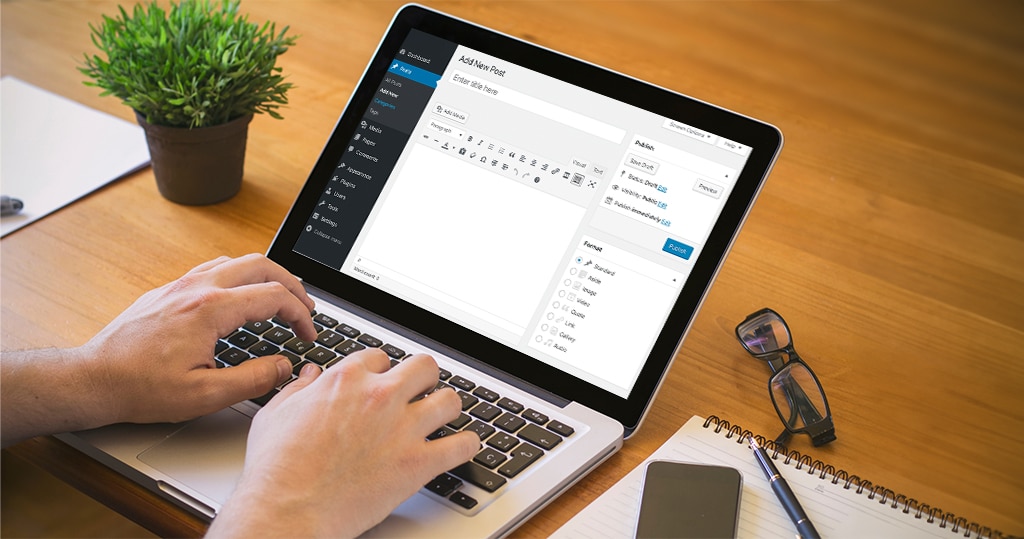
Table of Contents 
Need More Growth & Leads?
We are ready to work with your business and generate some real results…
Let's TalkJoin Our Community: Subscribe for Updates
Get notified of the best deals on our WordPress themes.
Introducing the WordPress Classic Editor
Regarding content management systems, WordPress is a popular choice among website owners and bloggers. One of the key components of WordPress is its Classic Editor, which has been a staple in the platform for many years.
What is the WordPress Classic Editor?
The WordPress Classic Editor is a text editor that allows users to create and edit website content. It provides a familiar interface reminiscent of traditional word processing software, making it easy for users to write and format their content without extensive coding knowledge.
The Classic Editor allows users to access various formatting options, including headings, paragraphs, lists, and more. It also enables the insertion of media such as images and videos and the ability to add links and customize the content using HTML if desired. The simplicity and straightforwardness of the Classic Editor make it an excellent choice for those who prefer a more traditional editing experience.
Why is it Still Relevant Today?
Despite the introduction of the Gutenberg Editor, the Classic Editor continues to be a relevant and widely used tool within the WordPress community. Its enduring popularity can be attributed to several factors:
- Familiarity: The Classic Editor has a long-standing history within the WordPress platform, and many users have grown accustomed to its interface and functionality. For those who have been using WordPress for an extended period, the Classic Editor offers comfort and familiarity.
- Efficiency: The Classic Editor provides a streamlined writing and editing experience, allowing users to focus on creating high-quality content without distractions. Its straightforward interface and minimal learning curve make it an efficient tool for content creation.
- Compatibility: One of the significant advantages of the Classic Editor is its compatibility with a wide range of plugins and themes. Many WordPress plugins and themes are built with the Classic Editor in mind, ensuring seamless integration and functionality.
- Workflow: For users who have established a specific workflow or have existing content created using the Classic Editor, transitioning to a new editing experience can be disruptive. The Classic Editor allows users to maintain their established workflow and continue working with their existing content without compatibility issues.
While the Gutenberg Editor offers new and innovative features, the Classic Editor remains a reliable and time-tested choice for many WordPress users. As the platform evolves, users can choose the editor that best suits their needs and preferences.
In the next section, we will explore the benefits of the Classic Editor and how it can enhance your WordPress experience. Stay tuned!
Benefits of the Classic Editor
Regarding WordPress editing, the Classic Editor still shines for many users. Let’s explore some of the key benefits that make it a popular choice:
Familiar and User-Friendly Interface
The Classic Editor provides a familiar and intuitive interface that has been used by WordPress users for years. Its simplicity and straightforwardness make it easy for beginners and experienced users to create and edit content. Users can quickly navigate and customize their content with its familiar toolbar and formatting options without a steep learning curve.
Enhanced Control and Flexibility
One of the Classic Editor’s main advantages is its level of control over the appearance and layout of content. Users can customize their content using HTML and CSS, allowing for more precise adjustments. This level of control is especially valuable for users who require specific design elements or have unique branding requirements. With the Classic Editor, users have the flexibility to create a website that truly reflects their vision.
Compatibility with Plugins and Themes
Another significant advantage of the Classic Editor is its compatibility with various plugins and themes. Many WordPress plugins and themes are designed with the Classic Editor in mind, ensuring seamless integration and functionality. This compatibility allows users to take advantage of various plugins and themes’ extensive range of features and functionalities without any compatibility issues. Whether it’s WordPress themes, plugins, or other WordPress tools, the Classic Editor can work seamlessly with them to enhance the website’s functionality.
The Classic Editor provides:
- A reliable and familiar editing experience for WordPress users.
- Offering a user-friendly interface.
- Enhanced control over content.
- Compatibility with various plugins and themes.
However, it’s worth exploring the alternative, the Gutenberg Editor, to understand the pros and cons of each and make an informed choice based on individual needs and preferences.
The Gutenberg Editor: An Alternative
As technology evolves, so does the WordPress platform. While the Classic Editor has long been the go-to choice for many users, the introduction of the Gutenberg Editor has provided an alternative approach to content creation and editing within WordPress.
Overview of the Gutenberg Editor
The Gutenberg Editor, named after Johannes Gutenberg, the printing press inventor, represents a significant change in how content is crafted within WordPress. Unlike the Classic Editor, which relies on a single text area, Gutenberg introduces a block-based editing system.
The Gutenberg Editor divides content into individual blocks, such as paragraphs, headings, images, and more. These blocks can be easily rearranged and customized, providing a more intuitive and visual editing experience. Additionally, Gutenberg offers a wide range of block patterns and templates, allowing users to create complex page layouts without needing custom coding.
Pros and Cons of the Gutenberg Editor
The Gutenberg Editor has its share of advantages and considerations to consider when choosing the right editor for your needs. Let’s explore some of the pros and cons:
Pros:
- Modern and Intuitive: Gutenberg’s block-based system provides a more visual and intuitive editing experience, especially for users new to WordPress. The ability to see changes in real time can streamline the content creation process.
- Flexibility and Customization: Gutenberg offers a wide range of blocks, patterns, and templates, allowing users to create dynamic and visually appealing layouts without relying on custom coding or third-party plugins.
- Compatibility and Support: As the Gutenberg Editor is the default editor for WordPress, it is continuously updated and supported by the WordPress community. This ensures compatibility with the latest WordPress versions and ongoing improvements.
Cons:
- Learning Curve for Existing Users: Users familiar with the Classic Editor may need some time to adjust to the block-based editing system of Gutenberg. The change in workflow and interface can initially be challenging for those accustomed to the older editor.
- Plugin and Theme Compatibility: While Gutenberg is designed to be compatible with most plugins and themes, there may be instances where certain elements or functionalities are not fully supported. It’s important to check the compatibility of plugins and themes before transitioning to Gutenberg.
- Editor Overhead: Gutenberg’s increased flexibility and customization options may come at the cost of increased complexity. Users who prefer a simpler and more streamlined editing experience may find the Gutenberg Editor overwhelming.
When deciding whether to use the Gutenberg Editor or stick with the Classic Editor, it’s crucial to consider your specific website requirements and personal preferences. Remember, you can always try out Gutenberg on a test site or in a staging environment to become familiar with its features and determine if it aligns with your needs.
In the next section, we will explore various considerations to help you decide when choosing the right editor for your website.
Choosing the Right Editor for Your Needs
When selecting the right editor for your custom WordPress web design, it’s important to consider your specific needs and preferences. Both the Classic Editor and the newer Gutenberg Editor have advantages and drawbacks. Let’s explore some considerations to help you make an informed decision.
Considerations for Your Website
Before deciding on an editor, it’s essential to evaluate the requirements of your website. Consider the following factors:
- Familiarity: If you are already comfortable and familiar with the Classic Editor, sticking with it may be the best option. This is particularly relevant if you have an established workflow and want to avoid a learning curve.
- Functionality: Assess the specific features you need for your website. The Classic Editor offers a straightforward and reliable editing experience. At the same time, the Gutenberg Editor provides a more visual and block-based approach. Gutenberg might be a better fit if you require advanced customization and layout options.
- Compatibility: Take into account the compatibility of your existing plugins and themes. While many plugins and themes work seamlessly with both editors, some may require additional updates or adaptations. Check your plugin and theme’s documentation or support forums to ensure compatibility.
- Future Updates: Consider the future direction of WordPress and the potential for updates. WordPress has been actively promoting and integrating the Gutenberg Editor into their core software. This means that future updates and new features may focus more on the Gutenberg Editor.
Transitioning from Classic to Gutenberg
Suppose you decide to transition from the Classic Editor to the Gutenberg Editor. In that case, it’s important to note that the process can vary depending on your website’s complexity and content. Here are some general steps to follow:
- Backup: Before making any changes, create a WordPress website backup to safeguard your existing content and settings.
- Evaluate Compatibility: Review your active plugins and themes to ensure they are compatible with the Gutenberg Editor. If any are not, consider finding alternatives or contacting the developers for updates.
- Testing Environment: Set up a staging or testing environment to experiment with the Gutenberg Editor without affecting your live site. This allows you to familiarize yourself with the new editor and assess its impact on your content.
- Content Conversion: Start with new pages or posts and create them using the Gutenberg Editor. Gradually convert your existing content to Gutenberg by copying and pasting into new Gutenberg blocks. This process may require some adjustment and formatting to ensure a seamless transition.
- Training and Support: Familiarize yourself with Gutenberg through online tutorials, documentation, and community forums. This will help you understand its features and capabilities and troubleshoot any issues that may arise.
Remember, if you prefer to continue using the Classic Editor, it will still be available as a ” Classic Editor plugin.” This allows you to retain the familiar editing experience while enjoying the benefits of the latest WordPress updates.
By carefully considering the needs of your website and the specific features each editor offers, you can make an informed decision on whether to embrace the Classic Editor or transition to the Gutenberg Editor.
The Future of the Classic Editor
As WordPress continues to evolve, the future of the Classic Editor remains an important consideration for users. Let’s explore the potential developments in terms of support and updates as well as community feedback and adoption.
Support and Updates
Despite the introduction of the Gutenberg editor, the Classic Editor still garners significant support from the WordPress community. This is evident through the availability of plugins, such as the Classic Editor Plugin, which allow users to retain the familiar editing experience. The Classic Editor Plugin ensures that users can continue using the Classic Editor even after transitioning to Gutenberg.
WordPress is committed to providing support and updates for the Classic Editor, ensuring that it remains functional and compatible with new versions of the platform. However, as WordPress progresses, the focus may shift towards Gutenberg and developing new features. Nonetheless, the Classic Editor must receive necessary maintenance updates to address any compatibility issues.
Community Feedback and Adoption
The WordPress community plays a crucial role in shaping the future of the Classic Editor. User feedback and adoption rates provide valuable insights into the preferences and needs of WordPress users. While the Gutenberg editor has gained traction since its release, many users still prefer the Classic Editor due to its simplicity and familiarity. This feedback has contributed to the continued support and availability of the Classic Editor Plugin.
As the WordPress community evolves, the adoption of the Gutenberg editor may increase. This is particularly true for new users who may not have prior experience with the Classic Editor. However, the Classic Editor will likely remain viable for those who prefer its interface and functionality.
As the future of the Classic Editor unfolds, WordPress users can choose the editor that best suits their needs. Whether opting for the Classic Editor or embracing the Gutenberg editor, WordPress provides options catering to a diverse range of user preferences.
Remember, choosing between the Classic Editor and the Gutenberg editor ultimately depends on your requirements and comfort level. Explore the options, experiment with different editors, and select the one that aligns with your workflow and website goals.
Continue reading

Screen Sizes for Web Design: What to Build For in 2026 (Real Data, Not Guesses)

The Ecommerce Sales Funnel Blueprint: Convert More, Grow Faster