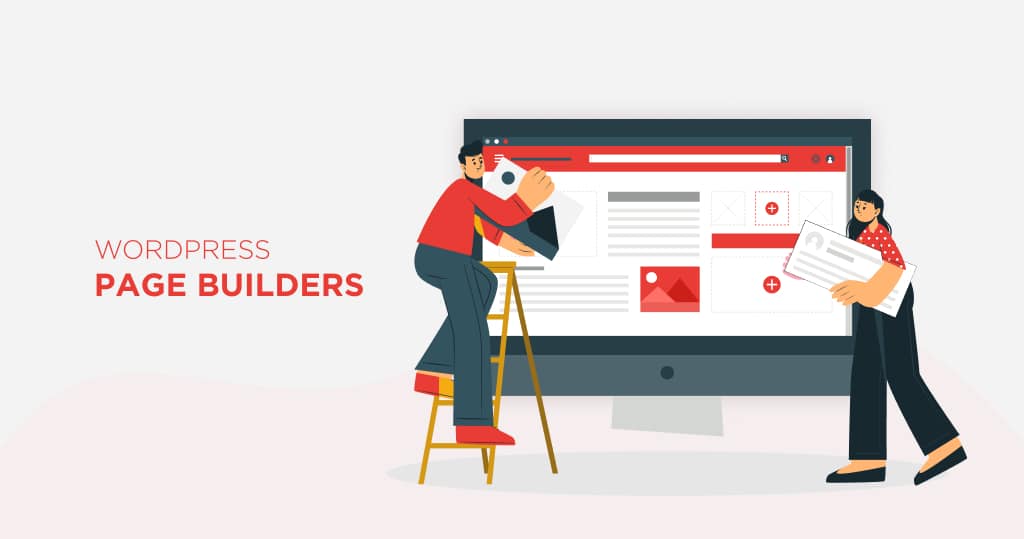
Unleashing Creativity: Discover the Best WordPress Page Builders

The Power of WordPress Page Builders

WordPress page builders are powerful tools that offer a range of benefits for website development. Whether you’re a small business owner or a professional seeking to create a stunning website, utilizing WordPress page builders can greatly enhance your web design experience.

Why Use WordPress Page Builders

WordPress page builders provide a user-friendly interface that simplifies the process of building and customizing websites. With their drag-and-drop functionality, users can easily create and arrange elements on their web pages without the need for coding knowledge. This empowers individuals to take control of their website design, making it accessible to a wider audience.

In addition to ease of use, WordPress page builders offer a wide variety of pre-designed templates and layout options. These professionally crafted templates can be customized to fit your specific branding and content needs. By utilizing these templates, you can save time and effort in designing your website, while still achieving a visually appealing and professional look.

Benefits of Using Page Builders for Small Businesses

WordPress page builders provide several advantages for small businesses that contribute to their growth and success. Here are some key benefits:

  1. Cost-effective: Hiring a professional web developer can be expensive. With WordPress page builders, small businesses can save money by designing and updating their websites without compromising on quality. This allows them to allocate their resources more effectively and invest in other business areas.
  2. Time-saving: Time is crucial for small businesses, and WordPress page builders can help streamline website development. With their intuitive interfaces and pre-designed templates, businesses can quickly create a professional website without needing extensive technical skills or spending weeks on development.
  3. Flexibility: WordPress page builders offer a high level of flexibility, allowing businesses to customize their websites to align with their brand identity and unique requirements. From choosing color schemes and fonts to arranging page layouts, businesses can create a website that truly represents their brand.
  4. Responsive design: With the increasing use of mobile devices, having a responsive website is essential. WordPress page builders enable businesses to create responsive designs that adapt to different screen sizes and devices. This ensures a seamless user experience and improves search engine rankings.

By harnessing the power of WordPress page builders, small businesses can create visually appealing and functional websites that effectively promote their products or services. However, it’s important to consider various factors, such as ease of use, customization options, and compatibility, when choosing the right page builder for your specific needs. For more information on WordPress and its various features, visit our articles on WordPress themes and WordPress website.

Exploring WordPress Page Builders

When it comes to building and designing websites on WordPress, page builders have become an essential tool for many users. These intuitive tools make it easier to create stunning web pages without the need for complex coding knowledge. In this section, we will explore three types of WordPress page builders:

  • Drag-and-drop page builders
  • Front-end editing page builders
  • Code-free page builders

Drag-and-Drop Page Builders

Drag-and-drop page builders provide a user-friendly interface that allows you to build web pages by simply dragging and dropping elements onto the page. These page builders typically come with a wide range of pre-designed templates and elements that you can customize to suit your needs. You can easily arrange and rearrange elements, adjust their size, and add text or images without coding.

The advantage of drag-and-drop page builders is their ease of use and flexibility. They offer a visual way of building pages, making it accessible for users of all skill levels. However, it’s important to note that the customization options may vary depending on your specific page builder.

Front-End Editing Page Builders

Front-end editing page builders allow you to make changes to your website directly on the front-end or the visible part of the website that visitors see. With these page builders, you can edit and customize your web pages in real time, seeing the changes instantly as you make them. This provides a more interactive and immediate way of designing your website.

Front-end editing page builders often come with a live preview feature, allowing you to see how your design changes will look on different devices and screen sizes. This ensures that your website remains responsive and visually appealing across various platforms.

Code-Free Page Builders

Code-free page builders are designed for users who want to build websites without any coding knowledge. These page builders offer a wide range of pre-built modules and templates you can easily customize using a visual interface. You can add elements such as text, images, videos, buttons, and more, without ever having to write a single line of code.

Code-free page builders are ideal for small business owners or individuals who want to create a professional-looking website quickly and easily. These page builders often come with pre-designed layouts and styles that can be customized to match your brand identity.

By exploring these different types of WordPress page builders, you can find the one that best suits your needs and design preferences. Consider factors such as ease of use, customization options, and compatibility with other plugins and themes. Whether you choose a drag-and-drop page builder, a front-end editing page builder, or a code-free page builder, these tools can empower you to unleash your creativity and build a visually stunning website on WordPress.

Factors to Consider

When choosing a WordPress page builder, several important factors must be considered. These factors will help you determine which page builder best meets your needs and preferences. The key factors to consider include ease of use, customization options, and compatibility and integration.

Ease of Use

One of the primary reasons to use a page builder is to simplify the process of creating and designing web pages. Therefore, it is crucial to choose a page builder that is user-friendly and offers an intuitive interface. Look for a page builder that employs a drag-and-drop or front-end editing approach, allowing you to easily manipulate elements and see real-time changes as you build your pages.

A page builder with a user-friendly interface ensures that even those with limited technical knowledge can create professional-looking web pages without the need for extensive coding or design skills. This can save you time and frustration in the long run.

Customization Options

Customization is another essential factor when selecting a WordPress page builder. Choosing a page builder that offers a wide range of customization options to suit your specific design needs is important. This includes the ability to adjust fonts, colors, layouts, and other visual elements to achieve your website’s desired look and feel.

Look for a page builder that provides a variety of pre-designed templates and modules that can be easily customized to match your branding and design requirements. The ability to add custom CSS or make advanced code modifications can also be beneficial for those with more technical expertise.

Compatibility and Integration

Compatibility and integration are crucial considerations to ensure a smooth page builder experience. It is important to select a page builder compatible with your WordPress theme and other essential plugins you may be using on your website. This ensures that all the components of your website work together seamlessly.

Additionally, consider whether the page builder is compatible with popular third-party tools and services you may want to integrate into your website, such as e-commerce platforms or email marketing services. This will allow you to expand the functionality of your website and enhance the user experience.

By evaluating these factors, you can decide when selecting a WordPress page builder that will best suit your needs. Remember to consider factors such as ease of use, customization options, and compatibility and integration to ensure a positive website-building experience. For more information on WordPress-related topics, check out our articles on WordPress themes, WordPress website, and WordPress hosting.

Popular WordPress Page Builders

When it comes to WordPress page builders, there are several options available that can help you create visually stunning and functional websites without any coding knowledge. This section will explore three popular page builders that have gained recognition in the WordPress community.

Elementor 

Elementor is WordPress’s forefront website construction platform, empowering web developers to craft flawless, finely detailed websites using an automatic visual editor. Effortlessly forge impressive websites for your clientele or personal enterprise, wielding absolute authority over every element without the need to code a single line. Become a part of an extensive global community of web creators who craft exceptional websites utilizing Elementor’s prowess.

Divi

Divi is a contemporary, code-free, drag-and-drop website builder tailored for WordPress. Through Divi, you can construct breathtaking websites from scratch, all without delving into code (unless you choose to). Divi capitalizes on the intricacies of web development, granting you the ability to shape bespoke websites utilizing the Divi Visual Builder, affording you the luxury of witnessing real-time alterations as you create.

wp bakery

The creators of WPBakery pioneered the concept of drag-and-drop page builders for WordPress, establishing a strong groundwork that influenced many of us in the field.

Nevertheless, WPBakery Page Builder has encountered performance challenges over time, mainly attributed to its use of shortcode-based technology, which has since been supplanted by more modern and sustainable approaches.

WPBakery Page Builder is renowned for its backend editor (even though it offers both backend and frontend editors, they lack the sophistication found in Visual Composer Website Builder).

An increasing number of WPBakery Page Builder users are actively seeking alternatives that can enhance and expedite the website development process.

Making the Right Choice

When selecting a WordPress page builder, making an informed decision based on your specific needs and requirements is important. Here are three key steps to help you make the right choice:

Evaluating Your Needs

Before diving into the world of WordPress page builders, take some time to evaluate your needs and goals for your website. Consider factors such as the complexity of your website design, the level of customization you require, and your familiarity with coding.

Ask yourself questions like:

  • Do I need a simple drag-and-drop interface or more advanced customization options?
  • Am I comfortable working with code or do I prefer a code-free solution?
  • What features and functionalities are essential for my website?

By understanding your needs and priorities, you’ll be better equipped to narrow down the options and find a page builder that aligns with your requirements.

Testing and Trying Page Builders

Once you clearly understand your needs, it’s time to test and try different WordPress page builders. Many page builders offer free versions or trial periods, allowing you to experiment with their features and functionalities before committing.

Create a test environment or use a staging site to explore the capabilities of each page builder. Pay attention to the user interface, ease of use, available customization options, and the overall workflow. This hands-on experience will better understand which page builders resonate with your workflow and provide the necessary flexibility.

Consulting with Experts

Seeking expert advice in WordPress development or consulting with an experienced WordPress website design service provider can be immensely beneficial in making an informed decision. These professionals have firsthand experience with various page builders and can provide valuable insights based on their expertise.

Engage in discussions with WordPress communities forums, or attend webinars and conferences to gather opinions and recommendations. By tapping into the knowledge of experts, you can gain insights into the pros and cons of different page builders and make a more educated choice for your website.

Remember, what works for one person may not necessarily work for another. Finding a WordPress page builder that suits your unique needs and preferences is important. By evaluating your needs, testing different page builders, and seeking expert advice, you’ll be well on your way to selecting the right WordPress page builder for your website.
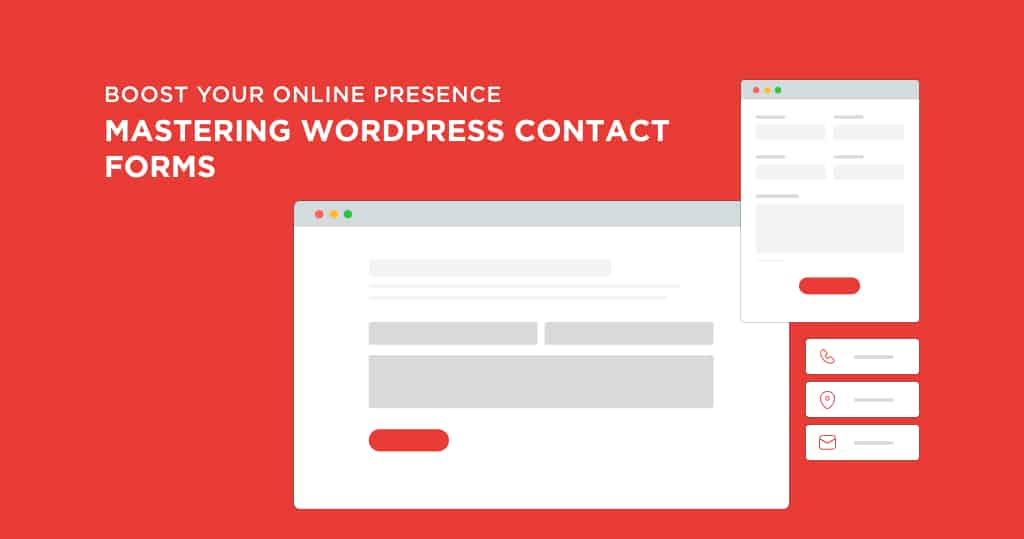
Boost Your Online Presence: Mastering WordPress Contact Forms

Importance of Contact Forms on WordPress Websites

Contact forms are vital in enhancing communication and fostering engagement between website owners and visitors. On WordPress websites, contact forms are a powerful tool for capturing leads and generating valuable business opportunities. Let’s explore these two aspects in more detail.

Enhancing Communication with Visitors

A well-designed contact form on your WordPress website authorizes visitors to easily contact you with inquiries, feedback, or any other communication needs. Unlike displaying an email address or phone number, contact forms provide a more convenient and user-friendly way for visitors to get in touch. They eliminate the need for visitors to switch between different applications or devices, streamlining the communication process.

By encouraging visitors to communicate through contact forms, you can ensure that the provided information is structured and organized. This simplifies your ability to manage and respond to inquiries effectively. Additionally, contact forms enable you to gather specific details from visitors, such as their name, email address, or even their preferred contact method. This information allows you to personalize your responses and provide a more tailored experience to your visitors.

Capturing Leads and Generating Business Opportunities

Contact forms act as a powerful lead-generation tool for your business. When visitors fill out a contact form, they express their interest in your services, products, or content. By capturing their contact information, such as their email address or phone number, you can follow up with them and nurture these leads into potential customers or clients.

Furthermore, contact forms provide a seamless way for visitors to request quotes, schedule appointments, or inquire about your offerings. This opens the door to potential business opportunities, as you can promptly respond to their inquiries and provide the information they need to make a purchasing decision.

It’s essential to optimize them for conversions to maximize the effectiveness of your contact forms. Consider the placement and visibility of your contact forms on your WordPress website. Position them strategically on key pages, such as your homepage, services page, or blog posts, to encourage visitors to take action. Remember to keep the form design clean, user-friendly, and aligned with your branding. By customizing the fields and design, you can create an effective contact form that aligns with your business goals and helps drive growth.

By understanding the importance of contact forms on WordPress websites, you can leverage these valuable tools to enhance visitor communication, capture leads, and generate business opportunities. Remember to daily check and respond to inquiries received through your contact forms to ensure a seamless and positive experience for your visitors.

Understanding WordPress Contact Forms

In WordPress web design services, contact forms play a vital part in facilitating communication between website owners and their visitors. These forms provide a convenient and efficient way for users to get in touch and share their inquiries, feedback, or requests. Understanding what contact forms are and their benefits is essential for harnessing the full potential of your WordPress website.

What Are Contact Forms?

Contact forms are interactive elements that allow visitors to submit information directly to website owners or administrators. These forms typically include fields where users can enter their name, email address, subject, and message. Contact forms can also be customized to include additional fields such as phone numbers or dropdown menus for specific inquiries.

The information submitted through contact forms is then sent to the designated recipient’s email address or stored in a database for future reference. This enables website owners to easily access and respond to inquiries, ensuring a seamless communication process with their audience.

Benefits of Using Contact Forms on WordPress

There are several benefits to incorporating contact forms into your WordPress website:

  1. Enhanced Communication: Contact forms provide a user-friendly interface for visitors to reach out to you, eliminating the need for them to navigate through their email client. Streamlining communication can improve response times and provide a positive user experience.
  2. Reduced Spam: Contact forms can be equipped with Captcha or spam protection features to minimize spam submissions. These security measures help ensure that the messages you receive are genuine and relevant.
  3. Lead Generation: By capturing user information through contact forms, you can create leads for your business. The data collected, such as email addresses and phone numbers, can be used to follow up with probable customers and convert them into clients.
  4. Data Organization: Contact forms allow you to store submitted information in a structured manner. This helps you keep track of inquiries, categorize messages, and easily search for specific details when needed.
  5. Professional Appearance: Incorporating well-designed contact forms into your website adds a professional touch. By providing a dedicated space for users to reach out, you demonstrate your commitment to customer service and make it easier for visitors to engage with your brand.

Overall, contact forms are valuable tools that help streamline communication, capture leads, and enhance the user experience on your WordPress website. By leveraging their benefits, you can create a more interactive and engaging platform for your audience.

In the next sections, we will explore different contact form plugins available for WordPress and provide insights on how to customize and optimize your contact forms to maximize their effectiveness. Stay tuned!

Choosing the Right Contact Form Plugin

When selecting a contact form plugin for your WordPress website, there are several options to consider. These plugins are crucial in facilitating communication and interaction with your visitors. Let’s explore some popular contact form plugins for WordPress and the factors to consider when picking the right one for your needs.

Popular Contact Form Plugins for WordPress

  1. Contact Form 7: It is one of WordPress’s most widely used contact form plugins. It offers a simple and inbuilt interface, allowing users to create and manage various contact forms effortlessly. Contact Form 7 also provides flexibility in customization through various form fields and customization options.
  2. WPForms: WPForms is a beginner-friendly contact form plugin with a drag-and-drop form builder. It offers a range of pre-built form templates, making it easy to create professional-looking contact forms without any coding knowledge. WPForms also merge with popular email marketing services, making capturing leads and managing contacts convenient.
  3. Gravity Forms: Gravity Forms is a powerful plugin that enables the creation of advanced and complex forms. It offers various advanced features such as conditional logic, multi-page forms, file uploads, and payment integration. Gravity Forms is suitable for businesses and organizations requiring more sophisticated form functionalities.

Factors to Consider When Selecting a Plugin

When selecting a contact form plugin for your WordPress website, it’s important to consider the following factors:

  1. Ease of Use: Look for a plugin with a user-friendly interface and intuitive form builder. This ensures that you can easily create and manage your contact forms without any technical expertise.
  2. Features and Customization: Assess the plugin’s range of features and customization options. Consider whether it provides the necessary form fields, styling options, and integrations with other services.
  3. Compatibility and Support: Ensure that the plugin is suitable with your WordPress version and other plugins or themes you may be using. Look for plugins that offer reliable customer support, including documentation and community forums.
  4. Performance and Security: Consider the performance impact of the plugin on your website. Choose a lightweight plugin that doesn’t slow down your site. Additionally, prioritize plugins that follow security best practices to protect the data submitted through your contact forms.

By considering these factors and exploring the popular contact form plugins available, you can make an informed decision for your WordPress website. Remember to select a plugin that aligns with your specific requirements and enhances the functionality of your contact forms. If you need assistance with WordPress development or have any questions related to WordPress, feel free to contact our team.

Customizing Your Contact Form

Customizing it according to your specific needs is important to make the most out of your WordPress contact form. By designing an effective contact form and including essential fields, you can ensure your visitors have a seamless experience when contacting you.

Designing an Effective Contact Form

Simplicity and clarity should be your guiding principles when designing a contact form. A clean, uncluttered layout enhances the user experience and encourages visitors to complete the form. Here are a few tips to consider when designing your contact form:

  1. Keep it concise: Include only the necessary fields to gather your information. Avoid overwhelming visitors with an excessively long form.
  2. Label fields clearly: Use clear and descriptive labels for each field to eliminate any confusion. For example, instead of “Name,” consider using “Full Name” or separate fields for first and last name.
  3. Organize fields logically: Arrange the fields logically, starting with the most important information. Typically, this includes fields for name, email address, and message.
  4. Use validation: Implement validation for fields like email addresses and phone numbers to ensure that the information entered is in the correct format.
  5. Consider optional fields: If there are additional details that would be helpful but not necessary, consider adding optional fields. This allows visitors to provide more information if they choose to do so.

Remember, an effective contact form design aims to make it easy for visitors to get in touch with you while minimizing any potential barriers or confusion.

Essential Fields to Include in Your Form

While the specific fields you include may vary depending on your business needs, a few essential fields are typically included in contact forms. These fields provide the necessary information for effective communication with your visitors. Here are some examples:

  1. Name: Including a field for the visitor’s name allows you to address them personally when responding to their inquiry.
  2. Email Address: The email address field is essential for contacting the visitor and providing a means for them to receive a response.
  3. Message: The message field is where visitors can provide details about their inquiries or requests. Encourage them to provide as much relevant information as possible.
  4. Subject: Adding a subject field allows visitors to summarize their inquiries or requests concisely. This helps you quickly identify the purpose of the contact.
  5. Phone Number: Including a phone number field is optional but beneficial if you prefer to communicate with visitors via phone.

By including these essential fields, you can gather the necessary information to effectively respond to inquiries or requests from your visitors.

Customizing your contact form ensures that it aligns with your branding and meets the specific needs of your business. Experiment with different designs, layouts, and fields to find the best configuration. Regularly test your contact form to ensure it functions properly and gives a positive user experience.

Integrating Contact Forms with Your Website

Once you have created a contact form using a suitable plugin, the next step is to integrate it seamlessly into your WordPress website. This ensures that visitors can easily find and utilize the contact form to get in touch with you. Two common ways to integrate contact forms with your website are adding contact forms to pages and posts and placing contact forms in the sidebar or footer.

Adding Contact Forms to Pages and Posts

One of the most effective ways to incorporate contact forms into your website is by adding them to relevant pages and posts. This allows visitors to contact you directly from the content they are reading, increasing the chances of engagement and conversion.

To add a contact form to a page or post, simply use the shortcode provided by your chosen contact form plugin. When publishing or updating, insert the shortcode in the desired location to display the contact form to visitors.

Consider strategically placing contact forms on pages that receive high traffic or offer valuable information. For example, suppose you have a page dedicated to your services or products. Adding a contact form at the end of the page can encourage potential customers to reach out for more information or to make a purchase. Remember to optimize the form fields and design for a seamless user experience.

Placing Contact Forms in the Sidebar or Footer

Another option for integrating contact forms is placing them in your website’s sidebar or footer. This ensures that the contact form remains accessible to visitors, regardless of their browsing page. Placing the contact form in a prominent location, such as the sidebar or footer, helps to enhance visibility and encourages users to make contact.

To add a contact form to the sidebar or footer, you can use wordpress widgets provided by your contact form plugin. Simply drag and drop the widget into the desired widget area and configure the settings according to your preferences. This method allows you to consistently display the contact form across multiple website pages.

When deciding where to place the contact form, consider your website’s overall design and layout. Ensure the form is easily noticeable and doesn’t distract from other important elements on the page. By strategically placing the contact form in the sidebar or footer, you can capture leads and encourage visitor engagement.

By integrating contact forms into your WordPress website, you provide visitors with a convenient and straightforward way to contact you. Whether you add contact forms to pages and posts or place them in the sidebar or footer, make sure the forms are easily accessible and visually appealing. This ensures a positive user experience and encourages visitors to connect with you. For more tips on optimizing your WordPress website, check out our articles on WordPress design and WordPress customization.

Optimizing Your Contact Forms

It’s important to optimize them for a seamless user experience to make the most out of your WordPress contact forms. This section will cover three key factors of optimization: captcha and spam protection, personalized autoresponders, and tracking and analyzing form submissions.

Captcha and Spam Protection

One of the challenges of using contact forms on your WordPress website is the risk of receiving spam submissions. To combat this, it’s essential to implement captcha and spam protection measures. Captcha is a security feature that needs users to complete a simple task, such as solving a puzzle or entering a code, to verify that they are human and not a bot.

Adding a captcha to your contact form can significantly reduce the number of spam submissions. Various captcha plugins are available for WordPress that you can integrate with your contact form plugin. These plugins use advanced algorithms to distinguish between genuine submissions and spam, ensuring you receive only legitimate inquiries.

Personalized Autoresponders

When someone submits a contact form on your website, it’s important to acknowledge their message promptly. Personalized autoresponders allow you to automatically send a customized email to the person who submitted the form, confirming that their message has been received.

You can include:

  • A thank-you message.
  • An estimated response time.
  • Any other relevant information in your autoresponder email.

This helps to reassure the sender that their message has been successfully delivered and demonstrates your commitment to excellent customer service.

To set up personalized autoresponders, most contact form plugins for WordPress offer built-in functionality. You can customize the content and design of the autoresponder email to align with your brand and make a positive impression on your visitors.

Tracking and Analyzing Form Submissions

Tracking and analyzing form submissions can provide valuable insights into your website’s performance and the effectiveness of your contact forms. By monitoring the metrics and data associated with form submissions, you can make informed decisions to improve your online presence and optimize your marketing strategies.

Most contact form plugins offer built-in tracking and analytics features or integrate with popular analytics tools. Connecting your contact forms to analytics platforms like Google Analytics lets you track the number of form submissions, conversion rates, and other relevant metrics. This information can help you identify trends, measure the success of your campaigns, and make data-driven decisions to enhance your online presence.

Analyzing form submissions also allows you to identify any potential issues or bottlenecks in the user journey. By reviewing the data, you can optimize your contact forms for better user experience, ensuring visitors can easily reach you without any obstacles.

You can optimize your WordPress contact forms by implementing captcha and spam protection, setting up personalized autoresponders, and tracking and analyzing form submissions to enhance communication with your visitors and generate valuable business opportunities.

Fear No Data Loss: Harnessing the Power of WordPress Backups

The Importance of WordPress Backups

When managing a WordPress website, the risk of data loss is a constant concern. Various factors, such as human errors, software glitches, hacking attempts, or server failures, can lead to the loss of valuable website content, including posts, pages, media files, and even the entire website.

The ouof data loss can be devastating. It can result in hours, days, or even weeks of work going to waste, the loss of important customer data, and a significant negative impact on your online presence and business operations. Implementing a robust backup strategy for your WordPress website is crucial to avoid these detrimental effects.

Why WordPress Backups Are Essential

WordPress backups are an essevital ntial component of website management and maintenance. They serve as your safety net against unexpected events that could lead to data loss. With a comprehensive backup system, you can easily restore your website to its preceding state, minimizing downtime and ensuring that your content remains intact.

Here are a few key reasons why WordPress backups are essential:

  1. Data Recovery: In the event of data loss, a backup authorize you to restore your website to a previous working state. This ensures that your content, settings, and configurations can be recovered without starting from scratch.
  2. Protection Against Cyberattacks: Malicious attacks, such as hacking attempts or malware infections, can compromise your website’s data. Regular backups provide the means to roll back your website to a clean state before the attack occurs.
  3. Peace of Mind: Knowing that you have a reliable backup system in place gives you peace of mind. It allows you to focus on growing your business and creating content without constantly fearing losing valuable data.

It is essential to understand the different types of WordPress backups available and the best practices associated with them to create effective backups. Let’s explore these aspects in the upcoming sections.

By implementing a robust backup strategy and regularly creating backups of your WordPress website, you can protect yourself from the potential devastation of data loss. Stay prepared and ensure the safety and integrity of your website’s content.

Types of WordPress Backups

Regarding safeguarding your WordPress website, having reliable backups is crucial. In the event of data loss or website issues, backups ensure you can easily restore your website to a previous state. There are different types of backups available, each offering unique advantages. Let’s explore three common types: manual, automated, and cloud backups.

Manual Backups

Manual backups involve manually creating a copy of your website’s files and database. This process requires you to manually download the files and export the database from your WordPress dashboard or through a hosting control panel. Manual backups provide complete control over the backup process, allowing you to choose the location for storing the backup files.

While manual backups offer flexibility and control, they can be time-consuming and require regular manual intervention. Establishing a consistent backup schedule and ensuring the backup files are securely stored in a location separate from your website’s server is important.

Automated Backups

Automated backups are convenient for website owners who want to simplify the backup process. With automated backups, you can set up a schedule to automatically create backups of your website’s files and database regularly. This eliminates the need for manual intervention and ensures that backups are consistently performed.

You can utilize backup plugins or services specifically designed for WordPress to enable automated backups. These plugins often offer additional features such as incremental backups, where only the changes made since the last backup are stored, saving storage space and reducing backup time.

Cloud Backups

Cloud backups involve storing your website backups in the cloud, providing an offsite storage solution. Cloud backup services offer secure and scalable storage options, allowing you to store your backups remotely. This ensures that your backups are protected even if your website’s server experiences issues.

Many cloud backup services provide easy integration with WordPress backup plugins, allowing you to automate the backup process and directly send your backups to the cloud. Storing backups in the cloud adds an extra layer of protection. It allows for easy access to your backups whenever needed.

Backup TypeAdvantages
Manual BackupsComplete control, choice of storage location
Automated BackupsConvenience, consistent backup schedule
Cloud BackupsOffsite storage, enhanced security

Choosing the right type of backup for your WordPress website depends on your particular needs and preferences. It’s important to consider factors such as the size of your website, the frequency of changes, and the level of automation desired. Implementing a comprehensive backup strategy, which may include a combination of manual, automated, and cloud backups, ensures that your website data remains safe and can be easily restored in case of any issues.

Creating WordPress Backups

To ensure the safety and security of your WordPress website, it is crucial to create regular backups. This section will explore two methods of creating backups: plugins for backup creation and configuring backup settings.

Plugins for Backup Creation

WordPress offers a range of plugins that simplify the backup creation process. These plugins automate the backup process, making it easier for users to protect their valuable data. Here are some popular backup plugins:

Plugin NameFeatures
BlogVault WordPress Backup PluginExperience the unrivaled reliability of BlogVault as it consistently safeguards every aspect of your WordPress site. This encompasses vital components such as the WordPress database, themes, images, files, and more.
Bid farewell to the complexities and uncertainties of manual backups. With BlogVault, securing your WordPress database and files becomes a breeze, offering you enhanced safety and unparalleled simplicity.
UpdraftPlus Backup & Migration PluginEmbraced by the WordPress community, the UpdraftPlus Backup & Migration Plugin stands as the go-to solution for backing up, restoring, and seamlessly migrating WordPress websites. With a global footprint, UpdraftPlus has found its home on over 3 million websites, earning the trust of users worldwide.
Jetpack VaultPress BackupJetpack VaultPress Backup, a powerful plugin offering cloud-based backups and effortless one-click restores – no requirement for the complete Jetpack plugin installation. As the most established WordPress backup solution, it boasts a remarkable track record of over 270 million backups. Preserve every modification and swiftly regain online presence through its streamlined one-click restoration process.

When choosing a backup plugin, consider your specific requirements and the level of automation you need. Additionally, ensure that the plugin is regularly updated and compatible with your version of WordPress. For more information on WordPress plugins, visit our wordpress plugins page.

Configuring Backup Settings

Once you have chosen a backup plugin, you’ll need to configure the backup settings to suit your needs. The settings may different on the y plugin, but here are some common configurations:

  1. Backup Frequency: Determine how often you want the backups to be created. This could be daily, weekly, or monthly, depending on the frequency of changes to your website.
  2. Storage Location: Choose where you want to store your backups. Options may include local storage, external hard drives, or cloud storage services. Cloud backups provide an added layer of security by storing your backups offsite.
  3. Retention Period: Decide how long you want to retain your backups. It is advisable to keep multiple backups spanning several weeks or months to ensure you can revert to a specific point in time if needed.
  4. Notifications: Consider enabling email notifications to receive alerts about the status of your backups. This helps you stay informed about successful backups or any potential issues that may arise.
  5. Testing and Restoration: Periodically test your backups to ensure they can be successfully restored. This ensures that your backup files are not corrupted and can be relied upon in case of data loss. For a step-by-step guide on restoring from a backup, refer to our article on restoration.

You can create a robust backup system for your WordPress website by configuring your backup settings appropriately. Remember to periodically review and update these settings to accommodate any changes in your website’s structure or content.

In the next section, we will discuss the best practices for WordPress backups, including the frequency of backups, storage and retention, and testing and restoration techniques.

Best Practices for WordPress Backups

It is important to follow best practices when backing up your data to ensure the safety and integrity of your WordPress website. This includes considering the frequency of backups, storage and retention policies, and testing and restoration processes.

Frequency of Backups

Determining the frequency of backups depends on the frequency of updates and changes made to your WordPress website. As a general rule of thumb, scheduling regular backups to capture the most recent changes is recommended. This could be daily, weekly, or even monthly, depending on the level of activity on your website. Doing so minimizes the risk of losing valuable data and. It ensurest you have a recent backup available in cfororeseen issues.

Storage and Retention

Choosing the right storage location and retention period for your backups is crucial. It is recommended to keep backups stored offsite to protect against hardware failures, server issues, or other disasters that could compromise your website and its backups. Additionally, consider the retention period for your backups. Retaining multiple versions of backups allows you to revert to a previous state if needed. However, it’s important to balance retention with storage limitations and ensure you have adequate storage capacity for your backups.

Testing and Restoration

Regular testing and restoration of your backups is essential to verify their integrity and ensure they can be restored if is involves setting up a test environment, restoring the backup, and checking that all data, files, and functionalities are intact. By conducting periodic tests, you can have peace of mind knowing that your backups are reliable and your website can be restored in case of any data loss. For a step-by-step guide to the restoration process, refer to our article on restoring from a backup.

Remember, backups are only effective if they are up-to-date and readily available. Therefore, it is essential to establish a backup routine that aligns with the needs and activity of your WordPress website. By adhering to best practices, you can fear no data loss and harness the power of WordPress backups to protect your website and its valuable content.

Restoring from a Backup

In the event of a data loss or website malfunction, having a recent backup of your WordPress site is essential. With a backup, you can simply restore your website to a previous working state. In this section, we will provide a step-by-step guide to restoring your WordPress site from a backup and address some common issues that you may encounter during the process.

Step-by-Step Guide to Restoration

Restoring your WordPress site from a backup involves a series of steps to ensure a smooth and successful recovery. Here is a step-by-step guide to help you through the process:

  1. Access your backup: Locate the backup files that you have previously created. These files may be stored locally on your computer or remotely, such as a cloud storage service or a backup solution.
  2. Create a backup of your current site: It is important to create a backup of your current WordPress site before proceeding with the restoration, if possible. This ensures you have a fallback option in case any issues arise during restoration.
  3. Connect to your server: Use a File Transfer Protocol (FTP) client or a file manager provided by your hosting provider to connect to your website’s server. This allows you to access the files and directories of your WordPress installation.
  4. Delete existing site files: Delete your WordPress installation’s existing files and directories, excluding the wp-config.php file and the wp-content directory. This step ensures a clean slate for the restoration process.
  5. Upload backup files: Upload the backup files from your local computer or the remote storage location to the appropriate directories on your server. Make sure to maintain the file structure and hierarchy for a successful restoration.
  6. Import the database: If your backup includes a database backup, you must import it into your database management system. This can typically be done using a tool like phpMyAdmin or the command line if you can access it. Ensure to follow the instructions given by your hosting provider or consult relevant documentation for guidance.
  7. Update configuration files: If necessary, update the configuration files, such as the wp-config.php file, to reflect the restored database credentials. This ensures that your WordPress installation connects to the correct database after the restoration.
  8. Test your restored site: Once the restoration process is complete, thoroughly test your restored WordPress site to ensure everything functions as expected. Check for any errors, broken links, or missing content. Testing different functionalities, such as forms, plugins, and themes, is also recommended to ensure their proper operation.

Troubleshooting Common Issues

While restoring your WordPress site from a backup is generally straightforward, you may encounter some common issues. Here are a few troubleshooting tips to help you overcome these challenges:

  1. Database connection errors: If you encounter database connection errors after the restoration, double-check the database credentials in your configuration files. Ensure that they match the restored database information.
  2. Missing files or content: If you notice missing files or content on your restored site, ensure all the necessary files are included in the backup. Check if any files or directories were accidentally omitted during the restoration process.
  3. Plugin or theme conflicts: In some cases, certain plugins or themes may not function properly after the restoration. Disable all plugins and switch to a default theme to identify any conflicts. Gradually reactivate plugins and switch back to your preferred theme to pinpoint the problematic component.
  4. Redirect issues: If your site is experiencing redirect issues after the restoration, review your site’s permalink settings. Ensure that they are configured correctly to avoid any unexpected redirects.

If you encounter any issues you cannot resolve, consider seeking help from a professional WordPress developer or expert who can provide expert guidance and support.

By following these steps and being prepared for potential issues, you can confidently restore your WordPress site from a backup and bring it back to its previous functional state. Remember to regularly create backups and store them securely to ensure the safety of your valuable website data.

Additional Tips for Data Protection

While creating regular backups is crucial for safeguarding your WordPress website, you can take other important measures to enhance data protection. Implementing these additional tips will help ensure the security and integrity of your website.

Regular Updates and Maintenance

Keeping your WordPress website up to date is essential for security and performance reasons. Regularly updating your WordPress core, themes, and plugins is crucial to protect against vulnerabilities and potential exploits. Outdated software can leave your website susceptible to attacks.

Additionally, performing routine maintenance tasks such as database optimization, cleaning up unused plugins and themes, and monitoring for broken links can help keep your site running smoothly and efficiently. Regular website maintenance not only improves security but also enhances the overall user experience.

Security Measures for WordPress

Enhancing your WordPress website’s security is paramount to protecting against potential threats. Implementing the following security measures can significantly decrease the risk of unauthorized access and data breaches:

  • Strong and Unique Passwords: Ensure that your WordPress admin password is strong and not easily guessable. Avoid using common passwords and use a password manager to securely store your credentials.
  • Two-Factor Authentication: Enable two-factor authentication (2FA) for your WordPress login. This adds an additional security by requiring a second form of verification, such as a code sent to your mobile device and your password.
  • Limit Login Attempts: Install a plugin that limits the number of login trys to prevent brute-force attacks. This helps deter malicious users from repeatedly guessing your login credentials.
  • Secure Hosting: Choose a reliable and secure WordPress hosting provider that prioritizes security measures, such as regular backups, malware scanning, and server-level firewalls.

For a comprehensive guide on WordPress security, refer to our article on WordPress security.

Offsite Backup Storage Options

While creating backups is important, storing them in a separate location from your website’s server is equally crucial. Offsite backup storage provides additional protection against server failures, data corruption, or other unforeseen events that may compromise your website and backups.

Consider the following offsite backup storage options:

  • Cloud Storage: Utilize cloud storage services such as Dropbox, Google Drive, or Amazon S3 to securely store your backups. These services offer reliable and scalable storage options with built-in redundancy.
  • Remote FTP/SFTP: Transfer your backups to a remote server using FTP (File Transfer Protocol) or SFTP (Secure File Transfer Protocol). This ensures that your backups are stored on a separate server, minimizing the risk of data loss.
  • External Hard Drives: Regularly create backups and store them on external hard drives kept in a separate physical location. This provides an offline backup solution in case of catastrophic events or emergencies.

Remember to regularly test your backups and ensure they can be restored successfully. A backup is only effective if it can be relied upon during data loss.

By following these additional tips for data protection, you can further fortify the security and resilience of your WordPress website. Regular updates, robust security measures, and offsite backup storage options will help you fear no data loss and confidently manage your website.

Enhance Your WordPress Journey: The Ultimate Guide to Widgets

Getting to Know WordPress Widgets

WordPress widgets are an essential component of the WordPress platform, providing users with a versatile way to customize and enhance their websites. In this section, we will explore widgets in WordPress and delve into their purpose and benefits.

What are Widgets in WordPress?

In WordPress, widgets are small modules that allow users to add various elements and functionalities to their website’s sidebars, footers, and other widget areas. These modules are often drag-and-drop enabled, making it easy for users to rearrange and customize the layout of their website.

Widgets offer a user-friendly way for website owners to incorporate features such as navigation menus, search bars, social media icons, recent posts, and more. They eliminate the need for coding knowledge, enabling users to enhance their websites with just a few clicks. With a wide range of available widgets, users can personalize their websites to suit their specific needs and preferences.

The Purpose and Benefits of Widgets

Widgets serve multiple purposes in WordPress, contributing to a website’s overall functionality and aesthetics. Some of the key benefits of using widgets include:

  1. Enhanced User Experience: Widgets make it easy to navigate and access distinct sections of a website, improving user experience and engagement. For example, a navigation menu widget lets visitors easily explore different website pages.
  2. Increased Customization: Users can personalize their website’s appearance and functionality by adding widgets without extensive coding or development knowledge. This makes it accessible to visitors of all skill levels.
  3. Time and Effort Savings: Widgets quickly and efficiently incorporate desired features into a website. Instead of manually coding each element, users can simply select and configure the widgets they want to use.
  4. Flexibility and Versatility: WordPress offers various widgets, allowing users to tailor their website to their specific needs. Whether it’s displaying recent posts, integrating social media feeds, or incorporating a contact form, there’s a widget available for nearly every purpose.
  5. Easy Management: Widgets can be easily added, rearranged, and removed from widget areas, providing users with the flexibility to adjust their website’s layout as needed. This streamlined management process ensures that maintaining and updating a website remains hassle-free.

By leveraging the power of widgets, WordPress users can maximize the potential of their websites, creating a more engaging and dynamic online presence. As you continue your WordPress journey, explore the vast array of available widgets to enhance your website’s functionality and improve user experience.

Exploring Widget Areas in WordPress

When working with WordPress, understanding widget areas is essential for creating dynamic and interactive custom WordPress website design. Widget areas are specific sections of a WordPress theme where you can add and customize widgets to improves the functionality and design of your website. Let’s delve into the concept of widget areas and explore popular widget areas found in WordPress themes.

Understanding Widget Areas

Widget areas, or sidebars, are designated spaces within a WordPress theme where you can place and arrange various widgets. Depending on the theme you are using, these areas are typically located in the sidebar, footer, or other sections of your website layout. Widget areas are integral to WordPress’s flexibility, allowing you to personalize your website without requiring extensive coding knowledge.

The number and location of widget areas vary depending on the theme you choose. Some themes offer multiple widget areas, while others may have a single sidebar or footer area. Most WordPress themes come with predefined widget areas. Still, you can also create your own custom widget areas using theme development techniques.

Popular Widget Areas in WordPress Themes

WordPress themes often include specific widget areas that are commonly used to enhance the functionality and appearance of a website. Here are a few popular widget areas you may encounter:

Sidebar Widget Area

The sidebar widget area is one of WordPress themes’ most common widget areas. It is typically located on the side of the main content area. It allows you to add widgets such as recent posts, categories, search bar, or custom content. The sidebar widget provides valuable information and navigation options to your visitors while maintaining a consistent presence across different website pages.

Footer Widget Area

The footer widget is discovered at the bottom of your website, below the main content area. It is often divided into multiple columns or sections, enabling you to add widgets like social media icons, contact information, newsletter subscription forms, or a tag cloud. The footer widget area is a great way to engage visitors and provide additional resources or links before they leave your website.

Header Widget Area

While less common, some themes offer a header widget area positioned at the top of your website, above the main content. This widget area allows you to include widgets such as a search bar, contact information, or a small banner. The header widget area can be useful for displaying important information or providing quick access to specific features, depending on the purpose of your website.

Homepage Widget Area

Certain themes provide a homepage widget area that permits you to create a unique layout for your website’s homepage. This widget area enables you to showcase featured content, testimonials, or custom widgets tailored to your homepage design. Utilizing the homepage widget area can help you create a visually appealing and engaging homepage that captures your visitors’ attention.

Each theme may have its own set of widget areas, and the possibilities for customization are extensive. By utilizing different widget areas strategically, you can enhance the functionality and aesthetics of your WordPress website.

Understanding widget areas and their potential uses empowers you to maximize WordPress’s widget functionality. Experiment with different widgets and widget areas to design a website that effectively aligns with your goals and engages your visitors.

Core Widgets in WordPress

WordPress offers a variety of built-in core widgets that provide essential functionality for your website. These widgets can be easily added and customized to enhance your site’s user experience and navigation. Let’s explore some of the core widgets available in WordPress.

Categories Widget

The Categories widget lets you display a list of your website’s categories in your sidebar or widget area. This widget is particularly useful for organizing and providing easy access to your content based on different topics or themes. By clicking on a category, visitors can navigate to a specific category archive page to find all the posts assigned to that category.

Recent Posts Widget

The Recent Posts widget displays a list of your most recent blog posts in your sidebar or widget area. This widget is an effective way to showcase your latest content and encourage visitors to explore your blog. By displaying the post titles or excerpts and the publication date, visitors can quickly discover and click on the posts that interest them.

Search Widget

The Search widget adds a search bar to your sidebar or widget area, allowing visitors to search for specific content on your website. Visitors can find relevant posts, pages, or other content by adding keywords or phrases into the search bar. The search widget helps enhance the user experience by making it easier for visitors to find the information they want.

Tag Cloud Widget

The Tag Cloud widget visually represents the tags used in your website’s posts. Tags are keywords or phrases assigned to individual posts to help categorize and organize your content. The tag cloud gives a quick overview of the most commonly used tags, with the font size of each tag indicating its popularity. By clicking on a specific tag, visitors can access a tag archive page that displays all the posts associated with that tag.

These core widgets offer valuable functionality for your WordPress website, allowing you to organize and present your content in a user-friendly manner. By leveraging the Categories, Recent Posts, Search, and Tag Cloud widgets, you can enhance the navigation and discoverability of your website’s content. For more information on customizing widgets in WordPress, check out our article on WordPress widget customization.

Regularly update your widgets, monitor their performance, and ensure they align with your website’s design and goals. WordPress also provides the flexibility to extend the functionality of your website with popular third-party widgets. We’ll explore some of these options in the next section.

Customizing Widgets in WordPress

To make the most of your WordPress website’s functionality, it’s essential to customize your widgets. Widgets allow you to add multiple elements to your website’s sidebar or other widget areas, enhancing its appearance and providing useful information to your visitors. This section will explore how to add, rearrange, remove, and customize widget settings in WordPress.

Adding Widgets to Your Sidebar

To add widgets to your sidebar, navigate to the WordPress Dashboard and go to appearance> Widgets. On the Widgets page, you will see a list of available widgets on the left and widget areas, such as the sidebar, on the right.

To add a widget, drag and drop it from the available widgets section to the desired widget area. For example, if you want to add a recent posts widget to your sidebar, drag the Recent Posts widget to the sidebar widget area. Once added, you can customize the widget’s settings to display the desired number of recent posts or other relevant options.

Rearranging and Removing Widgets

WordPress offers the flexibility to rearrange the order of your widgets within a widget area. In the Widgets page, click and hold a widget, then drag it to the desired position within the widget area. This allows you to prioritize certain widgets and control their placement on your website.

If you want to remove a widget from a widget area, simply click on the widget, and it will expand to reveal the available options. To remove the widget, click the Delete or Remove button, depending on your WordPress version. This action will remove the widget from the widget area. Still, it will not delete the widget itself, allowing you to re-add it later if desired.

Customizing Widget Settings

Customizing widget settings allows you to tailor the appearance and functionality of each widget to meet your specific needs. When you add a widget to a widget area, you’ll typically see customization options, such as the title, number of items to display, or other specific settings related to the widget’s purpose.

To access the widget settings, click on the widget within the widget area, and it will expand to reveal the available options. Make the necessary adjustments based on your preferences and requirements. For example, suppose you’re customizing a search widget. In that case, you can specify whether to display the search form as a text input or a button.

Remember to save your changes after customizing the widget settings to ensure they take effect on your website.

By customizing your widgets in WordPress, you can create a unique and personalized website that caters to your specific needs and the needs of your audience. Experiment with different widget combinations, rearrange them to achieve the desired layout, and customize their settings to enhance your website’s functionality.

Popular Third-Party Widgets for WordPress

In addition to the core widgets that come with WordPress, a vast selection of third-party widgets are available to enhance your WordPress website’s functionality. These widgets offer a broad range of features and customization options, allowing you to tailor your website to meet your needs. Here are some popular third-party widgets that can take your WordPress website to the next level:

Social Media Widgets

Social media integration is crucial for businesses and individuals looking to expand their online presence. Social media widgets enable you to display your social media feeds, follow buttons, and share options directly on your website. This makes it easy for visitors to engage with your social media profiles and share your content. With the wide variety of social media widgets available, you can choose the ones that best align with your social media strategy and design preferences.

Contact Form Widgets

Contact forms are essential to any website, allowing visitors to contact you easily. Third-party contact form widgets provide advanced features and customization options beyond the basic contact form functionality that comes with WordPress. These widgets allow you to create and customize forms with various fields, set up autoresponders, integrate with email marketing services, and more. Whether you need a simple WordPress contact forms or a more complex form with conditional logic, contact form widgets are available to suit your requirements.

Newsletter Subscription Widgets

Building an email list is a valuable plan for staying connected with your audience and nurturing customer relationships. Newsletter subscription widgets make it easy for visitors to subscribe to your newsletter directly from your website. These widgets typically integrate with popular email marketing services, allowing you to automate the subscription process and manage your email list effectively. With customizable designs and placement options, you can seamlessly incorporate newsletter subscription forms into your website and encourage visitors to subscribe.

By incorporating these popular third-party widgets into your WordPress website, you can extend its functionality and provide a better user experience for your visitors. When selecting widgets, consider your specific goals and the needs of your target audience. Ensure that the widgets you choose are compatible with your theme and are regularly updated to maintain compatibility with the latest versions of WordPress. Test and monitor your widgets regularly to ensure they function properly and align with your website’s overall design and goals.

For more information on WordPress and its features, check out our WordPress tutorials section.

Tips for Maximizing Widget Functionality

Understanding how to choose, organize, and maintain them effectively is crucial to making the most of WordPress widgets. Here are some tips to help you maximize the functionality of your widgets.

Choosing the Right Widgets for Your Website

When selecting widgets for your website, it’s important to consider your specific needs and goals. Take the time to assess the purpose and functionality of each widget before adding it to your site. Ask yourself questions like:

  • What information or features do I want to provide to my visitors?
  • Are there any specific widgets that align with my website’s niche or industry?
  • How will these widgets enhance the user experience and improve website navigation?

By carefully choosing the right widgets for your website, you can enhance its functionality and provide valuable content to your visitors.

Organizing and Styling Widgets

Effective organization and widget styling can greatly improve your website’s user experience. Consider the following tips:

  • Group related widgets in the same widget area to create a cohesive and organized layout.
  • Prioritize the placement of important widgets based on their relevance and importance to your website’s goals.
  • Use appropriate titles and headings for widget sections to guide visitors in navigating and understanding the content.
  • Experiment with different widget layouts, such as columns or grids, to create an aesthetically pleasing design.

Consistency in design and styling across your widgets and website is key to maintaining a professional and polished appearance.

Monitoring and Updating Widgets

Regularly monitoring and updating your widgets is essential to ensure they function properly and provide value to your website. Consider the following practices:

  • Monitor widget performance: Monitor the analytics and user feedback to determine which widgets are popular and effective and which may need improvement or replacement.
  • Stay updated: Regularly update your plugins and themes to ensure compatibility with the latest WordPress version and avoid any security vulnerabilities.
  • Remove outdated widgets: If a widget is no longer relevant or functional, remove it from your website to avoid clutter and improve site performance.

By actively monitoring and updating your widgets, you can ensure they remain functional and beneficial to your website.

Remember, the power of WordPress widgets lies in their ability to enhance the functionality and appearance of your website. By choosing the right widgets, organizing them effectively, and keeping them updated, you can create a user-friendly and engaging website experience for your visitors. For more information on WordPress and other related topics, check out our articles on WordPress tutorials and WordPress development.

Unveiling the Layers: Strengthening WordPress Security

Understanding WordPress Security

When it comes to WordPress security, it is crucial to understand its importance and the common threats that can affect the integrity of your website.

Importance of WordPress Security

WordPress powers millions of websites, making it a prime target for malicious actors. Ensuring the security of your WordPress site is essential to protect your data, maintain your reputation, and provide a safe browsing experience for your visitors.

A secure WordPress site helps safeguard sensitive information, such as user data and payment details, from unauthorized access. It prevents potential breaches that can lead to data breaches, identity theft, and financial losses.

By prioritizing WordPress security, you demonstrate your commitment to protecting your website and the trust of your users. It also helps you comply with legal and industry data protection and privacy regulations.

Common Security Threats in WordPress

WordPress is a popular platform, which unfortunately makes it a target for various security threats. It’s essential to be aware of these common threats to take appropriate measures to protect your site:

  1. Brute Force Attacks: These attacks involve automated bots attempting to guess your WordPress login credentials by systematically trying different username and password combinations.
  2. Vulnerabilities in Themes and Plugins: Themes and plugins are essential components of WordPress, but outdated or poorly coded ones can introduce vulnerabilities that hackers can exploit.
  3. Malware Infections: Malware can be injected into your WordPress site through vulnerable themes, plugins, or third-party code. Malware can lead to unauthorized access, data theft, or even complete site takeover.
  4. Cross-Site Scripting (XSS): XSS attacks occur when malicious scripts are injected into web pages viewed by users, allowing attackers to hijack sessions, deface websites, or steal sensitive information.
  5. SQL Injections: SQL injections involve attackers inserting malicious SQL code into your website’s database queries to gain unauthorized access or manipulate data.
  6. DDoS Attacks: Distributed Denial of Service (DDoS) attacks flood your website with traffic, causing server overload and disrupting access.

In order to safeguard your WordPress website from various online threats, it is important to have robust security measures in place and adhere to the best practices. Keep yourself updated on the latest security updates and consider seeking professional advice or hiring a WordPress development company to ensure your website’s security.

Understanding the importance of WordPress security and being aware of common threats is the first step towards creating a secure online presence for your business or personal website.

Strengthening WordPress Security

To ensure the security of your WordPress website, it’s important to implement various measures that help protect against potential threats. In this section, we will explore three key strategies for strengthening WordPress security:

  • Keeping WordPress core and plugins updated
  • Using strong passwords and user authentication
  • Implementing two-factor authentication

Keeping WordPress Core and Plugins Updated

Regularly updating your WordPress core software and plugins is essential for maintaining a secure website. These updates often include security patches, bug fixes, and improvements that help safeguard your site against known vulnerabilities. By staying up to date with the latest versions, you can mitigate the risk of potential attacks and ensure that your site is running on a secure foundation.

To streamline the update process, you can enable automatic updates for your WordPress core and plugins. This ensures that you’re always running the latest versions without manual intervention. However, it’s still important to periodically check for any compatibility issues that may arise from updates and test your website’s functionality after each update.

Strong Passwords and User Authentication

Another crucial aspect of WordPress security is using strong passwords and implementing robust user authentication mechanisms. For the security of your website, it’s crucial to steer clear of weak passwords that can make it simpler for unauthorized individuals to gain access. It’s suggested that you prompt your website users to craft longer and more intricate passwords that combine upper and lowercase letters, numbers, and special symbols.

Additionally, consider implementing user authentication measures such as limiting login attempts and using secure URLs. Limiting login attempts helps prevent brute-force attacks by blocking repeated failed login attempts from a single IP address. Secure login URLs, also known as login page hiding or renaming, make it more difficult for attackers to find your website’s login page.

Implementing Two-Factor Authentication

Adding two-factor authentication (2FA) provides an extra level of security to your WordPress site by providing additional credentials apart from their password. This usually involves a second verification step, like receiving a unique code on their mobile device or using a biometric authentication method.

By implementing 2FA, you significantly decrease the chance of unauthorized login, even if a password is compromised. Several plugins are available in the WordPress plugin directory that can help you easily add two-factor authentication to your website.

By focusing on these three strategies, you can crucially enhance the security of your WordPress website. However, it’s important to remember that security is an ongoing effort. Regularly review your security measures, stay informed about WordPress updates and security best practices, and consider consulting with a professional if you require further assistance in securing your WordPress site.

Secure Hosting and Server Configuration

Totis he security of your WordPress website, it’s crucial to focus on secure hosting and server configuration. These aspects play a vital role in safeguarding your website from potential threats and vulnerabilities. Let’s explore three important steps to consider: choosing a reliable hosting provider, configuring secure file permissions, and enabling SSL/TLS encryption.

Choosing a Reliable Hosting Provider

Selecting a reputable and reliable hosting provider is the foundation of a secure WordPress website. Look for a hosting company that specializes in WordPress hosting and prioritizes security measures. Ensure that they offer features such as regular backups, malware scanning, and protection against DDoS attacks. A reliable hosting provider will have a robust infrastructure and provide ongoing support to keep your website secure. For more information on WordPress hosting, check out our article on wordpress hosting.

Configuring Secure File Permissions

Properly configuring file permissions is essential to prevent unauthorized access to your WordPress files. It’s recommended to set the file permissions to the most restrictive levels possible while still allowing your website to function correctly. This involves setting the correct permissions for directories and files, such as limiting write access to critical files and directories. By configuring secure file permissions, you can significantly reduce the risk of unauthorized modifications to your WordPress files.

Here’s a general guideline for secure file permissions:

Directory/FileRecommended Permissions
wp-config.php400 (read-only for the owner)
.htaccess644 (read-only for the owner, readable by others)
wp-includes/755 (readable and executable by everyone)
wp-admin/755 (readable and executable by everyone)
wp-content/755 (readable and executable by everyone)
Other files and directories644 (read-only for the owner, readable by others)

It’s important to note that these permissions may differ depending on your specific server setup and security requirements. Make sure to consult your hosting provider or server administrator for the most appropriate file permission settings for your WordPress installation.

Enabling SSL/TLS Encryption

Enabling SSL/TLS encryption is crucial for securing the communication between your website visitors and your server. By encrypting data in transit, SSL/TLS certificates gives an additional layer of protection and ensure that sensitive information, such as login credentials and personal data, is transmitted securely.

To enable SSL/TLS encryption, you’ll need to obtain an SSL/TLS certificate and install it on your server. Many hosting providers offer free SSL/TLS certificates through services like Let’s Encrypt. Once installed, your website will be accessible over HTTPS, signifying a secure connection to your visitors. This not only enhances security but also builds trust with your users. For more information on securing your WordPress website with SSL/TLS, refer to our article on wordpress ssl/tls encryption.

By taking these steps to ensure secure hosting and server configuration, you can significantly strengthen the security of your WordPress website. Remember to regularly update your WordPress core, themes, and plugins to maintain a robust security posture. Stay informed about the current security best practices to protect your website from potential threats.

Securing WordPress Admin Area

The WordPress admin area is a critical component of your website, making it essential to implement strong security measures to protect it from unauthorized access. In this section, we will explore three important strategies for securing the WordPress admin area: limiting login attempts, using secure login URLs, and implementing IP whitelisting.

Limiting Login Attempts

Limiting the number of login attempts helps to thwart brute-force attacks, where automated bots attempt to guess the username and password combinations. You can prevent malicious actors from gaining unauthorized access to your WordPress admin area by restricting the number of failed login attempts.

There are several plugins available that can help you enforce login attempt limits and provide additional security features. These plugins can track and block suspicious IP addresses, notify administrators of failed login attempts, and implement CAPTCHA challenges to ensure human interaction during the login process.

Using Secure Login URLs

By default, WordPress uses a standard login URL (/wp-admin/) for accessing the admin area. However, this predictable URL can be exploited by attackers who target WordPress sites. To enhance security, you can use a plugin or manually modify the login URL to something unique and difficult to guess.

Using a custom login URL adds an extra security by making it harder for attackers to locate the login page. This can effectively deter automated hacking attempts and minimize the possibility of unauthorized permission to your WordPress admin area.

Implementing IP Whitelisting

IP whitelisting allows you to specify a list of IP addresses or IP ranges that are allowed access to your WordPress admin area. By configuring IP whitelisting, you restrict access to only trusted IP addresses, effectively blocking unauthorized access attempts from other IP addresses.

To implement IP whitelisting, you can use security plugins that offer this feature or configure it directly in your server settings. However, it’s important to ensure that you have a static IP address or a range of trusted IP addresses that you can use for whitelisting.

Remember to regularly update your WordPress installation, themes, and plugins to maximize security. Stay informed about the latest security updates by subscribing to security newsletters or following reputable sources for WordPress security news.

For more information on WordPress security and best practices, visit our WordPress security section.

Protecting Against Malware and Attacks

When it comes to WordPress security, protecting your website against malware and attacks is of utmost importance. By implementing the right strategies, you can safeguard your site and ensure its smooth operation. In this section, we will explore three key measures for protecting your WordPress site: regular website backups, installing a web application firewall, and monitoring and scanning for malware.

Regular Website Backups

Regularly backing up your WordPress website is an essential step in mitigating the impact of any security breaches or unexpected incidents. Backups serve as a safety net, permitting you to restore your website to a previous state in case of data loss or a security compromise.

To create backups, you can utilize various WordPress backup plugins available in the market. These plugins grant you to schedule automatic backups and store them securely either on your server or in a cloud storage service. By having both database and file backups, you have the necessary resources to restore your website, should the need arise.

Installing a Web Application Firewall

Installing a web application firewall (WAF) is an effective way to secure your WordPress site from malicious attacks and unauthorized access. A WAF acts as a protective shield, filtering traffic and blocking any suspicious or malicious requests before they reach your website.

There are several WordPress security plugins that offer WAF functionality, providing an additional layer of security to your website. These plugins monitor incoming traffic, analyze patterns, and detect potential threats, such as SQL injections and cross-site scripting (XSS) attacks. By implementing a WAF, you can significantly reduce the risk of security breaches and data compromises.

Monitoring and Scanning for Malware

Regularly monitoring and scanning your WordPress site for malware is crucial to identifying and addressing any security vulnerabilities. Malware can jeopardize the integrity of your website, compromise user data, and negatively impact your site’s reputation.

WordPress security plugins often include malware scanning features that help you detect and remove any malicious code or files from your website. These plugins scan your site’s files, database, and even the themes and plugins you have installed. By conducting regular scans, you can quickly identify any security issues and take appropriate measures to resolve them.

Furthermore, staying informed about the latest security threats and vulnerabilities is essential. Keeping up with security updates, both for WordPress core and the plugins you use, is crucial in maintaining a secure website. Regularly updating your WordPress installation ensures that you have the latest security patches and fixes, reducing the risk of potential attacks.

By implementing these measures—regular website backups, installing a web application firewall, and monitoring and scanning for malware—you can significantly enhance the security of your WordPress website. Remember to choose reliable backup solutions, reputable security plugins, and stay proactive in monitoring and maintaining the security of your site.

Best Practices for WordPress Security

To ensure the security of your WordPress website, it’s essential to follow best practices that help protect your site from potential threats. By implementing these practices, you can minimize the risk of unauthorized access, data breaches, and other security vulnerabilities. Let’s explore three important best practices for WordPress security: regular security audits, educating users and admins, and staying informed about security updates.

Regular Security Audits

Regular security audits are crucial for identifying any potential vulnerabilities in your WordPress website. Conducting periodic audits helps you stay proactive and ensures that you are aware of any security loopholes that may exist.

During a security audit, it’s important to review various aspects of your website, including user accounts, plugins, themes, and the overall configuration. Look for any outdated software versions, weak passwords, or suspicious user activity. By addressing these issues promptly, you can strengthen the security of your website and protect it against potential threats.

Educating Users and Admins

Educating users and admins about WordPress security best practices is an effective way to enhance the overall security of your website. Provide clear guidelines on creating strong passwords, avoiding suspicious emails or links, and using secure internet connections. Emphasize the importance of keeping themes, plugins, and the WordPress core updated to the latest versions, as these updates often include security patches.

Additionally, encourage users and admins to be vigilant about website security by regularly monitoring user activity and reporting any suspicious behavior. Educating everyone involved in managing and accessing the website helps create a culture of security awareness and minimizes the chances of a security breach.

Staying Informed about Security Updates

WordPress and its ecosystem of themes and plugins regularly deliver updates that address security vulnerabilities and enhance overall website security. Staying informed about these updates is crucial to maintaining the security of your WordPress website.

Make it a practice to regularly check for updates and apply them promptly. This includes updating the WordPress core, themes, and plugins installed on your website. These updates often involve security patches, bug fixes, and new features that can help protect your website from potential threats.

By staying informed and promptly applying security updates, you ensure that your website remains updated with the latest security measures.

Implementing these best practices as part of your WordPress security strategy will go a long way in safeguarding your website from potential threats. Regular security audits, educating users and admins, and staying informed about security updates will help protect your WordPress website and provide you with peace of mind.

The Ultimate WordPress Ecommerce Solution: Driving Your Business Forward

The Power of WordPress Ecommerce

WordPress is not just a powerful platform for creating websites and blogs; it is also an excellent option for building and managing your online store. With its robust features and flexibility, WordPress offers a comprehensive ecommerce solution that can drive your business forward. This section will introduce you to WordPress ecommerce and highlight the benefits of using WordPress for your online store.

Introduction to WordPress Ecommerce

WordPress ecommerce is using the WordPress platform to create and manage an online store. By leveraging the extensive capabilities of WordPress, businesses can establish a professional and user-friendly ecommerce presence. With a diverse range of plugins, themes, and customization options available, WordPress provides the necessary tools to build an engaging and functional online store.

Whether you are a small business owner or an entrepreneur looking to expand your reach, WordPress ecommerce offers a scalable and cost-effective solution. With its inbuilt interface and extensive documentation and support, WordPress allows you to easily set up and manage your online store, even without advanced technical expertise.

Benefits of Using WordPress for Ecommerce

There are several compelling reasons why WordPress is an ideal choice for ecommerce ventures:

  1. Flexibility and Customizability: WordPress offers a vast selection of themes and plugins that allow you to customize the look and functionality of your store. You can choose from various designs and layouts, ensuring your store reflects your brand identity and meets your specific requirements.
  2. Wide Range of Ecommerce Plugins: With an extensive collection of ecommerce plugins, WordPress enables you to add essential features to your online store, such as shopping carts, payment gateways, and inventory management systems. These plugins provide the necessary tools to create a seamless customer shopping experience.
  3. SEO-friendly: WordPress is well known for its search engine optimization (SEO) capabilities. The platform offers built-in features and plugins that help optimize your online store’s visibility in search engine results. By implementing effective WordPress SEO strategies, you can reach more organic traffic to your ecommerce site, increasing the chances of conversion and sales.
  4. Scalability: As your business grows, your ecommerce store needs to accommodate increased traffic and product inventory. WordPress can scale with your business, allowing you to add new products, pages, and functionalities without compromising performance. With proper WordPress hosting and optimization, your online store can handle high volumes of traffic and transactions.

By harnessing the power of WordPress for your ecommerce endeavors, you can create a professional and feature-rich online store that meets your customers’ needs. WordPress offers the tools and flexibility to drive your business forward, whether you are just a startup or looking to enhance your existing ecommerce presence. 

Setting Up Your WordPress Ecommerce Store

To dive into WordPress ecommerce, setting up your online store correctly is important. This section will lead you through the key steps in getting your WordPress ecommerce store up and running smoothly. We’ll cover choosing the right ecommerce plugin, selecting a theme, and ensuring essential features and functionality.

Choosing the Right Ecommerce Plugin

When building an ecommerce store with WordPress, selecting the right ecommerce plugin is crucial. There are several plugins for WordPress, each offering different features and capabilities. Choosing a plugin that aligns with your business needs and gives a user-friendly interface for managing your online store is important.

Some popular ecommerce plugins for WordPress include WooCommerce, Easy Digital Downloads, and WP eCommerce. These plugins offer many features such as inventory tracking, product management, payment gateways, and shipping options. Compare the features and compatibility of different plugins to find the one that suits your specific requirements.

Selecting a Theme for Your Online Store

Choosing the right theme is essential to create an appealing and user-friendly ecommerce store. WordPress provides a vast selection of themes, both free and premium, that are specifically designed for ecommerce purposes. Consider the theme’s overall design, layout, and customization options.

When selecting a theme, prioritize mobile responsiveness, as more users visits websites through their mobile devices. Additionally, ensure the theme integrates seamlessly with your chosen ecommerce plugin and supports essential features like product pages, shopping carts, and checkout processes. Explore our article on WordPress themes to learn more about selecting the perfect theme for your online store.

Essential Ecommerce Features and Functionality

It’s important to incorporate essential features and functionality to create a successful ecommerce store, These include:

  1. Product Management: Set up a system to effectively add and organize your products. This should include options for product descriptions, pricing, variations, and product images. Consider using plugins or extensions that enhance your product management capabilities.
  2. Inventory Management: Implement a strong inventory management system to track stock levels, manage backorders, and generate inventory reports. This helps ensure you have accurate information about product availability.
  3. Payment Gateways: Integrate secure and widely used payment gateways to process customer transactions. Popular payment gateways include PayPal, Stripe, and Authorize.net. Make sure to choose reliable gateways suitable for your target market and compatible with your ecommerce plugin.
  4. Shipping Options: Provide various shipping options to cater to different customer needs. This can include flat-rate, free, or real-time shipping rates calculated based on weight and destination.

By selecting the right ecommerce plugin theme and incorporating essential features and functionality, you can create a professional and user-friendly WordPress ecommerce store. Regularly update your plugins and themes to confirm optimal performance and security.

Managing Products and Inventory

To run a successful WordPress ecommerce store, effective management of products and inventory is essential. This section will cover key aspects of adding and organizing products, managing inventory and stock, and integrating payment gateways.

Adding and Organizing Products

Adding and organizing products in your WordPress ecommerce store is a fundamental step in creating a seamless shopping experience for your customers. With the right ecommerce plugin, you can easily add new products, assign categories and tags, set prices, and provide detailed descriptions.

By utilizing product organization features, such as categories and tags, you can ensure that your customers can easily traverse and find the products they are looking for. Logically organizing products enables efficient browsing and enhances the overall user experience.

Managing Inventory and Stock

Efficient inventory management is essentiato the success of your ecommerce store. With WordPress ecommerce plugins, you can easily track and manage your inventory and stock levels. These plugins provide features to set stock quantities, display stock availability to customers, and send notifications when stock levels are low.

By regularly monitoring your inventory, you can avoid overselling and ensure you have adequate stock to fulfill customer orders. Additionally, you can generate reports to analyze product performance and make informed decisions regarding stock replenishment and product restocking.

Integrating Payment Gateways

To facilitate seamless and secure transactions, integrating reliable payment gateways is vital. WordPress ecommerce plugins integrate with popular payment gateways, allowing you to accept payments from various methods such as credit cards, PayPal, and more.

When selecting a payment gateway, consider transaction fees, security features, and compatibility with your ecommerce plugin. Choosing a payment gateway that offers a secure and seamless checkout experience for your customers is important. By providing multiple payment methods, you can cater to a wider range of customers and increase the likelihood of completed purchases.

By effectively managing your products and inventory, and integrating secure payment gateways, you can ensure a smooth shopping experience for your customers. This will contribute to customer satisfaction, increase sales, and drive the growth of your WordPress ecommerce store.

Enhancing Your Ecommerce Store

Once you have set up your WordPress ecommerce store, it’s time to enhance its performance, appearance, and functionality. This section will cover key areas to consider when customizing the design and layout, optimizing for SEO, and implementing marketing and conversion strategies.

Customizing the Design and Layout

One of the advantages of using custom WordPress website for your ecommerce store is the wide range of themes available. These themes permits you to customize the design and layout of your store to align with your brand identity and appeal to your probable audience. Whether you prefer a minimalist look or a more vibrant and interactive design, there are themes to suit every style and preference. Check out our article on wordpress themes for more information.

In addition to selecting a theme, WordPress provides a types of plugins and widgets that can be used to enhance the functionality and visual appeal of your ecommerce store. These tools enable you to add features like product sliders, customer reviews, and social media integration, making your store more engaging and user-friendly. Explore our article on wordpress plugins to discover the possibilities.

Optimizing for SEO

WordPress provides multiple plugins and tools that can assist you in optimizing meta tags, your store’s content, site speed, and more. Incorporating relevant keywords, optimizing product descriptions, and creating unique and compelling content can boost your store’s search engine rankings and bring huge organic traffic. Learn more about WordPress SEO techniques in our article on wordpress seo.

Implementing Marketing and Conversion Strategies

It’s crucial to implement effective marketing and conversion strategies to increase conversions and maximize the success of your ecommerce store. Utilize tools like email marketing, social media campaigns, and content marketing to boost your products and engage with your target audience. Additionally, consider implementing personalized product recommendations, upselling, and cross-selling tactics to enhance the shopping experience and increase average order value. Explore our article on wordpress ecommerce for more insights on driving your business forward.

Furthermore, it’s important to monitor and analyze the performance of your ecommerce store using analytics tools. These tools provide valuable data on visitor behavior, conversion rates, and sales performance, helping you identify areas for improvement and make data-driven decisions. Regularly assess your store’s performance and adjust your strategies to ensure continued growth and success.

By customizing the design and layout, optimizing for SEO, and implementing effective marketing and conversion strategies, you can enhance your WordPress ecommerce store and drive your business forward. Stay updated on the latest trends and best practices in ecommerce to continuously improve your store’s performance and provide an exceptional shopping experience for your customers.

Best Practices for WordPress Ecommerce

To ensure the success of your WordPress ecommerce store, it’s important to follow best practices that prioritize security and data protection, provide a seamless user experience, and allow for effective monitoring and analysis of your store’s performance.

Ensuring Security and Data Protection

When it comes to ecommerce, security should be a high priority. Protecting your customers’ sensitive information and maintaining the integrity of your store is crucial. Here are some best practices for ensuring security and data protection:

  • Keep your WordPress core, themes, and plugins up to date to ensure you have the current security patches.
  • Create strong, unique passwords for all user accounts and regularly update them.
  • Execute SSL encryption to secure data transmission between your customers and your store.
  • Use a reliable hosting provider that offers robust security measures and regular backups.
  • Install a trusted security plugin to monitor and protect against potential threats. For more information on WordPress security, check out our article on WordPress security.

Providing a Seamless User Experience

A positive user experience is essential for attracting and retaining customers on your ecommerce store. Here are some best practices for providing a seamless user experience:

  • Choose a responsive and mobile-friendly WordPress theme that adapts to different screen sizes and devices.
  • Optimize your website’s loading speed by compressing images, using caching plugins, and choosing a reliable hosting provider.
  • Implement intuitive navigation and clear calls to action to guide users through the purchasing process.
  • Simplify the checkout activity by minimizing the number of steps and offering guest checkout options.
  • Provide detailed product information, high-quality images, and customer reviews to assist users make informed purchase decisions.
  • Implement a user-friendly search functionality to help customers find products quickly.

Monitoring and Analyzing Your Store’s Performance

Regularly monitoring and analyzing your store’s performance permits you to identify areas for improvement and make data-driven decisions. Here are some best practices for monitoring and analyzing your store’s performance:

  • Utilize Google Analytics or other analytics tools to track website traffic, user behavior, and conversion rates.
  • Set up goals and funnels to measure conversion rates and identify potential bottlenecks in the purchasing process.
  • Monitor your website’s loading speed and performance using tools like Google PageSpeed Insights.
  • Analyze sales data, customer feedback, and reviews to get insights into customer preferences and market trends.
  • Continuously test and optimize different elements of your store, such as pricing, product descriptions, and promotional campaigns.

By following these best industry practices, you can create a secure and user-friendly WordPress ecommerce store that effectively drives your business forward. Remember to keep updated with the latest trends and technologies to stay ahead of the competition and provide an exceptional shopping experience to your customers.

Cracking the Code: Dominate Search Engines with WordPress SEO

The Importance of SEO for WordPress Websites

SEO (Search Engine Optimization) plays a crucial role when building a successful online presence. This is especially true for WordPress websites, which benefit greatly from implementing effective SEO strategies. In this section, we will explore the importance of SEO for WordPress websites and why WordPress is a popular choice for SEO.

Understanding SEO and Its Benefits

SEO involves optimizing your website to upgrade its visibility and ranking on search engine results pages (SERPs). By implementing latest SEO best practices, you can increase organic (non-paid) website traffic, attract potential customers, and enhance your online presence.

The benefits of SEO go beyond just increasing website traffic. Effective SEO can help you:

  1. Improve Brand Visibility: By appearing higher on search engine results, you increase brand visibility and awareness among your target audience.
  2. Drive Targeted Traffic: Through proper keyword targeting and optimization, SEO helps attract users actively searching for the products or services you offer.
  3. Build Credibility and Trust: A well-optimized website that ranks high on search engines is seen as more credible and trustworthy by users.
  4. Enhance User Experience: SEO involves optimizing various aspects of your website, such as website speed, mobile responsiveness, and user-friendly navigation, leading to an improved user experience.
  5. Increase Conversion Rates: When your website ranks high and offers a seamless user experience, visitors will likely convert into customers.

Why WordPress is a Popular Choice for SEO

WordPress is a widely popular content management system (CMS) known for its user-friendly interface and powerful SEO capabilities. Here are some reasons why WordPress is a preferred choice for implementing SEO:

  1. SEO-friendly Architecture: WordPress offers clean and well-structured code, making it easy for search engines to crawl and index the website’s content. Additionally, it provides various SEO plugins and features that simplify the optimization process.
  2. Flexible and Customizable: With thousands of WordPress themes and plugins accessible, you can easily customize your website to meet your SEO needs. These themes and plugins offer features for optimizing headers, meta tags, URLs, and more.
  3. Content Management: WordPress is renowned for its robust content management capabilities, allowing you to create and organize high-quality and relevant content. This is crucial for attracting and engaging your probable audience and improving your search engine rankings.
  4. Regular Updates: WordPress releases updates to enhance security, performance, and SEO capabilities. These updates help ensure that your website adheres to the latest SEO standards and practices.
  5. Large Community Support: WordPress has a vast community of developers, SEO experts, and enthusiasts who actively contribute to its growth. This means you can easily find resources, tutorials, and support to optimize your WordPress website for search engines.

By leveraging the power of SEO and utilizing the SEO-friendly features of the WordPress platform, you can dominate search engines and drive significant organic traffic to your website. Your custom WordPress website can thrive in the competitive online landscape with proper optimization techniques and ongoing efforts.

Optimizing Your WordPress Website for Search Engines

Optimizing various aspects of your site is important to ensure that your custom WordPress website is simply discoverable by search engines and ranks good in search results. This section will discuss three key areas to focus on:

  • Choosing an SEO-friendly theme.
  • Optimizing website structure and navigation.
  • Creating high-quality and relevant content.

Choosing an SEO-friendly Theme

The theme you choose for your WordPress website’s SEO performance is crucial. An SEO-friendly theme has clean code, optimized structure, and responsive design. This ensures that search engines can effortlessly crawl and index your website, improving visibility.

Consider page loading speed, mobile responsiveness, and customizable options when selecting a theme. Look for regularly updated themes to ensure compatibility with the latest WordPress versions and plugins. Additionally, prioritize themes that offer SEO-specific features, such as built-in schema markup or compatibility with popular SEO plugins.

For more information on WordPress themes and their impact on SEO, check out our article on wordpress themes.

Optimizing Website Structure and Navigation

An organized website structure and intuitive navigation are essential for users and search engines. A well-structured website allows search engines to understand the hierarchy and relationship between different pages, making indexing and ranking your content easier.

To optimize your website structure:

  1. Create a logical hierarchy of pages and organize them into relevant categories and subcategories.
  2. Ensure your navigation menu is clear, concise, and easy to navigate.
  3. Use descriptive and keyword-rich anchor text for internal links within your content, helping search engines understand the context and relevance of each page.

For more tips on optimizing your website structure and navigation, check out our article on wordpress website.

Creating High-Quality and Relevant Content

Quality content is the piller of any successful SEO strategy. When creating content for your WordPress website, focus on providing valuable information that meets the requirements of your target audience. High-quality content gets visitors and encourages them to stay on your site, reducing bounce rates and improving engagement metrics.

Ensure your content is well-written, informative, and optimized with relevant keywords. Use headings and subheadings to form your content and make it easier to read. Incorporate internal links to relevant articles or pages within your website to guide visitors to related content. This also helps search engines understand the interconnectedness of your content.

Remember to regularly update your content, adding new information, and keeping it fresh. This indicates to search engines that your website is active and relevant. For more guidance on content creation, check out our article on wordpress blog.

By optimizing your WordPress website in these areas, you lay a solid foundation for effective SEO. However, there are additional techniques and strategies to explore, such as on-page SEO, technical SEO, and SEO plugins. Stay tuned as we dive into these topics in the upcoming sections.

On-Page SEO Techniques for WordPress

Implementing on-page SEO techniques is essential to improve the visibility of your WordPress website in search engine results. These techniques focus on optimizing various elements within your website to make it more search engine-friendly. In this section, we will explore three key on-page SEO techniques for WordPress:

  • Utilizing proper title tags and headings
  • Optimizing meta tags and descriptions
  • Using SEO-friendly URLs and permalinks

Utilizing Proper Title Tags and Headings

Title tags and headings play a crucial role in SEO as they provide context about the content on your web pages. It’s important to ensure that your title tags accurately reflect the topic of each page and incorporate relevant keywords. This helps search engines acknowledge the content and improves the chances of your website appearing in relevant search results.

In WordPress, you can set the title tag for each page using an SEO plugin or by editing the page’s HTML directly. Additionally, structuring your content with proper headings (H1, H2, H3, etc.) helps organize the information and makes it easier for search engines to recognize the hierarchy of your content. Utilize relevant keywords in your headings to further enhance the SEO value of your pages.

Optimizing Meta Tags and Descriptions

Meta tags and descriptions provide concise summaries of the content on your web pages. These factors are displayed in search engine results and can greatly influence whether users click through to your website. When optimizing meta tags and descriptions, it’s important to include relevant keywords and create compelling, informative descriptions that attracts users to visit your site.

WordPress offers various SEO plugins that simplify the process of optimizing meta tags and descriptions. These plugins allow you to customize the metadata for each page, ensuring that it aligns with the content and keywords. By crafting engaging meta tags and descriptions, you can boost the click-through rate from search engine results and gain huge organic traffic to your website.

Using SEO-friendly URLs and Permalinks

URL structure is an often overlooked but crucial aspect of on-page SEO. Using SEO-friendly URLs can improve the visibility of your web pages in search results and make it easier for search engines to appreciate your content. When creating URLs for your WordPress website, consider the following best practices:

  • Keep URLs concise and descriptive, incorporating relevant keywords.
  • Use hyphens (-) to separate words, rather than underscores or spaces.
  • Avoid using special characters or excessive numbers in your URLs.
  • Customize your permalink structure in WordPress to reflect your content hierarchy.

By using SEO-friendly URLs and permalinks, you enhance the readability of your website’s URLs for both search engines and human visitors. This enhance the overall user experience and can positively impact your search engine rankings.

Implementing these on-page SEO techniques in your WordPress website can significantly enhance its visibility and appeal to search engines. Remember to choose an SEO-friendly theme, optimize your website structure and navigation, and create high-quality and relevant content to further boost your SEO efforts. For more information on optimizing your WordPress website, check out our articles on wordpress themes and wordpress website.

Technical SEO for WordPress

In addition to optimizing the content and structure of your WordPress website, it’s important to focus on technical SEO aspects to ensure optimal performance in search engine rankings. This section will cover key technical SEO techniques for WordPress, including website speed and performance optimization, implementing XML sitemaps, and managing redirects and broken links.

Optimizing Website Speed and Performance

Website speed and performance play a vital part in user experience and SEO. A slow-loading website can negatively impact your search engine rankings and result in higher bounce rates. Here are some techniques to optimize website speed and performance:

  • Enable caching: Utilize caching plugins to store static versions of your webpages, reducing the time it takes to load.
  • Optimize images: Compress and resize images to decrease file size without sacrificing image quality. This can significantly improve page load times.
  • Minify CSS and JavaScript: Remove unnecessary characters and whitespace from your CSS and JavaScript files to reduce their file size.
  • Use a content delivery network (CDN): A CDN helps deliver your website content from servers closer to your visitors, resulting in faster loading times.
  • Selecting a reliable web hosting provider: Select a hosting provider with excellent performance, reliable uptime, and fast server response times.

Implementing these optimizations will improve user experience and enhance your website’s appearance in search engine results.

Implementing XML Sitemaps

An XML sitemap is a file that create lists of all the pages on your website, helping search engines analyze the structure and organization of your content. By properly implementing XML sitemaps, you can ensure that search engines crawl and index your pages more efficiently. Here are some best practices for implementing XML sitemaps:

  • Use a plugin: WordPress offers various plugins that can generate XML sitemaps automatically, such as the Yoast SEO plugin or the Google XML Sitemaps plugin.
  • Submit your sitemap to search engines: Once you have generate your XML sitemap, submit it to search engines like Bing Webmaster Tools and Google Search Console to facilitate the crawling and indexing process.

By providing search engines with a clear roadmap of your website’s structure, you increase the likelihood of your content being discovered and ranked appropriately.

Managing Redirects and Broken Links

Redirects and broken links can impact user experience and SEO. When a page on your website is moved or deleted, it’s crucial to redirect visitors to the correct page or provide them with relevant alternative content. Here’s how you can effectively manage redirects and broken links:

  • Implement 301 redirects: Use 301 redirects to new URLs from Old URLs, preserving the link equity and ensuring a seamless user experience.
  • Regularly check for broken links: Use plugins or online tools to find broken links and fix them promptly. Broken link checker plugins can help automate this process.

By efficiently managing redirects and fixing broken links, you can maintain a smooth user experience, improve SEO, and ensure that search engines can properly crawl and index your website.

Implementing technical SEO techniques for your WordPress website is vital for improving its visibility in search engine rankings. By optimizing website speed and performance, implementing XML sitemaps, and managing redirects and broken links, you can create a solid foundation for a search engine-friendly website.

Plugins for WordPress SEO

Plugins can be incredibly helpful in streamlining the process and enhancing your SEO efforts. This section will explore the importance of using plugins for WordPress SEO and discuss some popular options, essential features to look for, and best practices for plugin configuration.

Popular SEO Plugins for WordPress

Several SEO plugins are available for WordPress, each offering unique features to improve your website’s visibility in search engine results. Some popular options include:

Plugin NameDescription
Yoast SEOA comprehensive SEO plugin that helps optimize content, meta tags, and XML sitemaps.
All in One SEO PackAn all-inclusive plugin for optimizing title tags, meta descriptions, and generating XML sitemaps.
Rank MathA powerful SEO plugin featuring advanced functionality such as keyword optimization and schema markup support.

These plugins offer a various features to optimize your WordPress website, from on-page SEO elements to technical optimizations. Before choosing a plugin, consider your specific SEO needs and research the features each plugin provides to ensure it aligns with your requirements.

Must-Have SEO Plugin Features

When selecting an SEO plugin for your WordPress website, there are certain features that you should prioritize. These features can help you enhance your website’s search engine visibility and improve overall SEO performance. Some must-have SEO plugin features include:

  • Title and Meta Tag Optimization: The ability to customize and optimize title tags, meta descriptions, and other on-page elements is essential for improving click-through rates and search engine rankings.
  • XML Sitemap Generation: An XML sitemap helps search engines to analyze the structure of your website and index your content more efficiently. Look for a plugin that can automatically create and update XML sitemaps.
  • Schema Markup Support: Schema markup provides additional context to search engines, allowing them to display rich snippets in search results. Look for a plugin that supports schema markup implementation.
  • Social Media Integration: Look for a plugin that permits you to optimize your content for social media sharing and provides social media metadata customization options.

Incorporating these features into your SEO plugin allows you to optimize your WordPress website for better search engine visibility and user experience.

Best Practices for Plugin Configuration

Once you’ve selected an SEO plugin for your WordPress website, it’s important to configure it correctly to maximize its effectiveness. Here are some best practices for plugin configuration:

  1. General Settings: Configure the basic settings of the plugin, such as site-wide title and meta settings, default social media metadata, and XML sitemap generation options.
  2. Permalink Settings: Ensure your plugin is set to optimize your permalinks, making them SEO-friendly and descriptive.
  3. Keyword Optimization: Use the plugin’s keyword optimization features, such as keyword analysis and recommendations, to improve your content’s relevancy and search engine rankings.
  4. Advanced Settings: Explore the advanced settings of the plugin, which may include options for controlling indexing, canonical URLs, and other technical aspects of SEO.

Remember, while plugins can be powerful tools for WordPress SEO, using them wisely and not solely relying on them is important. They should be used with other SEO best practices, such as creating high-quality and relevant content, optimizing website structure, and building quality backlinks.

By choosing the right SEO plugin, utilizing its features effectively, and following best practices for configuration, you can enhance your WordPress website’s visibility in search engine results and dominate search engines with WordPress SEO.

Taking the Load Off: Outsourcing Service for WordPress Website Development

Outsourcing WordPress Website Development

Regarding WordPress website development, outsourcing has become famous for many businesses. Outsourcing offers several benefits, making it an attractive option for those looking to create or enhance their WordPress websites. Let’s explore the benefits of outsourcing and why it is an excellent choice for WordPress website development.

Understanding the Benefits of Outsourcing

Outsourcing WordPress website development brings forth a multitude of advantages. Firstly, it allows businesses to tap into a global talent pool. By outsourcing to specialized agencies or freelancers, enterprises gain access to professionals with expertise in WordPress development. Your business goals can be met with visually appealing, functional websites created by these experts.

Another benefit of outsourcing is cost savings. By outsourcing website development, businesses can eliminate the need to hire an in-house team, which can be expensive and time-consuming. Outsourcing allows businesses to pay for the specific services they require, reducing overhead costs associated with hiring and training permanent employees.

Additionally, outsourcing provides flexibility and scalability.You can scale up or down quickly without the hassle of managing an in-house team as your business grows or your website requirements change. Outsourcing partners can adapt to your evolving needs, ensuring that your WordPress website remains up-to-date and meets your business demands.

Why Choose Outsourcing for WordPress Website Development

Outsourcing for WordPress website development brings several advantages tailored explicitly to this platform. With WordPress being a widely used content management system, outsourcing to professionals experienced in WordPress development will ensure that you will benefit from their expertise.

Outsourcing WordPress website development allows you to leverage the latest trends and technologies. Professional WordPress developers stay updated with industry trends, plugins, and themes, ensuring your website is built using the most current and innovative solutions.

Moreover, outsourcing gives you access to a diverse range of skills. Web development agencies often have teams with various skill sets, including designers, developers, and project managers, who work together to deliver high-quality WordPress websites. This collaborative approach ensures that your website is developed with attention to detail and a focus on user experience.

Outsourcing also allows you to save time. By entrusting your WordPress website development to experts, you can focus on other aspects of your business, such as marketing, customer service, and strategic planning. This enables you to streamline your operations and achieve greater efficiency.

Outsourcing WordPress website development offers access to specialized skills, cost savings, flexibility, and scalability. By outsourcing, businesses can harness the expertise of professionals well-versed in WordPress development, ensuring the creation of a high-quality website that meets their specific requirements.

Finding the Right Outsourcing Service

When outsourcing WordPress website development, finding the right service provider is crucial for the success of your project. Proper research and evaluation are vital in choosing a reliable and competent outsourcing partner. This section will explore the importance of researching and evaluating outsourcing providers and the key factors to consider when selecting an outsourcing service for WordPress website development.

Researching and Evaluating Outsourcing Providers

Before partnering with an outsourcing service, conducting thorough research and evaluating potential providers is essential. Here are some steps to follow during the research phase:

  1. Define your requirements: Identify your project requirements, including the scope, timeline, and budget. This will help you evaluate outsourcing providers that align with your specific needs.
  2. Check their experience and expertise: Look for outsourcing providers with a proven track record in WordPress website development. Review their portfolio, client testimonials, and case studies to assess their knowledge in delivering high-quality websites.
  3. Consider their reputation: Research the importance of potential outsourcing providers by reading reviews, checking ratings, and seeking recommendations from trusted sources. A reputable provider should have positive feedback and a good standing in the industry.
  4. Assess their technical skills: Evaluate the technical abilities of the outsourcing team. Ensure they have experience in WordPress development, including knowledge of themes, plugins, customization, and responsive design. Consider their proficiency in other relevant technologies like HTML, CSS, and JavaScript.
  5. Evaluate communication and support: Effective communication is crucial when working with an outsourcing partner. Assess their responsiveness, availability, and ability to understand your requirements. A good outsourcing service should provide regular updates, be open to feedback, and offer prompt support when needed.

Key Factors to Consider for WordPress Website Development

Several factors should be considered when choosing an outsourcing service for WordPress website development:

  1. Expertise in WordPress: Ensure that the outsourcing provider understands the WordPress platform and its ecosystem. They should be familiar with WordPress development’s latest trends, best practices, and security standards.
  2. Portfolio and Case Studies: Review the provider’s portfolio and case studies to gauge the quality of their previous work. Look for examples of websites they have developed that align with your project requirements and demonstrate their ability to deliver visually appealing and functional websites.
  3. Customization and Scalability: Consider whether the outsourcing service can accommodate your customization needs. This includes creating custom themes, developing plugins, and implementing unique functionalities. Additionally, ensure that they can scale their services as your website grows.
  4. Quality Assurance: Ask about the provider’s quality assurance processes to ensure they deliver bug-free and reliable websites. Inquire about their testing methods, including how they handle cross-browser compatibility, performance optimization, and responsive design.
  5. Cost and Pricing Structure: Evaluate the cost-effectiveness of the outsourcing service. Compare their pricing structure with industry standards and consider the value they provide for the cost. Keep in mind that the cheapest option may only sometimes deliver the best results.

By thoroughly researching and evaluating outsourcing providers and considering key factors specific to WordPress website development, you can find a reliable partner to help you achieve your website goals. Assess their experience, reputation, technical skills, communication, and support to ensure a successful collaboration.

Benefits of Outsourcing WordPress Website Development

Outsourcing WordPress website development benefits businesses and agencies looking to create or enhance their online presence. Let’s explore three key advantages: cost savings and efficiency, access to expertise and resources, and the ability to focus on core business activities.

Cost Savings and Efficiency

Outsourcing WordPress website development can significantly reduce costs compared to hiring an in-house team. By partnering with an outsourcing service, businesses can avoid recruitment, training, salaries, benefits, and infrastructure expenses. This allows companies to allocate their resources more efficiently and invest in other areas of their operations.

Moreover, outsourcing provides access to a global talent pool of skilled WordPress developers who can deliver high-quality work within shorter timeframes. The outsourcing service’s expertise and streamlined processes ensure efficient project execution, saving time and money. This enables businesses to launch their WordPress websites faster, gaining a competitive edge in the digital landscape.

Access to Expertise and Resources

One of the primary benefits of outsourcing WordPress website development is access to specialized expertise and resources. Outsourcing services often have teams of experienced and skilled professionals specializing in WordPress development. These experts stay up-to-date with industry trends and best practices, ensuring the website is built using the most effective techniques and technologies.

Additionally, outsourcing services have access to various resources, including advanced tools, software licenses, and development frameworks. This allows them to deliver websites with enhanced functionality, seamless user experience, and modern design elements. A business can ensure the development of a high-quality WordPress website that meets its specific requirements by leveraging the expertise and resources of an outsourcing service.

Focus on Core Business Activities

By outsourcing WordPress website development, businesses are able to focus on their core competencies. Rather than allocating internal resources to website development, companies can concentrate on their primary goals, such as product development, marketing, and customer service. This improves overall efficiency and productivity, leading to business growth and success.

By delegating the website development process to an outsourcing service, businesses can rely on experts to handle the technical aspects, leaving them more time to concentrate on strategic decision-making. This collaborative approach allows companies to align their website development efforts with broader business objectives.

Outsourcing WordPress website development offers a range of benefits, including cost savings, access to expertise and resources, and the ability to concentrate on core business activities. By partnering with a reputable outsourcing service, businesses can create a professional and effective WordPress website that supports their growth and success.

Managing the Outsourcing Process

Effective process management is critical to ensuring the project’s success when outsourcing WordPress website development. This involves setting clear objectives and expectations, establishing effective communication and collaboration channels, and implementing quality control and project management measures.

Setting Clear Objectives and Expectations

To start on the right foot, setting clear objectives and expectations with the outsourcing service provider is essential. Define the project’s scope, including deliverables and timelines. You should provide detailed instructions and requirements, ensuring that both parties are on the same page. Regularly communicate and clarify any uncertainties to avoid misunderstandings and delays.

Effective Communication and Collaboration

Communication plays a vital role in the outsourcing process. Establishing effective communication channels and maintaining regular contact with the outsourcing service provider is essential for smooth project execution. To facilitate ongoing discussions and updates, utilize project management tools, email, video conferencing, or instant messaging.

Collaboration between your team and the outsourcing service provider is crucial for achieving the desired results. Foster a collaborative environment by encouraging open dialogue, active participation, and the sharing of ideas. Regularly review progress, provide feedback, and address any issues promptly to ensure alignment and maintain project momentum.

Quality Control and Project Management

Outsourced WordPress website development must meet your quality standards through quality control measures. Establish precise quality requirements and define key performance indicators (KPIs) to assess the output of the outsourcing service provider. Regularly review and evaluate the work delivered, providing constructive feedback to maintain the desired quality level.

Effective project management is also crucial for successful outsourcing. Assign a project manager or team member to oversee the project, coordinate activities, and meet deadlines. Utilize project management tools to track progress, monitor tasks, and address any potential bottlenecks or issues.

By managing the outsourcing process effectively, you can maximize the benefits of outsourcing WordPress website development. Setting clear objectives and expectations, establishing effective communication and collaboration channels, and implementing quality control and project management measures will contribute to a successful partnership with the outsourcing service provider.

Common Concerns and Mitigating Risks

Outsourcing WordPress website development can bring numerous benefits, but addressing and mitigating common concerns and risks that may arise during the process is essential. Data security and confidentiality, language and cultural differences, and ensuring intellectual property rights are three key areas to consider.

Data Security and Confidentiality

When outsourcing WordPress website development, the security and confidentiality of your data should be a top priority. Protecting your sensitive information requires a reputable outsourcing service provider with robust security measures. This includes secure data transmission, encrypted storage, and strict access controls.

To ensure the security of your data, consider signing a non-disclosure agreement (NDA) with the outsourcing service provider. An NDA legally binds them to maintain confidentiality and prevents them from sharing your proprietary information with third parties. It’s also important to regularly monitor and audit the security practices of the outsourcing service provider to ensure compliance with industry standards and best practices.

Language and Cultural Differences

Language and cultural differences sometimes pose challenges when outsourcing WordPress website development. Collaboration requires effective communication. To mitigate this concern, choose an outsourcing service provider with a proficient team of professionals fluent in your preferred language.

Establishing clear communication channels and protocols from the outset is also beneficial. This can include regular project updates, video conferences, and utilizing project management tools to ensure smooth communication and understanding. Additionally, fostering a culture of open dialogue and providing clear instructions will help bridge any language or cultural gaps that may arise.

Ensuring Intellectual Property Rights

Protecting your intellectual property (IP) rights is essential when outsourcing WordPress website development. Ensure that the outsourcing service provider’s contract clearly defines ownership and protection of the developed website.

To safeguard your IP, include clauses in the contract that establish your ownership rights and prohibit the outsourcing service provider from using or sharing your IP without your consent. It’s also recommended to conduct thorough research on the outsourcing service provider’s reputation and track record regarding IP protection. This will help ensure that your IP is handled carefully and by legal requirements.

By addressing these common concerns and taking appropriate measures to mitigate risks, you can confidently proceed with outsourcing your WordPress website development. To ensure a successful collaboration, conduct thorough research and due diligence before selecting an outsourcing provider.

The Secret Weapon: Why Your Agency Needs a White Label Development Partner

The Power of White Label Development

White-label development is a game-changer for agencies looking to expand their services and deliver high-quality websites to their clients. By understanding the concept of white-label development and recognizing the benefits of outsourcing website development, agencies can leverage this approach to enhance their offerings and focus on their core competencies.

Understanding White Label Development

White-label development refers to partnering with a specialized development agency to create websites for your agency. The white-label development agency works behind the scenes, providing technical expertise and resources to design, develop, and deliver fully functional websites. These websites are then branded and presented to clients as the work of the agency that outsourced the development.

By utilizing white-label development, agencies can tap into the expertise of skilled professionals without the need to build an in-house development team. This allows them to deliver exceptional websites to their clients while maintaining their brand identity and reputation. To learn more about what precisely white labeling is, check out our article on what is white labeling.

Benefits of Outsourcing Website Development

Outsourcing website development through white-label partnerships offers numerous benefits for agencies:

  1. Focus on Core Competencies: By entrusting website development to a white-label partner, agencies can free up their time and resources to focus on their core competencies, such as marketing, strategy, and client management. This ensures that agencies can deliver exceptional services in their area of expertise while leaving the technical aspects of website development to the professionals.
  2. Scalability and Flexibility: White-label development allows agencies to scale their operations and handle a larger volume of projects without the need to hire additional staff or invest in infrastructure. The flexibility of white-label partnerships allows agencies to meet client demands and adapt to changing market needs more effectively.
  3. Cost-Effectiveness: Building an in-house development team can be costly, with expenses ranging from salaries and benefits to training and equipment. By outsourcing website development, agencies can save on these expenses and achieve cost-effectiveness. They can allocate their budget toward other business areas, such as marketing and client acquisition. Our article on outsourcing web development delves deeper into the cost-saving benefits.

The power of white-label development lies in its ability to empower agencies to deliver high-quality websites to their clients while focusing on their core competencies, achieving scalability, and optimizing cost-efficiency. This approach allows agencies to enhance service offerings and build stronger client relationships. In the following sections, we will explore why your agency needs a white-label development partner and how it can be leveraged specifically for WordPress websites.

Why Your Agency Needs a White-Label Development Partner

In the competitive landscape of website development, white-label development has emerged as a secret weapon for many agencies. By partnering with a white-label development agency, your agency can reap numerous benefits and focus on its core competencies. Let’s explore the reasons why your agency needs a white-label development partner.

Focus on Core Competencies

As an agency, your core competencies lie in marketing, branding, and client management. By outsourcing website development to a white-label partner, you can free up valuable time and resources to concentrate on these core competencies. This allows your agency to serve clients more effectively, deliver exceptional results, and maintain a competitive edge in the market. Outsourcing website development through a white-label partnership enables your agency to leverage the expertise of professionals dedicated solely to web development, ensuring high-quality deliverables that align with client expectations.

Scalability and Flexibility

One of the key advantages of a white-label development partner is the scalability and flexibility it offers to your agency. As client demands fluctuate, a white-label partner can seamlessly handle increased workloads and deliver projects on time. Whether you need assistance with single or multiple projects simultaneously, a white-label partner can provide the necessary resources and expertise to meet your agency’s needs. This scalability and flexibility allow your agency to take on more clients and expand its service offerings without the burden of hiring and training additional in-house developers.

Cost-Effectiveness

Cost-effectiveness is a crucial factor for any agency. By partnering with a white-label development agency, your agency can significantly reduce costs compared to hiring and maintaining an in-house development team. With a white-label partner, your agency eliminates expenses related to recruitment, salaries, benefits, and ongoing training. Additionally, a white-label partnership allows you to avoid the overhead costs of managing an in-house development department. This cost-effective approach enables your agency to allocate resources more efficiently, maximize profitability, and remain competitive.

By collaborating with a white-label development partner, your agency can focus on its core competencies, achieve scalability, and benefit from cost-effectiveness. This strategic partnership empowers your agency to deliver exceptional client results while expanding its service offerings. To learn more about the advantages of white-label development and its application in WordPress websites, continue reading our article on white-label web development.

Finding the right white-label development partner is critical to reaping these benefits. In the next section, we will explore the factors to consider when searching for a white-label development partner and how to ensure effective communication and collaboration throughout the partnership.

Finding the Right White Label Development Partner

When it comes to white-label development, finding the right partner is essential for your agency’s success. Here are three key steps to help you in your search:

Identifying Your Agency’s Needs

Before you begin searching for a white-label development partner, it’s essential to identify and define your agency’s specific needs and requirements. Identify the services you want to provide, the expertise needed, and the expected volume of work. By understanding your agency’s needs, you can narrow your search and find a partner that aligns with your goals.

Evaluating the Partner’s Expertise and Experience

When evaluating potential white-label development partners, assessing their expertise and experience in the field is crucial. Look for partners with a proven track record of delivering high-quality projects and experience working with agencies like yours. Review their portfolio, case studies, and client testimonials to gauge their capabilities.
Additionally, consider their proficiency in technologies such as WordPress, as it is a popular choice for website development. For more information on the benefits of white-label WordPress development, refer to our article on white-label WordPress development.

Ensuring Effective Communication and Collaboration

Communication and collaboration are critical factors in a successful partnership. Ensuring that the white-label development partner you choose has a strong communication process is essential. The service includes regular updates, precise project management, and prompt response to questions and concerns. Effective collaboration between your agency and the partner will lead to smoother project execution and better outcomes for your clients.

By following these steps, you can find a reliable white-label development partner that meets your agency’s needs and helps you deliver exceptional websites to your clients. Strengthening your agency-client relationships becomes easier when you have a trusted partner.

Leveraging White Label Development for WordPress Websites

WordPress has emerged as one of the most popular platforms when it comes to developing websites. Its user-friendly interface and extensive range of themes and plugins make it an ideal choice for businesses and individuals. To maximize the potential of WordPress, agencies can leverage white-label development services. In this section, we will explore the popularity of WordPress, the advantages of white-label WordPress development, and the standard services offered by white-label WordPress developers.

The Popularity of WordPress

WordPress powers a significant portion of the internet, with millions of websites built on this versatile platform. Its intuitive content management system (CMS) allows users to create and manage website content without extensive technical knowledge. The availability of a vast array of themes and plugins further enhances its flexibility, enabling businesses to create unique and visually appealing websites.

Advantages of White Label WordPress Development

White-label WordPress development offers several advantages to agencies. By partnering with a white-label development provider, agencies can focus on their core competencies, such as marketing and client management, while leaving the technical aspects of website development to experts. This allows agencies to scale their operations and take on more clients without compromising the quality of their services.

White-label development also allows agencies to adapt to changing client demands. An agency’s team of developers can handle projects of varying complexity and size, ensuring that each client’s needs are met.

Regarding cost-effectiveness, white-label WordPress development can be a more affordable option than in-house development. Agencies can save on recruitment and training costs by outsourcing projects to a specialized team of developers. Additionally, white-label services often offer competitive pricing structures, making it a cost-efficient solution for agencies looking to expand their service offerings.

Common Services Offered by White-Label WordPress Developers

White-label WordPress developers offer various services to agencies, catering to their specific needs. These services typically include:

  • Custom WordPress theme development: Developers can create unique and visually appealing WordPress themes tailored to the branding and requirements of each client.
  • Plugin development and customization: Plugins enhance the functionality of WordPress websites. White-label developers can create custom plugins or customize existing ones to meet clients’ specific needs.
  • Website maintenance and support: Ongoing maintenance and support are essential for the smooth operation of WordPress websites. White-label developers can handle routine updates, security checks, and troubleshooting to ensure that websites remain secure and up to date.
  • Mobile optimization and responsive design: Websites must be optimized for mobile viewing due to the increasing use of mobile devices. White-label developers can ensure that websites are responsive and provide an optimal user experience across different devices.
  • Website migration: White-label developers can assist agencies in migrating existing websites to the WordPress platform, ensuring a seamless transition and minimal disruption.
  • SEO optimization: White-label developers can implement SEO best practices, optimizing websites for search engines and improving their visibility in search results.

By leveraging white-label WordPress development, agencies can tap into the expertise of skilled developers and deliver high-quality websites to their clients, all while maintaining their focus on core competencies and enhancing agency-client relationships.

Strengthening Agency-Client Relationships

An agency’s success depends on maintaining strong client relationships in the competitive digital world. Embracing white-label development can be a powerful strategy to enhance these relationships. By partnering with a reliable white-label development agency, your agency can meet client expectations, improve service offerings, and build trust and credibility.

Meeting Client Expectations

White-label development allows your agency to meet and exceed client expectations by leveraging the expertise and resources of a specialized development partner. With access to a team of skilled professionals, you can deliver high-quality websites that align with your client’s vision and requirements. This collaboration ensures that projects are completed efficiently and on time, satisfying clients with the final results.

Enhancing Service Offerings

By partnering with a white-label development agency, your agency can expand its service offerings without hiring and training additional in-house developers. This flexibility allows you to take on a broader range of projects, including complex WordPress websites, while maintaining high quality and offering diverse services, positioning your agency as a one-stop solution for your clients’ digital needs.

Building Trust and Credibility

White-label development helps build trust and credibility with your clients. You establish your agency as a reliable and competent partner by delivering exceptional websites developed by experts. This trust forms the foundation of long-term relationships, leading to repeat business and positive referrals.

Internal links:

From Concept to Completion: The Power of White Labeling Websites

Introduction to White Labeling Websites

In the dynamic world of web development, white labeling has emerged as a powerful solution for agencies and businesses looking to expand their service offerings without investing in additional resources. This section will provide an introduction to white labeling websites, exploring what it is and the benefits it offers.

What is White Labeling?

White labeling refers to rebranding and reselling a product or service under a different brand name. In website development, white labeling involves partnering with a specialized white label provider who creates and develops websites that can be customized and sold as the agency’s own.

By white-labeling websites, agencies can focus on their core competencies and leverage the expertise of professional web developers. It allows them to offer various web design and development services without investing in an in-house development team. For a detailed understanding of white labeling, check out our article on what is white labeling.

Benefits of White Labeling Websites

White-labeling websites can bring numerous benefits to agencies and businesses. Some key advantages include:

  1. Cost and Time Efficiency: By partnering with a white-label provider, agencies can save on hiring and training an in-house development team. This way, they can focus on their core competencies and deliver high-quality websites to clients more efficiently.
  2. Expertise and Specialization: White-label providers are experts in web development, ensuring that the websites they deliver are of the highest quality. By collaborating with them, agencies can leverage their specialized skills and knowledge to offer cutting-edge websites to their clients.
  3. Scalability and Flexibility: White labeling websites enable agencies to scale their operations without significant investments in infrastructure and resources. They can take on more projects and meet client demands while maintaining consistent quality.
  4. Brand Customization: White label providers offer a high degree of customization, allowing agencies to brand the websites with their logos, colors, and styles. This creates a seamless experience for clients, who perceive the websites as the agency’s work.
  5. Building Long-Term Relationships: Agencies can develop long-term relationships with their clients by consistently delivering high-quality websites. This fosters trust and loyalty, leading to repeat business and referrals.

To explore the potential of white-labeling websites further, let’s delve into the power of outsourcing and the advantages it brings to the table.

The Power of Outsourcing

Outsourcing website development can be a game-changer for businesses looking to enhance their online presence. Employing expert developers allows companies to focus on their core competencies while utilizing their specialized skills and knowledge. Let’s explore the reasons why outsourcing website development is a powerful strategy and the advantages it offers.

Why Outsource Website Development

Outsourcing website development provides numerous advantages for businesses. Professional web developers possess the skills and experience to create stunning and functional websites tailored to businesses’ needs. With their expertise in coding, design, user experience, and search engine optimization, the website is optimized for performance and user engagement.

Secondly, outsourcing website development can significantly reduce costs. Hiring an in-house team can be expensive, involving recruitment, training, and infrastructure expenses. On the other hand, outsourcing allows businesses to access a cost-effective solution without compromising quality. By utilizing the services of external developers, companies can leverage their expertise without the burden of long-term commitments and overhead costs.

Advantages of Outsourcing to Expert Developers

Outsourcing website development to expert developers brings several advantages to the table. Firstly, it saves time. Professional developers have the skills and experience to handle website development projects efficiently. By delegating the task to experts, businesses can focus on their core operations and leave the technical aspects to the professionals.

Additionally, outsourcing website development provides access to a broader range of resources. Expert developers stay up-to-date with industry trends, technologies, and best practices, ensuring the website is built using the most advanced tools and techniques. This leads to a high-quality website that meets business requirements and exceeds customer expectations.

Another advantage of outsourcing is the flexibility it offers. Expert developers can accommodate the unique needs of businesses, providing customized solutions that align with their brand identity and target audience. This ensures the website reflects the business’s vision, values, and objectives, creating a strong online presence.

By outsourcing website development to expert developers, businesses can unlock the power of professional skills, save time and cost, and benefit from customized solutions. This approach allows companies to focus on their core competencies while developing an impactful, high-quality website.

Understanding WordPress

WordPress is one of the most popular website development platforms, offering various features and benefits for individuals and businesses. In this section, we will explore why WordPress is a popular choice and its customization flexibility.

Why WordPress is a Popular Choice

WordPress has gained immense popularity as a website development platform, and for good reason. One of the main factors contributing to its popularity is its user-friendly interface. With its intuitive dashboard and simple navigation, even those without extensive technical knowledge can easily create and manage their websites.

Another reason for WordPress’s popularity is its extensive plugin library. Plugins allow users to add various website functionalities and features with just a few clicks. Whether it’s adding a contact form, implementing SEO optimization, or integrating social media sharing buttons, a vast array of plugins are available to enhance a WordPress website’s functionality.

Additionally, WordPress offers a vibrant community of developers and users. If you encounter any issues or need assistance with your WordPress website, a vast pool of resources, such as forums, tutorials, and support documentation, are available to help you find solutions.

Flexibility and Customization with WordPress

One of the key advantages of WordPress is its flexibility. It is a solid foundation for many websites, from simple blogs to complex e-commerce platforms. WordPress can be customized to meet your specific needs, whether you’re a small business owner, freelancer, or agency.

Themes for WordPress cover a wide range of industries and styles. These themes serve as templates for your website’s overall design and layout. You can customize a piece that aligns with your brand identity to ensure a unique and personalized online presence. For more specialized requirements, you can even opt for custom theme development to create a completely tailored website design.

In addition to themes, WordPress allows for extensive customization through plugins and coding. This means adding custom features, modifying existing functionalities, and tailoring your website to your requirements. WordPress’s flexibility and customization options make it an ideal choice for agencies looking to provide white-label web design services to their clients.

By understanding the popularity and flexibility of WordPress, you can leverage this powerful platform for white-labeling website development. Whether you choose to outsource the development process or work with in-house developers, WordPress provides the tools and resources needed to create custom websites that meet the unique needs of your clients. Explore the benefits of white-labeling websites and how they can help scale your agency in the following sections.

The Process of White Labeling Websites

White labeling websites involves several essential steps to ensure a successful outcome. Each step plays a crucial role in the process, from finding a reliable white-label partner to customizing the website design and branding options.

Finding a Reliable White Label Partner

The first step in white-labeling websites is finding a reliable white-label partner. This partner should have a strong track record in web development and a deep understanding of white-label practices. Collaborating with an experienced partner allows you to leverage their expertise and resources, saving you time and effort in the website development process.

Consider a white-label partner’s portfolio, client reviews, and range of services when selecting one. Choosing a partner who aligns with your agency’s goals and values is essential. By outsourcing to a reputable white-label partner, you can focus on your core competencies while delivering high-quality websites to your clients. For more information on the benefits of outsourcing web development, visit our article on outsourcing web development.

Customizing the Website Design

Once you have a white-label partner, the next step is customizing the website design. This involves tailoring the website to meet your client’s needs and preferences. Collaborate with your white label partner to determine the design elements, layout, and functionalities that align with your client’s brand identity and goals.

During the customization process, it’s crucial to maintain clear and open communication with your white-label partner. Please provide them with detailed design specifications, brand guidelines, and other relevant information. This ensures that the result reflects your client’s vision while incorporating your white-label partner’s expertise and technical proficiency.

Branding and Customization Options

White-labeling websites offer a range of branding and customization options to make the website truly unique. This includes incorporating your client’s logo, color schemes, fonts, and other brand elements into the design. Personalizing the website to reflect your client’s brand enhances their online presence and creates a cohesive brand experience for their customers.

Additionally, white-label partners often offer the ability to add custom features and functionalities to the website. This allows you to tailor the website to meet your client’s requirements and industry standards. Discuss these options with your white-label partner and use their expertise in delivering high-quality customized websites.

By following these steps in the white labeling process, you can deliver exceptional websites that align with your client’s brand and meet their unique needs. White labeling allows you to provide professional website development services without investing in an in-house team, saving you time and resources. To learn more about white labeling and its benefits, visit our article on white-label websites.

Leveraging White Labeling for Success

White-labeling websites can be a game-changer for agencies looking to expand their offerings and build long-term client relationships. By leveraging the power of white labeling, agencies can expand their service offerings, scale their agency, and build strong, lasting relationships with their clients.

Expanding Service Offerings

When selecting a white-label partner, consider their portfolio, client reviews, and range of services. By partnering with a reliable white-label provider, agencies can offer services such as web design, web development, and WordPress customization under their brand. This allows agencies to cater to their client’s diverse needs and provide comprehensive solutions without investing heavily in additional resources. By offering a broader range of services, agencies can position themselves as a one-stop shop for their clients’ digital needs, enhancing their reputation and increasing client loyalty.

Scaling Your Agency with White Label Websites

White-label websites allow agencies to scale their operations and take on more projects without the need for extensive in-house resources. By outsourcing website development to expert developers, agencies can deliver high-quality websites to their clients while focusing on other aspects of their business, such as marketing and client management. This scalability allows agencies to take on a more extensive client base, increase their revenue, and grow their business without being hindered by limited resources or expertise.

Building Long-Term Relationships with Clients

White-labeling websites can help agencies build solid and long-term relationships with their clients. By consistently delivering exceptional websites and services, agencies can establish trust and become the go-to partner for their clients’ digital needs. Building long-term relationships leads to client retention and opens doors for repeat business, referrals, and positive word-of-mouth recommendations. By consistently providing value and exceeding client expectations, agencies can foster loyalty and enjoy sustained success in the competitive digital landscape.

By leveraging white labeling, agencies can expand their service offerings, scale their operations, and build lasting client relationships. The power of white labeling lies in its ability to enhance an agency’s capabilities, allowing it to provide a comprehensive range of services under its brand—this level of flexibility and expertise positions agencies for success in an ever-evolving digital world.

Check out our article on white-label websites to learn more about white labeling and how it can benefit your agency.

Efficiency Unleashed: Maximize Productivity with WordPress Outsourcing Services

The Power of Outsourcing for WordPress Development

Outsourcing website development services, specifically for WordPress, can benefit businesses and agencies. WordPress outsourcing services provide a cost-effective and efficient solution for creating and maintaining websites. Let’s explore the benefits of outsourcing website development services and why considering WordPress outsourcing services can be advantageous.

The Benefits of Outsourcing Website Development Services

Outsourcing website development services offers several advantages. Firstly, it allows businesses to reduce costs significantly. By outsourcing, companies can avoid the expenses associated with hiring and training in-house developers and investing in infrastructure and software. Instead, they can leverage the expertise of external professionals without the added overhead costs.

Secondly, outsourcing website development services provides access to a wide range of expertise and skillsets. Professional development agencies specializing in WordPress have experienced teams with diverse skill sets, including web designers, developers, and quality assurance testers. This ensures that the website development process is handled by experts who can deliver high-quality results.

Lastly, outsourcing offers scalability and flexibility. Businesses often experience fluctuations in website development requirements. Outsourcing allows them to scale their operations up or down based on their needs. Whether a small project or a large-scale website development, outsourcing provides the flexibility to adapt to changing demands.

Why Consider WordPress Outsourcing Services

WordPress outsourcing services specifically cater to the needs of businesses that rely on the WordPress platform for their websites. Several plugins and themes are available for WordPress, as well as a user-friendly interface and extensive customization options. However, developing and managing a WordPress website requires specialized knowledge and expertise.

By considering WordPress outsourcing services, businesses can leverage the proficiency of professionals with extensive experience working with the WordPress platform. These experts are well-versed in WordPress development best practices, security measures, and optimization techniques. They can ensure that the website is built to meet the business’s unique requirements while adhering to industry standards.

Moreover, outsourcing WordPress development allows businesses to focus on their core competencies. They can concentrate on their primary business objectives instead of allocating time and resources to website development. This enhances overall productivity and efficiency.

By harnessing the power of outsourcing for WordPress development, businesses can maximize their productivity and achieve their website goals effectively. The expertise, cost savings, and scalability offered by WordPress outsourcing services make it an attractive option for businesses looking to create or improve their online presence.

Understanding WordPress Outsourcing

To fully grasp the concept of WordPress outsourcing services, it’s essential to explore what these services entail and how they work. By leveraging the expertise of external professionals, businesses can streamline their website development process and focus on core operations.

What Are WordPress Outsourcing Services?

WordPress outsourcing services involve delegating a WordPress website’s development, maintenance, and management to a third-party service provider. A range of WordPress development services are offered by these providers, tailored to meet the unique needs of businesses.

By outsourcing WordPress development, businesses can tap into the technical skills, knowledge, and resources of experienced professionals who are well-versed in the intricacies of the WordPress platform. This allows businesses to access top-notch website development services without investing in an in-house team or dealing with the complexities of managing a website.

How Does WordPress Outsourcing Work?

The process of WordPress outsourcing typically involves the following steps:

  1. Assessment and Requirement Gathering: The business and the outsourcing service provider collaborate to identify the specific requirements and goals of the WordPress project. This includes understanding the desired functionality, design elements, and overall objectives of the website.
  2. Planning and Proposal: Based on the requirements, the service provider creates a comprehensive plan and proposal outlining the scope of work, project timeline, and cost estimates. This ensures transparency and clarity between both parties.
  3. Development and Design: Once the proposal is approved, the service provider begins developing and designing. This includes creating the website structure, implementing desired features and functionalities, and designing the user interface.
  4. Testing and Quality Assurance: After the initial development phase, rigorous testing and quality assurance procedures are conducted to identify and rectify any bugs, errors, or compatibility issues. This ensures that the website functions smoothly across different devices and browsers.
  5. Deployment and Launch: The website is made accessible to the target audience once thoroughly tested and approved. The service provider assists with the migration process and ensures a seamless transition.
  6. Ongoing Maintenance and Support: Beyond the initial development and launch, outsourcing providers often offer continuing maintenance and support services. This includes regular updates, security enhancements, and technical support to ensure the website remains secure, up-to-date, and optimized for performance.

By following this systematic approach, businesses can leverage the expertise of WordPress outsourcing service providers to create high-quality websites that align with their unique requirements and objectives.

Understanding the intricacies of WordPress outsourcing is the first step toward unlocking the full potential of these services. By partnering with a reputable outsourcing provider, businesses can harness the power of WordPress to enhance their online presence and drive growth.

Advantages of WordPress Outsourcing Services

Regarding WordPress development, outsourcing services can offer several advantages for businesses. Companies can maximize their productivity and achieve their website goals by leveraging the expertise of external professionals. Here are some key benefits of WordPress outsourcing services:

Cost Savings and Efficiency

Outsourcing WordPress development can lead to significant cost savings for businesses. By outsourcing, businesses can access a pool of skilled workers for a fraction of the cost of hiring an in-house team or investing in training. Additionally, outsourcing eliminates the need for additional infrastructure and overhead expenses associated with maintaining an in-house team.

By partnering with an experienced WordPress outsourcing provider, companies can also benefit from increased efficiency. These providers have streamlined processes, allowing faster turnaround times and efficient project management. This, in turn, enables businesses to launch their websites more quickly and stay ahead of the competition.

Access to Expertise and Skill Sets

WordPress outsourcing services provide businesses with access to a diverse range of expertise and skillsets. Outsourcing companies often have a team of professionals specializing in different WordPress development aspects, such as design, coding, and SEO optimization. This diverse skillset ensures that businesses receive high-quality work across all areas of website development.

Moreover, outsourcing providers stay current with the latest trends and technologies in the WordPress ecosystem. This allows businesses to benefit from the knowledge and expertise of these professionals, ensuring that their websites are built using the most advanced tools and techniques.

Scalability and Flexibility

One of the key advantages of outsourcing WordPress development is the scalability and flexibility it offers. Whether a business needs a small website or a complex, feature-rich platform, outsourcing providers can scale their services accordingly. This flexibility allows businesses to adapt their website development needs as their requirements evolve.

Outsourcing also enables businesses to scale their development teams quickly and efficiently. Whether they require additional resources for a specific project or need ongoing website maintenance and update support, outsourcing providers can allocate the necessary personnel to meet these requirements.

By taking advantage of the cost savings, access to expertise, and scalability provided by WordPress outsourcing services, businesses can streamline their website development processes and focus on their core competencies. Choosing the right outsourcing provider is essential to assessing their experience, evaluating their portfolio, and establishing effective communication channels. With the right partnership, businesses can unleash the full potential of WordPress and achieve their website goals effectively.

Choosing the Right WordPress Outsourcing Provider

When it comes to WordPress outsourcing services, selecting the right provider is crucial for the success of your website development project. Three key factors to consider when choosing a WordPress outsourcing provider are assessing experience and expertise, evaluating portfolio and client testimonials, and communication and collaboration.

Assessing Experience and Expertise

Before partnering with a WordPress outsourcing provider, assessing their experience and expertise is essential. Look for a company with a proven track record of delivering high-quality WordPress sites. Consider the years they have been in the industry, the range of projects they have completed, and their expertise in various aspects of WordPress development.

To ensure the provider meets your specific requirements, inquire about their experience with similar projects. This way, you will be confident they will appropriately handle your website development project. Additionally, ensure they have a team of skilled professionals with the necessary technical knowledge and expertise.

Evaluating Portfolio and Client Testimonials

Reviewing a WordPress outsourcing provider’s portfolio and client testimonials is an essential step in the selection process. Take the time to explore their portfolio and examine the websites they have developed. Look for design aesthetics, functionality, and overall user experience. This will give you an idea of the provider’s capabilities and whether their style aligns with your vision for the website.

Client testimonials and reviews provide valuable insights into the provider’s professionalism, reliability, and level of customer satisfaction. Look for testimonials highlighting successful collaborations, effective communication, and timely project delivery. This will give you confidence in their ability to meet your expectations and requirements.

Communication and Collaboration

Working with a WordPress outsourcing provider requires effective communication and collaboration. Clear and timely communication ensures that your vision and requirements are understood, and any potential issues are addressed promptly. Your provider should offer multiple communication channels and be responsive to your inquiries.

Collaboration tools and project management systems can streamline the development process, allowing for smooth coordination and transparency. Ensure that the provider has a structured approach to project management, with regular progress updates, milestone tracking, and a transparent workflow.

By considering these factors when choosing a WordPress outsourcing provider, you can find a reliable and experienced partner to bring your website vision to life. Remember to establish clear project goals and expectations and foster effective communication throughout development. For further information on WordPress outsourcing, check out our article on WordPress outsourcing.

Making the Most of WordPress Outsourcing

To maximize the benefits of WordPress outsourcing services, it’s crucial to adopt effective strategies and practices throughout the development process. Here are three key areas to focus on: setting clear project goals and expectations, establishing effective communication channels, and monitoring and providing feedback during development.

Setting Clear Project Goals and Expectations

Before embarking on a WordPress outsourcing project, it’s essential to establish clear project goals and expectations. This process includes defining the scope of work, defining deadlines, and specifying deliverables. By clearly communicating your objectives to the outsourcing provider, you can ensure everyone is aligned and working towards the same outcome.

To set clear project goals and expectations, consider the following:

  • Clearly define the project’s purpose and desired outcomes.
  • Identify specific features and functionalities required for your WordPress website.
  • Establish realistic timelines for each phase of the project.
  • Discuss any particular design preferences or branding guidelines.
  • Outline the project milestones and deliverables.

By having a well-defined project plan, you can effectively manage the outsourcing process and minimize the potential for miscommunication or delays.

Establishing Effective Communication Channels

Communication is critical when working with a WordPress outsourcing provider. Establishing effective communication channels ensures that both parties are in constant contact and can address any project-related concerns promptly. You can maintain a collaborative relationship with the outsourcing team by fostering open and transparent communication.

Consider the following tips for establishing effective communication channels:

  • Determine the preferred mode of communication (e.g., email, chat, video calls).
  • Set regular check-in meetings to discuss project progress and address any issues.
  • Provide prompt feedback and clarify any questions or concerns the outsourcing team raises.
  • Share relevant project documentation, style guides, and branding materials.
  • Encourage open dialogue and encourage the outsourcing team to share their insights and suggestions.

Maintaining consistent communication ensures that the outsourcing provider is well-informed and can meet your expectations.

Monitoring and Feedback during the Development Process

Throughout the development process, monitoring progress and providing feedback to the outsourcing team is essential. Regularly reviewing the work being done allows you to ensure that it aligns with your project goals and meets your quality standards. Providing constructive feedback helps the outsourcing team make necessary adjustments and improvements.

Consider the following practices for monitoring and providing feedback:

  • Regularly review project milestones to assess progress.
  • Test the functionality and performance of the WordPress website during development.
  • Provide timely feedback on completed tasks, highlighting areas of improvement or revisions.
  • Communicate any changes in project requirements or timelines promptly.
  • Encourage the outsourcing team to share progress updates and seek clarification when needed.

By actively monitoring the development process and providing feedback, you can ensure that the final product meets your expectations and aligns with your project goals.

By implementing these strategies, you can make the most of WordPress outsourcing services and successfully collaborate with the outsourcing provider. Remember to set clear project goals, establish effective communication channels, and provide consistent monitoring and feedback throughout development.

Revealing the Hidden Gem: Unleashing the Benefits of a White Label Web Agency

The Power of White-Label Web Agencies

Regarding website development, white-label web agencies offer a valuable solution for agencies looking to expand their services without needing in-house expertise. Let’s explore what a white-label web agency is and the benefits of outsourcing website development.

What is a White Label Web Agency?

A white-label web agency is a company that specializes in providing web development services to other agencies under its brand name. In other words, they act as a silent partner, allowing agencies to offer website development services without investing in building their development team. This partnership helps agencies streamline their workflow and focus on their core competencies. To learn more about white labeling and its applications, check out our article on what is white labeling.

Benefits of Outsourcing Website Development

Outsourcing website development to a white-label web agency brings several advantages for agencies:

  1. Expanded Service Offerings: By partnering with a white-label web agency, agencies can offer website development services to their clients without hiring additional staff or investing in training. This allows agencies to provide a comprehensive range of services and cater to the diverse needs of their clients.
  2. Faster Turnaround Times: White-label web agencies specialize in website development, meaning they have the expertise and resources to deliver projects efficiently within tight deadlines. This helps agencies meet client expectations and improve customer satisfaction.
  3. Maintaining Brand Consistency: With white-label web agencies, agencies can ensure the website development work aligns with their brand identity. The white label agency works behind the scenes, allowing agencies to maintain a consistent brand image and deliver a seamless client experience.

Outsourcing website development enables agencies to leverage the expertise and skills of specialized web development professionals without the overhead costs associated with building an in-house team. It provides agencies with the flexibility to scale their services and meet the evolving demands of their clients. For more insights into outsourcing web development, please read our article on outsourcing web development.

By partnering with a white-label web agency, agencies can tap into a hidden gem of opportunities, enhancing their service offerings and delivering high-quality website development solutions.

Streamlining Your Agency’s Workflow

When you partner with a white-label web agency, you can streamline your agency’s workflow and focus on your core competencies. Outsourcing website development to a white-label agency provides several advantages, including increased capacity, scalability, and access to expertise and skills.

Focus on Core Competencies

Partnering with a white-label web agency can free up valuable time and resources. Instead of spending hours on website development, you can concentrate on areas where your agency excels, such as marketing, strategy, or client management. This allows you to enhance your service offerings and deliver exceptional client results.

Increased Capacity and Scalability

Outsourcing website development to a white-label agency allows you to handle larger projects. These agencies have dedicated teams of skilled professionals who can seamlessly integrate with your existing operations. As your agency grows, the white-label agency can quickly scale its services to meet your increasing demands, ensuring that your clients’ needs are met without compromising on quality or timelines.

Access to Expertise and Skills

Partnering with a white-label web agency gives you access to a wide range of expertise and skills. These agencies specialize in website development and have extensive experience working with various platforms, including WordPress. By leveraging their expertise, you can offer your clients high-quality websites that meet their requirements.

Additionally, white-label agencies often stay up-to-date with the latest industry trends and technologies, ensuring that the websites they develop are modern, functional, and user-friendly. This expertise lets you provide your clients with cutting-edge solutions and stay ahead in the competitive market.

By streamlining your agency’s workflow through white-label web development, you can focus on your core competencies, expand your capacity, and access the expertise and skills necessary to deliver exceptional client results. Choosing the right white-label web agency is crucial to ensure a successful partnership. The following section will discuss the factors to consider when selecting a white-label agency.

Enhancing Client Services

When partnering with a white-label web agency, agencies can enhance their client services in various ways. By leveraging the expertise and resources of a white-label partner, agencies can provide expanded service offerings, faster turnaround times, and maintain brand consistency.

Expanded Service Offerings

One of the key benefits of working with a white-label web agency is the ability to expand your service offerings without investing in additional resources. These agencies specialize in various aspects of website development, including web design, development, and maintenance. By partnering with a white-label agency, you can provide your clients with comprehensive services, meeting their diverse needs and requirements.

Whether creating custom websites, e-commerce platforms, or implementing content management systems, a white-label web agency can handle the technical aspects. At the same time, you focus on managing client relationships and marketing efforts. This collaborative approach allows you to offer a broader range of services, catering to a wider client base and increasing your revenue potential.

Faster Turnaround Times

White-label web agencies are equipped with dedicated teams of professionals who specialize in different aspects of website development. This specialization, combined with their experience and streamlined processes, enables them to complete projects efficiently and deliver faster turnaround times.

You can significantly reduce your project timelines by having access to a white-label partner’s expertise and resources. This allows you to meet client deadlines and provide a responsive and efficient service. Faster project completion improves client satisfaction and enables you to take on more projects and increase your overall capacity.

Maintaining Brand Consistency

Brand consistency is crucial for agencies to build client trust and credibility. When working with a white-label web agency, choosing a partner who understands your brand identity and can seamlessly integrate with your agency’s processes and workflows is essential.

By collaborating closely with your white-label partner and providing clear guidelines and instructions, you can ensure that the final deliverables align with your agency’s brand standards. This includes design elements, color schemes, fonts, and overall aesthetic. Maintaining brand consistency across all client projects helps to strengthen your agency’s reputation and build a cohesive brand image.

In summary, partnering with a white-label web agency allows you to enhance your client services by offering expanded service offerings, faster turnaround times, and maintaining brand consistency. By leveraging the expertise and resources of a white-label partner, agencies can provide a comprehensive range of services, deliver projects more efficiently, and ensure a consistent brand experience for their clients.

Navigating the World of WordPress

WordPress has emerged as the platform for many website owners and businesses due to its user-friendly interface, extensive customization options, and robust plugin ecosystem. When it comes to website development, leveraging the expertise of a white-label web agency’s expertise can help you unlock WordPress’s full potential for your clients.

Why WordPress is the Platform of Choice

Over 40% of websites are powered by WordPress, making it the world’s most popular content management system. Its versatility, scalability, and SEO-friendliness have contributed to its widespread adoption. With WordPress, you can create various websites, from simple blogs to complex e-commerce platforms.

WordPress offers many themes and plugins for easy customization and functionality enhancements. Its intuitive interface enables users with minimal technical knowledge to manage and update their websites effortlessly. WordPress is constantly evolving, with regular updates and security patches, ensuring a secure and reliable platform for your clients’ websites.

Leveraging White Label Web Agencies for WordPress Development

Partnering with a white-label web agency specializing in WordPress development can be highly advantageous for your agency. These agencies possess the expertise and experience to deliver high-quality websites while allowing you to focus on your core competencies and business growth.

By outsourcing WordPress development to a white-label agency, you can access a dedicated team of professionals who excel in WordPress design, development, and customization. They are well-versed in the latest WordPress best practices and can create websites that align with your client’s unique requirements and brand identity. This collaboration enables your agency to offer your clients a wide range of services without hiring and managing an in-house development team.

Outsourcing WordPress development to a white-label agency also provides the benefit of faster turnaround times. With a dedicated team working on your projects, you can ensure efficient project management and timely delivery. This enhances client satisfaction and allows you to take on more projects and increase your agency’s capacity and scalability.

Maintaining brand consistency is crucial when working with clients. A reputable white-label web agency understands the importance of keeping your agency’s brand identity throughout development. They can seamlessly integrate your branding elements into the WordPress websites they create, ensuring a consistent and cohesive client experience.

When choosing a white-label web agency for WordPress development, consider evaluating their expertise, portfolio, communication, collaboration processes, pricing, and flexibility. Look for agencies with a robust WordPress development track record and can provide references or case studies to showcase their expertise. Effective communication and collaboration are essential for a successful partnership, so ensure the agency has clear communication channels and a collaborative workflow.

By leveraging the power of WordPress and partnering with a white-label web agency, you can deliver exceptional websites to your clients, expand your service offerings, and enhance your agency’s growth and success.

Choosing the Right White Label Web Agency

When selecting a white-label web agency, evaluating expertise and portfolio, communication and collaboration, and pricing and flexibility are key factors to consider. By carefully assessing these aspects, you can ensure you partner with a reliable and capable agency that aligns with your business goals.

Evaluating Expertise and Portfolio

Before committing to a white-label web agency, evaluating their expertise and portfolio is essential. Look for agencies with experience and a proven track record in delivering high-quality web development projects. Assess their portfolio to understand their design style, technical capabilities, and the projects they have worked on.

Additionally, consider the agency’s expertise in the specific technologies and platforms you require, such as WordPress. An agency with extensive experience in WordPress development can provide valuable insights and solutions tailored to your needs. For more information on the benefits of outsourcing WordPress development, check out our article on WordPress outsourcing.

Communication and Collaboration

A successful partnership with a white-label web agency requires effective communication and collaboration. Ensure that the agency has clear and prompt communication channels, informing you about project progress, timelines, and any changes or updates. Responsive communication helps maintain transparency and promptly addresses any issues or concerns.

Moreover, consider the agency’s willingness to collaborate and involve you in the development process. A collaborative approach allows you to provide feedback, share your vision, and make necessary adjustments. In addition to fostering a strong working relationship, this mindset ensures the final product meets your expectations.

Pricing and Flexibility

Pricing and flexibility are essential considerations when choosing a white-label web agency. Finding an agency that offers competitive pricing while delivering high-quality work is crucial. Request detailed pricing information to understand the cost structure, including additional revisions or ongoing maintenance charges.

Flexibility is also crucial, allowing scalability and adapting to your changing business needs. Ensure that the agency can accommodate varying project sizes and timelines, providing the flexibility to scale up or down as required. As a result of this flexibility, you can meet the demands of your clients in a timely and effective manner.

You can make an informed decision when selecting a white-label web agency by evaluating expertise and portfolio, communication and collaboration, as well as pricing and flexibility. Consider and align your specific requirements with the agency’s capabilities and offerings. A well-matched partnership with the right agency can elevate your services, expand your capabilities, and drive the success of your business.