Is First Input Delay (FID) still a Core Web Vital?
No. First Input Delay (FID) was retired and replaced by Interaction to Next Paint (INP) as the responsiveness Core Web Vital on 12 March 2024 (web.dev). So if you came here to optimize FID, the metric to focus on now is INP, which measures the same thing more completely: how quickly your page responds when people interact with it. The good news is that the work that improved FID also improves INP, so the effort transfers directly. This guide explains what changed, what INP measures, and how to optimize it.
Key Takeaways
FID was replaced by INP on 12 March 2024; INP is now the responsiveness Core Web Vital (web.dev).
FID only measured the delay on the first interaction; INP measures responsiveness across the whole visit, a tougher, fairer test.
A good INP is 200 milliseconds or less, at the 75th percentile of real visits (web.dev).
The cause is almost always too much JavaScript blocking the main thread; the fix is reducing, deferring, and breaking up that work.
If you’ve read older guides about First Input Delay, this is the update you need: the metric changed, the target tightened in spirit, but the underlying problem (a page that’s slow to respond because the browser is busy) and its fixes are the same. The shift from FID to INP made responsiveness measurement more honest, which is worth understanding. This guide covers it as one metric in our Core Web Vitals beginner’s guide.
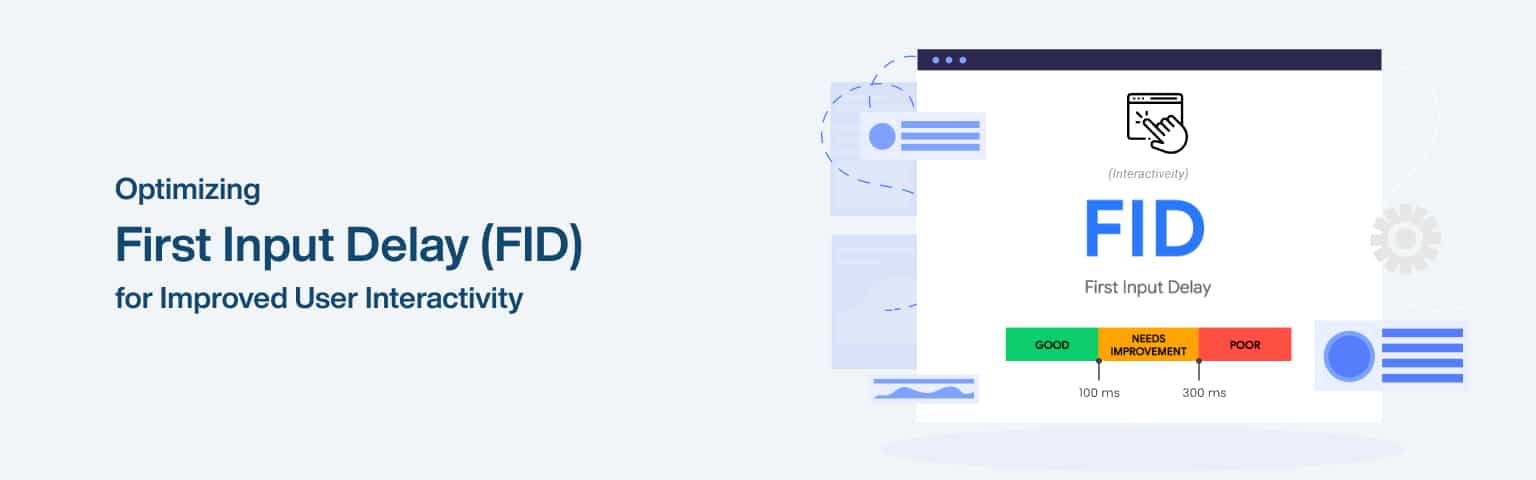
The table below summarises the FID-to-INP change.
First Input Delay (FID, retired)
Interaction to Next Paint (INP, current)
What it measured
Delay before the page reacts to the first interaction
Responsiveness across all interactions in a visit
Good threshold
100 ms or less
200 ms or less
Status
Retired 12 March 2024
Current responsiveness Core Web Vital
How to improve
Reduce main-thread JavaScript
Same: reduce, defer, and break up JavaScript
What is INP and how is it different from FID?
INP (Interaction to Next Paint) measures how quickly your page visually responds across all the interactions a user makes during a visit, where FID only measured the delay on their very first interaction. That difference matters: FID was a relatively easy metric to pass because it ignored everything after the first tap, so a page could score well on FID yet still feel sluggish throughout the rest of the visit. INP closed that gap by assessing responsiveness continuously.
Concretely, INP looks at the interactions throughout a visit (clicks, taps, key presses) and reports a value representing the page’s overall responsiveness, essentially the latency of the slowest meaningful interactions. A good INP is 200 milliseconds or less, measured at the 75th percentile of real visits (web.dev). Because it covers the whole visit, it’s a tougher and more realistic test of how responsive a page actually feels.
The practical implication is that you can’t pass INP just by making the first interaction fast; the page has to stay responsive as people use it. That’s harder, but it’s also more meaningful, since it reflects the real experience. The reassuring part is that the root cause is the same one that hurt FID, too much work on the browser’s main thread, so if you optimized for FID before, you’re already on the right track for INP, which our guide to improving Core Web Vitals addresses across all three metrics.
Why do so many sites struggle with INP?
INP has a reputation as the hardest Core Web Vital to optimise, even though it isn’t the metric the most sites fail outright. As of the 2025 HTTP Archive Web Almanac, about 77% of mobile page loads achieve a “good” INP, a higher pass rate than Largest Contentful Paint at 62%, so LCP remains the most-failed Core Web Vital while INP is the one teams find hardest to move on JavaScript-heavy sites (HTTP Archive).
The reason it feels like the metric “everyone is failing” is the switch from FID. When INP replaced the lenient First Input Delay in March 2024, many sites that comfortably passed FID suddenly failed INP, because FID only ever judged the first interaction and ignored the sluggishness that followed. INP exposed responsiveness problems that were always there but never measured. That struggle is concentrated in heavily interactive, script-laden sites, ecommerce stores, dashboards, and social apps, where lots of JavaScript competes for the main thread on every click and tap. So while more pages across the web pass INP than pass LCP, if your site is interaction-heavy, INP is very likely the vital that will take the most work, which is why it deserves focused attention rather than complacency.
What causes poor interaction responsiveness?
Poor INP is almost always caused by JavaScript tying up the browser’s main thread, so the page can’t respond quickly when a user interacts. The browser handles interactions on the same single main thread that runs your JavaScript, so when that thread is busy with long tasks, interactions queue up and the page feels laggy. Almost every responsiveness problem traces back to this.
The specific culprits are long JavaScript tasks (scripts that run for a long time without yielding), too much JavaScript overall (heavy frameworks, many third-party scripts, analytics and ad tags), and inefficient event handlers that do heavy work the moment a user interacts. Third-party scripts are a frequent and underestimated cause, since each tag you add competes for the same main thread, and you often don’t control how efficiently they run.
The reason INP is harder to pass than FID was is that this main-thread congestion affects every interaction, not just the first. A page might respond fine to the first click (passing FID) but then stutter on subsequent interactions as scripts continue to run (failing INP). So the goal isn’t a fast first response; it’s keeping the main thread free enough to respond quickly throughout the visit, which means being disciplined about how much JavaScript runs and when.
How do you improve INP?
You improve INP by reducing how much JavaScript runs, deferring what isn’t needed immediately, and breaking up long tasks so the main thread stays free to respond. The aim is to keep the browser available to react to interactions rather than locked up processing scripts. Work through these in order of impact:
Reduce JavaScript. Ship less of it: trim unused code, question heavy frameworks and plugins, and audit third-party scripts (analytics, ads, widgets), removing or limiting those that aren’t essential. Less script means less main-thread work.
Break up long tasks. Split long-running JavaScript into smaller chunks that yield back to the main thread, so the browser can respond to interactions between them rather than being blocked by one big task.
Defer non-essential work. Load and run scripts that aren’t needed for interaction later, so they don’t compete with the user’s actions during the critical early moments.
Optimise event handlers and use web workers. Keep the code that runs on interaction lean, and move suitable heavy work off the main thread into web workers, so it doesn’t block responsiveness.
Measure with PageSpeed Insights and confirm with the field data in Search Console, since INP, like all Core Web Vitals, is assessed on real users. Because the cause is consistent (main-thread congestion from JavaScript), the fixes are consistent too, which makes INP tractable even though it’s a tougher metric than the FID it replaced.
How do third-party scripts hurt INP, and what can you do?
Third-party scripts, analytics, ads, chat widgets, A/B testing tools, and social embeds, are one of the biggest and most underestimated causes of poor INP, because each one runs on the same main thread your page needs in order to respond to clicks and taps (web.dev). When those scripts run long tasks, the user’s interactions queue up behind them and the page feels laggy, and you usually have little control over how efficiently a vendor’s code is written (web.dev).
A few disciplined habits keep third-party code from wrecking responsiveness:
Audit and remove. List every third-party tag on the page and cut the ones that don’t earn their place. This is the highest-leverage fix, because the fastest script is the one you never load.
Load late or on interaction. Defer non-essential scripts until after the page is interactive, and load heavy widgets like chat or video players only when a user actually engages, using a lightweight placeholder (“facade”) in the meantime.
Manage tags deliberately. A tag manager helps you see and control what’s running, but don’t let it become a dumping ground that quietly piles on main-thread work.
Move work off the main thread. Where possible, run heavy or third-party work in a web worker (tools such as Partytown can relocate some third-party scripts), freeing the main thread to stay responsive.
Because third-party code competes for the exact resource INP measures, the browser’s main thread, managing it carefully is often the single biggest INP win available, especially on sites that have accumulated tags over years.
Frequently asked questions
Interaction to Next Paint (INP) replaced FID as the responsiveness Core Web Vital on 12 March 2024 (web.dev). FID measured only the delay before the page reacted to a user’s first interaction, while INP measures responsiveness across all interactions in a visit, a more complete and honest test. If you’re working from older guidance about FID, switch your focus to INP; the metric changed, but the ways to improve it (reducing and deferring JavaScript) are the same.
A good INP is 200 milliseconds or less, measured at the 75th percentile of your real visitors (web.dev). Between 200 and 500 milliseconds is “needs improvement,” and over 500 milliseconds is “poor.” Because INP is measured on real users across their whole visit, the page must stay responsive throughout, not just on the first interaction, which is why it’s a tougher test than the old FID metric and why keeping the main thread free matters so much.
Because INP measures responsiveness across every interaction in a visit, while FID only measured the first. A page could pass FID by responding quickly to the first tap, then stutter on later interactions as scripts kept running, and FID would never catch it. INP catches that ongoing sluggishness. So passing INP requires keeping the page responsive throughout, which means being more disciplined about how much JavaScript runs and when, not just optimising the initial load.
Reduce the JavaScript that ties up the browser’s main thread. Trim unused code, audit and limit third-party scripts (ads, analytics, widgets), break long-running tasks into smaller chunks that let the browser respond between them, defer non-essential scripts, and move suitable heavy work into web workers. Since poor INP almost always comes from main-thread congestion caused by JavaScript, cutting and reorganising that work is the reliable fix. Measure changes in PageSpeed Insights and confirm with real-user data in Search Console.
Final thoughts
The headline is simple: First Input Delay is gone, replaced by Interaction to Next Paint in March 2024. If you set out to optimize FID, optimize INP instead, it measures the same kind of thing (responsiveness) but across the whole visit rather than just the first interaction, which makes it a fairer and tougher test.
The reassuring part is continuity: the cause of poor responsiveness hasn’t changed (too much JavaScript blocking the main thread), so the fixes haven’t either. Reduce and defer JavaScript, break up long tasks, and keep event handlers lean, and the page stays responsive throughout the visit. For the loading and stability metrics, see our guides to Largest Contentful Paint and Cumulative Layout Shift.
Cumulative Layout Shift (CLS) measures how much a page’s content unexpectedly moves around while it loads, the annoying jumps where a button shifts just as you go to tap it. It’s one of Google’s three Core Web Vitals, capturing visual stability, and a good CLS is 0.1 or less, measured at the 75th percentile of real visits (web.dev). Unlike loading or responsiveness, CLS is about whether the page stays put as it assembles, which is a surprisingly common source of frustration.
Key Takeaways
CLS measures unexpected layout movement as a page loads; good is 0.1 or less (web.dev).
It’s a score, not a time: it reflects how much content shifts and how far.
The usual causes: images/ads/embeds without set dimensions, content injected above existing content, and late-loading web fonts.
The fix is reserving space for everything before it loads, so nothing has to push other content aside.
CLS is the most overlooked of the three Core Web Vitals because, unlike a slow page, layout shift is easy to stop noticing on your own fast connection where everything loads at once. But for real users on slower connections, content arrives in stages, and if you haven’t reserved space for it, the page lurches. This guide explains what CLS is, what causes the shifts, and how to eliminate them, as one metric in our Core Web Vitals beginner’s guide.
The table below maps the common causes of poor CLS to their fixes.
Cause of layout shift
Fix
Images without dimensions
Set width/height or aspect-ratio
Ads, embeds, iframes loading late
Reserve space with a fixed slot
Content injected above existing content
Avoid, or reserve space for it
Web fonts swapping (FOUT/FOIT)
Preload fonts, use font-display well
Dynamic banners/notifications
Reserve space rather than pushing content
Why does CLS matter?
CLS matters because layout shifts actively frustrate users and cause real mistakes, like tapping the wrong button when the page jumps. A high CLS makes a site feel unstable and unprofessional, and it can lead to costly errors: a user trying to tap “cancel” who hits “confirm” because an ad loaded and shoved the buttons down. That erosion of trust and control is exactly what the metric is designed to catch.
It also counts for search. CLS is one of the Core Web Vitals that make up Google’s page experience signals, which its core ranking systems are designed to reward (web.dev). A poor CLS weakens that signal, so visual instability can quietly work against your rankings as well as your users, while a stable page supports both.
What makes CLS worth attention is that it’s often the easiest Core Web Vital to fix and the most overlooked. Many sites pass LCP and INP but fail CLS simply because no one reserved space for images, ads, or fonts. Once you know the causes, the fixes are usually straightforward and low-risk, making CLS a high-return metric to address, the kind of detail our guide to improving Core Web Vitals covers alongside the other two.
What is Google’s standard guidance on CLS?
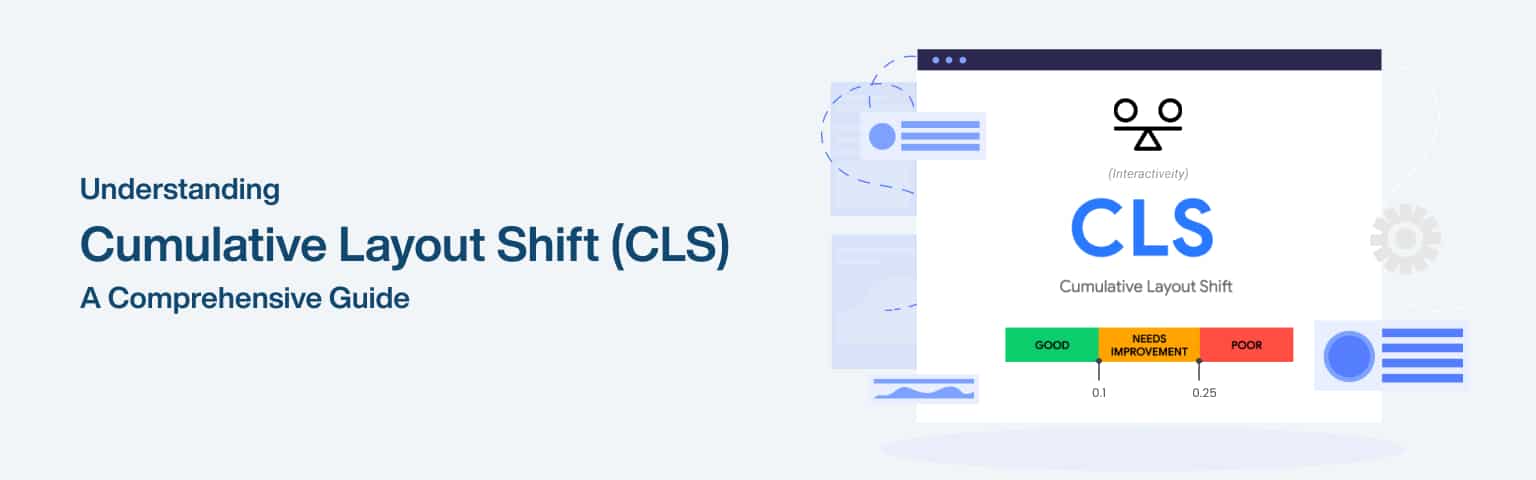
Google’s official guidance sets a clear standard for what counts as good: a CLS of 0.1 or less, measured at the 75th percentile of real page loads across mobile and desktop (web.dev). The thresholds are fixed and worth committing to memory.
CLS score
Rating
0.1 or less
Good
0.1 to 0.25
Needs improvement
Over 0.25
Poor
It also helps to know how the score is calculated, because it explains why some shifts hurt more than others. Each unexpected shift’s score is its impact fraction (how much of the visible screen moved) multiplied by its distance fraction (how far it moved), and CLS reports the largest burst of shifts grouped into a session window rather than simply adding every shift over the whole visit (web.dev). Crucially, shifts that happen within 500 milliseconds of a user action are treated as expected and excluded, so opening a menu or expanding a section doesn’t count against you. The standard recommendation that follows from all this is the one this guide is built around: reserve space for anything that loads or resizes after the initial render, so no unexpected shift is ever scored in the first place.
What causes layout shifts?
Layout shifts are caused by content that loads or changes size after the page has started rendering, without space reserved for it, so it pushes the surrounding content. There are a few classic culprits, and most pages with poor CLS have one or more of them.
The most common is images without dimensions. If an image has no width and height (or aspect-ratio) specified, the browser doesn’t know how much space to leave, so when the image loads it shoves everything below it down. Ads, embeds, and iframes cause the same problem at larger scale, since they often load late and at unpredictable sizes, and if they appear in an unreserved slot, the whole layout jumps.
Two more causes are subtler. Content injected above existing content, a cookie banner, a notification bar, or dynamically loaded content that appears at the top, pushes everything down after the user has already started reading. And web fonts can shift text: when a custom font loads and replaces the fallback, differences in size and spacing can reflow the text (the “flash of unstyled/invisible text”). Identifying which of these affects your page, using the layout-shift data in PageSpeed Insights, tells you what to fix.
How do you improve CLS?
You improve CLS by reserving space for everything before it loads, so nothing has to push other content aside. The principle is simple: if the browser knows how much room each element will need, it lays the page out correctly the first time and nothing jumps. The fixes follow directly from the causes.
Set dimensions on images and video. Always specify width and height attributes, or use the CSS aspect-ratio property, so the browser reserves the right space before the media loads. This single step eliminates the most common cause of CLS.
Reserve space for ads, embeds, and iframes. Give them a fixed-size container so that when they load (often late and variably), they fill a slot rather than displacing content.
Avoid injecting content above existing content. Don’t push the page down with late-loading banners or notifications; if you must, reserve space for them in advance.
Handle fonts carefully. Preload key fonts and use an appropriate font-display value so the swap from fallback to custom font doesn’t reflow the layout.
Test after each change in PageSpeed Insights and confirm with the field data in Search Console, since that’s what Google assesses. Because the causes of CLS are specific and the fixes are well-defined, it’s often the quickest Core Web Vital to move into the good range, sometimes just by adding dimensions to images and reserving space for ads.
Frequently asked questions
A good CLS is 0.1 or less, measured at the 75th percentile of your real visitors (web.dev). Between 0.1 and 0.25 is “needs improvement,” and above 0.25 is “poor.” CLS is a unitless score reflecting how much content shifts and how far, not a time measurement like LCP or INP. As with the other vitals, it’s judged on real users, so reserve space for everything that loads late to keep the score low for visitors on all connections and devices.
Images without specified dimensions. When an image has no width and height (or aspect-ratio), the browser can’t reserve space for it, so it pushes the content below it down when it loads, causing a shift. Ads, embeds, and iframes that load late into unreserved space are the next most common cause. Both are fixed the same way: tell the browser how much space to reserve before the content arrives, so the layout doesn’t move.
Reserve space for everything that loads after the initial render. Set width and height (or aspect-ratio) on all images and videos, give ads, embeds, and iframes fixed-size containers, avoid injecting banners or content above what’s already on screen, and handle web fonts so they don’t reflow text when they swap in. The principle is that if the browser knows each element’s size in advance, it lays the page out correctly and nothing has to push other content aside.
Yes, as part of page experience. CLS is one of the Core Web Vitals, which are page-experience signals Google’s core ranking systems are designed to reward (web.dev). A poor CLS weakens that signal and harms the user experience by making the page feel unstable. It won’t override content quality, but among comparable pages a stable layout helps, and fixing CLS is usually low-effort, so it’s a worthwhile improvement for both rankings and users.
Use Google’s free tools. PageSpeed Insights shows your CLS for any URL, with both lab and real-user data, and highlights the specific elements causing shifts. Google Search Console’s Core Web Vitals report shows CLS across your whole site using field data, the real-user data Google assesses. Chrome DevTools can also visualise layout shifts as you work on a page. Start with PageSpeed Insights to find which elements shift, fix them by reserving space, then confirm the improvement in Search Console’s field data over time.
Final thoughts
Cumulative Layout Shift is the Core Web Vital of visual stability, and it’s the one most sites overlook, because layout jumps are easy to miss on a fast connection but genuinely frustrating for real users who watch the page lurch as it loads. The 0.1 target is very achievable once you know the causes.
The whole fix comes down to one idea: reserve space for everything before it loads. Set dimensions on images and media, give ads and embeds fixed slots, don’t shove content down with late banners, and handle fonts cleanly. Because the causes are specific and the fixes straightforward, CLS is often the quickest vital to pass. For the loading and responsiveness metrics, see our guides to Largest Contentful Paint and interaction responsiveness (INP).
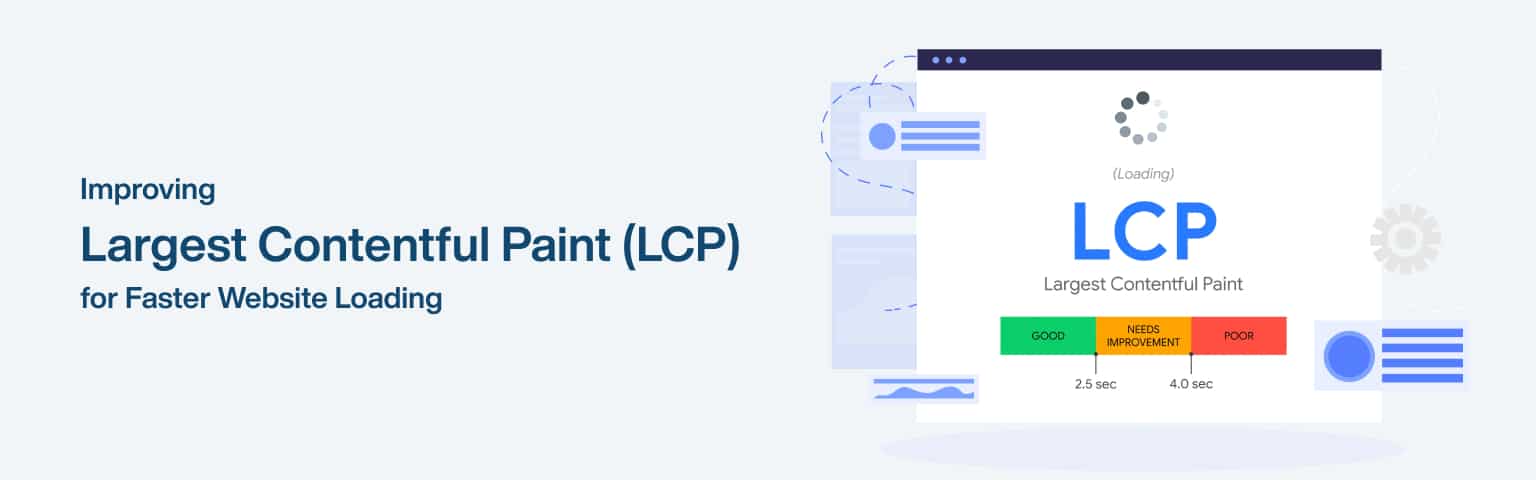
Largest Contentful Paint (LCP) measures how long it takes for the largest visible element on a page (usually a hero image, a banner, or a big block of text) to load and appear. It’s one of Google’s three Core Web Vitals, and it answers the user’s first question about any page: “is this thing loading?” A good LCP is 2.5 seconds or less, measured at the 75th percentile of real visits (web.dev). Slow LCP is what makes a page feel sluggish before a visitor has seen anything useful.
Key Takeaways
LCP measures when the largest visible element finishes loading; good is 2.5 seconds or less (web.dev).
It’s measured on real users at the 75th percentile, so it must be fast for most visitors, not just on your fast connection.
The usual culprits: heavy images, slow server response, and render-blocking CSS or JavaScript.
Fixing LCP is mostly about optimising images, speeding up the server, and unblocking the render path.
LCP is the loading half of page experience, and it’s often the Core Web Vital businesses fail first, because images and slow servers are everywhere. The good news is that it’s also one of the most fixable, since the causes are well understood and the tools to diagnose it are free. This guide explains what LCP is, what drags it down, and the concrete steps to get it into the good range, as one of three metrics covered in our Core Web Vitals beginner’s guide.
The table below maps the common causes of poor LCP to their fixes.
Cause of slow LCP
Fix
Large, unoptimised images
Compress, use modern formats, size correctly
Slow server response (TTFB)
Better hosting, caching, a CDN
Render-blocking CSS/JS
Minify, defer, inline critical CSS
Lazy-loading the LCP element
Don’t lazy-load above-the-fold content
Slow-loading web fonts
Preload fonts, use font-display
Why does LCP matter?
LCP matters because it captures the moment a page becomes useful to a visitor, and slow loading drives people away before they engage. As the loading metric among Core Web Vitals, it directly reflects perceived speed, and perceived speed shapes whether someone stays. Google’s data shows the probability of a bounce rises 123% as mobile load time goes from 1 to 10 seconds (Think with Google, 2017), and LCP is the metric most tied to that experience.
It also matters for search. Core Web Vitals, including LCP, are part of Google’s page experience signals, which its core ranking systems are designed to reward (web.dev). A poor LCP can therefore work against you in two ways at once: it loses impatient visitors, and it weakens a page-experience signal that helps competitive pages rank.
The encouraging part is the payoff. Because LCP is usually dominated by one or two heavy elements (typically a large image or a slow server response), fixing it often produces a big, visible improvement from a focused effort. Of the three Core Web Vitals, LCP is frequently where the fastest, most noticeable gains live, which is why it’s a sensible place to start, and it overlaps directly with general website speed optimization.
How common is poor LCP?
Poor LCP is widespread, not a rare edge case. As of the 2025 HTTP Archive Web Almanac, only about 62% of mobile page loads achieve a “good” LCP, which means nearly four in ten (38%) still fail it (HTTP Archive). That makes LCP the Core Web Vital the most sites fail, ahead of both Cumulative Layout Shift and Interaction to Next Paint.
The reason it’s so commonly failed is that its causes are everywhere: large hero images, slow or uncached servers, and render-blocking resources are the default state of most sites rather than the exception. The flip side is opportunity. Because so many competing pages fail LCP, getting yours into the good range is a genuine differentiator, both for the visitors who stay and for the page-experience signal that helps you rank. Far from being a niche technical metric, LCP is the most failed and often the most rewarding Core Web Vital to fix.
What slows down LCP?
LCP is slowed by three main things: heavy images, slow server response, and resources that block the page from rendering. Diagnosing which one is your bottleneck is the first step, and free tools like PageSpeed Insights point you straight at it.
The most common cause is images. The largest element on most pages is an image, and if it’s a large, uncompressed file in an old format, it takes too long to download and paint. Serving oversized images (far bigger than they display) compounds the problem. The second cause is slow server response, measured as Time to First Byte: if your hosting is slow or the page isn’t cached, the browser waits before it can even start rendering, delaying everything including LCP.
The third cause is render-blocking resources. CSS and JavaScript that must load before the page can paint hold up the LCP element, and bloated or poorly ordered stylesheets and scripts are a frequent offender. A subtler mistake is lazy-loading the LCP element itself: lazy loading is good for offscreen images, but applying it to the main above-the-fold image delays the very thing LCP measures. Slow web fonts can also contribute when text is the largest element. Identifying which of these dominates your LCP tells you exactly where to focus.
How do you improve LCP?
You improve LCP by optimising the largest element and clearing the path to render it: lighter images, a faster server, and unblocked CSS and JavaScript. Work in order of impact, starting with whatever your diagnostics flag as the bottleneck, usually images.
Optimise images. Compress them, serve modern formats like WebP or AVIF, and size them to their display dimensions rather than shipping huge files. For the LCP image specifically, consider preloading it so the browser fetches it early, and never lazy-load an above-the-fold image.
Speed up the server. Improve Time to First Byte with quality hosting, server-side caching, and a content delivery network (CDN) to serve assets from closer to the user. A fast server benefits every metric, not just LCP.
Unblock rendering. Minify CSS and JavaScript, defer non-critical scripts, and inline the critical CSS needed to render above-the-fold content, so the LCP element isn’t waiting behind resources it doesn’t need.
Handle fonts. If text is your LCP element, preload key fonts and use a sensible font-display setting so text appears quickly rather than waiting on the font.
Measure after each change with PageSpeed Insights and confirm progress in Search Console’s field data, since that’s what Google assesses. Because LCP is usually dominated by one heavy element, fixing that single thing often moves the metric into the good range, the focused win that makes LCP a good first target, as our guide to improving Core Web Vitals lays out across all three metrics.
Frequently asked questions
A good LCP is 2.5 seconds or less, measured at the 75th percentile of your real visitors (web.dev). Between 2.5 and 4 seconds is “needs improvement,” and over 4 seconds is “poor.” The 75th-percentile detail matters: 75% of real page loads must hit 2.5 seconds or less, so a page can feel fast on your device yet still fail if many real users are on slower connections or devices. Aim for the experience most visitors actually get.
Most often a large, unoptimised image, since the largest element on a page is frequently an image, and a heavy or oversized file takes too long to load and paint. The other common causes are slow server response (a high Time to First Byte from poor hosting or no caching) and render-blocking CSS or JavaScript that delays painting. A frequent self-inflicted cause is lazy-loading the main above-the-fold image, which postpones the very element LCP measures.
Compress your images, serve them in modern formats like WebP or AVIF, and size them to the dimensions they actually display at rather than shipping oversized files. For the specific image that is your LCP element, preload it so the browser fetches it early, and make sure it isn’t lazy-loaded. These steps usually produce the biggest LCP improvement, because images are the most common bottleneck and the largest element is often the one slowing everything down.
Yes, as part of page experience. LCP is one of the Core Web Vitals, which are page-experience signals Google’s core ranking systems are designed to reward (web.dev). A poor LCP can weaken that signal and, separately, lose impatient visitors who leave before the page loads. It doesn’t override content quality, but among comparable pages a fast LCP helps. So improving it benefits both your search performance and your real users.
Final thoughts
Largest Contentful Paint is the Core Web Vital that captures perceived loading speed, the moment a page becomes useful, and it’s usually the first one to fail because heavy images and slow servers are so common. The 2.5-second target is achievable for most sites with focused work on the right bottleneck.
Start by diagnosing what dominates your LCP (usually images), then optimise that element, speed up the server, and clear render-blocking resources. Because LCP is typically driven by one or two heavy things, fixing them often produces a large, visible gain, which is why it’s a great first metric to tackle. For the responsiveness and stability metrics, see our guides to interaction responsiveness (INP) and Cumulative Layout Shift.
What does it take to become a successful entrepreneur?
Becoming a successful entrepreneur depends far more on disciplined execution than on a single brilliant idea: validating a real need, planning sensibly, acting consistently, and adapting as you learn. The romantic image of the visionary with a world-changing idea is misleading; most successful founders build through unglamorous steps done well, testing demand, managing money carefully, delivering reliably, and persisting through setbacks. The traits and steps that matter are learnable, which is the encouraging part: success owes more to how you work than to a flash of genius.
Key Takeaways
Execution beats ideas: validating, planning, acting, and adapting matter more than a “big idea.”
The odds are real but beatable: about half of new businesses survive past five years (BLS), and disciplined founders improve their chances.
Planning helps: research suggests entrepreneurs who write a business plan are more likely to succeed (HBR, 2017).
The traits that matter (resilience, learning, discipline) are habits you can build, not gifts you’re born with.
There’s no formula that guarantees entrepreneurial success, but there are patterns that reliably improve the odds, and patterns that reliably hurt them. This guide focuses on those: the practical steps and the mindset that distinguish founders who build sustainable businesses from those who don’t. None of it requires being a genius; it requires doing sensible things consistently, which is genuinely within reach.
The table below maps the stages of building a successful business.
Stage
What it involves
Why it matters
Validate the idea
Confirm a real need and demand
Avoids building what nobody wants
Plan sensibly
Goals, numbers, a workable plan
Improves odds; clarifies the path
Execute consistently
Ship, deliver, show up daily
Where most success is actually made
Adapt and learn
Use feedback and data to adjust
Survival depends on responding to reality
Persist
Push through setbacks
Most failure is quitting too early
Why does execution matter more than the idea?
Execution matters more than the idea because ideas are common and cheap, while the disciplined work of turning one into a viable business is rare and hard. Plenty of people have the same good idea; the few who succeed are the ones who actually build, test, sell, and improve. An average idea executed well beats a brilliant idea executed poorly almost every time, which is liberating, you don’t need a unique stroke of genius to start.
What execution looks like in practice is unglamorous consistency: validating that people actually want what you’re offering, getting a product or service in front of customers, delivering it reliably, and improving based on what you learn. Successful entrepreneurs tend to act and adjust rather than wait for the perfect plan, because real feedback from the market teaches more than any amount of theorising.
This is also where the survival statistics come in. About half of new businesses make it past five years (BLS), and the difference between those that survive and those that don’t is usually execution: managing cash, delivering value, and responding to reality, rather than the quality of the original idea. The reassuring implication is that the main levers of success are things you control through how you work, not luck or innate brilliance.
What practical steps should you take to start?
The practical steps to start are to validate your idea, plan sensibly, and then act, in that order, without getting stuck at any one stage. Each step de-risks the next, and the most common mistakes are skipping validation (building something unwanted) or over-planning (never actually starting).
Validate the idea. Before investing heavily, confirm real demand: talk to potential customers, research the market and competition, and ideally test cheaply (a small offering, a pre-sale, a minimum version) before committing. Evidence beats conviction.
Plan sensibly. Write a business plan that works through your goals, costs, pricing, and how you’ll reach customers. It needn’t be elaborate, but the discipline helps: research suggests founders who plan are more likely to succeed (HBR, 2017), and you’ll need it for any funding.
Start, then act consistently. Launch before it’s perfect, then show up and improve daily. Momentum and real-world feedback are worth more than a flawless plan that never ships.
Choose a starting point that matches your resources, too. You can begin from home with low overheads, our guide to starting a business from home covers that, or with little capital at all, as our guide to starting a business without investment explains. The right first step is the one you can actually take now, not the ideal one you keep postponing.
How do you handle funding and financial basics?
Most new businesses are funded in one of a few ways, and the financial habits that decide survival matter more than the amount you start with. Founders typically begin by bootstrapping from savings and early revenue, then add outside money only if they need it, because each funding route trades cash for control.
The common options are worth knowing:
Bootstrapping. Funding the business from your own savings and the revenue it generates. It’s the cheapest route and keeps full control, which is why so many successful founders start here, and it’s the basis of our guide to starting a business without investment.
Loans and credit. Bank loans, small-business lending, or government-backed schemes give you capital to repay over time without giving away ownership, but they add fixed repayments you have to cover.
Friends, family, and grants. Early informal funding or grants can bridge a gap; treat informal money as seriously as any other, with clear terms.
Angel and venture investment. Selling equity for capital suits high-growth businesses that need to scale fast, but it means giving up a share and answering to investors, so it’s not right for most small starts.
Whichever route you take, the financial basics are what keep you alive. Separate your business and personal finances from day one, track cash flow closely (most businesses fail because they run out of cash, not because they’re unprofitable on paper), keep a runway buffer so a slow month doesn’t sink you, and price with enough margin to cover the full cost of each sale plus the cost of winning the customer. Disciplined money management is one of the clearest dividing lines between businesses that survive their first five years and those that don’t.
What traits and habits make entrepreneurs succeed?
The traits that make entrepreneurs succeed, resilience, a learning mindset, discipline, and adaptability, are habits you can build rather than gifts you’re born with. This matters because it means entrepreneurial success isn’t reserved for a special personality type; it’s available to anyone willing to develop the right working habits.
Resilience is the most cited, and for good reason: building a business involves repeated setbacks, rejections, and slow periods, and the founders who succeed are usually the ones who persist through them rather than quitting early. Much business failure is really giving up at a hard point that persistence would have carried through. A learning mindset compounds this: treating mistakes and feedback as information rather than defeat lets you improve faster than competitors who don’t.
Discipline and adaptability complete the set. Discipline is showing up and doing the unglamorous work consistently, especially when motivation fades, which is what turns intention into results. Adaptability is responding to what the market actually tells you rather than clinging to your original plan, since survival often depends on adjusting course. Networking and continuous learning support all of these, connecting with others and staying curious accelerates growth. None of these are innate; they’re practices you can deliberately build, which is why the steps matter as much as the talent. And whatever the business, being findable online underpins growth, which is where our SEO services approach fits in.
What can you learn from real entrepreneurs?
The most useful lessons come from how real founders actually built their businesses, which almost always shows validation, resourcefulness, and persistence rather than a single stroke of genius. A few well-known journeys make the point.
Sara Blakely (Spanx) famously started with around $5,000 of her own savings and no outside investment, researched and filed her patent herself, and refined the product through relentless testing, growing it into a global brand on bootstrapped discipline rather than capital.
Brian Chesky and Joe Gebbia (Airbnb) kept their early company alive by selling novelty cereal when investors repeatedly passed, then persisted through round after round of rejection before the idea took off, a lesson in resourcefulness and resilience under doubt.
Steve Jobs and Steve Wozniak (Apple) began with a single product built and sold on a shoestring, reinvesting early sales to fund the next step, a reminder that even iconic companies start small and execute their way up.
The common thread isn’t luck or a perfect idea; it’s founders who tested demand, stretched limited resources, and refused to quit at the hard points. Those are exactly the validate-plan-execute-persist habits the rest of this guide describes, and they’re available to anyone willing to work that way.
Frequently asked questions
No. A unique idea helps in some markets, but most successful businesses are built on ordinary ideas executed well, not on a stroke of genius. Plenty of people share the same good idea; the ones who succeed are those who validate it, build it, sell it, and improve it. So rather than waiting for a perfect, original idea, focus on executing a solid one better than others do, that’s where success is actually decided, and it’s far more within your control.
Resilience is the most commonly cited, because building a business involves repeated setbacks, and persisting through them is what separates those who succeed from those who quit. Much business failure is really giving up at a hard point. Close behind are a learning mindset (treating mistakes as information), discipline (doing the unglamorous work consistently), and adaptability (adjusting to what the market tells you). Crucially, all of these are habits you can build, not fixed traits, so success is more learnable than it looks.
Common failure modes include building something the market doesn’t want (skipping validation), running out of cash (poor financial discipline), and quitting too early (lack of resilience). Given that about half of new businesses don’t survive five years (BLS), avoiding these matters. You reduce the risk by validating demand before investing heavily, managing cash carefully, planning sensibly, and persisting through the hard periods, the disciplined fundamentals that improve the odds far more than any clever idea.
Largely, yes, because the things that drive success (validating ideas, planning, executing consistently, adapting, and persisting) are learnable habits rather than innate gifts. Not every business will succeed, and some skills and circumstances help, but the core levers are within most people’s control. That’s the encouraging reality: entrepreneurial success owes more to how you work, your discipline, resilience, and willingness to learn, than to a special talent you either have or don’t.
Final thoughts
Becoming a successful entrepreneur is less about a brilliant idea than about doing sensible things consistently: validating real demand, planning enough to know your numbers, executing and delivering reliably, and adapting as the market teaches you. The survival odds are real, about half of businesses don’t reach five years, but they’re heavily shaped by execution, which you control.
The encouraging truth is that the traits behind success (resilience, discipline, a learning mindset, adaptability) are habits anyone can build, not gifts reserved for a few. Start with an idea you can validate and a step you can actually take now, whether from home or with little capital, then show up, learn, and persist. For practical starting points, see our guides to starting a business from home and starting a business without investment.
What makes the best ecommerce stores worth learning from?
The best ecommerce store examples aren’t worth copying so much as worth decoding: each one does a few specific things exceptionally well, and those repeatable principles are what you can apply to your own store. Across standout ecommerce brands, the same lessons recur, strong, distinctive branding; frictionless buying; visible trust; and an excellent mobile experience. Studying examples is most useful when you look past the surface design and identify the principle underneath, because that principle, not the exact look, is what you can actually use.
Key Takeaways
Don’t copy the look; extract the principle. The best stores share repeatable lessons, not a single style.
Recurring strengths: distinctive branding, a frictionless path to purchase, visible trust, and great mobile.
Most successful examples run on hosted platforms like Shopify, which powers about 31% of all ecommerce systems (W3Techs, 2026).
The lesson behind every great store is the same: reduce friction and build confidence between landing and buying.
It’s tempting to look at a beautiful ecommerce site and try to replicate its design, but that misses the point. What makes these stores effective isn’t the specific colour or layout; it’s the underlying decisions about clarity, trust, and ease of buying that you can apply regardless of your products or aesthetic. This guide walks through the lessons the best stores teach, with recognisable examples, so you can apply the thinking rather than the surface, building on our guide to ecommerce website design.
The table below maps the recurring lessons to what they look like in practice.
Lesson
What it looks like
Why it works
Distinctive branding
Consistent voice, look, and story
Memorable, builds loyalty and trust
Frictionless buying
Few steps, guest checkout, clear CTAs
Fewer drop-offs at the critical stage
Visible trust
Reviews, security, clear policies
Reassures buyers enough to commit
Strong product pages
Great images, detail, social proof
Answers the buyer’s questions in place
Excellent mobile
Fast, easy to browse and buy on phones
Where much shopping now happens
Which ecommerce stores should you study, and what does each teach?
A handful of well-known stores are worth studying because each one demonstrates a single principle exceptionally clearly. The point isn’t to copy them, designs change constantly, which is why we name them rather than link them, but to see the lesson each one makes obvious.
Allbirds teaches branding with a purpose: a consistent sustainability story runs through its copy, materials, and design, which justifies premium pricing and builds loyalty beyond the product.
Glossier teaches community-led growth: it turned customers into advocates by building the brand around their content and voice rather than top-down advertising.
Gymshark teaches mobile-first, community-driven selling: it grew largely through influencer partnerships and a store built for how people actually shop on phones.
Warby Parker teaches friction removal on a hard online purchase: a home try-on programme and clear, confident product pages took the risk out of buying eyewear unseen.
Apple teaches product-page clarity: generous space, large imagery, and one clear decision at a time make even complex products easy to choose.
Bellroy teaches showing rather than telling: interactive demos and video reveal exactly what each wallet holds, answering the buyer’s main question visually.
The thread connecting them is the same lesson the rest of this guide unpacks: each reduces uncertainty and builds confidence between landing and buying. Study the principle each one isolates, then apply it to your own store.
What can you learn about branding from great stores?
The lesson great ecommerce brands teach about branding is that a distinctive, consistent identity makes a store memorable and trusted, which is worth more than a trendy design. Brands like Allbirds, Glossier, and Gymshark are recognisable instantly because their voice, look, and story are consistent across every page, which builds the familiarity and loyalty that turn one-time buyers into repeat customers. The takeaway isn’t to imitate their aesthetic; it’s to develop your own clear, consistent identity.
Strong branding also does practical work: it differentiates you in a crowded market and signals quality. A coherent brand, consistent typography, colours, photography, and tone, reads as professional and trustworthy, while a generic or inconsistent one reads as forgettable. You don’t need a big budget for this; you need clarity about who you are and the discipline to apply it everywhere.
The deeper lesson is that branding and storytelling give customers a reason to choose you beyond price. The best DTC brands sell a story and a set of values, not just a product, which is what lets them avoid competing solely on being cheapest. For your store, that means deciding what you stand for and weaving it through your copy, imagery, and experience, the same craft our guide to professional website design applies across any site.
What do the best stores get right about buying and trust?
The best stores make buying effortless and trust obvious, which is where most of their conversion advantage comes from. On the buying side, they relentlessly reduce friction: a clear path from product to checkout, guest checkout that doesn’t force account creation, obvious calls to action, and a short, transparent checkout that shows total costs (including shipping) early. Every unnecessary step or surprise is a place buyers abandon, so the best stores remove them, the same discipline our guide to landing page optimization applies to conversion generally.
On the trust side, leading stores make confidence-building signals impossible to miss. Customer reviews and ratings, clear and generous return and shipping policies, visible security and recognisable payment options, and responsive support all reassure a buyer that the purchase is safe. For a shopper deciding whether to enter their card details, these signals are often what tips the decision, which is why the best stores foreground them rather than burying them.
The product page is where buying and trust meet, and great stores treat it as the most important page. They answer every question a buyer would have in person: high-quality images from multiple angles, clear descriptions and specifications, reviews, and obvious pricing and availability. A strong product page reduces hesitation by removing the unknowns, which is precisely what converts a browser into a buyer. Study any great store and you’ll find its product pages doing this work thoroughly.
What platforms and mobile lessons do they teach?
The platform and mobile lessons from successful stores are clear: most run on capable, well-supported platforms, and all of them treat mobile as primary, not secondary. On platforms, the majority of standout stores, especially DTC brands, run on hosted systems like Shopify, which powers about 31% of all ecommerce systems (W3Techs, 2026). The lesson isn’t that you must use Shopify specifically, but that choosing a solid, scalable platform lets you focus on the store rather than the infrastructure, our comparison of Shopify vs Magento covers that choice.
Mobile is the other universal lesson. A large and growing share of shopping happens on phones, and the best stores are designed mobile-first: fast-loading, easy to browse with thumbs, and simple to check out on a small screen. Crucially, slow pages lose buyers, the chance of a bounce rises 123% as load time goes from 1 to 10 seconds (Think with Google, 2017), so the best stores keep mobile fast even with rich imagery. A store that’s excellent on desktop but awkward on mobile is leaving a large share of sales on the table.
Put together, the platform and mobile lessons are about not letting technical foundations undermine good design and merchandising. The best stores pick a capable platform, build mobile-first, and keep performance tight, so the branding, buying experience, and trust signals you’ve worked on actually reach customers smoothly. For a store built fully to your needs, our guide to custom ecommerce website development explains when bespoke makes sense.
How do you apply these lessons to your own store?
You apply the lessons from great stores by auditing your own store against the same principles, then fixing the biggest gaps first, rather than attempting a wholesale redesign. The point of studying examples is to act on them, and the most efficient way is to turn the recurring lessons into a checklist and score yourself honestly against it.
Run through the principles in order of impact. Is your branding distinctive and consistent across every page, or generic and patchy? Is the path from product to purchase genuinely frictionless, with guest checkout and no surprise costs, or does it shed buyers? Are your trust signals (reviews, policies, security) obvious, or buried? Do your product pages answer every question a buyer would have? Is the mobile experience fast and easy? Wherever you answer weakly is where a competitor’s example has the most to teach you, and where fixing it will move the needle most.
Then improve iteratively rather than all at once. Pick the single weakest area, apply the lesson, measure the effect on conversions, and move to the next. This focused approach beats a risky full redesign, and it compounds: each principle you adopt from the best stores makes yours a little more effective. Treat the great examples as a standing benchmark you keep measuring against as you grow, not a one-time inspiration, and use proper measurement so you know which changes actually help, the discipline our guide to launching a profitable online store builds on.
Frequently asked questions
Look past the visual design and identify the principles underneath: how they brand themselves consistently, how they reduce friction in the path to purchase, how they build trust, and how they handle mobile. Those repeatable principles are what you can apply to your own store regardless of your products or aesthetic. Copying a specific look rarely works, since it’s tied to that brand; extracting the underlying decisions about clarity, trust, and ease of buying is what genuinely improves your store.
Many, especially DTC brands, use hosted platforms like Shopify, which powers about 31% of all ecommerce systems (W3Techs, 2026), because it handles hosting and security and lets them focus on the store. Larger or highly customised stores sometimes use self-hosted platforms like Magento or WooCommerce for more control. The lesson isn’t a specific platform but choosing a capable, scalable one that fits your scale and technical resources, so infrastructure doesn’t hold back your store.
The product page, for most stores. It’s where buyers decide, so the best stores treat it as the most important page: high-quality images from multiple angles, clear descriptions and specifications, reviews and social proof, and obvious pricing and availability. A strong product page answers every question a buyer would otherwise have to ask, removing the uncertainty that causes hesitation. The checkout is a close second, since that’s where a committed buyer can still be lost to friction.
Essential. A large and growing share of online shopping happens on phones, and Google indexes the mobile version of your site, so a poor mobile experience costs both sales and search visibility. The best stores are mobile-first: fast, easy to browse, and simple to check out on a small screen. Given that slow loading sharply increases bounce rates (Think with Google, 2017), keeping the mobile experience fast and smooth directly affects how much of your traffic converts.
Final thoughts
The best ecommerce stores are worth studying not for their looks but for the repeatable lessons underneath: distinctive, consistent branding; a frictionless path to purchase; visible trust; strong product pages; and an excellent, fast mobile experience. Those principles hold whatever you sell, which is why decoding great stores beats copying them.
When you look at a store you admire, ask what decision is making it work, then apply that decision, not the design, to your own. Build a clear brand, remove friction and surprises from buying, make trust obvious, and treat mobile as primary. Do that on a capable platform and you’ve absorbed what the best examples teach. To turn these lessons into a store, start with our guide to launching a profitable online store.
You launch a profitable online store by validating a product with real demand, choosing the right platform, building a store designed to convert, and driving qualified traffic to it. The word that matters most is “profitable”: plenty of stores launch, but the ones that make money get four things right, the product, the platform, the conversion experience, and the traffic, and keep their margins healthy throughout. Getting any one badly wrong undermines the rest, so the sequence and the discipline both matter.
Key Takeaways
Profitability starts with the product and the margins, not the store; validate demand and check the numbers first.
Choose a platform that fits your scale: hosted platforms like Shopify suit most sellers and power about 31% of all ecommerce systems (W3Techs, 2026).
The store has to convert: fast, mobile-first, trustworthy, with a frictionless checkout.
Traffic without conversion wastes money; conversion without traffic earns nothing, you need both, measured.
A “profitable online store” is a different goal from just “an online store,” and the difference is where most fail. It’s easy to set up a shop; it’s harder to choose a product that sells at a healthy margin, build an experience that turns visitors into buyers, and bring in traffic that actually converts. This guide walks through each stage in the order that protects profitability, building on our guide to ecommerce website design.
The table below maps the stages of launching a profitable store.
Stage
What it involves
Why it matters
Product & margins
Validate demand, check the numbers
Profit is decided here first
Platform
Choose hosted vs self-hosted
Shapes cost, ease, and scale
Store build
Fast, mobile, trustworthy, easy checkout
Turns visitors into buyers
Traffic
SEO, ads, content, social
Brings qualified visitors
Measure & optimise
Track conversions, improve
Compounds profitability over time
How do you choose a product and protect your margins?
You choose a product by validating real demand and confirming the numbers work before you commit, because profitability is decided at the product stage more than anywhere else. A store selling something nobody wants, or something with margins too thin to survive marketing and fees, can’t be rescued by good design later. So start here, and be honest about the maths.
Validate demand first. Research whether people are actually searching for and buying the product, study the competition, and ideally test interest before investing heavily, through a small batch, pre-orders, or a limited listing. Genuine evidence of demand beats conviction every time, and it’s far cheaper to learn before launch than after.
Then protect your margins. Work out the full cost of each sale, the product, shipping, platform and payment fees, and the marketing cost to acquire a customer, and confirm there’s healthy profit left over. This is where many stores quietly fail: they sell well but don’t make money because the margin can’t absorb the cost of getting each customer. A profitable store needs enough margin to pay for acquisition and still profit, so choose products and pricing with that headroom built in. Note that platform fees and any transaction charges vary, so factor your specific platform’s costs into the calculation.
Which ecommerce business model should you choose?
Your business model, how you source and fulfil what you sell, shapes your margins, your upfront cost, and your risk as much as the product itself, so it’s worth choosing deliberately rather than defaulting to one. The main options are dropshipping, print-on-demand, holding inventory, and selling digital products, and each trades capital against control.
Model
How it works
Trade-off
Dropshipping
A supplier ships orders directly; you hold no stock
Low upfront cost and risk, but thin margins and less control over quality and shipping
Print-on-demand (POD)
Products are printed per order (apparel, prints, mugs)
No inventory and easy to start, but higher per-unit costs and limited customisation
Holding inventory
You buy stock upfront and fulfil orders yourself
Better margins and control, but real capital tied up and the risk of unsold stock
Digital products
Downloads, courses, templates, software
Very high margins and no shipping, but the work is upfront and competition is easy to enter
There’s no universally best model; the right one depends on your capital, your appetite for risk, and the product. Dropshipping and POD let you launch cheaply and validate demand before committing money, which suits testing a new idea, while holding inventory rewards a proven product with healthier margins. Many stores blend models, testing with dropshipping or POD, then bringing winners in-house as volume justifies it. Whatever you choose, fold its costs into the margin maths from the previous section, because a model with thin per-sale profit needs far more volume to be worthwhile.
Which platform should you build your store on?
You should choose your store platform based on your scale, technical resources, and need for customisation, with hosted platforms suiting most sellers and self-hosted ones suiting large or highly custom stores. The platform shapes your costs, how easily you can run the store, and how far it can grow, so it’s a foundational decision worth getting right early.
For most sellers, a hosted platform like Shopify is the practical choice. It bundles hosting, security, and updates into a subscription, is beginner-friendly, and lets you launch quickly without technical staff, which is why hosted platforms dominate: Shopify alone powers about 31% of all ecommerce systems (W3Techs, 2026). The trade-off is less control and ongoing subscription and transaction costs, but for the majority that’s worth the simplicity.
Self-hosted and open-source platforms (such as Magento Open Source, or WooCommerce on WordPress) offer more control and customisation, but require you to manage hosting, security, and development, so they suit larger stores with technical resources. Our comparison of Shopify vs Magento covers that decision in depth. The honest guidance: start with the simplest platform that meets your needs, since a profitable small store on Shopify beats an over-engineered one you can’t manage, and you can always migrate as you grow. For a fully tailored build, our guide to custom ecommerce website development explains when bespoke makes sense.
How do you build a store that converts?
You build a store that converts by making it fast, mobile-first, trustworthy, and frictionless to buy from, because traffic only becomes revenue when the store turns visitors into customers. This is where the profit is won or lost after the product: a store that attracts visitors but converts few of them wastes the money spent bringing them in.
Speed and mobile come first. Slow pages lose buyers, the chance of a bounce rises 123% as load time goes from 1 to 10 seconds (Think with Google, 2017), and a large and growing share of ecommerce happens on phones, so a fast, fully mobile-friendly store is non-negotiable. Then build trust: clear product information and photos, visible security and payment options, honest reviews, and transparent shipping and returns policies all reassure a buyer enough to complete the purchase.
The checkout is where conversions are most often lost. Keep it short, allow guest checkout, show total costs (including shipping) early to avoid nasty surprises, and remove every unnecessary step, since each one sheds buyers. The principles are the same ones our guide to landing page optimization applies: reduce friction, build trust, and make the next step obvious. A store that’s fast, trusted, and easy to buy from converts far more of the same traffic, which is the most direct route to profitability.
How do you drive traffic that actually sells?
You drive profitable traffic by combining channels that bring qualified buyers, SEO, paid ads, content, and social, then measuring which actually convert so you invest in what works. Traffic for its own sake doesn’t help; profitable traffic is visitors likely to buy, acquired at a cost your margins can absorb. The goal is qualified visitors, not just big numbers.
SEO is the foundation because it brings buyers searching for what you sell, at no per-click cost once it’s working. Optimising product and category pages for the terms customers use, and earning visibility in search, delivers durable, high-intent traffic. Paid advertising complements it by buying immediate, targeted traffic, useful for launching and scaling, as long as the cost per sale stays within your margin. Content and social media build awareness and bring people into the funnel earlier. Our SEO services approach treats these as a system rather than isolated tactics.
Measurement is what makes traffic profitable rather than just expensive. Track which channels and campaigns produce actual sales, not just visits, using proper conversion tracking, then shift budget toward what converts and away from what doesn’t. This is the discipline that compounds profitability: you learn your real cost to acquire a customer per channel, double down on the efficient ones, and steadily improve the ratio of revenue to spend. A store that measures and optimises this loop gets more profitable over time, while one that doesn’t burns money on traffic that never sells.
How do you turn one-time buyers into repeat customers?
You make a store more profitable by keeping customers, not just acquiring them, because selling again to an existing buyer costs far less than winning a new one and steadily lifts the return on all your traffic spend. Acquisition gets most of the attention, but retention is where a store’s profitability compounds, since every repeat purchase comes without paying again to find the customer.
A few retention levers do most of the work. Email marketing is the backbone: a welcome sequence, order and shipping updates, and follow-ups that suggest relevant products keep you in front of buyers on a channel you own, as covered in our guide to email marketing. Post-purchase care matters too, a smooth delivery, a thank-you, and an easy returns experience turn a first order into trust. Beyond that, loyalty or rewards schemes, occasional exclusive offers for past customers, and simple personalisation (recommending products based on what someone bought) all encourage the second and third order. Measuring repeat-purchase rate and customer lifetime value alongside your acquisition cost tells you whether retention is working: when customers come back, the cost of acquiring them is spread across more revenue, and the whole store becomes more profitable without needing more traffic.
Frequently asked questions
Margins and conversion, on top of real demand. A profitable store sells a product people want at a price that leaves healthy profit after the product cost, fees, shipping, and the cost of acquiring each customer. Then it converts enough of its traffic to make that marketing pay. Many stores function (they’re set up and take orders) but aren’t profitable because their margins are too thin or they convert too few visitors. Profit is engineered through product choice, margins, conversion, and efficient traffic, not luck.
For most new sellers, a hosted platform like Shopify is the best starting point, it bundles hosting and security, is easy to use without technical staff, and lets you launch fast, which is why hosted platforms power most online stores (W3Techs, 2026). Self-hosted options like Magento or WooCommerce offer more control but need technical resources, suiting larger or highly custom stores. Start with the simplest platform that meets your needs; you can migrate as you grow rather than over-building upfront.
Through a mix of SEO, paid ads, content, and social, weighted toward what your margins and goals support. SEO brings durable, high-intent traffic from people searching for your products, with no per-click cost once it works. Paid ads buy immediate targeted traffic, useful for launching, as long as the cost per sale fits your margin. Content and social build awareness. Crucially, track which channels actually produce sales and invest in those, profitable traffic is measured, not assumed.
Very, a large and growing share of online shopping happens on phones, and Google indexes the mobile version of your site, so a poor mobile experience costs both sales and search visibility. A profitable store must load fast on mobile, display products well, and make checkout effortless on a small screen. Given that slow loading sharply increases bounce rates (Think with Google, 2017), mobile speed and usability directly affect how much of your traffic converts.
Final thoughts
Launching a profitable online store is less about the launch and more about the discipline behind it. Profit is decided first at the product and margin stage, protected by choosing a platform that fits your scale, realised through a store built to convert, and sustained by traffic that’s qualified and measured. Skip the maths or neglect conversion, and a store can be busy yet unprofitable.
Work the stages in order: validate demand and margins, pick the simplest platform that fits, build a fast and trustworthy store with a frictionless checkout, then drive and measure traffic so you invest only in what sells. Do that, and the store gets more profitable over time rather than just bigger. For the build itself, start with our guide to ecommerce website design.
Good website design for jewelry does three things exceptionally well: it showcases the pieces with high-quality imagery, it builds the trust a high-value purchase demands, and it loads fast despite being image-heavy. Jewelry is bought on emotion and detail, customers want to see the sparkle, the craftsmanship, and the finish, while also feeling safe spending significant money online. The design’s job is to make the jewelry irresistible and the purchase reassuring, on a site quick enough that impatient shoppers don’t leave first.
Key Takeaways
Jewelry is visual and emotional: high-resolution photography, zoom, and ideally video are the heart of the site.
It’s also a high-trust, high-value purchase, so security signals, clear policies, and a credible design matter as much as the imagery.
Visitors judge a site in about 50 milliseconds, largely on design (Lindgaard et al., 2006), so first impressions are decisive for a luxury feel.
Speed is critical: as load time goes from 1 to 10 seconds, the chance of a bounce rises 123% (Think with Google, 2017), and jewelry sites are image-heavy.
Jewelry sits at the intersection of two demanding design challenges: it’s intensely visual, so it needs rich imagery, and it’s a considered, high-value purchase, so it needs deep trust. Get the imagery right but neglect trust and you’ll attract browsers who don’t buy; build trust but show the pieces poorly and you’ll never spark the desire that drives a jewelry purchase. The rest of this guide covers how to do both, on a site that stays fast, building on our guide to ecommerce website design.
The table below maps the core elements of a jewelry website to their purpose.
Element
Why it matters
What good looks like
Product photography
Jewelry sells on visual detail
High-res, zoomable images and video
Trust & security
High-value, considered purchase
HTTPS, clear policies, reviews, guarantees
Premium design
Conveys quality and brand
Clean, elegant, consistent, uncluttered
Speed
Image-heavy sites risk slow loads
Fast load via optimised images
Mobile experience
Shoppers browse and buy on phones
Fully responsive, easy mobile checkout
Why does design matter so much for selling jewelry?
Design matters so much for jewelry because the purchase is driven by desire and trust, and design is what creates both online. A customer can’t hold the piece, so the website has to do the work the shop window and the assistant would do in person: make the jewelry desirable and the seller credible. A polished, elegant design signals quality and care; a clumsy one undermines even beautiful pieces.
First impressions carry extra weight for a luxury product. Visitors form an impression of a web page in about 50 milliseconds (Lindgaard et al., 2006), and for jewelry that snap judgement is about whether this looks like a brand worth trusting with a meaningful purchase. Design credibility is a documented driver of trust, in Stanford’s research it was the most-cited factor in how people judge a site’s credibility (Stanford / Fogg, 2002). For a high-value buy, that first impression can decide whether a visitor stays at all.
The stakes are higher because jewelry purchases are larger and more considered than everyday ecommerce. People research, compare, and hesitate before spending significant money, so any friction, a slow page, a clumsy layout, a missing trust signal, gives them a reason to abandon the purchase. The design’s job is to remove those reasons while building the desire and confidence that lead to a sale, the same craft fundamentals our guide to professional website design applies.
How do you showcase jewelry online?
You showcase jewelry online with high-resolution, zoomable imagery and, ideally, video, presented on a clean layout that lets the pieces shine. Photography is the single most important element of a jewelry site, because customers buy what they can see in detail. Every piece needs sharp, well-lit images from multiple angles, with zoom so shoppers can inspect the detail they’d examine in person, and increasingly video or 360-degree views to convey sparkle and scale.
Presentation matters as much as the photos themselves. A clean, uncluttered layout with generous space lets each piece stand out, the way a jeweller displays items against plain velvet rather than crowding them. Resist the urge to fill every space; restraint reads as premium, while clutter reads as cheap. Consistent styling across all product images also signals professionalism and makes the catalogue feel cohesive.
The challenge is doing all this without slowing the site, since high-resolution images are heavy and jewelry sites live or die on speed. The chance of a bounce rises 123% as mobile load time goes from 1 to 10 seconds (Think with Google, 2017), so images must be optimised carefully, compressed and served in modern formats, to stay sharp without dragging the page down. Balancing rich imagery with fast loading is the core technical challenge, covered in our guide to website speed optimization.
How do you build trust for a high-value jewelry purchase?
You build trust for a high-value jewelry purchase by making security visible, policies clear, and credibility evident throughout the site. Spending hundreds or thousands on jewelry online is a leap of faith, so the site has to actively reassure the buyer at every step. The single most important signal is security: HTTPS across the site, recognisable secure-payment options, and clear protection of customer data are non-negotiable for a purchase of this size.
Beyond security, transparency closes the trust gap. Clear, generous policies on returns, refunds, shipping, and any guarantees or certifications (hallmarks, authenticity, warranties) directly address the worries that stop a jewelry purchase. Customers buying an expensive piece want to know they can return it if it’s not right and that it’s genuine; spelling this out plainly removes a major barrier to buying.
Social proof and brand credibility complete the picture. Customer reviews, testimonials, professional photography, an “about” story, and visible contact details all reassure a hesitant buyer that this is a real, trustworthy business, not a risky unknown. For jewelry especially, where customers are wary of counterfeits and scams, accumulated trust signals across the site are what convert a desiring browser into a confident buyer. Strong search visibility reinforces this credibility too, which is where our SEO services come in.
What ecommerce features does a jewelry website need?
Beyond photography and trust, a jewelry store needs ecommerce features built around how people actually buy jewelry: sizing help, customisation, and reassurance on a high-value, often gifted purchase. These are the practical elements that turn an elegant catalogue into a shop that closes sales, and they are where a generic ecommerce template usually falls short for jewelry.
The features that matter most for jewelry specifically:
Ring and chain sizing tools. Fit is one of the biggest sources of jewelry returns, so an in-page size guide, a printable ring sizer, or a conversion chart removes hesitation and cuts costly returns.
Customisation and configuration. Many jewelry sales involve choices, metal, gemstone, engraving, chain length, so a clear configurator that updates the image and price as options change is far more persuasive than a wall of variant dropdowns.
Detailed specifications. Carat, metal purity, dimensions, stone type, and certification belong on every product page, because buyers spending heavily want the exact detail they would ask a jeweller for in person.
Wishlists and “save for later.” Jewelry is a considered purchase people return to, so letting them save pieces (and share a wishlist with a partner) supports the long, gift-driven buying cycle.
Gifting features. Gift wrapping, gift messaging, and discreet packaging or pricing matter because so much jewelry is bought for someone else.
Financing and clear payment options. For higher-priced pieces, visible instalment or financing options can be the difference between a completed sale and an abandoned cart.
Layering these onto the imagery and trust foundations above is what makes a jewelry site sell rather than just look good. They build on the broader principles in our guide to ecommerce website design and, for a tailored build, custom ecommerce website development.
Frequently asked questions
Product photography, closely followed by trust signals. Jewelry sells on visual detail, so high-resolution, zoomable images (and ideally video) are what spark the desire to buy. But because it’s a high-value purchase, trust signals, security, clear policies, reviews, and a credible design, are what convert that desire into a confident sale. The two work together: stunning imagery without trust attracts browsers who don’t buy, and trust without compelling imagery never creates the desire in the first place.
By optimising images carefully: compress them, serve them in modern formats like WebP, use appropriate dimensions rather than oversized files, and lazy-load images below the fold. The goal is sharp, detailed visuals that still load quickly, since the chance of a bounce rises 123% as load time stretches from 1 to 10 seconds (Think with Google, 2017). Good hosting and clean code matter too. Speed and rich imagery aren’t in conflict if the images are handled properly.
Absolutely. A large share of shoppers browse and increasingly buy jewelry on their phones, and Google indexes the mobile version of your site, so a poor mobile experience costs both sales and search visibility. For jewelry specifically, the mobile site must show imagery beautifully, support zoom, and make checkout easy on a small screen, all while staying fast. A jewelry site that looks stunning on desktop but awkward on mobile loses a major part of its potential market.
Make security and credibility obvious. Use HTTPS everywhere and trusted payment options, and display clear policies on returns, refunds, shipping, and authenticity or guarantees, the things a buyer worries about when spending a lot. Add social proof (reviews, testimonials), professional photography, an authentic brand story, and visible contact details. For jewelry, where buyers fear counterfeits and scams, this accumulated reassurance across the whole site is what turns hesitation into a confident purchase.
Increasingly, yes. Still images are essential, but video and 360-degree views convey sparkle, movement, and scale in a way photos can’t, which matters for jewelry where light and detail are the selling points. A short clip of a piece catching the light, or a rotating view, helps a remote buyer feel they’ve truly seen it, reducing the uncertainty that holds back a high-value purchase. The caveat is the same as for images: optimise video carefully so it enriches the page without slowing it down, since speed remains critical on an image- and video-heavy jewelry site.
Final thoughts
Jewelry website design succeeds when it makes the pieces irresistible and the purchase reassuring. Because customers can’t hold the jewelry, the site has to create both the desire (through rich, detailed imagery on an elegant, premium layout) and the confidence (through visible security, clear policies, and credibility signals) that an in-person experience would provide, all on a site fast enough to keep impatient shoppers.
Get the photography and the trust right, keep the design clean and the site quick, and make sure it all works beautifully on mobile. That combination is what turns a browsing visitor into a buyer of a high-value, emotional purchase. For the broader ecommerce foundations, pair this with our guide to ecommerce website design.
The main types of email marketing are newsletters, promotional emails, welcome emails, transactional emails, automated drip sequences, and re-engagement campaigns, each serving a different goal in the relationship with a subscriber. A healthy programme uses several together rather than relying on one, which is part of why email returns around $36 for every $1 spent (Litmus). This guide explains each type, when to use it, and how to get it right.
Key Takeaways
There are roughly 9 common types: newsletters, promotional, welcome, transactional, drip/automated, re-engagement, seasonal, post-purchase, and survey emails.
Welcome and transactional emails earn the highest engagement because they arrive exactly when interest is highest (Mailchimp).
Automated sequences let a small team run a sophisticated programme without sending each email by hand (HubSpot).
The right mix depends on your goals; most businesses combine relationship-building types with action-driving ones.
If you’re new to the channel, start with our guide to what email marketing is and come back here to plan your campaign mix. The table below summarises the types at a glance before we cover each in depth.
Type
Purpose
Automated?
Newsletter
Maintain the relationship with regular value
Scheduled
Promotional
Drive a specific offer or launch
Usually manual
Welcome
Greet new subscribers, set expectations
Yes (triggered)
Transactional
Confirm an action: receipt, shipping, reset
Yes (triggered)
Drip / automated
Nurture or onboard over a timed sequence
Yes
Re-engagement
Win back or remove inactive subscribers
Yes (triggered)
Seasonal / event
Meet buying intent around a date or event
Planned
Post-purchase
Support and deepen the customer relationship
Yes (triggered)
Survey / feedback
Gather insight and signal you value opinions
Either
Newsletters
Newsletters are regular emails that keep your audience informed and engaged, and they’re the backbone of most email programmes because they maintain the relationship between sales (HubSpot). Rather than pushing a single offer, a newsletter delivers ongoing value: updates, useful content, news, and the occasional promotion woven in.
The reason newsletters work is consistency. Showing up in the inbox on a predictable rhythm keeps your brand familiar, so that when a subscriber is ready to buy, you’re the name they remember. The key is balance: a newsletter that’s all selling gets ignored, while one that’s purely informational still builds the trust that makes later promotions land. Keep a consistent schedule you can sustain, lead with value, and include one clear next step. Newsletters suit almost every business, which is why they’re usually the first campaign type worth setting up.
Content ideas keep a newsletter fresh: a roundup of your recent articles, a single useful tip, behind-the-scenes updates, customer stories, or curated links your audience will value. A common format is one main piece of value plus a short secondary item and a single call to action, which is enough to be worth opening without overwhelming the reader. Whatever format you choose, keep it recognisable issue to issue, so subscribers know what they’re getting and form the habit of opening it.
Promotional emails
Promotional emails drive a specific action, a sale, a launch, a limited-time offer, and they’re the type most directly tied to revenue (HubSpot). Where a newsletter nurtures, a promotional email asks for the sale, so it’s built around a single offer and a strong call to action.
The art of promotional email is restraint. Send too many and subscribers tune out or unsubscribe; send well-timed, relevant offers and they convert. Make the offer and its deadline unmistakable, use the subject line to communicate the value, and keep the path to acting short. Promotional emails work best when they don’t arrive in isolation: a subscriber who’s been getting valuable newsletters is far more receptive to an occasional offer than one who only ever hears from you when you want something. Segment these by interest and past behaviour so the offer fits the recipient.
Urgency, used honestly, lifts promotional results: a genuine deadline or limited quantity gives people a reason to act now rather than later. The caution is honesty, because fake countdowns and recurring “last chance” emails that never end erode trust quickly. Pair a clear offer with a real reason to act, send it to the segment most likely to want it, and resist the temptation to blast the whole list with every promotion.
Welcome emails
Welcome emails greet new subscribers the moment they join, and they earn some of the highest open rates of any email because they arrive when interest is at its peak (Mailchimp). Someone who’s just signed up is more engaged with your brand than they may ever be again, so the welcome email is prime real estate.
A good welcome email does three things: it thanks the subscriber and confirms they’re in, it sets expectations for what they’ll receive and how often, and it points them toward a meaningful first action. Many businesses extend this into a welcome series, a short automated sequence over the first few days that introduces the brand, shares the best content, and gently moves toward a first purchase. Because welcome emails are triggered automatically by signup, you set them up once and they keep working. Skipping the welcome email is one of the most common missed opportunities in email marketing.
Transactional emails
Transactional emails confirm an action a customer has taken, order receipts, shipping notifications, password resets, and they have the highest open rates of any email type because the recipient is expecting and wants them (Mailchimp). They’re functional first, but that high attention makes them quietly valuable for marketing too.
The primary job is to deliver the information clearly: what was ordered, when it ships, how to reset the password. Get that right first. Then, because these emails are opened so reliably, there’s room for light, relevant additions, a related product suggestion in an order confirmation, or a link to useful content in an account email, without compromising the core message. A note on compliance: transactional emails are treated differently from marketing emails under laws like CAN-SPAM, so keep promotional content modest and don’t let a receipt become a sales blast.
Drip and automated sequences
Drip campaigns are automated sequences of emails sent on a schedule or triggered by behaviour, and they let a small team run a sophisticated, always-on programme without writing each email by hand (HubSpot). The name comes from the steady, drip-by-drip delivery of a planned series over time.
Common drip sequences include the welcome series already mentioned, an onboarding sequence that helps new customers get value from a product, abandoned-cart reminders that recover lost sales, and lead-nurturing sequences that warm prospects toward a purchase. The power of drips is timing and relevance: each email is triggered by where the subscriber is or what they’ve done, so it arrives when it’s most useful. You build the sequence once, set the triggers, and it runs automatically for every subscriber who qualifies. Most email service providers include visual automation builders, so drips are within reach even on entry-level plans. They’re often the highest-impact campaigns in a programme, and a natural place to apply the segments and goals from your wider email marketing strategy.
Re-engagement emails
Re-engagement (or win-back) emails target subscribers who’ve stopped opening or clicking, with the goal of reviving the relationship or cleanly removing them (Mailchimp). Every list accumulates inactive subscribers over time, and they quietly drag down your engagement rates and deliverability if left alone.
A re-engagement campaign typically acknowledges the absence directly (“We’ve missed you”), offers a reason to come back, an incentive, a reminder of the value, or a preference update, and gives the subscriber a clear choice to stay or go. The honest goal is twofold: win back the ones who are still interested, and let the rest unsubscribe, because a smaller engaged list outperforms a large unengaged one. Pruning persistently inactive subscribers also protects your sender reputation, since inbox providers watch engagement closely. Run a re-engagement campaign periodically rather than constantly, and act on the result by removing those who don’t respond. A simple sequence works well: one email that reminds the subscriber of the value, a second with an incentive or a preference choice, and a final “is this goodbye?” email that makes clear they’ll be removed if they don’t act. Whatever they decide, the list ends up healthier, either re-engaged or trimmed of dead weight.
Seasonal and event-based campaigns
Seasonal campaigns tie your email to a time of year or event, holidays, sales seasons, anniversaries, and they work because they meet subscribers when they’re already in a buying mindset (HubSpot). A well-timed seasonal email feels relevant rather than intrusive, because it matches what the recipient is already thinking about.
These campaigns range from major retail moments like Black Friday to business-specific events such as a product launch, a webinar, or a subscriber’s signup anniversary. The keys are timing and planning: seasonal inboxes are crowded, so plan ahead, lead early, and make your offer distinct. Event invitations are a close cousin, inviting subscribers to a webinar, sale, or launch, and they benefit from a clear date, an obvious way to register, and reminder emails as the date approaches. Build seasonal moments into your editorial calendar so they’re deliberate rather than last-minute.
Post-purchase emails
Post-purchase emails follow up after a sale to confirm, support, and deepen the customer relationship, and they matter because keeping an existing customer is far cheaper than acquiring a new one (HubSpot). The period right after a purchase is when a customer is most engaged with your brand, so it’s an opportunity, not just an administrative step.
A post-purchase sequence might thank the customer, share tips for getting the most from what they bought, request a review once they’ve had time to use it, and later suggest a relevant repeat or complementary purchase. Done well, these emails turn one-time buyers into repeat customers and advocates. The tone should be helpful rather than pushy, since the goal is a relationship, not an immediate upsell. Like welcome emails, post-purchase sequences are usually automated and triggered by the order, so they run without ongoing effort.
Survey and feedback emails
Survey and feedback emails ask subscribers for their opinions, and they serve double duty: they gather insight you can act on and they signal that you value the customer’s voice (HubSpot). The data you collect can shape products, content, and future campaigns, while the act of asking strengthens the relationship.
Keep them short and specific: a single clear question or a brief survey gets far more responses than a long form. Explain why you’re asking and what you’ll do with the answers, and consider a small incentive for completion. Common uses include post-purchase satisfaction surveys, Net Promoter Score checks, and content-preference surveys that let subscribers tell you what they want, information you can then use to segment and tailor future emails. The most valuable part is closing the loop: act visibly on what you learn, and tell subscribers you did.
When should you send each type of email?
The timing of each email type depends on whether it’s triggered by a subscriber’s action or sent on a schedule you control, and matching the two correctly is what makes emails feel relevant rather than random (Mailchimp). Some types fire automatically at the perfect moment; others you plan into a calendar.
Triggered emails send themselves at the right time: a welcome email the instant someone subscribes, a transactional email the moment an order is placed, an abandoned-cart reminder hours after a cart is left, a post-purchase follow-up days after delivery. Scheduled emails, by contrast, run on your editorial calendar: a weekly or fortnightly newsletter, promotional emails timed around launches and offers, and seasonal campaigns planned well ahead of busy inboxes. Re-engagement campaigns sit in between, run periodically when your data shows a cohort going quiet.
Type
Typical timing
Welcome
Immediately on signup
Transactional
Instantly on the action
Newsletter
Weekly or fortnightly, on schedule
Promotional
Around offers and launches
Abandoned-cart drip
A few hours after the cart is abandoned
Post-purchase
Days after delivery
Re-engagement
Periodically, when engagement drops
Getting timing right is often what separates an email that converts from one that’s ignored, and it’s covered further in our guide to running effective email marketing campaigns.
How do you choose the right mix of email types?
You choose the right mix by matching campaign types to your goals and your customer’s journey, rather than trying to run all of them at once (Mailchimp). Most businesses don’t need every type from day one; they need the few that serve their current goals well.
A sensible starting mix for most businesses is a welcome email (or series) for new subscribers, a regular newsletter to maintain the relationship, and transactional emails to confirm actions. From there, add promotional emails for offers, drip sequences to automate nurturing, and re-engagement campaigns once your list is large enough to have inactive subscribers. Seasonal, post-purchase, and survey emails layer in as your programme matures. The guiding question is always the same: what do you want this email to achieve, and is this the right type to achieve it? Plan the mix in an editorial calendar so the types work together rather than competing for the inbox.
How do you A/B test different campaign types?
You A/B test a campaign by sending two versions to comparable segments of your list and letting the better performer win on a metric that matches the campaign’s goal, but the variable worth testing differs by type (Mailchimp). Testing the wrong thing for a given type wastes the test, so match the experiment to the job each email does.
What to test depends on the campaign:
Newsletters: test subject lines and send times, since the goal is the open and the ongoing habit.
Promotional emails: test the offer framing, the call-to-action wording, and urgency, because the goal is the click and the conversion.
Welcome emails: test the first call to action, whether you push a purchase, a content tour, or a profile completion.
Re-engagement emails: test the incentive and the subject line, since you’re fighting to be opened at all.
Whatever the type, run one variable at a time so you know what caused the difference, give the test enough recipients to be meaningful rather than splitting a tiny list, and pick the success metric before you start, opens for a newsletter, clicks or conversions for a promotion (Mailchimp). Most ESPs automate this: they send the variants to a sample of your list, then send the winning version to the rest automatically.
How do you map an email sequence?
Mapping an email sequence means planning the order, timing, and trigger of each message before you build it, so an automated series moves a subscriber toward a goal step by step rather than firing emails at random (HubSpot). It’s the planning stage that makes drip and welcome campaigns coherent, and skipping it is why many automations feel disjointed.
A simple way to map one is to write out, in order, the trigger that starts the sequence, the goal it should reach, and each email in between with its purpose and the delay before it sends. A welcome series, for example, might map as: trigger on signup, then Email 1 immediately (welcome and what to expect), Email 2 after two days (your best content or a key benefit), and Email 3 after four days (a first offer or call to action), exiting the sequence once the goal is met. Build in exit conditions so someone who converts doesn’t keep receiving “please convert” emails, and decide what happens at the end, moving them into your regular newsletter or another sequence. Sketching this on paper or in a flow diagram first makes the automation far easier to build and to troubleshoot later, and it ties directly into the wider planning in your email marketing strategy.
What mistakes should you avoid with email types?
The most common mistakes are sending only one type of email, mismatching the type to the goal, and ignoring what the data says about each (Mailchimp). Each type has a job, and problems usually come from using the wrong tool or overusing one.
A few specific traps recur. Sending only promotional emails is the biggest: it trains subscribers that you only ever want something, and engagement collapses. Skipping the welcome email wastes the moment of highest interest a subscriber will ever have. Treating transactional emails as a marketing channel risks both annoyance and compliance trouble, since they’re regulated differently. Never running a re-engagement campaign lets inactive subscribers pile up and drag down deliverability for everyone. And sending every type without a plan produces a noisy, incoherent stream that feels like clutter rather than a relationship.
The fix for all of these is the same discipline: decide the goal of each email, pick the type that fits, and watch the metrics, open rate, clicks, unsubscribes, to see whether it’s working. If a type consistently underperforms, the problem is usually relevance or frequency, not the type itself. A balanced, measured mix almost always beats a high volume of one kind of send.
Frequently asked questions
A newsletter delivers ongoing value to maintain the relationship, while a promotional email drives a specific action like a sale or launch (HubSpot). Newsletters nurture over time; promotional emails ask for the sale. Most programmes use both, with newsletters building the trust that makes occasional promotional emails land. Sending only promotional emails is a common mistake that trains subscribers to ignore you.
Not primarily. Transactional emails confirm an action the customer took, a receipt or shipping notice, and are treated differently from marketing emails under laws like CAN-SPAM (Mailchimp). Because they’re opened so reliably, you can include light, relevant marketing touches, but the transactional information must stay primary. Turning a receipt into a sales blast risks both annoyance and compliance problems.
Set up a welcome email first, because it reaches new subscribers when their interest is highest and it runs automatically once configured (Mailchimp). After that, a regular newsletter keeps the relationship warm. These two cover the essentials of nurturing a new list, and you can add promotional, drip, and re-engagement campaigns as your programme grows.
Start with two or three, a welcome email, a newsletter, and transactional emails, and expand as you grow (HubSpot). Trying to run every campaign type at once usually means doing none of them well. Add types as they map to clear goals: promotional for offers, drips for automation, re-engagement when inactive subscribers accumulate.
A drip campaign is a series of emails sent automatically over time or in response to a subscriber’s action, such as a welcome series after signup or reminders after an abandoned cart (HubSpot). You set it up once with triggers and timing, and it runs for every qualifying subscriber without further effort. Drips are timely and relevant, which is why they’re among the most effective campaign types.
Final thoughts
The types of email marketing aren’t competing options; they’re tools for different jobs in the same relationship. Welcome emails start it, newsletters sustain it, promotional emails act on it, transactional and post-purchase emails support it, and re-engagement campaigns repair it. The skill is choosing the right type for each goal and combining them into a programme that feels coherent to the subscriber rather than scattered. Start with the essentials, a welcome email and a newsletter, then add types as your goals and list grow. Resist the urge to run everything at once; a focused programme of two or three types done well beats a scattered attempt at all of them, and it leaves room to add the rest as you learn what your audience responds to. For the platforms that make running this mix manageable, see our guide to email marketing tools, and for the bigger picture, our overview of what email marketing is.
Email marketing tools, often called email service providers (ESPs), are platforms that manage your subscriber list, build and send campaigns, automate sequences, and track how they perform. They’re what make email marketing’s strong return, around $36 for every $1 spent, achievable at scale (Litmus). Trying to run email marketing from a personal inbox breaks almost immediately; a dedicated tool handles the list management, deliverability, automation, and analytics that the channel depends on.
Key Takeaways
Email marketing tools (ESPs) manage your list, build and send campaigns, automate sequences, and measure results in one place, which is what makes email’s ~$36 return per $1 achievable at scale (Litmus).
You need one because a personal inbox can’t handle list management, deliverability, compliance, or tracking at scale (HubSpot).
The features that matter most are automation, segmentation, templates, analytics, deliverability, and integrations.
The right tool depends on your list size, budget, whether you sell products, and how much automation you need.
Most providers offer free or low-cost entry tiers, so you can start without upfront cost (Mailchimp).
This guide covers what these tools do, the features to look for, the leading options, and how to choose. It’s part of our email marketing cluster, alongside the overview of what email marketing is and the guide to the types of email campaigns you’ll run with them.
Why do you need an email marketing tool?
You need an email marketing tool because email marketing involves things a regular email account simply can’t do: managing thousands of subscribers, sending at scale without being flagged as spam, automating sequences, and tracking opens and clicks (HubSpot). The moment your list grows beyond a handful of people, doing it by hand becomes impossible and risky.
There are concrete reasons a dedicated platform is essential. Deliverability is the first: ESPs maintain the sending infrastructure and reputation that gets email into the inbox rather than the spam folder, something a personal account can’t replicate when sending in bulk. Compliance is the second: they handle unsubscribe links, consent records, and the legal requirements of CAN-SPAM and GDPR automatically. Automation is the third: they let you trigger sequences based on behaviour without manual sending. And measurement is the fourth: they track exactly how each campaign performs so you can improve. Together, these turn email from an impossible manual chore into a manageable, measurable channel.
What features should you look for in an email marketing tool?
The features that matter most are automation, segmentation, templates, analytics, deliverability, and integrations, because these are what turn a list into an effective programme (Mailchimp). Not every business needs every feature, but understanding them helps you match a tool to your goals. The table below covers the essentials.
Feature
Why it matters
Automation
Trigger welcome series, drips, and follow-ups without manual sending
Segmentation
Send relevant content to groups rather than one blast to all
Templates and editor
Build good-looking, mobile-friendly emails without code
Analytics
Track opens, clicks, and conversions to improve campaigns
Deliverability
Sending reputation and authentication that reach the inbox
Integrations
Connect to your website, CRM, and ecommerce platform
List management
Handle signups, unsubscribes, and consent automatically
When you evaluate tools, weigh these against your actual needs. A content business leans on templates and segmentation; an online store needs deep ecommerce integration and automation; a small newsletter may need little beyond a clean editor and reliable sending. Match the feature set to the job rather than chasing the longest feature list.
What are the top email marketing tools?
The leading email marketing tools include Mailchimp, Brevo, MailerLite, HubSpot, ActiveCampaign, Klaviyo, and Kit (formerly ConvertKit), each suited to a different type of business (Mailchimp). There’s no single best tool; the right one depends on what you sell and how you work. Here’s how the main options compare.
Tool
Best for
Mailchimp
All-rounder for small and medium businesses; generous free tier
Brevo
Email plus SMS; pricing based on sends rather than contacts
MailerLite
Simple, affordable, strong for newsletters and small lists
HubSpot
Businesses wanting email inside a full CRM and marketing suite
ActiveCampaign
Advanced automation and CRM for growing businesses
Klaviyo
Ecommerce, with deep Shopify and store integrations
Kit (ConvertKit)
Creators, newsletters, and audience-building
A few notes help you read that table. Mailchimp is the common starting point because of its free tier and ease of use. Brevo’s send-based pricing suits businesses with large lists they email infrequently. Klaviyo is purpose-built for online stores and integrates tightly with ecommerce platforms. ActiveCampaign and HubSpot go furthest on automation and CRM, which matters as a business grows. Kit is built around creators and newsletters. Most offer free trials or free tiers, so you can test the fit before committing.
How do you choose the right email marketing tool?
You choose the right tool by matching it to four things: your list size, your budget, whether you sell products online, and how much automation you need (HubSpot). Starting from your own situation, rather than a “best tool” list, leads to a better decision.
Work through these questions in order. How big is your list, and how fast is it growing? Pricing usually scales with contacts, so this drives cost. What’s your budget, and does the free tier cover you for now? Do you sell products online? If so, ecommerce integration (and a tool like Klaviyo) may matter more than anything else. How much automation do you need, a simple welcome email, or complex behaviour-triggered journeys? And how important is ease of use versus depth, since the most advanced tools are often the steepest to learn. Finally, check that the tool integrates with what you already use, your website platform, CRM, and store. The best choice is the simplest tool that covers your needs today and can grow with you, not the one with the most features.
How much do email marketing tools cost?
Most email marketing tools use a tiered model with a free or low-cost entry plan, then pricing that rises with your number of contacts or the volume you send (Mailchimp). This means you can almost always start for free and only pay as your list and results grow, which keeps the channel low-risk to begin.
The two common pricing models are worth understanding. Most providers charge by the number of contacts on your list, so costs rise as you grow your audience regardless of how often you email them. A few, such as Brevo, charge by the number of emails sent instead, which suits businesses with large lists they contact infrequently. Free tiers typically cap your contacts or monthly sends and may add the provider’s branding, which is fine when starting out. As you scale, paid tiers unlock more contacts, advanced automation, better analytics, and removal of branding. Because pricing and plan names change regularly, check the current details on each provider’s site before deciding, and factor in how your cost will grow as your list does.
What are the benefits of using a dedicated email tool?
The main benefits are better deliverability, time saved through automation, and the insight to improve, none of which you get from a personal inbox (Litmus). These are what make the channel’s strong return possible in practice.
Better deliverability comes from the provider’s maintained sending reputation and built-in authentication, so more of your email reaches the inbox. Time saved comes from automation and templates: you build a welcome series or a newsletter template once and reuse it indefinitely. Insight comes from analytics that show exactly how each campaign performed, turning guesswork into informed decisions, which feeds directly into the work covered in our guide to measuring and analysing email performance. On top of these, a good tool handles compliance and list management quietly in the background, so you can focus on the message rather than the mechanics. For any business serious about email, a dedicated tool isn’t an optional extra; it’s the foundation.
How do email marketing tools handle deliverability and compliance?
Email marketing tools handle deliverability and compliance largely behind the scenes, which is one of the biggest reasons to use one rather than a personal inbox (HubSpot). These are the hardest parts of email to get right alone, and a good ESP builds them in.
On deliverability, a provider maintains the sending reputation and infrastructure that get email into the inbox, and walks you through authenticating your domain with SPF, DKIM, and DMARC, the records that prove your email is genuinely from you and that inbox providers increasingly require. On compliance, the tool adds the unsubscribe link every marketing email legally needs, processes opt-outs automatically so you can’t accidentally email someone who left, and keeps records of consent that help you meet GDPR and CAN-SPAM obligations. It also manages bounces and inactive addresses, which keeps your list clean and your reputation healthy. None of this is glamorous, but it’s what stands between your campaign and the spam folder, and doing it manually at scale is effectively impossible.
How do you migrate from one tool to another without hurting deliverability?
You migrate safely by exporting your list, importing it cleanly into the new platform, re-authenticating your sending domain, and warming up your sending gradually rather than blasting your whole list on day one (HubSpot). Switching ESPs is common as a business grows or outgrows its first tool, but a careless move can land your email in spam precisely when you’ve invested in a better platform.
The steps that protect deliverability are worth following in order. Export your subscribers, ideally with their engagement history, and import them into the new tool, suppressing anyone who has unsubscribed so you don’t accidentally re-add them. Set up domain authentication, SPF, DKIM, and DMARC, on the new platform before you send anything, because a new sender without those records is far more likely to be filtered. Then warm up: start by sending to your most engaged subscribers and increase volume over days or weeks, since a sudden spike of mail from a new provider looks like spam to inbox providers. Rebuild your automations, templates, and integrations, and test thoroughly before switching over fully. Done methodically, a migration costs effort but not reputation; rushed, it can undo months of inbox placement.
What are email warm-up tools, and when do you need them?
Email warm-up tools gradually build the sending reputation of a new domain or address by ramping up volume and engagement over time, and you need one whenever you start sending from a fresh domain or move to a new platform (Google). Inbox providers distrust senders with no track record, so a brand-new domain that suddenly sends thousands of emails is treated as a likely spammer.
Warm-up works by sending small, increasing volumes to engaged recipients first, which signals to providers like Gmail that real people want your mail. Some teams use dedicated warm-up services that automate the ramp; many simply do it manually, starting with their most active subscribers and increasing volume steadily over two to four weeks. This matters most for businesses that send marketing from a separate subdomain (a common best practice that shields the main domain’s reputation) and for anyone who has just migrated ESPs. Google’s own bulk-sender guidelines stress consistent volume and proper authentication as the foundation of inbox placement (Google). The simplest rule: never send your largest campaign from a domain with no sending history, build up to it.
What mistakes should you avoid when choosing a tool?
The most common mistakes are over-buying for features you won’t use, ignoring how pricing scales, and choosing a tool that doesn’t integrate with what you already run (Mailchimp). Each one costs you either money or momentum.
Over-buying is the frequent trap: an advanced automation-and-CRM platform is wasted, and harder to learn, if all you need today is a newsletter and a welcome email. Underestimating how cost grows is the opposite error, since contact-based pricing can climb sharply as your list expands, so model your likely cost a year out, not just today. Overlooking integrations bites later: if the tool doesn’t connect cleanly to your website, store, or CRM, you’ll either lose data or do tedious manual work. And chasing the longest feature list rather than the right features means paying for complexity you don’t need. The way to avoid all of these is to start from your own requirements, test a free tier or trial, and choose the simplest tool that covers what you need now while leaving room to grow.
Frequently asked questions
No. Most leading providers offer a free tier that covers small lists, so you can start at no cost and upgrade only as your list grows (Mailchimp). A free plan typically caps contacts or monthly sends and adds light branding, which is fine when starting out. By the time you outgrow the free tier, the channel should be generating enough return to justify a paid plan.
No, not for marketing at any scale. Personal email accounts aren’t built for bulk sending: they lack list management, unsubscribe handling, automation, and tracking, and sending in bulk from them quickly gets your messages flagged as spam or your account limited (HubSpot). They also can’t meet the consent and unsubscribe requirements of CAN-SPAM and GDPR. A dedicated ESP exists precisely to handle all of this.
For ecommerce, tools with deep store integration are usually the best fit, with Klaviyo being purpose-built for online stores and integrating tightly with platforms like Shopify (Mailchimp). The key features for stores are behaviour-triggered automations (abandoned cart, post-purchase) and the ability to use product and order data in emails. Mailchimp and others also offer ecommerce features, so compare against your specific platform.
Most charge by the number of contacts on your list, so cost rises as your audience grows, while a few charge by the number of emails sent (Mailchimp). Contact-based pricing suits businesses that email regularly; send-based pricing suits those with large lists they contact infrequently. Estimate both against your own list size and sending frequency before choosing.
Yes, though it takes some effort. You can export your subscriber list and import it into a new tool, but you’ll need to rebuild automations, templates, and integrations, and re-establish your sending reputation on the new platform (HubSpot). Because switching has a cost, it’s worth choosing a tool that can grow with you, but don’t over-invest in future-proofing at the expense of what you need now.
Final thoughts
An email marketing tool is the engine of the channel: it manages your list, sends your campaigns, automates your sequences, and tells you what worked. Choosing one comes down to your own situation, your list size, budget, whether you sell products, and how much automation you need, rather than any universal “best” pick. Start with a free or low-cost tier that covers you today, make sure it integrates with what you already use, and choose something that can grow with you. With the right tool in place, the work shifts to the part that actually matters: sending relevant emails to the right people, which is where our guides to what email marketing is and the types of email campaigns come in.
Email marketing is the practice of sending commercial messages to a list of people who have opted in to hear from you, with the goal of building relationships and driving sales. It’s one of the highest-returning channels in marketing: studies have put the return at around $36 for every $1 spent (Litmus). Unlike social media followers, an email list is an audience you own outright, which is what makes the channel so durable.
Key Takeaways
Email marketing sends commercial messages to an opted-in list to build relationships and drive sales, returning roughly $36 per $1 spent (Litmus).
You own your email list outright, unlike social audiences that depend on a platform’s algorithm.
The essentials are an opted-in list, an email service provider (ESP), a clear goal, and a way to measure results.
Permission matters: building your list through genuine opt-in, not bought lists, is what keeps you deliverable and compliant.
Success is measured through open rate, click-through rate, conversions, and deliverability, benchmarked against your industry (Mailchimp).
Email marketing matters because it consistently delivers one of the strongest returns of any marketing channel, with widely cited figures putting it around $36 back for every $1 invested (Litmus). That return holds up because email reaches people in a space they check daily and on a list you control, rather than renting access to an audience through a platform.
Three things make it stand out. First, you own the relationship: a social platform can change its algorithm or suspend an account overnight, but your subscriber list goes with you. Second, email is direct and personal, landing in an inbox rather than competing in a feed. Third, it scales cheaply, since sending to a thousand people costs little more than sending to a hundred. For most businesses, email is where marketing spend works hardest, which is exactly why it’s worth doing properly rather than as an afterthought.
How does email marketing work?
Email marketing works as a simple loop: you build a list of people who opt in, send them relevant messages through an email service provider, and measure how they respond so you can improve the next send (HubSpot). Each part of that loop matters, and skipping any of them is where most campaigns fall down.
In practice, the cycle looks like this. People join your list through a signup form, in exchange for something useful such as a newsletter or a discount. You group and segment those subscribers so you can send relevant content rather than one message to everyone. You design and send campaigns through an ESP, which handles delivery, tracking, and compliance. Then you read the results, open rate, clicks, conversions, and feed what you learn back into the next campaign. Done well, that loop compounds: each send teaches you more about what your audience responds to.
What do you need to start email marketing?
To start email marketing you need four things: an opted-in list, an email service provider, a clear goal for each send, and a way to measure results. None of them needs to be elaborate at the start, but missing any one of them undermines the rest (HubSpot). The list is your audience, the ESP is the engine, the goal keeps each email focused, and measurement tells you whether it worked.
The email service provider is the piece beginners most often overlook. An ESP such as Mailchimp, Brevo, or MailerLite handles the things you can’t do reliably from a personal inbox: managing subscribers, designing emails, sending at scale, staying compliant, and tracking opens and clicks. Trying to run email marketing from a regular email account breaks quickly and risks your messages being flagged as spam. Our guide to email marketing tools covers how to choose one. Beyond the ESP, you’ll want a reason for people to subscribe and a single clear goal per email, whether that’s a click, a reply, or a purchase.
How do you plan an email marketing strategy?
You plan an email marketing strategy by setting a clear goal, defining who you’re emailing, and mapping the content and cadence that move people toward that goal (HubSpot). Without a plan, email drifts into occasional promotional blasts that train subscribers to ignore you. A strategy turns it into a programme that compounds.
Start with the goal. Are you nurturing leads toward a first purchase, retaining existing customers, or driving repeat sales? The goal shapes everything downstream. Next, define your audience and how you’ll group them, because a single message to your whole list rarely fits everyone. Then plan a content mix: a regular newsletter to maintain the relationship, automated sequences triggered by behaviour, and promotional sends timed around launches or seasons. Finally, decide on a sending cadence you can sustain and a small set of metrics to judge it by.
A simple editorial calendar keeps this honest, mapping what you’ll send and when across a month or quarter, so email becomes a deliberate rhythm rather than a scramble. Our guide to measuring and analysing email performance covers how to turn the results back into strategy. The point is that strategy comes before tactics: decide what you’re trying to achieve, then choose the campaigns that get you there.
How do you build an email list?
You build an email list by giving people a clear reason to subscribe and an easy way to do it, never by buying lists (Mailchimp). A list built on genuine opt-in is engaged and deliverable; a bought list damages your sender reputation and breaks privacy law in most markets.
The practical methods are straightforward:
Signup forms on your site. Place them where intent is high: the homepage, blog posts, and a footer signup.
Lead magnets. Offer something worth an email address, a guide, a discount, a template, or a free trial.
Content upgrades. Add a relevant download to a popular blog post.
Checkout and account signups. Invite customers to opt in when they buy or register, with a clear, unticked consent box.
Whatever the method, the principle is the same: people give you their email because they expect something valuable in return, and they’ve actively agreed to hear from you. That consent is both an ethical baseline and a legal one, and it’s what keeps your engagement rates and deliverability healthy over time.
It’s worth using double opt-in, where a new subscriber confirms their address by clicking a link in a confirmation email before they’re added to your list. It adds one step, but it has real benefits: it proves the address is valid and genuinely wanted, it filters out typos and fake signups, and it gives you a clear record of consent that helps with compliance. The result is a smaller but cleaner list, which means better engagement and fewer bounces, both of which protect your sender reputation. For most businesses the trade-off is worth it, especially in markets where consent rules are strict.
How do you segment your email list?
You segment your email list by dividing subscribers into groups based on shared traits, so you can send each group content that actually fits them, which consistently lifts engagement over sending everyone the same message (Mailchimp). Segmentation is the difference between email that feels relevant and email that feels like spam to the people it doesn’t suit.
There are a few practical ways to slice a list. Demographic segmentation groups by attributes like location or job role. Behavioural segmentation groups by what people have done: pages visited, products bought, emails opened. Lifecycle segmentation groups by where someone is in their journey, a new subscriber, an active customer, a lapsed one. Engagement segmentation separates your most active subscribers from those going quiet, so you can treat them differently.
You don’t need elaborate segments to benefit. Even splitting new subscribers from long-time customers, or buyers from non-buyers, lets you tailor the message meaningfully. The data you collect at signup and through behaviour over time is what powers this, which is another reason a good email service provider matters. Start with one or two segments that map to your goals, and add more as your list and your understanding of it grow.
What types of email campaigns are there?
Email campaigns fall into a handful of recognisable types, each serving a different goal, from newsletters that nurture to transactional emails that confirm an action (HubSpot). Knowing the types helps you plan a mix rather than sending the same promotional blast over and over. The most common are summarised below.
Campaign type
Purpose
Newsletter
Regular updates that nurture the relationship
Promotional
Drive a specific offer, sale, or launch
Welcome
Greet new subscribers and set expectations
Transactional
Confirm an action: receipts, shipping, password resets
Drip / automated
A timed sequence triggered by a subscriber’s behaviour
Re-engagement
Win back subscribers who’ve gone quiet
Each type has its own best practices and timing, and the right blend depends on your business. We cover each in depth, with examples, in our guide to the types of email marketing. For now, the key point is that a healthy programme uses several types together: welcome emails to start the relationship, newsletters to maintain it, and promotional and transactional emails to drive and confirm action.
What is email automation?
Email automation is sending the right email automatically in response to a subscriber’s action or a set schedule, rather than writing and sending each one by hand (HubSpot). It’s what lets a small team run a sophisticated programme, because the sequences keep working without daily effort once they’re set up.
The classic example is a welcome series: when someone joins your list, they automatically receive a sequence of emails over the following days that introduces your brand, sets expectations, and points them toward a first action. Other common automations include abandoned-cart reminders, post-purchase follow-ups, birthday or anniversary messages, and re-engagement sequences for subscribers who’ve stopped opening. Automation works because it’s timely and relevant: the email arrives when the subscriber’s interest is highest, which is exactly when it’s most likely to land. Almost every modern ESP includes automation tools, so it’s available even on entry-level plans.
How do you write an effective marketing email?
You write an effective marketing email by earning the open with a strong subject line, delivering one clear message, and making the next step obvious with a single call to action (Mailchimp). Every element of the email should serve that one goal, because a message that asks for several things at once usually gets none of them.
Focus on a few fundamentals:
Subject line. It decides whether the email gets opened at all, so make it specific and honest rather than clickbait. The preview text that follows it is a second chance to earn the open.
One goal per email. Decide the single action you want, a click, a reply, a purchase, and build the whole email around it.
Clear call to action. Make the button or link unmistakable, and don’t bury it.
Mobile-first design. A large share of email is read on phones, so a single-column layout and legible text matter.
Personalisation and segmentation. Sending relevant content to the right segment consistently beats one generic blast to everyone.
Above all, write to a person, not a database. Email is a personal medium, and the messages that perform read as if they were written for the reader, not broadcast to a list.
What makes a good email subject line?
A good subject line is specific, honest, and gives the reader a clear reason to open, because it’s the single biggest factor in whether your email gets read at all (Mailchimp). However good the email inside, a weak subject line means most subscribers never see it.
A few principles hold up across audiences. Be specific rather than vague: “Your order has shipped” or “3 ways to cut your load time” beats “An update from us.” Keep it reasonably short, since long subject lines get truncated on mobile, where much email is read. Avoid the words and punctuation that trigger spam filters and reader distrust, all caps, rows of exclamation marks, and exaggerated claims. Match the subject line to the content, because clickbait that the email doesn’t deliver on erodes trust and trains people to ignore you.
The preview text, the snippet shown after the subject line in most inboxes, is a second line you control, so use it to extend the subject rather than waste it on boilerplate. And because subject lines are so consequential, they’re the easiest thing to test: most email service providers let you A/B test two versions on a sample of your list, then send the winner to the rest. Small, consistent improvements to subject lines compound across every campaign you ever send.
How do you measure email marketing success?
You measure email marketing success through a few core metrics: open rate, click-through rate, conversion rate, and deliverability, each judged against your industry’s benchmarks (Mailchimp). No single number tells the whole story, so you read them together to understand what’s working and what isn’t.
The metrics that matter most are these. Open rate shows how compelling your subject lines and sender reputation are, though it’s become less precise as inbox privacy features have grown. Click-through rate measures how well the email’s content and call to action drove action, and it’s often the more reliable signal. Conversion rate ties the email to a real business outcome, a sale or signup. Bounce rate and unsubscribe rate flag list-health problems, and deliverability, whether your email reaches the inbox at all, underpins everything else. Benchmark these against your sector rather than chasing universal targets, and track the trend over time. Our guide to measuring and analysing email performance goes deeper on turning these numbers into decisions.
How do you stay compliant and land in the inbox?
You stay compliant and reach the inbox by emailing only people who opted in, honouring unsubscribe requests, and authenticating your sending domain (HubSpot). Compliance and deliverability are closely linked: the practices that keep you legal also keep you out of the spam folder.
On the legal side, two frameworks cover most businesses. In the US, the CAN-SPAM Act requires honest subject lines, a physical address, and a working unsubscribe link. In the UK and EU, GDPR and related rules require clear consent before you email someone and an easy way to opt out. On the technical side, authenticating your domain with SPF, DKIM, and DMARC tells inbox providers your email is genuinely from you, which is increasingly required to land in the inbox at all. The throughline is permission and honesty: send to people who asked to hear from you, make leaving easy, and prove you are who you say you are. Do that, and both the regulators and the spam filters stay on your side.
How do CAN-SPAM, GDPR, and CASL compare?
The three laws that govern most of the markets you’re likely to email, the US CAN-SPAM Act, the EU and UK GDPR, and Canada’s Anti-Spam Legislation (CASL), share a goal but set the consent bar at very different heights (Government of Canada). If your list spans several countries, it’s worth knowing where each one sits rather than assuming one set of rules covers you everywhere.
CAN-SPAM (US) is the most permissive: you may email people without prior consent as long as you identify yourself, include a physical address, and honour opt-outs promptly. GDPR (EU and UK) is stricter, requiring clear, freely given consent before you email a person and an easy way to withdraw it. CASL (Canada) is the strictest of the three: it generally requires express opt-in consent before sending, mandates clear sender identification, and carries significant penalties for breaches (Government of Canada). The safe operating rule for a multi-country list is to design for the strictest law that applies to anyone on it: collect genuine opt-in consent, keep a record of it, identify yourself clearly, and make unsubscribing a single click. Do that and you comply everywhere at once, rather than maintaining a separate playbook per country.
How does email marketing compare to other channels?
Email marketing differs from social media and paid ads in one decisive way: you own the audience, so you reach subscribers directly rather than paying a platform or depending on its algorithm (Litmus). That ownership is why email’s return tends to outpace channels where access is rented.
The contrasts are worth understanding because the channels work best together. Social media is strong for discovery and reach, getting in front of people who don’t know you yet, but you don’t control who sees your posts, and a platform change can erase your reach overnight. Paid advertising buys immediate visibility but stops the moment you stop paying. SMS is even more direct than email and gets very high open rates, but it’s intrusive and costs per message, so it suits urgent, occasional alerts rather than regular content. Email sits in the middle: direct and owned like SMS, but cheap and roomy enough for regular, substantial content.
The smart approach is to use them in sequence. Social and ads bring new people in; a signup form converts that attention into an email subscriber; then email nurtures the relationship over time on a channel you control. Email is rarely the channel that finds your audience, but it’s usually the one that turns them into customers and keeps them.
What’s the difference between email marketing and cold outreach?
Email marketing goes to people who have opted in to hear from you, whereas cold outreach (or cold email) contacts people who have never given consent, and that single distinction changes the legality, the tactics, and the results (HubSpot). The two are often confused because both involve sending email, but they’re genuinely different disciplines.
Email marketing is permission-based and bulk: a newsletter or promotional send to a list that asked for it, run through an ESP and judged on open and click rates. Cold outreach is unsolicited and usually one-to-one or small-batch: a sales prospecting email to someone who fits a target profile, typically sent from a normal mailbox and judged on replies and meetings booked. The consent gap matters legally, because unsolicited email is restricted or effectively banned for many recipients under laws like GDPR and CASL, and it matters practically, because pushing cold contacts through your marketing ESP can damage the sender reputation your opted-in list depends on. The takeaway is to keep the two apart: build your marketing list through the genuine opt-in covered above, and if you do cold sales outreach, treat it as a separate, carefully targeted activity rather than something to route through your marketing platform.
How does email fit into multi-channel attribution?
Email rarely works alone: a subscriber might find you on social media, click an ad, open three emails, and only then buy, so attribution, the practice of crediting each channel for its part in a conversion, is what stops email being undervalued (HubSpot). Because email usually does its work in the middle and end of the journey rather than the first touch, simplistic last-click reporting often hands the credit elsewhere.
The attribution model you use changes the picture. Last-click attribution credits only the final touch before conversion, which tends to flatter whatever channel closed the sale and undercount email’s nurturing role. First-click credits discovery, often social or search. Multi-touch and linear models spread credit across every interaction, which usually reveals email as a bigger contributor than last-click suggests, precisely because it’s involved in so many steps. For most businesses the practical approach is to tag your email links with UTM parameters so each click is tracked in your analytics, then look at assisted conversions rather than last-click alone. That fuller view is what connects email honestly to revenue, and it’s the foundation of the work in our guide to measuring and analysing email performance.
What are the common challenges in email marketing?
The common challenges are deliverability, list fatigue, and low engagement, and most trace back to either list quality or sending too much (Mailchimp). Recognising them early is what keeps a programme healthy as it grows.
Deliverability is the first hurdle: if your emails land in spam, nothing else matters, and the fix is good list hygiene, authentication, and consistent sending. List fatigue sets in when you email too often or with too little value, and subscribers respond by tuning out or unsubscribing; the answer is relevance and restraint, not volume. Low engagement, falling opens and clicks, usually signals that your content has drifted from what subscribers signed up for, and segmentation plus re-engagement campaigns help bring it back. None of these is fatal, but all of them compound if ignored, which is why measuring and acting on your metrics is part of the job rather than an optional extra.
Frequently asked questions
Yes. Email remains one of the highest-return marketing channels, with figures commonly cited around $36 back for every $1 spent (Litmus). Its strength is that you own the audience and reach people directly in the inbox, which doesn’t depend on a social platform’s algorithm. As long as people use email, which is nearly everyone online, it stays effective when done with permission and relevance.
Very little. Most email service providers offer free or low-cost entry plans that cover small lists, so the main investment early on is your time, not money (Mailchimp). Costs rise as your list grows, but by then the channel should be paying for itself. You can start with a free ESP, a signup form, and a single welcome email.
No. Buying a list almost always backfires: the recipients never agreed to hear from you, so engagement is poor, spam complaints are high, and your sender reputation suffers, which hurts deliverability for everyone on your list. It also breaks consent laws like GDPR. Build your list through genuine opt-in instead, even though it’s slower, because a smaller engaged list outperforms a large cold one.
The difference is permission. Email marketing goes to people who opted in and can unsubscribe at any time; spam is unsolicited bulk email sent without consent (HubSpot). Following the rules, clear consent, honest subject lines, a working unsubscribe link, and an identifiable sender, is what keeps legitimate marketing on the right side of that line and out of the spam folder.
There’s no universal number; the right frequency is whatever sustains engagement without causing fatigue, which varies by audience and content type (Mailchimp). A weekly or fortnightly newsletter suits many businesses, with automated and transactional emails sent as triggered. Watch your unsubscribe and engagement rates: if they slip when you send more, you’ve found your ceiling.
No. Modern email service providers are built for non-technical users, with drag-and-drop email builders, ready-made templates, and visual automation tools, so you can run a capable programme without writing code (Mailchimp). The one technical area worth understanding is domain authentication (SPF, DKIM, and DMARC), which helps your email reach the inbox, and most providers walk you through that setup. Beyond that, the skills that matter most are writing clearly and understanding your audience, not coding.
Final thoughts
Email marketing endures because it’s direct, measurable, and built on an audience you actually own. The path to doing it well is not complicated: build a list through genuine opt-in, choose an email service provider to run it, send relevant messages with one clear goal each, and measure the response so every campaign teaches the next. Start small with a welcome email and a simple newsletter, keep permission and relevance at the centre, and let the programme grow from there. The businesses that get the most from email aren’t the ones sending the most; they’re the ones sending the most relevant message to the right people, then reading the results and adjusting. That discipline, not any single tactic, is what turns email into your best-returning channel. When you’re ready to go deeper, our guides to the types of email campaigns and the tools to run them pick up where this one leaves off.
A brand slogan is a short, memorable phrase that captures what a brand stands for and sticks in the mind, such as Nike’s “Just Do It.” A slogan is a “short, easily remembered phrase” used in advertising and promotion (Cambridge Dictionary), and the best ones do a remarkable amount of work in a handful of words: they communicate a benefit, evoke a feeling, and make a brand instantly recognisable. This guide breaks down 15 famous examples and what makes each one effective, then shows you how to write your own.
Key Takeaways
A brand slogan is a short, memorable phrase that captures what a brand stands for (Cambridge Dictionary).
The best slogans are short, memorable, and communicate a clear benefit or emotion.
We break down 15 real examples, from Nike and Apple to Mastercard and Tesco, and why each works.
A tagline is usually tied to the brand long-term; a slogan can be specific to one campaign, though the terms are often used interchangeably.
Writing a strong slogan starts with knowing your brand’s single most important promise.
A slogan is one of the most efficient assets a brand owns, which is why the world’s most valuable companies invest heavily in getting theirs right (Interbrand). It pairs naturally with the wider identity work covered in our guide to corporate branding.
What makes a slogan effective?
An effective slogan is short, memorable, and communicates a clear benefit or emotion in a way that’s unmistakably tied to the brand (HubSpot). The constraint is part of the craft: with only a few words, every one has to earn its place. The strongest slogans share a handful of traits.
Brevity. The most memorable slogans are just a few words; short phrases are easier to recall and repeat.
A clear benefit or feeling. Great slogans promise something, a result, an emotion, an identity, rather than describing a product.
Memorability. Rhythm, rhyme, and simple language make a slogan stick. “Melts in your mouth, not in your hands” works partly because it sounds good.
Brand fit. The slogan has to feel like it could only belong to that brand, not a generic phrase any competitor could use.
Longevity. The best slogans last for decades, becoming inseparable from the brand itself.
Hit several of these at once and you get a phrase that does the brand’s work for it, in the customer’s own memory.
15 brand slogan and tagline examples
The examples below are among the most recognisable slogans ever written, drawn largely from the world’s most valuable brands (Interbrand). Each one illustrates a different principle of what makes a slogan effective.
Nike, “Just Do It.” Three words that sell motivation rather than shoes. It’s about the customer’s drive, not the product, which is why it transcends the category.
Apple, “Think Different.” A short statement of identity that positions the brand and its customers as creative outsiders. Grammatically loose, deliberately so.
McDonald’s, “I’m Lovin’ It.” Casual, upbeat, and built around a feeling. It puts the customer’s enjoyment at the centre and works in any language market.
L’Oréal, “Because You’re Worth It.” Flips the message from product features to self-worth, making the purchase about the customer’s value.
De Beers, “A Diamond Is Forever.” Arguably the most influential slogan ever written, it tied diamonds to permanence and love, and reshaped an entire market.
Mastercard, “There are some things money can’t buy. For everything else, there’s Mastercard.” The “Priceless” campaign sells emotion over transaction, an unusually long slogan that works because of its idea.
BMW, “The Ultimate Driving Machine.” A clear, confident benefit claim that has anchored the brand’s premium positioning for decades.
KFC, “Finger Lickin’ Good.” Evokes the sensory experience of the food in plain, memorable language.
M&M’s, “Melts in Your Mouth, Not in Your Hands.” A specific product benefit turned into a phrase that’s pleasant to say and easy to remember.
Red Bull, “Red Bull Gives You Wings.” Promises a feeling of energy and possibility rather than describing a drink, and includes the brand name itself.
Tesco, “Every Little Helps.” A reassuring, down-to-earth promise that fits a value retailer perfectly.
Maybelline, “Maybe She’s Born With It. Maybe It’s Maybelline.” Rhyme and the brand name woven together make it almost impossible to forget.
Disneyland, “The Happiest Place on Earth.” A bold, emotional claim that sets an expectation the brand built its experience around.
Audi, “Vorsprung durch Technik.” Kept in German (“progress through technology”), it signals engineering credibility and distinctiveness in equal measure.
Subway, “Eat Fresh.” Two words that stake out a clear position, freshness, against fast-food competitors.
What common themes make these slogans work?
Looking across the examples, a few themes recur: they sell a benefit or feeling rather than a product, they’re short enough to remember, and they use rhythm or wordplay to stick (HubSpot). None of them simply describes what the company makes.
The table below groups the examples by the main principle each one demonstrates.
Principle
Examples
Sells emotion or identity
Nike, L’Oréal, Red Bull, Disneyland, Apple
Clear benefit claim
BMW, Subway, Tesco, M&M’s
Brevity (2 to 3 words)
Nike, Subway, Apple, McDonald’s
Rhyme or wordplay
Maybelline, M&M’s, KFC
Built on a single big idea
De Beers, Mastercard, Audi
The clearest pattern is emotion over specification. Nike sells determination, L’Oréal sells self-worth, Red Bull sells energy, Disneyland sells happiness. The product is almost incidental to the feeling. The second pattern is brevity and sound: “Just Do It,” “Eat Fresh,” and “Think Different” are tiny, while longer ones like Maybelline’s and M&M’s earn their length through rhyme and rhythm that aid recall. The third is ownership: each phrase feels inseparable from its brand, so much so that you can probably name the company from the slogan alone. That fusion of phrase and brand, built through years of consistent use, is the real goal. A slogan isn’t effective on the day it launches; it becomes effective as the brand repeats it until the two are one.
How do you write a brand slogan?
You write a brand slogan by identifying your brand’s single most important promise, then distilling it into the shortest, most memorable phrase you can (HubSpot). It’s a process of subtraction: start broad, then cut until only the essential idea remains.
Work through these steps:
Define your core promise. What’s the one thing your brand does for customers, the benefit or feeling they remember? Everything starts here.
Write a lot of options. Draft dozens without judging them. Volume produces the rare phrase worth keeping.
Cut ruthlessly for brevity. Remove every word that isn’t pulling its weight. Shorter is almost always stronger.
Test for memorability. Say each option aloud. Does it have rhythm? Is it easy to repeat? Would you remember it tomorrow?
Check it’s unmistakably yours. If a competitor could use the same line, it’s too generic. The best slogans fit one brand only.
Commit and repeat. A slogan gains its power through consistent use over time, so once you choose one, stick with it.
If you’re building a brand from scratch, the slogan is one piece of a larger identity, covered in our guides to corporate branding and, for product businesses, how to start a clothing brand. It should also sit consistently alongside the rest of your messaging, as part of a coherent digital marketing strategy.
Frequently asked questions
A tagline is usually the enduring phrase tied to a brand for the long term, while a slogan can be specific to a single campaign, though in everyday use the terms are often interchangeable (Cambridge Dictionary). For example, a brand might keep one tagline for years while running different slogans for individual product launches. The distinction matters less than the goal: a short, memorable phrase that captures something true about the brand.
As short as possible while still carrying the idea, with many of the most famous examples being just two or three words (HubSpot). “Just Do It” and “Eat Fresh” show how little is needed. Longer slogans can work, as Mastercard’s “Priceless” line proves, but only when the idea is strong enough to justify the length and the phrasing is memorable.
Yes. A slogan’s effectiveness comes from clarity and consistent use, not advertising budget. The famous examples became iconic through years of repetition, but the principle, a short phrase capturing a clear promise, works at any scale (Interbrand). A small business that picks a genuine, distinctive promise and uses it consistently can build the same fusion of phrase and brand over time.
Not strictly, but a good one is a low-cost, high-value asset. It gives customers a memorable handle for what you stand for and reinforces your brand every time it appears (HubSpot). If you can distil your core promise into a strong, distinctive phrase, it’s worth having. If you can’t yet, it’s better to wait than to launch a generic line that could belong to anyone.
Final thoughts
The best brand slogans share a simple logic: say one true, important thing about the brand in the fewest, most memorable words possible, then repeat it until the phrase and the brand become inseparable. The 15 examples here sell feelings and benefits rather than products, lean on brevity and rhythm, and could each belong to only one company. Writing your own follows the same path: find your core promise, draft widely, cut hard, and commit. A slogan won’t carry a weak brand, but paired with a clear identity and consistent use, it becomes one of the most efficient assets you own. For the bigger picture, see our guide to corporate branding.
Snapchat friendships are built around who you interact with most: the app tracks your snapping activity and reflects it through Best Friends, friendship emojis, and friendship profiles. Unlike a simple follower count, Snapchat’s friend features are dynamic, they change based on how often you and someone snap each other, which is why a best friend can shift as your habits do. Understanding these features helps you read your relationships on the app at a glance and manage your circle deliberately.
Key Takeaways
Best Friends are your up-to-eight most-snapped contacts, updated automatically based on interaction.
Friend emojis (like the smile, the heart, and the fire) signal the status of each friendship.
Friendship profiles collect your shared snaps, charms, and history with one friend.
These social features are central to why Snapchat’s 483 million daily users open the app so often (Snap Inc., 2026).
Where some apps treat all connections the same, Snapchat surfaces your closest relationships and gives them their own features. This guide explains how Best Friends, friend emojis, and friendship profiles work, and how to manage your friends list, building on our guide to the Snapchat app and pairing with our guide to finding and adding friends.
What are Best Friends and how are they decided?
Best Friends are the up-to-eight people you snap with most, chosen automatically by Snapchat based on your interaction, and shown near the top of your chat list for quick access. You don’t pick them manually; the app works them out from who you actually snap, and updates the list as your habits change.
This is one of Snapchat’s defining quirks: your Best Friends reflect real behaviour, not a label you assign. Snap someone a lot and they rise into your Best Friends; drift apart and they fall out. The list makes your most-contacted people easy to reach, and it feeds the friend emojis that signal each relationship’s status. Because it’s automatic and mutual interaction matters, Best Friends can occasionally reveal more than people expect about who they talk to, worth keeping in mind, though only you can see your own list. If you’d rather not see them surfaced, you can adjust some of how friends are displayed in settings, but the underlying logic, most-snapped equals best friend, stays the same.
What do the Snapchat friend emojis mean?
The Snapchat friend emojis are small icons next to a friend’s name that signal the status of your friendship, from mutual best friends to new connections and streaks. They’re Snapchat’s shorthand for how you relate to each person, and once you learn them, you can read your friendships at a glance.
The common ones include:
Yellow heart: you are each other’s number-one best friend (you snap each other most).
Red heart: you’ve been number-one best friends for two weeks straight.
Pink hearts: number-one best friends for two months.
Smile: one of your best friends, but not your top one.
Sunglasses: you share a close friend in common.
Fire: you’re on a snapstreak, with the day count beside it.
Hourglass: that streak is about to expire.
These update automatically as your snapping changes, and you can customise some friend emojis in settings if you prefer different icons. The streak emojis (fire and hourglass) are covered in depth in our guide to Snapchat streaks. Together, the emojis turn your friend list into a quick map of your closest connections.
How do you manage your Snapchat friends and privacy?
You manage your Snapchat friends through your friends list and privacy settings, where you can remove or block people, control who contacts you, and decide what each friend can see. Keeping this tidy is what makes the social side of Snapchat feel safe and intentional rather than cluttered.
A few controls matter most. You can remove a friend (they lose friend access) or block someone entirely so they can’t contact or find you. Privacy settings let you decide who can send you snaps (“My Friends” is the safe default), who can view your story (everyone, friends, or a custom list), and who can see your location on Snap Map (keep it restricted or use Ghost Mode). Friendship profiles, the shared space collecting your snaps, charms, and history with a particular friend, give you a place to see and manage a single relationship. The healthy habit, especially for younger users, is to keep your friends list to people you actually know and review these settings periodically. For the safe way to add new people in the first place, see our guide to finding and adding friends.
Frequently asked questions
Snapchat decides your Best Friends automatically, based on who you snap and chat with most over recent activity. The more you interact with someone, the more likely they are to appear, up to eight people, and the list updates as your habits change, so it always reflects your current closest contacts rather than a fixed choice. You can’t manually set Best Friends, though heavy interaction with specific people effectively shapes the list. Only you can see your own Best Friends; they’re not public, though the friend emojis they generate appear next to those friends’ names for you.
The yellow heart means you and that person are each other’s number-one best friend, you snap each other more than anyone else, and the feeling is mutual. If you keep it up for two weeks, the yellow heart becomes a red heart, and after two months, two pink hearts. If either of you starts snapping someone else more, the heart can disappear. So the hearts specifically signal a top, mutual connection, distinct from the plain smile emoji, which means someone is one of your best friends but not your single number-one.
You have limited control: you can customise which emojis represent friend statuses in settings, but you can’t fully remove the underlying Best Friends logic, since it’s based on your actual snapping. Your Best Friends list is private to you, so others can’t see your full list, though the friend emojis it generates show next to names on your own screen. If you’re concerned about what your activity implies, the practical lever is your behaviour, who you snap most determines the list. For most users, the friend features are a helpful shorthand rather than something to hide.
When you remove a friend, they lose the access that friends have: depending on your privacy settings, they may no longer be able to send you snaps or view your friends-only stories, and they’re taken off your friends list. Removing someone is quieter than blocking, Snapchat doesn’t send a notification, but a persistent person could still find or re-add you unless you also block them. Blocking is the stronger option: it stops someone contacting or finding you entirely. Use removal for tidying your list and blocking for people you want fully cut off.
Final thoughts
Snapchat’s friendship features, Best Friends, friend emojis, and friendship profiles, are what make the app feel personal: instead of treating every connection the same, it surfaces your closest relationships and gives them their own signals. Once you can read the emojis and understand how Best Friends are decided, your friend list becomes a quick map of who matters most.
Manage that circle deliberately: keep it to people you know, use the privacy settings to control who sees what, and remove or block anyone who shouldn’t be there. For the safe way to grow your list, see our guide to finding and adding friends, and for the streaks that power so many of these friendships, our guide to Snapchat streaks.