How Top Brands Use Color Psychology in Logo Design

Colors are more than just a visual experience—they’re a powerful form of communication. They influence mood, perception, and even behavior. When it comes to branding, understanding the psychology behind colors can help create logos that stand out and connect deeply with audiences. This blog explores the fascinating realm of color psychology and how top companies use it to their advantage in logo design.

The Science of Color Psychology

Color psychology is the study of hues as a determinant of human behavior. Colors can evoke certain emotions, and these reactions are rooted in psychological effects, biological conditioning, and cultural imprinting. For example, red can stimulate a sense of urgency, which is why it’s often used in clearance sales, while blue tends to evoke calm and trust, making it popular in corporate branding.

Red: The Color of Excitement and Urgency

Red is a powerful color. It symbolizes energy, passion, and action. This color grabs attention and stimulates the senses, making it a practical choice for brands that want to create a sense of urgency or excitement. Think of Coca-Cola’s iconic red logo—it’s bold and memorable, creating a sense of excitement around the brand. YouTube also uses red to signify its platform’s engaging and dynamic nature.

Red’s ability to evoke strong emotions makes it ideal for brands looking to make a bold statement. It can increase heart rate and create a sense of urgency, so it’s often used in sales and promotional materials.

Blue: The Color of Trust and Calm

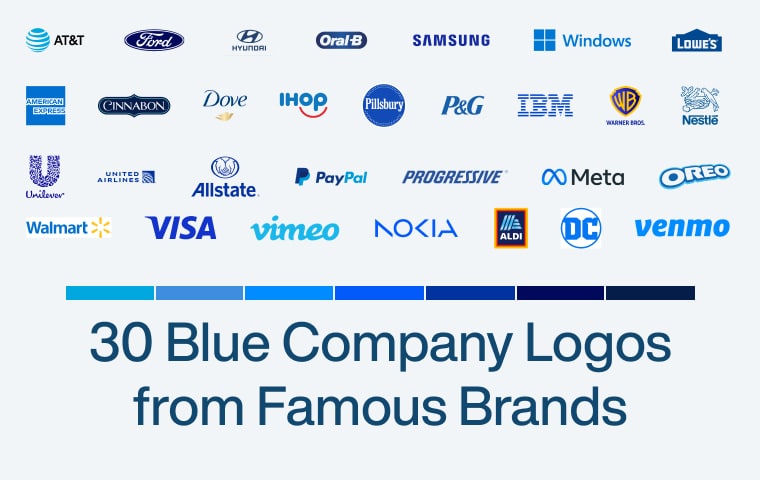
Blue is often associated with trust, calm, and professionalism. It’s a color that can lower heart rates and create a sense of security. Brands like Facebook and IBM use blue to foster trust and reliability. Facebook’s blue logo conveys a sense of community and dependability, while IBM’s use of blue reinforces its image as a stable and trustworthy tech giant.

Blue’s calming effect makes it a popular choice for corporate branding. It’s a color that communicates reliability and professionalism, helping to build strong customer trust.

Read Our Blog: Blue Company Logo

Yellow: The Color of Happiness and Optimism

Yellow is bright and cheerful. It evokes feelings of happiness, positivity, and warmth. McDonald’s uses yellow to create a welcoming and fun environment, especially for children and families. IKEA’s yellow logo is inviting and suggests affordability and friendliness.

Yellow is an attention-grabber, but it’s essential to use it sparingly. While it can bring a sense of cheerfulness, too much yellow can lead to feelings of anxiety. Brands need to balance it with other colors to create a harmonious look.

Read Our Blog: Yellow Company Logos

Green: The Color of Nature and Tranquility

Green symbolizes nature, health, and tranquility. It’s associated with growth and renewal, making it a perfect choice for brands emphasizing natural and sustainable products. Starbucks uses green to highlight its commitment to quality and ethical sourcing, while Whole Foods Market’s green logo underscores its focus on natural and organic products.

Green is also calming and can evoke a sense of balance and harmony. It’s an ideal color for brands promoting a healthy, eco-friendly image.

Read Our Blog: Green Company Logos

Black: The Color of Sophistication and Elegance

Black exudes luxury, sophistication, and elegance. It denotes exclusivity and high quality. Brands like Chanel and Nike use black to convey a sense of timelessness and elegance. Chanel’s black logo is sleek and sophisticated, while Nike’s use of black highlights the brand’s bold and innovative spirit.

Black can be powerful and striking when used correctly. Its color stands out and makes a strong statement, making it a favorite among luxury brands.

Purple: The Color of Creativity and Royalty

Purple is linked to creativity, royalty, and wisdom. It can evoke a sense of luxury and mystery. Brands like Cadbury and Hallmark use purple to create an indulgent and imaginative brand image. Cadbury’s purple packaging suggests a rich and luxurious chocolate experience, while Hallmark’s purple emphasizes creativity and emotional connection.

Purple is often associated with nobility and spirituality. Its color stands out and can make a brand appear unique and imaginative.

Orange: The Color of Enthusiasm and Energy

Orange combines the energy of red and the happiness of yellow. It is associated with enthusiasm, creativity, and vitality. Brands like Fanta and Nickelodeon use orange to convey fun and excitement. Fanta’s orange logo is vibrant and playful, while Nickelodeon’s use of orange appeals to a younger audience, suggesting creativity and energy.

Orange is an attention-grabbing color that can be used to create a sense of warmth and enthusiasm. It’s often used in marketing materials to promote a sense of urgency or to highlight fun and energetic activities.

Pink: The Color of Compassion and Playfulness

Pink is often associated with compassion, love, and nurturing. It can evoke feelings of warmth and playfulness. Brands like Barbie and Victoria’s Secret use pink to create a feminine and playful image. Barbie’s pink logo is fun and youthful, while Victoria’s Secret uses pink to suggest luxury and romance.

Depending on its shade, pink can be both calming and stimulating. It’s a versatile color that can convey various emotions, from playful to romantic.

Brown: The Color of Stability and Reliability

Brown is associated with stability, reliability, and approachability. It evokes a sense of warmth and wholesomeness. Brands like UPS and M&M’s use brown to convey dependability and trustworthiness. UPS’s brown logo suggests reliability in delivery services, while M&M’s uses brown to emphasize their candies’ rich, chocolatey goodness.

Brown can create a sense of comfort and reliability, making it a good choice for brands that want to appear grounded and trustworthy.

Gray: The Color of Neutrality and Sophistication

Gray is often associated with neutrality, balance, and sophistication. It is a versatile color that can be both conservative and modern. Brands like Apple and Mercedes-Benz use gray to convey a sleek and sophisticated image. Apple’s gray logo is minimalistic and modern, while Mercedes-Benz uses gray to suggest luxury and high quality.

Gray can create a sense of calm and professionalism. It’s a neutral color that works well with almost any other color, making it a versatile choice for branding.

White: The Color of Purity and Simplicity

White is associated with purity, simplicity, and cleanliness. It can evoke a sense of space and openness. Brands like Apple and Nike use white to create a clean and modern look. Apple’s white packaging emphasizes simplicity and elegance, while Nike’s use of white suggests purity and performance.

White is a versatile color that can create a sense of calm and simplicity. It’s often used in minimalist designs to emphasize clarity and openness.

Each color has unique psychological effects and can be used strategically in branding to evoke specific emotions and behaviors. By understanding the psychological impacts of colors, brands can choose the right colors to communicate their message effectively and connect with their audience.

How Top Brands Use Color Psychology

Top brands strategically use color to communicate their values, connect with their audience, and create a strong brand identity. By choosing specific colors that evoke particular emotions and associations, brands can enhance their marketing efforts and reinforce their messaging. For instance, red can evoke excitement and urgency, making it ideal for brands like Coca-Cola. Blue is often associated with trust and calm, so Facebook and IBM use it to foster reliability and professionalism. Green signifies health and sustainability, aligning perfectly with brands like Starbucks and Whole Foods. Each color choice is deliberate, helping brands stand out in competitive markets and build lasting customer connections. Through these strategic uses of color, top brands effectively convey their core values and enhance their overall image.

Coca-Cola

Coca-Cola’s red logo is one of the most recognizable in the world. The red evokes excitement and energy, perfectly aligning with the brand’s vibrant and joyful personality. The bold red grabs attention and creates a sense of urgency, making it a powerful tool for the brand’s marketing efforts. This energetic color choice helps to convey the refreshment and enjoyment that Coca-Cola promises.

Facebook

Facebook’s blue logo instills a sense of trust and reliability. The blue color is calming and fosters a sense of community and dependability, which is crucial for a platform where users share personal information and connect with others. The consistent use of blue reinforces Facebook’s brand identity as a trustworthy social network. This shade of blue helps make the platform feel safe and inviting, encouraging user engagement.

Starbucks

Starbucks’ green logo reflects its commitment to sustainability and natural ingredients. The green color suggests health, growth, and tranquility, resonating with customers who value environmental consciousness and quality. Using green helps reinforce Starbucks’ image as a brand that cares about the environment and its customers’ well-being. Green also aligns with Starbucks’ mission to inspire and nurture the human spirit.

McDonald’s

McDonald’s uses a combination of red and yellow in its branding. The red invokes excitement and energy, while the yellow evokes happiness and friendliness. This color combination especially appeals to children, creating a sense of fun and urgency. The bright, bold colors also help McDonald’s stand out in a competitive market, making their restaurants easily recognizable and inviting.

IKEA

IKEA’s use of blue and yellow reflects its Swedish heritage. Blue is associated with trust and dependability, while yellow evokes happiness and optimism. These colors create a welcoming and friendly atmosphere that makes customers feel confident in the brand. The bright yellow in IKEA’s logo suggests affordability and fun, while the blue conveys the reliability of their products.

Apple

Apple’s white and gray branding conveys simplicity, sophistication, and modernity. The clean, minimalist design reflects the brand’s focus on innovation and high-quality products. White suggests purity and clarity, while gray adds a touch of elegance and professionalism. This color scheme aligns with Apple’s brand identity as a sleek, user-friendly technology leader.

Nike

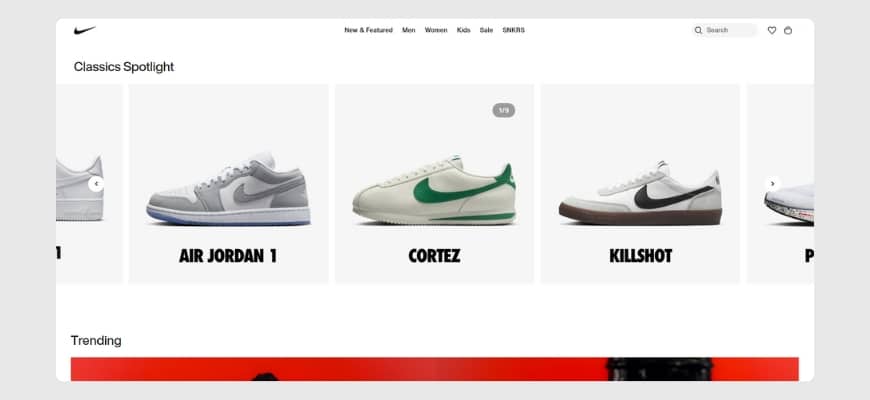
Nike’s black-and-white color scheme emphasizes power, elegance, and simplicity. The black color in the logo highlights Nike’s bold and innovative spirit, while white suggests purity and performance. This combination makes the logo striking and memorable, reinforcing Nike’s position as a leader in athletic wear. The use of black also conveys a sense of luxury and sophistication, appealing to a broad range of customers.

Cadbury

Cadbury’s use of purple in its branding is associated with luxury, creativity, and indulgence. The rich purple color suggests a premium, high-quality chocolate experience. This color choice helps Cadbury stand out in the confectionery market, giving the brand a unique and sophisticated image. The purple packaging invites customers to indulge in a luxurious treat.

Google

Google’s use of multiple bright colors in its logo (blue, red, yellow, and green) reflects the brand’s diversity, creativity, and playful nature. Each color represents different aspects of Google’s personality and services. The vibrant colors suggest innovation, approachability, and a sense of fun, making the brand appear friendly and engaging. This colorful approach helps Google communicate its mission to make information universally accessible and helpful.

Amazon

Amazon’s use of black and orange in its branding conveys sophistication and enthusiasm. The black color suggests reliability and professionalism, while the orange adds a touch of excitement and creativity. The arrow in Amazon’s logo, pointing from A to Z, signifies the company’s commitment to providing a wide range of products. The color combination helps Amazon appear both dependable and innovative.

Designing Your Logo: Tips and Best Practices

When designing a logo, choosing the right color is crucial. Here are some tips to help you leverage color psychology effectively:

Choose the Right Color

Select a color that reflects your brand’s values and the emotions you want to evoke in your audience. Think about what you want your brand to communicate and how different colors can help you achieve that.

Balance Multiple Colors

If you’re using multiple colors, ensure they complement each other and create a cohesive look. Too many colors can be overwhelming, so finding a balance that enhances your brand’s message is essential.

Test and Get Feedback

Conduct tests and gather feedback to understand how your target audience perceives your color choices. This can help you make informed decisions and ensure your logo resonates with your customers.

Color psychology is a powerful tool in logo design and branding. By understanding how colors influence emotions and behaviors, you can create a logo that looks appealing and resonates deeply with your audience. The right color can help you communicate your brand’s values, attract your target audience, and create a lasting impression.

Conquer the Social Media World: Instagram for Business Success

Introduction to Instagram Stories

Instagram Stories have revolutionized how we share and engage with content on the platform. With their temporary nature and interactive features, Stories provide a dynamic and engaging way to connect with your audience. This section will explore what Instagram Stories are and why they have become an essential tool for users and businesses alike.

What Are Instagram Stories?

Instagram Stories is a feature within the Instagram app that allows users to create and share photos and videos that disappear after 24 hours. These Stories are displayed in a slideshow format at the top of the Instagram feed, providing a more casual and spontaneous way to share content compared to traditional posts.

One of the key features of Instagram Stories is that they are temporary, creating a sense of urgency and exclusivity for viewers. This temporary nature encourages users to engage with Stories regularly, ensuring that they don’t miss out on any updates or content from their favorite accounts.

Instagram Stories also offers a range of creative tools and features to enhance your content. From filters and stickers to text and drawing tools, you can personalize and customize your Stories to reflect your unique style and personality. Additionally, you can add location tags, hashtags, and mentions to increase visibility and reach.

Why Use Instagram Stories?

Instagram Stories have gained immense popularity due to their numerous benefits and advantages. Here are a few reasons why you should consider using Instagram Stories:

  1. Increased Visibility: Stories appear at the top of the Instagram feed, allowing your content to be prominently displayed to your followers. This prime position makes it more likely for your Stories to be seen and engaged with.
  2. Authenticity and Behind-the-Scenes Content: Stories are an excellent platform for sharing authentic and unpolished moments. You can give your audience a behind-the-scenes look at your daily life, share candid moments, and foster a deeper connection with your followers.
  3. Engagement and Interactivity: With features like polls, question stickers, and interactive quizzes, Instagram Stories encourage your audience to actively engage with your content. This interactivity not only helps you understand your audience better but also boosts your overall engagement metrics.
  4. Story Highlights and Evergreen Content: Instagram allows you to save Stories as Highlights on your profile. This feature enables you to curate and showcase your best Stories, ensuring that they are accessible beyond the 24-hour lifespan. You can categorize Highlights by topic or theme, making it easier for your audience to explore your content.
  5. Business and Brand Promotion: For businesses and brands, Instagram Stories provide a valuable opportunity to promote products, services, and events. You can use features like swipe-up links (available for accounts with 10,000 followers or more), product tags, and mentions to drive traffic, increase sales, and raise brand awareness.

By leveraging the power of Instagram Stories, you can engage with your audience on a more personal level, showcase your creativity, and establish a strong online presence. Whether you’re an individual looking to connect with friends or a business aiming to reach a wider audience, Instagram Stories offers a versatile and effective way to share your story.

Getting Started with Instagram Stories

Instagram Stories have become a popular feature on the platform, allowing users to share ephemeral content that disappears after 24 hours. If you’re new to Instagram Stories, this section will guide you through the process of accessing, creating, and customizing your first story.

Accessing Instagram Stories

To access Instagram Stories, follow these simple steps:

  1. Open the Instagram app on your mobile device.
  2. Tap on your profile picture at the top-left corner of the screen or swipe right from your home feed.
  3. This will take you to the camera interface, where you can create your Stories.

Creating Your First Story

Creating an Instagram Story is a straightforward process. Here’s how you can do it:

  1. Once you’re on the camera interface, you can take a photo or record a video by tapping the round button at the bottom of the screen. Hold the button to record a video, or tap it to capture a photo.
  2. After capturing your desired content, you can apply filters, stickers, and other interactive elements to enhance your story. Experiment with different options to personalize your content.
  3. Tap the “Your Story” button at the bottom of the screen to share your story with your followers.

Customizing Your Story

Instagram offers various customization options to make your Stories visually appealing and engaging. Here are some ways to customize your story:

  1. Text, Stickers, and Emojis: Add text, stickers, and emojis to your story to convey your message or make it more fun and interactive. You can choose from a wide range of options available within the Instagram app.
  2. Filters and Effects: Apply filters and effects to enhance the look and feel of your story. Experiment with different filters to find the one that suits your content best.
  3. Music and Polls: Incorporate music into your story by selecting a song from Instagram’s library. You can also use the poll feature to engage with your audience and gather their opinions.

Remember, Instagram Stories are meant to be casual and authentic, allowing you to share your everyday moments with your followers. Don’t be afraid to experiment and have fun with the features provided.

Now that you’re familiar with the basics of accessing, creating, and customizing Instagram Stories, it’s time to explore the various features and tools available to maximize your storytelling capabilities. In the next section, we’ll dive deeper into text, stickers, filters, and other elements that can take your Instagram Stories to the next level. Stay tuned!

Maximizing Your Instagram Story Features

To make the most out of your Instagram Stories, it’s essential to take advantage of the various features available. By incorporating text, stickers, emojis, filters, effects, music, and polls, you can enhance the visual appeal and engage your audience. Let’s explore these Instagram story features in more detail.

Adding Text, Stickers, and Emojis

Text, stickers, and emojis are great tools for adding personality and creativity to your Instagram Stories. You can use text to provide context, captions, or call-to-actions, making your stories more informative and engaging. Stickers and emojis, on the other hand, help to convey emotions, enhance visual appeal, and add a touch of fun.

When using text, keep it concise and legible, ensuring that it stands out against the background. Experiment with different fonts, colors, and text effects to align with your brand or personal style. Utilize stickers and emojis that resonate with your content and create a sense of connection with your audience. 

Using Filters and Effects

Filters and effects are powerful tools for transforming the look and feel of your Instagram Stories. They can help set the mood, enhance colors, and add a touch of creativity. Instagram offers a wide range of filters and effects to choose from, allowing you to customize the aesthetics of your stories.

Experiment with different filters to find the ones that align with your brand or the message you want to convey. You can also adjust the intensity of the filters to achieve the desired effect. Additionally, Instagram offers various effects such as boomerang, superzoom, and rewind, which can add a dynamic element to your stories.

Incorporating Music and Polls

Music and polls are interactive features that can make your Instagram Stories more engaging. Adding music to your stories can help set the mood, evoke emotions, and enhance the overall viewing experience. Instagram provides a vast library of licensed music to choose from, allowing you to find the perfect soundtrack for your content.

Polls, on the other hand, enable you to gather feedback, opinions, or preferences from your audience. You can ask questions and provide multiple-choice options for your viewers to vote on. Polls not only encourage audience participation but also provide valuable insights and help you understand your audience better.

By incorporating these features into your Instagram Stories, you can create visually appealing and interactive content that captivates your audience. Remember to analyze your Instagram Insights to understand the performance of your stories and make adjustments accordingly. Experiment with different combinations of text, stickers, emojis, filters, effects, music, and polls to find the perfect mix that resonates with your audience and reflects your unique style.

Engaging Your Audience with Instagram Stories

To make the most of Instagram Stories, it’s important to engage your audience and create a meaningful connection. In this section, we will explore best practices for story engagement, interacting with your viewers, and analyzing story insights to refine your strategy.

Best Practices for Story Engagement

Engaging your audience through Instagram Stories requires thoughtful planning and execution. Here are some best practices to keep in mind:

  1. Be Authentic: Share behind-the-scenes content, exclusive updates, and personal moments to give your audience an authentic and relatable experience.
  2. Keep it Visual: Utilize eye-catching visuals, high-quality photos, and videos to grab your viewers’ attention and make your stories visually appealing.
  3. Use Captions and Hashtags: Add captions to your stories to provide context and use relevant hashtags to increase discoverability. 
  4. Tell a Story: Craft your stories with a beginning, middle, and end to create a narrative that captivates your audience. Use features like text, stickers, and emojis to enhance storytelling.
  5. Engage with Polls and Questions: Use interactive features like polls and questions to encourage your audience to actively participate in your stories. This helps build a sense of community and increases engagement.

Interacting with Your Viewers

Engagement is a two-way street, and interacting with your viewers is crucial for fostering a loyal and active community. Here are some ways to interact with your viewers on Instagram Stories:

  1. Respond to Direct Messages: Encourage your viewers to send direct messages and respond to them promptly. This shows that you value their feedback and creates a personal connection.
  2. Share User-Generated Content: Highlight and share user-generated content that resonates with your brand. This not only acknowledges your audience but also encourages them to continue engaging with your stories.
  3. Host Q&A Sessions: Dedicate a story or series of stories to answer questions from your audience. This helps build trust, fosters transparency, and provides valuable information.
  4. Feature Viewers in Your Stories: Show appreciation for your audience by featuring their content or giving them shoutouts in your stories. This recognition can encourage others to engage with your content as well.

Analyzing Story Insights

Understanding the performance of your Instagram Stories is essential for refining your strategy and maximizing engagement. Take advantage of Instagram’s built-in analytics to gain insights into your story’s performance. Here are some key metrics to consider:

  1. Impressions: The number of times your story was viewed. This metric provides an overall understanding of the reach of your stories.
  2. Completion Rate: The percentage of viewers who watched your entire story. A higher completion rate indicates that your content is engaging and resonates with your audience.
  3. Taps Forward/Taps Backward: These metrics show how many viewers tapped forward or backward on your story. Analyzing this data can help you identify which parts of your story are most engaging or need improvement.
  4. Replies: The number of direct messages or replies received from your audience. This metric reflects the level of interaction and engagement with your stories.

By regularly analyzing these insights, you can gain a better understanding of what content resonates with your audience and make data-driven decisions to improve engagement.

Engaging your audience is a continuous process. Experiment with different techniques, respond to feedback and adapt your strategy based on the insights gained from analyzing your story performance. By nurturing a vibrant and engaged community, your Instagram Stories can become a powerful tool for connecting with your audience and growing your presence on the platform.

Advanced Tips and Tricks for Instagram Stories

To take your Instagram Stories to the next level, here are some advanced tips and tricks that can help you engage your audience and make the most out of this feature.

Utilizing Story Highlights

Instagram Story Highlights allow you to showcase your best and most important stories on your profile for an extended period. This feature is especially useful for businesses and influencers who want to curate and organize their content. Story Highlights appear directly below your bio section, making it easy for viewers to access and explore your archived stories.

To utilize Story Highlights, follow these steps:

  1. Open your profile and tap the “+” button on the Story Highlights section.
  2. Select the stories you want to include in the highlight.
  3. Choose a cover photo and add a title to the highlight.
  4. Tap “Add” to create the highlight.

By strategically organizing your Story Highlights, you can showcase your brand, products, or services, and keep important information easily accessible to your audience. 

Collaborating with Others on Stories

Collaborating with other users on Instagram Stories can help you expand your reach and engage with new audiences. Whether it’s a fellow influencer, a brand, or a friend, collaborating on stories can bring a fresh perspective and attract new followers.

There are several ways to collaborate on Instagram Stories:

  1. Co-Hosted Stories: Invite someone to co-host a story with you. This allows both of you to contribute to the content and engage with each other’s followers. It’s a great way to cross-promote and introduce your audience to new accounts.
  2. Takeovers: Allow another user to “take over” your Instagram account for a set period. During the takeover, they can create and share stories directly from your account. Takeovers are an effective way to introduce new voices and perspectives to your audience.
  3. Collaborative Stories: Create a collaborative story where multiple users contribute their content to a shared story. This can be done by creating a group chat on Instagram and selecting the “Create a Story” option within the chat.

Collaborating on stories not only introduces new content and perspectives but also helps foster connections and build relationships within the Instagram community. 

Incorporating Swipe-Up Links

If you have a verified Instagram account or a business account with more than 10,000 followers, you can add swipe-up links to your Instagram Stories. This feature allows you to include a direct link that viewers can access by swiping up your story. Swipe-up links are a powerful tool for driving traffic to your website, blog, product pages, or any external content you want to promote.

To add a swipe-up link to your Instagram Story, follow these steps:

  1. Create a new Instagram Story by tapping on your profile picture or the “+” button on the home screen.
  2. Tap the link icon at the top of the screen.
  3. Enter or paste the URL you want to link to.
  4. Tap “Done” to add the swipe-up link to your story.

Note that the swipe-up feature is not available to all Instagram users. If you don’t have access to this feature, you can still include a strong call-to-action in your story, encouraging viewers to visit your profile and click on the link in your bio. 

By utilizing Story Highlights, collaborating with others, and incorporating swipe-up links, you can maximize the potential of your Instagram Stories and create engaging and interactive content for your audience. Stay tuned for more advanced tips and tricks to elevate your Instagram presence.

Growing Your Presence with Instagram Stories

As an integral part of your Instagram strategy, Instagram Stories can help you grow your presence and engage with your audience more dynamically and interactively. By integrating stories into your overall content strategy, promoting your brand through stories, and leveraging story advertising opportunities, you can maximize the impact of this feature and reach a wider audience.

Integrating Stories with Your Overall Content Strategy

To make the most of Instagram Stories, it’s essential to integrate them seamlessly into your overall content strategy. Consider the following tips:

  1. Consistency: Create a consistent visual style and tone in your stories to maintain brand recognition. Use colors, fonts, and filters that align with your brand identity.
  2. Relevance: Tailor your stories to resonate with your target audience. Share behind-the-scenes content, product sneak peeks, or exclusive offers to keep your followers engaged.
  3. Frequency: Determine a posting frequency that works for your brand and audience. Consistent story updates can help you stay top of mind and encourage audience interaction.
  4. Cross-Promotion: Use your stories to promote other content on your Instagram profile, such as posts, or reels. Encourage viewers to explore your feed for more valuable content.

By integrating Instagram Stories into your content strategy, you can create a cohesive brand experience and strengthen your online presence.

Promoting Your Brand through Stories

Instagram Stories provide an excellent platform for promoting your brand and connecting with your audience on a more personal level. Here are some effective strategies:

  1. Storytelling: Use stories to tell the story of your brand. Share narratives, experiences, and moments that showcase your values and mission. This helps create an emotional connection with your audience.
  2. Product Highlights: Showcase your products or services in action through engaging visuals and videos. Demonstrate their features, benefits, and unique selling points to entice viewers to make a purchase.
  3. Behind the Scenes: Offer a behind-the-scenes look at your business, team, or creative process. This gives your audience an exclusive glimpse into your brand and fosters a sense of authenticity and transparency.
  4. User-Generated Content: Share user-generated content in your stories to highlight your customers and create a sense of community. Encourage followers to submit their content using a branded hashtag and feature the best submissions in your stories.

By utilizing these strategies, you can leverage Instagram Stories as a powerful tool for brand promotion and audience engagement.

Leveraging Story Advertising Opportunities

Instagram provides various advertising opportunities within Stories to help you expand your reach and target a specific audience. Consider the following options:

  1. Story Ads: Utilize story ads to create visually captivating content that appears seamlessly in between organic stories. Craft compelling visuals, use eye-catching captions, and include a call-to-action to drive engagement and conversions.
  2. Swipe-Up Links: If you have a verified business account or over 10,000 followers, take advantage of the swipe-up feature. This allows you to include links in your stories, directing viewers to external websites, blog posts, or promotional offers.
  3. Branded Content Ads: Collaborate with influencers or other brands to create engaging and authentic story content. These collaborations can help you reach a wider audience and build credibility.

By leveraging these advertising opportunities, you can amplify your brand’s visibility, drive traffic, and achieve your marketing goals through Instagram Stories.

Remember to analyze the performance of your stories using Instagram Insights to gain valuable insights into your audience’s behavior and preferences. With a strategic approach and creative storytelling, Instagram Stories can become a powerful tool for growing your presence and connecting with your audience on a deeper level.

How To Generate Reviews on Google 

In today’s digitally-driven world, online reviews have emerged as a driving force behind consumer decisions and brand reputation. Among the plethora of review platforms, Google reviews are a pivotal factor that can make or break a business. However, ethical review generation practices have become paramount in pursuing positive reviews and increased visibility.

Now, we will delve into the significance of ethical review generation and how genuine reviews contribute to long-term business success. Let’s explore how maintaining ethical practices builds customer trust and paves the way for sustained growth and prosperity.

How does Google Review work?

Google reviews function as a user-generated rating and feedback system integrated into Google’s search and business listing platform. They allow customers and clients to share their experiences and opinions about a business, product, service, or location, which can be seen by other potential customers searching for information or considering engaging with that particular business. Here’s how Google reviews work:

  1. Google My Business (GMB) Listing: To enable Google reviews for a business, the business owner or manager needs to create and claim a Google My Business listing. GMB is a free tool that allows businesses to manage their online presence on Google, including their appearance on Google Search and Google Maps.
  2. Customer Reviews: Once a business has a verified GMB listing, customers who interact with the company can leave their reviews on the GMB profile. These reviews include a star rating (1 to 5 stars) and a written examination or comment.
  3. Search and Map Results: When potential customers search for a specific business or related keywords on Google Search or Google Maps, Google displays the business’s GMB listing, including its star rating and the total number of reviews. This information helps users make informed decisions based on the experiences of others.
  4. Sort and Filter Options: Google allows users to sort and filter reviews based on different criteria, such as the most recent reviews, highest-rated reviews, or specific keywords mentioned in reviews. This helps users find the most relevant and helpful information quickly.
  5. Review Responses: Business owners or managers can respond to the reviews they receive. They can thank customers for positive feedback, address concerns raised in negative thoughts, and demonstrate their commitment to customer satisfaction.
  6. Impact on Local Search Ranking: Google reviews and other factors influence a business’s local search ranking. A company with more positive reviews and an overall positive rating may rank higher in local search results, making it more visible to potential customers searching for products or services in their area.
  7. Review Guidelines: Google has specific guidelines businesses and reviewers must follow. These guidelines ensure that reviews are fair, honest, and respectful. Any violation of these guidelines, such as posting fake reviews or using inappropriate language, can result in the removal of the study or even the suspension of the business’s GMB listing.

What is the importance of Google Reviews?

The importance of Google reviews cannot be overstated, as they play a pivotal role in shaping a business’s online reputation and influencing consumer decisions. In today’s digital world, customers heavily rely on online reviews to make informed choices about where to spend their time and money. Positive Google reviews act as beacons of trust and credibility, guiding potential customers toward businesses with proven track records of customer satisfaction.

When customers search for products, services, or local businesses, Google reviews become a source of solace, providing valuable insights into the experiences of others. The positive testimonials resonate with consumers, instilling confidence and validating a business’s reputation. Furthermore, more positive reviews can improve a business’s visibility in local search results, increasing its chances of connecting with potential customers in the local community.

Beyond their role as endorsements, Google reviews offer valuable feedback for businesses. Whether they carry praise or constructive critique, customer feedback becomes a compass for continuous improvement. By listening to their customers, companies can refine their offerings and stay at the forefront of their industry. Here are some key reasons why Google reviews are of great significance:

  1. Building Trust and Credibility: Positive Google reviews act as social proof, instilling trust and credibility in potential customers. When people see that others have had positive experiences with a business, they are more likely to feel confident in choosing that business over competitors.
  2. Influencing Consumer Decisions: Many consumers seek and read online reviews before purchasing or engaging with a business. Google reviews, being easily accessible and prominently displayed in search results and on Google Maps, directly impact consumer decision-making.
  3. Local Search Ranking: Google reviews are critical in determining a business’s local search ranking. A higher quantity of positive thoughts can lead to better visibility in local search results, making it easier for potential customers to find the business online.
  4. Feedback for Improvement: Google reviews provide valuable feedback to businesses. Whether positive or negative, reviews offer insights into what customers appreciate and areas that need improvement. Businesses can use this feedback to enhance their products, services, and overall customer experience.
  5. Customer Engagement and Interaction: Responding to Google reviews allows businesses to engage with their customers directly. By acknowledging positive feedback and addressing negative reviews professionally, businesses demonstrate their commitment to customer satisfaction and build stronger relationships.
  6. Competitive Advantage: Having more positive Google reviews than competitors can give a business a competitive edge. Positive reviews can set a company apart and influence potential customers to choose them over alternatives.
  7. Free Marketing and Word-of-Mouth Advertising: Positive reviews act as testimonials from satisfied customers. When customers share their positive experiences, it serves as free marketing for the business, reaching a broader audience through word-of-mouth.
  8. Open Dialogue with Customers: Google reviews allow customers to share their thoughts and experiences openly. Businesses can listen to their customers’ concerns, respond to feedback, and demonstrate transparency in their operations.
  9. Insights for Business Growth: Businesses can identify their strengths and weaknesses by analyzing review trends and patterns. These insights can inform strategic decisions and contribute to continuous growth.
  10. Brand Reputation Management: Regularly monitoring and responding to Google reviews allows businesses to manage their online reputation effectively. Addressing negative feedback promptly can help mitigate potential damage and showcase a commitment to customer satisfaction.

Different Cases of Google Reviews

Google reviews hold immense importance across various cases, impacting different types of entities, including businesses, e-commerce platforms, and individual products. Let’s explore how Google reviews play a vital role in each of these cases:

Business

Google reviews profoundly impact businesses of all sizes, from local establishments to global enterprises. Positive reviews act as powerful endorsements, attracting customers and boosting the business’s reputation. A higher number of positive reviews can improve the business’s visibility in local search results, helping it stand out in competitive markets. Moreover, customer feedback through reviews provides valuable insights, allowing businesses to continually identify areas for improvement and enhance their products and services.

E-commerce

For e-commerce platforms, Google reviews are crucial to consumer trust and purchase decisions. Potential customers often search for product reviews and seller ratings before making online purchases. Positive reviews build credibility and encourage more shoppers to trust the platform, increasing sales. Additionally, e-commerce businesses can leverage Google reviews to understand customer preferences and identify best-selling products, ultimately optimizing their product offerings.

Product

For individual products, Google reviews directly connect potential buyers and current users. Positive product reviews instill confidence in prospective customers, confirming the product’s quality and suitability for their needs. On the other hand, negative reviews can alert the manufacturer or seller about potential issues and help them address product-related concerns promptly. By responding to product reviews, businesses can demonstrate their commitment to customer satisfaction and build a loyal customer base.

Local Services

Google reviews attract customers for local services such as restaurants, salons, or repair shops. Positive reviews act as virtual recommendations, enticing potential patrons to visit or engage with the service provider. Since customers often search for nearby services, having a solid review profile on Google can significantly impact foot traffic and overall business success.

Hospitality and Tourism

Google reviews are central to decision-making in travel planning and the hospitality and tourism industry. Positive reviews for hotels, resorts, or tourist attractions inspire confidence in travelers, encouraging them to choose specific destinations or accommodations. Negative thoughts also allow businesses to showcase their dedication to customer satisfaction and improvement when addressed professionally.

Health and Professional Services

Google reviews build trust for health and professional services like doctors, dentists, and lawyers. Positive reviews from satisfied patients or clients demonstrate high expertise and care, attracting more people seeking similar services. A robust review profile in these cases can significantly impact a professional’s reputation and clientele.

How To Get Reviews on Google

Obtaining reviews on Google has become critical to establishing a reputable online presence and fostering trust among potential customers. Positive reviews can elevate a brand’s visibility, credibility, and customer loyalty from local establishments to global enterprises. This guide unravels effective strategies to ask for Google reviews, cultivate genuine customer interactions, and ultimately garner more reviews on the world’s most influential search and review platform. Here are the strategies for each category on how to ask for Google reviews and how to get more reviews on Google:

  1. Ask for a Google Review in Person: Train your staff to make a personal connection with customers during their visit. After providing excellent service or completing a transaction, politely ask satisfied customers if they would be willing to share their experience by leaving a Google review. Their feedback is crucial to improving the business and helping others make informed decisions.
  2. Requesting Google Reviews via Email: Send personalized follow-up emails to customers shortly after their interaction with your business. Express gratitude for their support and ask for feedback through a Google review. Include a direct link to your Google review page for their convenience.
  3. Using Social Media for Review Requests: Leverage your social media presence to ask for Google reviews. Share positive customer experiences and testimonials, encouraging followers to share their own experiences by leaving a review on Google. Add a call-to-action to prompt engagement.
  4. Including Review Requests on Invoices or Receipts: Add a review request message or QR code to your invoices or receipts. Politely ask customers to share their experience on Google and consider leaving a review. Make the process simple by providing a direct link.
  5. Creating Review Request Cards: Design review request cards that customers can take after their visit or purchase. These cards can include a QR code or shortened URL leading to your Google review page. Place the cards at your checkout counter or include them in product packaging.
  6. Incorporating Review Requests in Customer Service Emails: Whenever you engage with customers via email for support or follow-ups, include a courteous request for a Google review. Let them know that their feedback matters and will help other customers make informed decisions.
  7. Using Follow-up Surveys to Ask for Reviews: If your business conducts post-interaction surveys, add a section asking if the customer would be willing to leave a Google review. Include a link to your review page for easy access.
  8. Responding to Positive Feedback with a Request: When customers send positive feedback or compliments via email, phone, or in person, take the opportunity to express appreciation and kindly ask if they would consider sharing their thoughts in a Google review.
  9. Including Review Requests in Website Pop-ups: Implement a non-intrusive website pop-up that appears after a customer spends a certain amount of time on your site or completes a specific action. Use this pop-up to request a Google review and link directly to the review page.
  10. Promoting Google Reviews in Newsletters: If your business sends newsletters, add a section inviting subscribers to leave a Google review. Include a brief message expressing gratitude and a link to your review page.

What to expect from people and how to educate them

Understanding what to expect from people when it comes to writing reviews and how to educate them can be a game-changer for businesses seeking to harness the power of customer feedback effectively, whether leaving a review on Google or any other platform, engaging with customers and guiding them to craft thoughtful, constructive, and genuine reviews is essential for building trust, improving products and services, and cultivating lasting customer relationships. Here are some points that you expect from people and educate them:

  1. Highlight the Importance of Feedback: Educating people about the significance of their feedback is essential for encouraging review writing. Emphasize that their reviews can influence future customers’ decisions and help businesses enhance their offerings. Let them know their opinions are valued and crucial to the business’s success.
  2. Encourage Honesty and Authenticity: Stress the importance of honesty in reviews. Educate customers that authentic experiences are more valuable than overly positive or negative feedback. Emphasize that balanced and candid reviews contribute to a trustworthy and transparent review ecosystem.
  3. Provide Clear Guidelines: Many customers may need clarification about what to include in their reviews. Offer clear guidelines on what aspects they can cover, such as product performance, customer service, or delivery speed. Please encourage them to share specific details to provide helpful insights to other potential customers.
  4. Address Common Questions and Concerns: Some customers might hesitate to write reviews due to concerns about the process or potential privacy issues. Address common questions and concerns upfront, reassuring them that the review process is user-friendly and that their personal information will be handled securely.
  5. Offer Incentives Responsibly: While incentives can effectively motivate customers to leave reviews, educate them on the importance of unbiased feedback. Clear that their genuine opinions matter more than any reward and that their honest feedback benefits the business and customers.
  6. Respond to Reviews with Gratitude: Teach businesses the importance of responding to reviews, especially positive ones. When customers see their feedback acknowledged, it encourages further engagement and motivates others to share their experiences. Responding to reviews also showcases the business’s commitment to customer satisfaction.
  7. Address Negative Feedback Professionally: Educate businesses on how to handle negative feedback professionally. Emphasize the importance of viewing negative reviews as opportunities for improvement rather than personal attacks. Encourage enterprises to respond empathetically, address concerns, and offer solutions or resolutions.
  8. Share Examples of Great Reviews: Providing examples of well-written reviews can be inspiring for customers who may need guidance on how to start. Share reviews that effectively highlight positive experiences and constructive feedback. This gives customers a reference point and encourages them to express themselves confidently.
  9. Promote Reviews on Social Media and Websites: Leverage social media and website platforms to showcase customer reviews. Share positive thoughts with the customers’ permission, creating a sense of appreciation and recognition. This public recognition can motivate other customers to share their own experiences.
  10. Celebrate Customer Stories: Sharing success stories from customers who have provided valuable feedback and experienced positive changes can be powerful. Highlight instances where customer feedback led to product improvements or service enhancements. Celebrating customer stories reinforces the impact of their reviews and motivates others to share their experiences.

What to do next after getting a review

After receiving a review, whether it’s a positive or negative one, businesses should take specific actions to maximize the impact of customer feedback and build stronger relationships with their customers. Here’s what to do next after getting a review:

  1. Respond Promptly and Graciously: Acknowledge every review with a timely and sincere response. For positive reviews, express gratitude for the customer’s feedback and their support. For negative reviews, respond professionally, showing empathy and a genuine desire to address their concerns.
  2. Address Concerns and Resolve Issues: For negative reviews, take the conversation offline to resolve the issue privately. Offer solutions or compensation where appropriate, showing the customer that their satisfaction is a top priority.
  3. Share Positive Reviews: Share positive reviews on your website, social media, or promotional materials. Highlighting customer satisfaction reinforces your brand’s credibility and trustworthiness to potential customers.
  4. Learn from Feedback: Analyze customer feedback to identify trends and areas for improvement. Use constructive criticism to enhance products, services, or customer experiences.
  5. Express Appreciation: Consider expressing appreciation to customers who leave reviews by offering a discount on future purchases or a small token of gratitude. This gesture can encourage repeat business and loyalty.
  6. Update FAQs or Knowledge Base: If customers raise recurring questions or concerns in their reviews, update your FAQs or knowledge base to address these topics proactively.
  7. Monitor and Manage Reviews: Continuously monitor your online reviews across platforms. Address any new thoughts promptly, showing you are actively engaged with customer feedback.
  8. Encourage Further Engagement: Use reviews to invite customers to subscribe to newsletters, follow your social media accounts, or join loyalty programs. Engaging with customers beyond the review can lead to long-term relationships.
  9. Use Reviews in Marketing Material: Incorporate snippets of positive reviews in your marketing efforts. Testimonials from satisfied customers can reinforce your brand’s credibility and entice potential customers.
  10. Celebrate Milestones: Celebrate reaching review milestones (e.g., 100 reviews, 5-star rating) by thanking your customers and offering special promotions. Engaging customers in these celebrations fosters a sense of community and loyalty.
  11. Implement Customer Feedback Ideas: If customers suggest improvements or new features in their reviews, consider implementing their ideas and acknowledging their contributions. Involving customers in your business’s evolution strengthens the customer-business relationship.
  12. Learn from Negative Feedback: Negative reviews can be a source of valuable insights. Use them as an opportunity to identify areas for improvement, train your staff, or update policies to prevent similar issues in the future.

How to post a Google review

Leaving a Google review is an impactful way for customers to share their experiences with businesses and help fellow consumers make informed decisions. Whether praising exceptional service or providing valuable feedback for improvement, posting a Google review can significantly influence a business’s reputation and success. In this guide, we’ll walk you through the step-by-step process of how to post a Google review. With just a few clicks and thoughtful words, you can contribute to a thriving review ecosystem, empowering businesses to grow and fostering a community of informed and satisfied customers. Let’s get to know how to do a Google review:

  1. Sign in to Your Google Account: Ensure you are signed in to your Google account. If you don’t have one, create a Google account first.
  2. Search for the Business on Google: Go to Google and search for the business you want to review. To narrow the search results, you can search for the business name followed by the city or location.
  3. Click on the Business Listing: Click on the business listing that matches your search. This will take you to the business’s Google My Business (GMB) page.
  4. Scroll Down to the Review Section: Scroll down the business’s GMB page until you see the review section. You should find a box with stars indicating the business’s overall rating and the number of reviews.
  5. Click on “Write a Review”: Click on the button that says “Write a Review.” This will open a pop-up box where you can compose your review.
  6. Select the Star Rating: Give the business a star rating based on your experience. You can choose from one to five stars, with five being the highest rating.
  7. Write Your Review: Let’s get to know how to write a review on Google. In the text box provided, write your review. Be honest, specific, and provide details about your experience with the business. Mention aspects such as customer service, product quality, or any exceptional experiences you had.
  8. Edit and Preview Your Review (Optional): If you wish to edit your review, you can do so before posting it. Google also provides a preview of how your review will appear to others.
  9. Click “Post”: Once satisfied with your review, click the “Post” button to publish it. Your review will now be visible to others on the business’s Google My Business listing.
  10. Edit or Delete Your Review (Optional): After posting your review, you can edit or delete it. To do this, go back to the business’s GMB page, locate your review, and click on the three dots (ellipsis) next to your review. Select “Edit review” or “Delete review” from the drop-down menu” as desired.

Conclusion

The significance of Google reviews must be considered, as they significantly impact a business’s online reputation and influence consumer decisions. Businesses need to employ various strategies to generate reviews on Google effectively, such as asking for reviews in person, via email, or on social media. Providing clear guidelines and encouraging honesty and authenticity in reviews is crucial. 

Businesses should respond graciously to all reviews, promptly addressing concerns and resolving issues. Sharing positive reviews and learning from feedback is essential for continuous improvement. Educating customers on the importance of their reviews and celebrating milestones can further encourage engagement. By embracing the power of customer feedback, businesses can foster trust, build lasting relationships, and thrive in the competitive digital landscape.

Resolutions to Help You Grow Your Business in 2025

Every new year brings fresh opportunities for businesses to grow and improve. Setting clear resolutions is like creating a roadmap for success. These resolutions help you focus on what’s important and prepare for the challenges ahead.

In 2025, businesses need to stay flexible and adapt to changing market trends. Customers expect more personalized experiences, and technology is evolving faster than ever. Businesses that embrace change will stay competitive and continue to grow.

Let’s explore some key resolutions that can guide your business toward success in 2025.

Invest in Digital Transformation

Digital transformation means using technology to improve the way your business works. It helps you save time, reduce mistakes, and serve your customers better. By upgrading your tools and processes, you can keep up with the competition and meet customer needs more efficiently.

One key part of digital transformation is digital marketing. It’s how you connect with your audience online. Let’s look at some important areas:

  1. Search Engine Optimization (SEO): SEO helps your website show up on search engines like Google. When people search for products or services you offer, good SEO makes it easier for them to find you. By using the right keywords, optimizing your site’s speed, and creating helpful content, you can attract more visitors to your site.
  2. Email Marketing: Email is a powerful tool to stay in touch with your customers. You can use it to share updates, promotions, or helpful tips. A good email marketing strategy builds trust and keeps your audience engaged. Personalizing your emails makes them even more effective.
  3. Social Media: Social media platforms like Facebook, Instagram, and LinkedIn help you reach a wider audience. You can use them to share your story, show off your products, and connect with customers directly. Posting regularly and using visuals like videos or images can boost engagement.

Strengthen Customer Relationships

Building strong customer relationships is key to business success. Personalized experiences, like tailored product recommendations or birthday discounts, make customers feel valued. Loyalty programs, offering points, exclusive deals, or early access, encourage repeat business and long-term support.

CRM tools help track customer interactions and preferences, allowing for more meaningful engagement through emails, social media, or in-store experiences. An omnichannel approach—connecting with customers across platforms like your website, social media, and phone support—ensures seamless interactions and builds trust.

Businesses that prioritize customer care, like sending thank-you notes or solving issues quickly, often see repeat business and positive reviews. Strengthening these bonds makes your business thrive.

Examples of Success

  • Amazon: They use personalized recommendations and a user-friendly app to create a smooth shopping experience.
  • Starbucks: Their loyalty app offers rewards, exclusive perks, and easy ordering, making customers feel valued.
  • Zappos: Known for exceptional customer service, they go above and beyond to meet customer needs.

Maximize Automation and AI

Automation and Artificial Intelligence (AI) are changing the way businesses operate by making processes faster and more efficient. By automating repetitive tasks, businesses can save time and focus on activities that drive growth. AI tools also help analyze data, predict trends, and support smarter decision-making.

Here are some key use cases:

  • Customer Service Chatbots: Instantly answer common questions, improving response time and customer satisfaction.
  • Lead Generation Tools: Identify potential customers faster and with greater accuracy, helping you grow your customer base.
  • Content Creation: Use AI to create engaging blogs, social media posts, and videos efficiently and consistently.

One of the greatest benefits of AI is real-time analytics, which tracks performance instantly. These tools provide valuable insights, allowing businesses to adjust strategies quickly and stay on track. Whether it’s monitoring website traffic, ad performance, or sales trends, real-time analytics ensures your decisions are data-driven and effective.

Diversify Revenue Streams

Diversifying revenue streams is crucial for ensuring business stability and growth. Relying on a single source of income can be risky, especially in times of market shifts or economic challenges. By exploring multiple income streams, businesses can reduce risk, improve cash flow, and open up new opportunities for growth.

Why Diversification is Important

  • It provides a safety net during market downturns or disruptions.
  • Helps tap into new customer segments and markets.
  • Encourages innovation and keeps the business adaptable to change.

Tips to Diversify Revenue

  • Expand Your Product Line: Introduce new products that complement your existing offerings. For example, a clothing brand could add accessories or footwear.
  • Offer Services: Add services like consulting, training, or subscriptions to create recurring income.
  • Explore New Markets: Enter new geographic regions or demographics to widen your reach.
  • Create Digital Products: Develop eBooks, online courses, or apps to generate passive income.
  • Collaborate with Others: Partner with businesses in related industries to offer bundled deals or co-branded products.

Set Clear, Measurable Goals

Setting clear goals is essential for business growth. Goals give direction and help you focus on what matters most. They motivate your team, improve decision-making, and measure progress. Without clear goals, it’s easy to lose track and waste time on less important tasks.

The SMART Criteria

SMART goals ensure your efforts are structured and achievable. Here’s how it works:

  • Specific: Clearly define what you want to achieve. Example: “Increase website traffic.”
  • Measurable: Set a number or milestone to track progress. Example: “Grow traffic by 20%.”
  • Achievable: Make sure the goal is realistic given your resources.
  • Relevant: Align the goal with your business objectives. Example: “Increase traffic to boost online sales.”
  • Time-Bound: Set a deadline to achieve the goal. Example: “Achieve this by the end of Q2.”

By setting SMART goals, businesses create a clear roadmap for success. It allows you to stay focused, track progress, and celebrate achievements along the way.

Adopt a Data-Driven Strategy

Using data to make decisions helps businesses grow smarter and faster. Data analytics gives you a clear picture of what’s working and what’s not. It helps you understand customer behavior, predict trends, and make changes that lead to better results. With the right data, you can avoid guesswork and focus on strategies that bring real value.

Benefits of Data-Driven Decision-Making

  • Better Understanding of Customers: Learn what your customers like, need, and expect.
  • Improved Marketing: Focus on the channels and campaigns that give the best return.
  • Increased Efficiency: Identify areas where you can save time and resources.
  • Faster Adjustments: Spot problems early and make quick changes to stay on track.

Tools to Track Performance and Insights

  • Google Analytics: Tracks website traffic, user behavior, and conversions.
  • CRM Tools (e.g., HubSpot, Salesforce): Manage customer interactions and identify trends.
  • Social Media Analytics: Platforms like Instagram and Facebook show engagement metrics.
  • Survey Tools (e.g., SurveyMonkey): Collect direct feedback from customers.

Adopting a data-driven strategy helps you make informed decisions that boost growth. It’s about using facts and insights to shape your next move, ensuring every step counts toward your goals.

Focus on Employee Training

Continuous learning is essential for teams to stay competitive in today’s fast-changing world. Employees need to keep their skills up to date to meet new challenges and adapt to industry trends. When businesses invest in training, they empower their teams to work smarter and deliver better results.

Strategies to Upskill Employees

  • Offer Online Courses: Platforms like Coursera or LinkedIn Learning provide flexible training options.
  • Host Workshops: Bring in experts to teach new tools or skills.
  • Encourage Cross-Training: Let employees learn different roles to improve teamwork and adaptability.
  • Provide Mentorship: Pair experienced employees with those looking to grow.

ROI of Employee Training

Investing in training pays off in many ways. Skilled employees make fewer mistakes, work more efficiently, and contribute to business growth. It also reduces turnover because employees feel valued and are more likely to stay with the company. Training isn’t just an expense—it’s an investment in your business’s future.

Commit to Social Responsibility

Social responsibility is becoming a must for modern businesses. Customers today care about more than just products; they want to support brands that give back to society. Businesses that show they care about the environment, their community, or social causes build trust and a stronger reputation. It’s a way to make a positive impact while connecting with people on a deeper level.

Why Social Responsibility Matters

  • It builds goodwill and strengthens your brand image.
  • Customers are more likely to support businesses that align with their values.
  • It creates a sense of purpose for employees, boosting morale and loyalty.

Ways to Align with Charitable Causes

  • Support Local Communities: Partner with local programs or donate to community initiatives.
  • Focus on Sustainability: Reduce waste, use eco-friendly materials, or adopt green energy.
  • Engage in Volunteering: Encourage employees to volunteer for causes that align with your mission.
  • Donate to Charities: Contribute a portion of profits to nonprofits that reflect your values.

Stay Updated with Industry Trends

Staying updated with industry trends is vital for staying competitive. Markets change quickly, and businesses that adapt can take advantage of new opportunities. Keeping up with trends helps you understand what your customers want, spot changes early, and stay ahead of your competitors.

Tips to Monitor Trends and Competitors

  • Follow Industry News: Read blogs, magazines, or online articles about your industry.
  • Engage on Social Media: Follow key influencers, competitors, and trendsetters.
  • Use Analytics Tools: Study customer behavior and buying patterns for insights.
  • Attend Events: Participate in trade shows, webinars, or workshops to learn and network.

Resources to Stay Updated

  • Google Alerts: Set up alerts for specific keywords to get updates on trends.
  • Industry Reports: Read reports from trusted organizations or market researchers.
  • Podcasts and Webinars: Listen to experts discuss current topics and innovations.
  • Professional Groups: Join online forums or associations to exchange ideas.

Review and Revamp Marketing Strategies

Marketing strategies need to evolve to stay effective. Customers’ preferences and technology change quickly, so keeping your campaigns fresh and relevant is important. Reviewing your approach regularly ensures you’re reaching the right audience and making the most of your efforts.

Innovative Marketing Trends

  • Influencer Marketing: Partner with influencers to promote your products and reach new audiences. Their personal touch makes your brand more relatable.
  • AR/VR Experiences: Use augmented or virtual reality to create immersive experiences, like virtual store tours or try-on features.
  • Interactive Content: Create quizzes, polls, or interactive videos that engage your audience directly and keep them on your page longer.

Measuring and Optimizing Performance

  • Track Key Metrics: Monitor clicks, engagement, and conversions to see what works.
  • A/B Testing: Test different versions of your campaigns to find the most effective approach.
  • Customer Feedback: Ask your audience what they like or want to see more of.
  • Analytics Tools: Use tools like Google Analytics or social media insights to review performance and refine your strategies.

By regularly reviewing and updating your marketing strategies, you can stay relevant, connect with your audience, and drive better results. It’s all about being creative, flexible, and data-driven to grow your business.

Prioritize Employee Well-Being

A healthy and motivated workforce is the backbone of any successful business. When employees feel cared for, they perform better, stay longer, and contribute more. Prioritizing their well-being creates a positive work environment and strengthens your team.

Strategies to Support Employee Well-Being

  • Wellness Programs: Offer fitness classes, mental health resources, or wellness challenges to promote a healthy lifestyle.
  • Flexible Work Options: Allow remote work or flexible hours to help employees balance their work and personal lives.
  • Professional Development: Provide training programs, mentorship, or opportunities for career growth to keep employees engaged and motivated.

The Impact on Productivity and Retention

When employees feel supported, they are more committed and productive. They take fewer sick days and work with greater energy and focus. A positive work culture also reduces turnover, saving costs on hiring and training.

In 2025, the success of your business will depend on how well you adapt to change, prioritize your team, and stay connected with your audience. By focusing on strategies like digital transformation, employee well-being, and innovative marketing, you can create a solid foundation for growth. Embrace new tools, trends, and opportunities to stay ahead in a competitive market. Small, consistent efforts today will lead to big achievements tomorrow.

At Chetaru, we specialize in web development and digital marketing solutions to help your business thrive. Whether you want to boost your online presence or implement cutting-edge strategies, we’re here to support your success in 2025 and beyond.

Web Design Trends 2025

Web design is constantly evolving, shaped by new technologies and changing user preferences. As we step into 2025, staying updated with the latest trends is crucial for creating engaging and user-friendly websites. This year, the focus is on simplicity, speed, and personalization. Designers are finding creative ways to blend aesthetics with functionality, ensuring every website delivers a seamless experience. Let’s explore the key web design trends that will define 2025 and help your website stand out.

Let’s explore the web design trends for 2025 below, highlighting innovative and user-focused designs.

Immersive 3D Elements

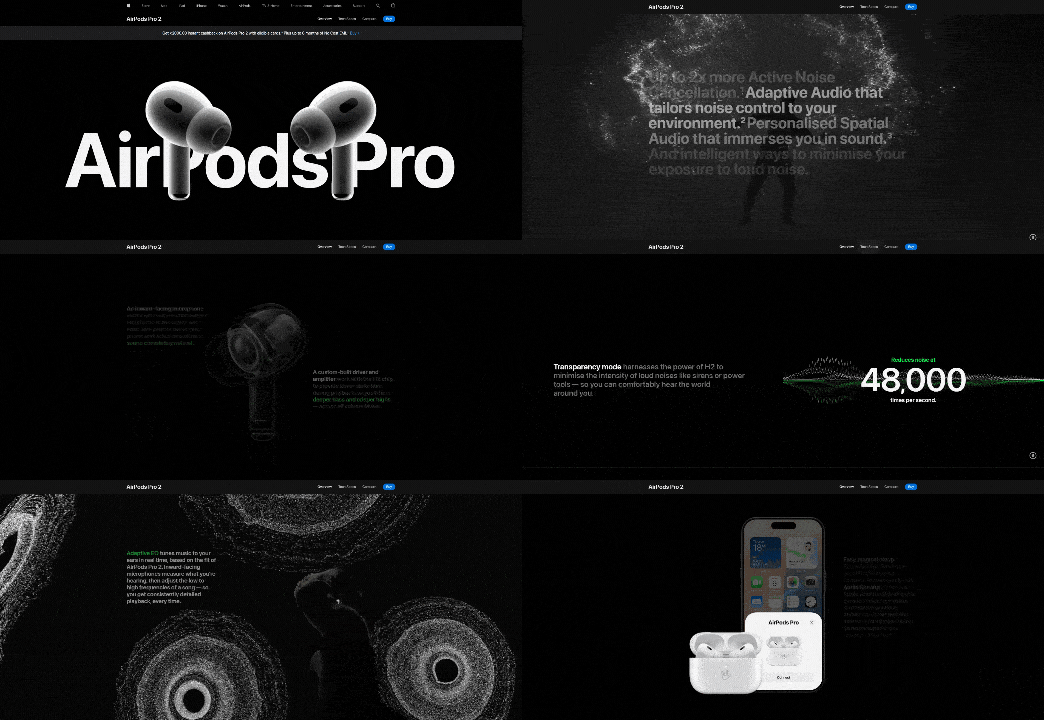
Immersive 3D Elements

Source: AirPods Pro 2 – Apple

Immersive 3D elements involve incorporating three-dimensional visuals and interactive graphics into web design. These features create a lifelike experience, allowing users to engage with content in ways that feel more dynamic and realistic.

Why It Matters?

  1. Enhanced User Engagement: 3D visuals capture attention faster than flat designs. They invite users to interact with the website, keeping them engaged longer.
  2. Memorable Experiences: The uniqueness of 3D elements makes websites stand out, leaving a lasting impression on users. This can be a game-changer for branding.
  3. Improved Storytelling: Websites can use 3D designs to visually narrate their stories, products, or services, offering more immersive and detailed explanations.
  4. Technological Advancements: With advancements in browser capabilities and faster internet speeds, 3D elements now load quickly and run smoothly, making them more accessible.

Examples of 3D Elements in Use

  1. Interactive 3D Models: Websites like Apple showcase their products in interactive 3D. For instance, users can rotate an iPhone to view it from different angles, offering a more comprehensive product experience.
  2. Isometric Designs: Many tech websites use isometric illustrations for creating engaging visuals. These designs combine a 3D effect with clean and structured layouts.
  3. Floating 3D Elements:Websites like Stripe use subtle floating 3D graphics to add depth to their design without overwhelming the content.

How to Use 3D Elements Effectively

  • Prioritize Performance: Ensure 3D visuals are optimized to load quickly and work on various devices.
  • Keep It Relevant: Use 3D graphics that align with your brand’s identity and purpose.
  • Focus on Interaction: Allow users to interact with the 3D elements for an engaging experience.

Challenges and Considerations

While 3D elements enhance design, they can increase page load times if not optimized properly. Test thoroughly to maintain speed and performance.

Dark Mode

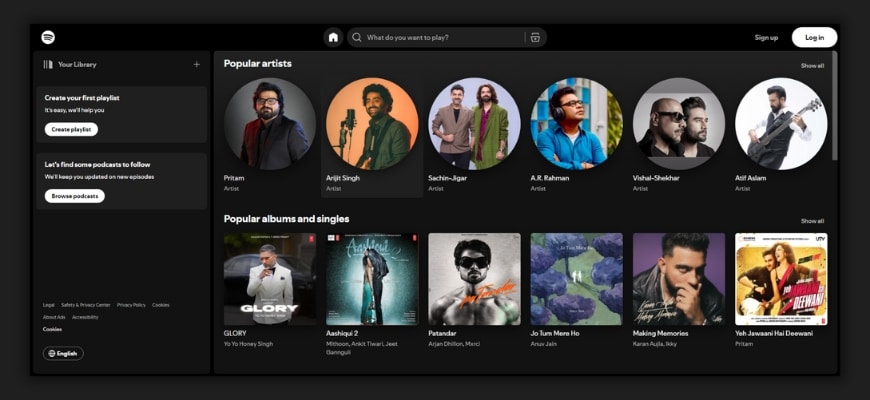
dark mode

Source: Spotify

Dark mode goes beyond the basic black backgrounds. It incorporates contrasting neon highlights and adaptive color schemes that adjust based on the time of day or user preferences. These enhancements make dark mode designs more vibrant and user-friendly.

Why It Matters?

  1. Reduces Eye Strain: Dark mode helps users browse comfortably, especially in low-light environments. The softer tones are easier on the eyes during long screen sessions.
  2. Boosts Aesthetic Appeal: Combining dark backgrounds with bright neon accents creates a sleek, modern look. It makes content visually striking while maintaining readability.
  3. Increases User Preference: Many users now prefer dark mode for its calming effect and stylish design. Offering this option enhances user satisfaction.
  4. Improves Battery Life: On OLED and AMOLED screens, dark mode saves battery by using less power to display darker colors.

Examples of Websites Using Dark Mode

  • Spotify: Features dark mode with clean highlights for navigation, making it visually appealing and functional.
  • Slack: Offers adaptive themes, allowing users to switch between dark and light modes seamlessly.

How to Use Dark Mode Effectively

  • Focus on Contrast: Ensure text and icons are clear against the dark background.
  • Add Neon Highlights: Use subtle pops of color for buttons or interactive elements to draw attention.
  • Offer Customization: Let users choose between dark and light modes to match their preferences.

Challenges and Considerations

  • Test designs on various devices to ensure readability.
  • Avoid overusing neon colors, as they can become overwhelming if not balanced.

Minimalist Maximalism

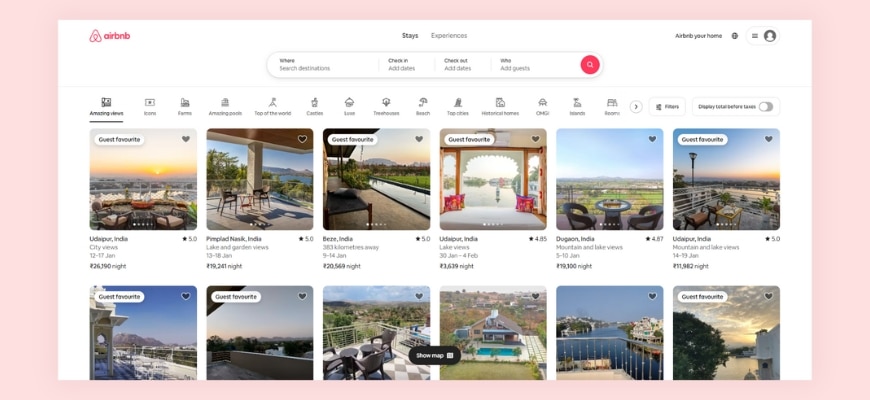
Minimalist Maximalism

Source: airbnb

Minimalist maximalism blends clean and simple layouts with bold, eye-catching design elements. It uses vibrant colors, dramatic typography, and oversized visuals to create a striking yet balanced look.

Why It’s Effective

  1. Balanced Design: It keeps the layout uncluttered while using bold elements to grab attention, creating a unique mix of simplicity and creativity.
  2. Memorable Impact: The dramatic use of oversized visuals and vibrant colors leaves a lasting impression on users.
  3. Improved Readability: Clean layouts ensure easy navigation, while bold typography highlights the most important information.
  4. Brand Personality: This design style allows brands to express creativity without losing a polished, professional appearance.

Examples of Minimalist Maximalism

  • Airbnb: Combines simple layouts with bold, oversized typography for a modern feel.
  • Canva: Uses vibrant colors and dramatic design elements while keeping the interface clean and user-friendly.

How to Use It Effectively

  • Keep It Simple: Maintain white space to avoid clutter.
  • Focus on Key Elements: Use oversized visuals or typography sparingly to highlight important messages.
  • Play with Colors: Add vibrant hues to create contrast and draw attention to specific areas.

Challenges and Considerations

  • Avoid overloading the design with too many bold elements.
  • Ensure the design aligns with your brand’s tone and purpose.

Scrollytelling

Scrollytelling

Source: Apple

Scrollytelling uses storytelling techniques in web design, where the narrative unfolds as users scroll. It combines visuals, text, and animations to create an interactive and engaging experience.

Why It’s Effective

  1. Engages Users:Scrolling through a story keeps users interested and encourages them to explore more.
  2. Improves Understanding:By combining visuals and animations, complex ideas or products are explained in an easy-to-follow format.
  3. Makes Content Memorable:The storytelling approach connects with users emotionally, making the content more impactful.

Best Use Cases

  • Product Showcases: Highlight features and benefits step by step as users scroll.
  • Portfolio Sites: Display creative work dynamically, keeping visitors intrigued.
  • Brand Storytelling: Share the journey and mission of your brand in an engaging, visual way.

Examples of Scrollytelling

  • Apple’s Product Pages: Uses animations and visuals to explain product features interactively.
  • The New York Times’ Special Stories: Combines text, images, and scrolling animations for immersive storytelling.

How to Use Scrollytelling Effectively

  • Focus on Flow: Ensure the story progresses naturally without overwhelming the user.
  • Optimize Performance: Use lightweight animations and visuals to maintain fast loading speeds.
  • Test for Usability: Make sure scrolling works smoothly on all devices and browsers.

Glassmorphism

glassmorphism

Source: Dribbble

Glassmorphism uses frosted glass effects combined with bold colors and gradients. It creates a transparent, layered look that adds depth and elegance to web designs.

Why It’s Trending

  1. Modern Aesthetic: The sleek and futuristic style makes websites look polished and visually appealing.
  2. Adds Depth: Layering elements with a frosted glass effect creates a sense of dimension, making designs feel dynamic.
  3. Improves Focus: By blurring the background, it highlights the content in the foreground, guiding the user’s attention.

Examples of Glassmorphism in Use

  • Apple Music: Features frosted effects to enhance its modern interface.
  • Dribbble Designs: Many UI concepts showcase glassmorphism for card designs and menus.

How to Use Glassmorphism Effectively

  • Balance the Design: Pair glass effects with simple layouts to avoid visual clutter.
  • Use Subtle Gradients: Complement the frosted glass with soft gradients for a cohesive look.
  • Test for Readability: Ensure text and icons remain clear against the frosted background.

Challenges of Glassmorphism

  • Performance Issues: Frosted glass effects can slow down websites if not optimized, especially on older devices.
  • Readability Risks: Poor contrast between text and background can make content hard to read.
  • Overuse of Effects: Excessive glass layers can clutter the design and reduce usability.

Bold Typography

bold typography

Source – Nike

Bold typography uses large, expressive fonts that dominate the design. These oversized text elements grab attention and communicate key messages effectively.

Why It’s Trending

  1. Captures Attention:Big, bold fonts instantly draw the user’s eye to important content.
  2. Enhances Readability:Clear and impactful typography ensures users can quickly understand the message.
  3. Builds Strong Branding:Expressive fonts reflect the brand’s personality and make it memorable.

Best Uses

  • Headlines: Use bold typography to emphasize key messages or announcements.
  • Hero Sections: Make a strong first impression with striking fonts that dominate the page.
  • Branding Elements: Incorporate unique typography to align with your brand identity.

Examples of Bold Typography in Use

  • Nike: Uses bold fonts in its hero sections to emphasize power and energy.
  • Spotify Wrapped: Features oversized typography to create excitement and highlight key stats.

How to Use Bold Typography Effectively

  • Keep It Simple: Use minimal text to let the typography shine without overcrowding.
  • Pair with Clean Layouts: Bold fonts work best with simple, uncluttered designs.
  • Maintain Contrast: Choose colors that ensure the text stands out against the background.

Challenges of Bold Typography

  1. Overwhelming Design: Overusing bold fonts can make the design feel heavy and distract from the message.
  2. Responsiveness: Large typography can look awkward on smaller screens if not scaled properly.
  3. Font Selection: Using overly decorative fonts can hurt readability and clash with the design.

Micro-Interactions

Micro-interactions are small, subtle animations or effects that happen when users interact with a website. Examples include button hover effects, progress indicators, and feedback animations when an action is completed.

Why It’s Important

  1. Enhances User Engagement: These small details make interactions feel more dynamic and enjoyable, keeping users interested.
  2. Provides Feedback: Micro-interactions confirm user actions, like a subtle animation showing that a form submission was successful.
  3. Improves Navigation: Hover effects and transitions guide users intuitively, making it easier to explore the site.

Examples of Micro-Interactions in Use

  • LinkedIn: Displays a loading indicator when uploading a file, keeping users informed.
  • E-commerce Sites: Add to cart buttons often feature animations to confirm the action visually.

How to Use Micro-Interactions Effectively

  • Keep It Subtle: Avoid overwhelming users with overly flashy animations.
  • Focus on Functionality: Ensure animations have a purpose, like providing feedback or enhancing navigation.
  • Optimize for Performance: Test animations to make sure they run smoothly without slowing the site.

Challenges of Micro-Interactions

  1. Overuse: Too many animations can clutter the design and distract users.
  2. Performance Issues: Poorly optimized effects can affect website speed and user experience.
  3. Consistency: Inconsistent interactions across pages may confuse users and break the flow.

Adaptive Color Schemes

Adaptive color schemes change based on factors like the time of day, user preferences, or device settings. For example, a website might shift to dark mode in the evening or align with a user’s chosen theme.

Why It’s Popular

  1. Personalized Experience: Adaptive color schemes cater to user preferences, making browsing feel more tailored.
  2. Improved Comfort: Adjusting colors based on the time of day reduces eye strain and creates a pleasant viewing experience.
  3. Device Compatibility: These schemes sync with device settings like dark or light mode, ensuring consistency across platforms.

Examples of Adaptive Color Schemes in Use

  • YouTube: Automatically switches between light and dark modes based on device settings.
  • Twitter: Lets users choose themes or follow system preferences for a consistent experience.

How to Use Adaptive Color Schemes Effectively

  • Offer Customization: Allow users to switch modes manually if they prefer.
  • Test Readability: Ensure text and elements are visible and clear in all color variations.
  • Optimize Transitions: Smoothly transition between schemes to avoid jarring effects.

Challenges of Adaptive Color Schemes

  1. Design Complexity: Maintaining consistent branding across multiple schemes requires extra effort.
  2. Performance Impact: Switching schemes dynamically can slow down poorly optimized websites.
  3. Accessibility: Some color combinations may not be accessible to users with visual impairments.

AR-Enhanced Design

AR-enhanced design integrates augmented reality (AR) features into websites. These elements allow users to interact with digital objects in real-world settings through their devices. Examples include virtual try-ons for shopping or interactive AR games.

Why It’s Trending

  1. Improves User Engagement: AR makes the browsing experience more interactive and exciting.
  2. Enhances Decision-Making: Features like virtual try-ons help users visualize products, leading to more confident purchases.
  3. Adds a Wow Factor: AR elements stand out and create a memorable user experience.

Examples of AR-Enhanced Design in Use

  • IKEA Place App: Lets users visualize furniture in their space through AR.
  • Warby Parker: Offers virtual try-ons for glasses directly on their website.

How to Use AR-Enhanced Design Effectively

  • Focus on Value: Use AR to solve a problem or enhance the user’s experience, like helping them try products virtually.
  • Ensure Accessibility: Make AR features easy to use on different devices and browsers.
  • Optimize Performance: Keep AR elements lightweight to avoid slowing down the website.

Challenges of AR-Enhanced Design

  1. Technical Requirements: Users need compatible devices and browsers to access AR features.
  2. Development Complexity: Integrating AR requires specialized skills and tools, increasing development time and cost.
  3. User Adoption: Some users may be unfamiliar with AR or hesitant to use it.

Overlapping Layers

Overlapping layers use elements like images, text, and graphics that stack and intersect to create depth and movement in a design. This approach gives websites a more dynamic and engaging look.

Why It Works

  1. Adds Depth: Overlapping layers create a sense of three-dimensional space, making the design feel richer and more immersive.
  2. Boosts Visual Interest: The interplay of layers draws the user’s eye and keeps them engaged.
  3. Encourages Creativity: Designers can experiment with different combinations to create unique layouts that stand out.

Examples of Overlapping Layers in Use

  • Creative Agencies: Often use layered text and images in hero sections to showcase bold, artistic designs.
  • Portfolio Sites: Combine overlapping elements to present work dynamically and visually.

How to Use Overlapping Layers Effectively

  • Maintain Balance: Avoid overcrowding the layout; use white space to give elements room to breathe.
  • Ensure Clarity: Test the readability of text and visibility of key graphics in layered designs.
  • Keep It Responsive: Make sure layers adapt well to different screen sizes without looking cluttered.

Challenges of Overlapping Layers

  1. Overcrowded Design: Too many layers can confuse users and reduce the impact of the design.
  2. Performance Issues: Complex layering can slow down page loading if not optimized.
  3. Device Compatibility: Designs may not look the same across all devices and browsers.

Motion UI

Source: Savoir Faire

Motion UI involves using smooth animations and transitions to guide users through a website. These movements make interactions more engaging and intuitive, like animated menus, hover effects, or subtle loading screens.

Why It’s Trending

  1. Improves Navigation: Animations provide visual cues, helping users understand how to move through the interface.
  2. Enhances Engagement: Motion adds life to static designs, making the experience more dynamic and enjoyable.
  3. Provides Feedback: Transitions and effects confirm user actions, like a subtle animation when clicking a button.

Best Use Cases

  • Loading Screens: Use animations to keep users entertained while pages load.
  • Menu Animations: Highlight transitions between menus or sections for a polished look.
  • Hover Effects: Add motion to buttons or links to encourage interaction.

Examples of Motion UI in Use

  • Dropbox: Uses smooth transitions and animations to explain features and guide users.
  • Asana: Adds subtle hover effects and animations to enhance usability.

How to Use Motion UI Effectively

  • Keep It Simple: Avoid overly complex animations that might distract users.
  • Focus on Speed: Ensure animations are quick and don’t delay user actions.
  • Maintain Consistency: Use motion effects consistently across the site for a cohesive experience.

Challenges of Motion UI

  1. Performance Impact: Heavy animations can slow down websites if not optimized properly.
  2. Device Compatibility: Some animations may not work smoothly on older devices or browsers.
  3. Accessibility: Excessive motion might overwhelm users with sensory sensitivities.

Split-Screen Layouts

Split-screen layouts divide the screen into two or more sections, allowing multiple pieces of content to be displayed side by side. This design helps balance visuals and text or compare different ideas effectively.

Why It’s Useful

  1. Showcases Comparisons: Perfect for highlighting differences or similarities, like product features or before-and-after visuals.
  2. Enhances Storytelling: Split layouts can guide users through a narrative by pairing images and text in an engaging way.
  3. Improves Clarity: By separating content into distinct sections, the design feels clean and organized.

Examples of Split-Screen Layouts in Use

  • Nike: Uses split screens to display product features alongside visuals, creating a dynamic look.
  • Portfolio Sites: Many designers showcase projects on one side and descriptions on the other for a balanced presentation.

How to Use Split-Screen Layouts Effectively

  • Keep It Balanced: Ensure each section gets equal attention and doesn’t overpower the other.
  • Use Contrast: Apply contrasting colors or visuals to distinguish sections clearly.
  • Optimize for Mobile: Adapt the layout for smaller screens to ensure readability and usability.

Challenges of Split-Screen Layouts

  1. Mobile Responsiveness: Split designs can become cluttered on small screens if not optimized well.
  2. Visual Overload: Displaying too much content in one view may overwhelm users.
  3. Consistency: Maintaining balance and alignment across sections can be challenging.

Circular Design Elements

Circular design elements focus on rounded shapes and patterns in user interfaces. These include circular buttons, icons, and layouts that create a smooth and cohesive look.

Why It’s Trending

  1. Soft Aesthetic: Rounded shapes feel approachable and friendly, making websites more inviting.
  2. Modern Appeal: Circles and curves give designs a clean, modern feel that stands out.
  3. Focus and Balance: Circular elements naturally draw the eye and create harmony in layouts.

Examples of Circular Design Elements in Use

  • Google Workspace: Uses circular icons and buttons to maintain a simple and user-friendly design.
  • Fitness Apps: Often feature circular progress bars to track goals visually.

How to Use Circular Design Elements Effectively

  • Keep It Simple: Avoid overcrowding the layout with too many rounded shapes.
  • Highlight Key Features: Use circular designs to draw attention to important buttons or icons.
  • Blend with Other Shapes: Pair circles with clean lines and rectangles for balance.

Challenges of Circular Design Elements

  1. Limited Space: Circles can restrict the amount of content or text displayed inside them.
  2. Overuse: Too many rounded elements can make the design feel repetitive or overly soft.
  3. Responsive Design: Ensuring circular elements scale well on smaller screens can be tricky.

Gradient Overlays

Gradient overlays use soft color transitions as backgrounds or layered effects on images and text. These gradients range from subtle tonal shifts to vibrant multi-color blends, adding a polished look to web designs.

Why It’s Popular

  1. Adds Depth: Gradients create a sense of dimension, making flat designs more dynamic.
  2. Enhances Visual Appeal: Smooth color transitions bring vibrancy without overpowering other design elements.
  3. Modern Touch: Gradients offer a fresh, contemporary aesthetic that appeals to users.

Examples of Gradient Overlays in Use

  • Spotify: Uses bold gradients in its backgrounds and promotional banners for a dynamic look.
  • Instagram: Features its iconic gradient as a central part of its branding and interface.

How to Use Gradient Overlays Effectively

  • Stay Subtle: Use gradients that complement, rather than overpower, the content.
  • Match the Brand: Choose gradient colors that align with your brand’s identity.
  • Test for Contrast: Ensure text and visuals remain clear and readable over the gradient.

Challenges of Gradient Overlays

  1. Overuse: Too many gradients can make the design feel busy or distracting.
  2. Consistency: Creating gradients that look good across devices and screens requires careful testing.
  3. Performance: Large gradient images can affect loading times if not optimized.

Inclusive Design

Inclusive design ensures websites are accessible to everyone, including users with different abilities. It features customizable interfaces, accessible navigation, and support for tools like screen readers.

Why It’s Crucial

  1. Expands Reach: Inclusive websites cater to a wider audience, making them usable for all, including people with disabilities.
  2. Enhances Usability: Features like adjustable text sizes, clear navigation, and color contrast improve the experience for every user.
  3. Supports Legal Compliance: Many regions require websites to meet accessibility standards, such as WCAG guidelines.

Examples of Inclusive Design in Use

  • BBC: Offers keyboard-friendly navigation and supports screen readers to accommodate all users.
  • Apple: Includes features like VoiceOver and adjustable settings for accessibility across devices.

How to Use Inclusive Design Effectively

  • Ensure Text Readability: Use clear fonts, adjustable sizes, and high contrast for visibility.
  • Optimize Navigation: Include keyboard-friendly controls and clear labels for links and buttons.
  • Test Accessibility: Use tools like WAVE or Lighthouse to identify and fix accessibility issues.

Challenges of Inclusive Design

  1. Increased Complexity: Designing for diverse needs requires extra time and resources.
  2. Testing Across Devices: Ensuring accessibility on various devices and browsers can be challenging.
  3. Ongoing Updates: Accessibility needs evolve, requiring continuous monitoring and improvements.

Dynamic Cursor Effects

Dynamic cursor effects make the cursor interactive, changing its shape, color, or behavior based on user actions. For instance, the cursor might expand when hovering over links or morph into a different icon when interacting with content.

Why It’s Trending

  1. Engages Users: Interactive cursors add a playful and unique touch, keeping users interested.
  2. Provides Visual Cues: Cursor changes help users understand interactive elements, improving navigation.
  3. Enhances Personalization: Custom cursors create a distinct brand experience, making the website more memorable.

Examples of Dynamic Cursor Effects in Use

  • Creative Portfolios: Many designers use dynamic cursors to highlight links or emphasize interaction.
  • Gaming Websites: Incorporate unique cursors that align with the theme of the site.

How to Use Dynamic Cursor Effects Effectively

  • Keep It Subtle: Avoid overly complex effects that might distract users.
  • Focus on Functionality: Use changes to guide users, like indicating clickable areas.
  • Test Responsiveness: Ensure cursors perform well across different devices and browsers.

Challenges of Dynamic Cursor Effects

  1. Overuse: Too many animations can overwhelm users and slow down performance.
  2. Accessibility Issues: Some cursor effects may not work well for users relying on assistive technologies.
  3. Compatibility: Unique cursors might not render correctly on all devices or operating systems.

Textured Backgrounds

Textured backgrounds use subtle patterns or designs to give a website depth and character. These can range from soft gradients to fine grain effects, making the design more engaging and visually appealing.

Why It’s Trending

  1. Adds Depth: Textured backgrounds break away from flat, plain designs, creating a more dynamic feel.
  2. Enhances Sophistication: The tactile quality of textures adds a polished and professional look.
  3. Improves Visual Interest: Patterns and textures draw attention without overpowering the main content.

Examples of Textured Backgrounds in Use

  • Luxury Brand Sites: Often use fine grain or subtle fabric textures to create a premium feel.
  • Creative Portfolios: Incorporate watercolor effects or abstract patterns for artistic appeal.

How to Use Textured Backgrounds Effectively

  • Stay Subtle: Choose textures that complement the content instead of distracting from it.
  • Match the Brand: Select patterns or effects that align with your brand’s style and tone.
  • Optimize for Performance: Use lightweight texture files to maintain fast loading speeds.

Challenges of Textured Backgrounds

  1. Overwhelming Designs: Bold or busy textures can overshadow text and visuals, reducing readability.
  2. Consistency: Ensuring textures look good across various devices and screen sizes can be challenging.
  3. Accessibility Concerns: Some textures may make text harder to read for users with visual impairments.

Web design trends for 2025 showcase the perfect blend of creativity, functionality, and inclusivity. From immersive visuals to user-first designs like adaptive color schemes and inclusive layouts, staying updated with these trends can elevate your website’s experience and make it stand out. Whether you’re looking to revamp your site or create a new one, embracing these innovations ensures you stay ahead in the competitive digital landscape.

Ready to implement these trends on your website? At Chetaru, we specialize in crafting stunning, trend-focused websites tailored to your brand’s needs. Let’s work together to build a site that captivates your audience and drives results. Contact us today to get started!